Listen to this Post
Introduction:
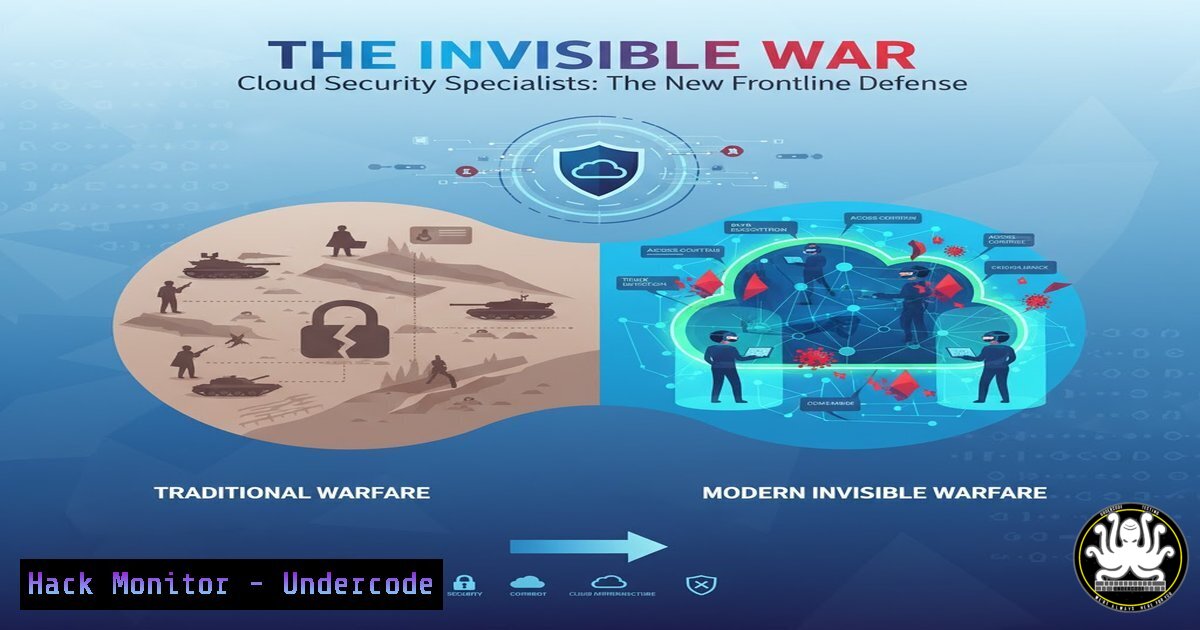
The rapid migration to cloud environments has fundamentally reshaped the modern attack surface, creating an unprecedented demand for specialized cloud security professionals. As organizations scramble to secure their digital assets in hybrid and multi-cloud architectures, the role of the Cloud Security Specialist has evolved from a niche position to a critical frontline defender. This article deconstructs the core competencies required to excel in this high-stakes field, providing a technical roadmap for aspiring and current practitioners.
Learning Objectives:
- Understand the critical security controls and hardening procedures for major cloud platforms (AWS, Azure, GCP).
- Master essential command-line and scripting techniques for security automation and incident response.
- Develop a practical methodology for configuring, monitoring, and defending cloud-native infrastructure.
You Should Know:
1. Cloud Infrastructure Hardening 101
A secure cloud foundation begins with hardening the core infrastructure. This involves configuring identity and access management (IAM), enabling robust logging, and securing network perimeters before a single workload is deployed. Misconfigurations in these fundamental areas are the primary cause of cloud security breaches.
Verified AWS CLI Command: Enforce MFA for Root Account
aws iam create-virtual-mfa-device --virtual-mfa-device-name MyMFADevice --outfile /path/QRCode.png --bootstrap-method QRCodePNG
aws iam enable-mfa-device --user-name AWSAdmin --serial-number arn:aws:iam::123456789012:mfa/MyMFADevice --authentication-code-1 123456 --authentication-code-2 987654
Step-by-step guide:
- The first command creates a new virtual MFA device and generates a QR code image.
- Scan the QR code with an authenticator app like Google Authenticator or Authy to get two consecutive authentication codes.
- The second command enables the MFA device for the specified user by providing the first two generated codes. This ensures that even if root credentials are compromised, an attacker cannot access the account without the time-based one-time password (TOTP).
2. Securing Containerized Workflows
Containers introduce unique security challenges, from vulnerable images to runtime threats. A comprehensive container security strategy must encompass image scanning, pod security policies, and network segmentation within the Kubernetes cluster.
Verified Kubernetes Command: Apply a Pod Security Standard
kubectl apply -f - <<EOF
apiVersion: policy/v1beta1
kind: PodSecurityPolicy
metadata:
name: restricted
spec:
privileged: false
allowPrivilegeEscalation: false
requiredDropCapabilities:
- ALL
volumes:
- 'configMap'
- 'emptyDir'
- 'projected'
- 'secret'
- 'downwardAPI'
- 'persistentVolumeClaim'
hostNetwork: false
hostIPC: false
hostPID: false
runAsUser:
rule: 'MustRunAsNonRoot'
seLinux:
rule: 'RunAsAny'
fsGroup:
rule: 'RunAsAny'
EOF
Step-by-step guide:
1. This command applies a restrictive PodSecurityPolicy to your Kubernetes cluster via a YAML manifest.
2. The policy prevents pods from running as the root user (MustRunAsNonRoot), disallows privilege escalation, and drops all Linux capabilities by default.
3. It also restricts the types of volumes that can be mounted and disables access to the host’s network, IPC, and PID namespaces, significantly reducing the attack surface.
3. Infrastructure as Code (IaC) Security Scanning
IaC templates like Terraform and CloudFormation can codify security misconfigurations at scale. Integrating static security scanning into the CI/CD pipeline is essential to catch vulnerabilities before deployment.
Verified Terraform & tfsec Command:
 Write a simple Terraform file (main.tf)
cat > main.tf << EOF
resource "aws_s3_bucket" "example" {
bucket = "my-tf-test-bucket"
acl = "public-read"
}
EOF

Scan it with tfsec
tfsec .
Step-by-step guide:
- The first command creates a Terraform file defining an S3 bucket with a public-read ACL, which is a common misconfiguration.
- The `tfsec .` command scans the current directory for security issues.
- Tfsec will immediately flag the publicly readable S3 bucket (and many other potential issues), allowing the developer to fix the problem in the code before it is applied to live cloud infrastructure, preventing a potential data breach.
4. Cloud Network Segmentation and Firewalling
The principle of least privilege must be extended to cloud network security. This involves creating granular security groups and network access control lists (NACLs) to segment microservices and limit lateral movement in the event of a compromise.
Verified AWS CLI Command: Create a Restrictive Security Group
aws ec2 create-security-group --group-name MyApp-SG --description "Security group for MyApp web servers"
aws ec2 authorize-security-group-ingress --group-name MyApp-SG --protocol tcp --port 443 --cidr 0.0.0.0/0
aws ec2 authorize-security-group-ingress --group-name MyApp-SG --protocol tcp --port 22 --cidr 192.168.1.100/32
Step-by-step guide:
- The first command creates a new security group.
- The second command authorizes inbound HTTPS traffic (port 443) from any IP address, which is necessary for a public-facing web server.
- The third, and most critical, command only allows SSH access (port 22) from a single, trusted administrative IP address (
192.168.1.100). This prevents attackers from scanning and attempting to brute-force the SSH service from the entire internet. -
Proactive Threat Hunting with CloudTrail and Log Analytics
A reactive security posture is insufficient. Security teams must proactively hunt for threats using centralized logging and analytics. AWS CloudTrail, when combined with a SIEM or cloud-native analytics tool, provides visibility into API activity and potential malicious behavior.
Verified AWS CLI & SQL-like Command:
Export CloudTrail logs to Amazon Athena for analysis
Sample Athena Query to Find Unusual Console Logins:
SELECT
eventTime,
sourceIPAddress,
userIdentity.userName,
eventName
FROM cloudtrail_logs
WHERE
eventName = 'ConsoleLogin'
AND eventTime >= '2023-10-01T00:00:00Z'
AND sourceIPAddress NOT IN ('203.0.113.1', '203.0.113.2') -- Trusted IPs
AND responseElements.ConsoleLogin = 'Success';
Step-by-step guide:
- This query runs in Amazon Athena after CloudTrail logs have been configured for storage in S3 and registered with the service.
- It filters for successful console login events (
ConsoleLoginand'Success') within a specified time frame. - Crucially, it excludes logins from known, trusted IP addresses, surfacing only logins from unfamiliar locations, which could indicate credential theft or unauthorized access.
6. Secrets Management and Runtime Security
Hard-coded API keys and credentials in source code are a perennial source of compromise. A modern cloud environment demands a dedicated secrets management solution, coupled with runtime protection for workloads.
Verified Linux Command: Using HashiCorp Vault CLI
 Set the Vault server address
export VAULT_ADDR='https://vault.example.com:8200'

Authenticate to Vault (e.g., using Kubernetes auth)
vault login -method=kubernetes role=myapp

Read a secret from the KV engine
vault kv get -field=api_key secret/myapp/prod
Step-by-step guide:
- The first command sets the address of the Vault server.
- The `vault login` command authenticates the pod to Vault using the Kubernetes authentication method, which is more secure than long-lived tokens.
- The final command retrieves a specific secret (the `api_key` field) from the key-value store at the path
secret/myapp/prod. The application uses this secret at runtime without it ever being stored in environment variables or configuration files.
7. Automated Incident Response with Cloud Functions
Speed is critical during a security incident. Automated playbooks, triggered by cloud events, can contain a threat before it spreads, such as by automatically isolating a compromised resource.
Verified Python Code Snippet for AWS Lambda:
import boto3

def lambda_handler(event, context):
ec2 = boto3.client('ec2')
instance_id = event['detail']['instance-id']

Check if a critical tag is missing
response = ec2.describe_instances(InstanceIds=[bash])
instance = response['Reservations'][bash]['Instances'][bash]
tags = {tag['Key']: tag['Value'] for tag in instance.get('Tags', [])}

if 'Environment' not in tags or tags['Environment'] != 'Prod':
 Isolate instance by applying a security group that allows no traffic
ec2.modify_instance_attribute(
InstanceId=instance_id,
Groups=['sg-IsolatedSecurityGroup']
)
print(f"Instance {instance_id} has been isolated.")
return {'statusCode': 200}
Step-by-step guide:
- This AWS Lambda function is triggered by a CloudWatch Event rule that fires when a new EC2 instance is launched.
- The function checks the instance’s tags to see if it has an `Environment` tag set to
Prod. - If the tag is missing or incorrect, the function immediately modifies the instance’s security groups to one that has no inbound or outbound rules (
sg-IsolatedSecurityGroup), effectively isolating the non-compliant instance and preventing a potential configuration drift security issue.
What Undercode Say:
- The technical bar for cloud security roles is escalating beyond policy management into hands-on automation, scripting, and deep platform expertise.
- The distinction between developer, operations, and security roles is blurring, creating a demand for “security engineers” who can code and build resilient systems, not just audit them.
The hiring post for roles like Cloud Security Specialist and DevOps Engineer signals a strategic shift. Companies are no longer looking for siloed security auditors; they are desperately seeking builders who can embed security directly into the CI/CD pipeline and cloud fabric. The required skillset, as inferred from the technical commands and procedures outlined, is a hybrid of software engineering, systems administration, and adversarial thinking. The professional who can script a containment response in Python, harden a Kubernetes cluster via declarative YAML, and proactively hunt for threats using SQL-like queries represents the new gold standard. This is a move from a defensive, checklist-based posture to an offensive, engineering-centric one, where security is a feature of the system’s architecture, not a bolt-on.
Prediction:
The convergence of AI, cloud, and security will create a new wave of automated offensive and defensive capabilities. Within two years, we predict that Cloud Security Specialists will be expected to manage AI-driven security orchestration platforms that can autonomously patch vulnerabilities, dynamically reconfigure network topographies in response to threats, and deploy intelligent honeypots. The role will become less about manual configuration and more about training, tuning, and trusting AI systems to manage the immense scale of the cloud, making foundational scripting and automation skills not just an advantage, but an absolute necessity for survival in the field.
🎯Let’s Practice For Free:
IT/Security Reporter URL:
Reported By: Showkat Ahmad – Hackers Feeds
Extra Hub: Undercode MoN
Basic Verification: Pass ✅


