Listen to this Post
Introduction:
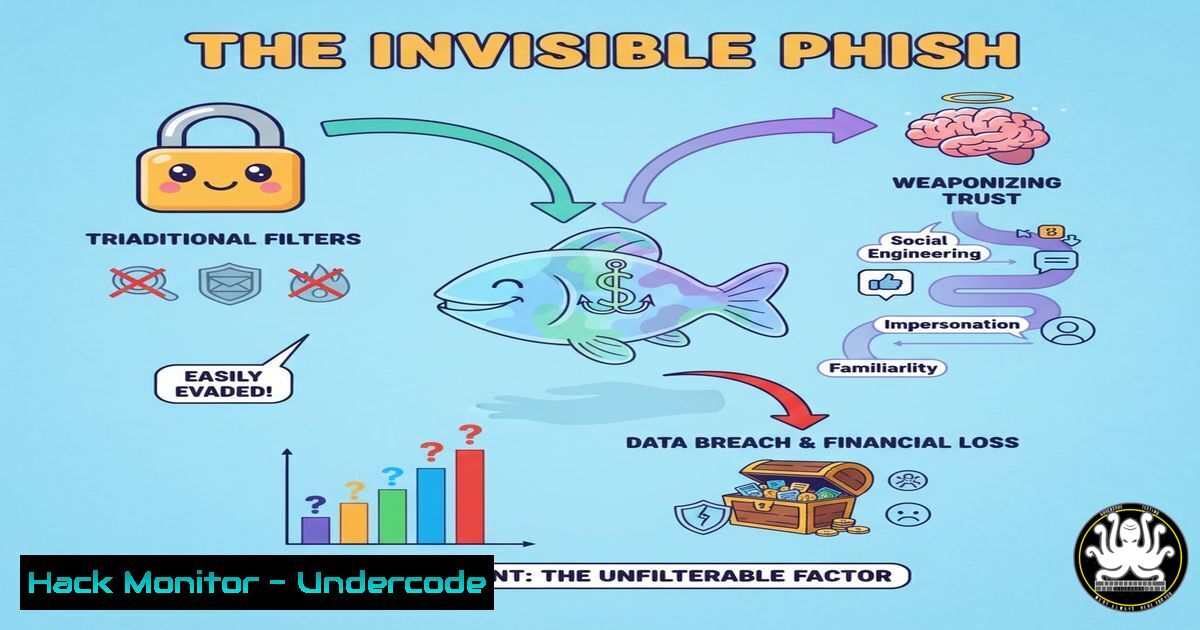
The cybersecurity landscape is witnessing a paradigm shift from crude, mass-emailed phishing lures to sophisticated, “invisible” attacks that operate within trusted communication channels. These new campaigns bypass legacy security filters by leveraging stolen credentials, hijacked sessions, and trusted third-party services, making them nearly undetectable to the untrained eye and outdated security protocols. Understanding the mechanics of these attacks is no longer optional for security professionals; it is a critical requirement for modern defense.
Learning Objectives:
- Understand the technical mechanisms of token-based and session hijacking attacks.
- Learn to identify the subtle anomalies that differentiate legitimate activity from a compromised account.
- Implement proactive hardening measures for cloud email platforms and API integrations.
- Develop a robust incident response plan for post-breach containment.
- Leverage advanced hunting techniques to uncover hidden threats within your environment.
You Should Know:
1. The Anatomy of an “Invisible” Attack
Step‑by‑step guide explaining what this does and how to use it.
Invisible phishing does not rely on malicious links or attachments in the traditional sense. Instead, attackers use a multi-stage process. First, they acquire valid user credentials through credential stuffing or purchasing them from initial access brokers. Next, they use these credentials to authenticate with a service like Microsoft 365, obtaining a valid session token. With this token, they can make authenticated API calls to Microsoft Graph to read email, send messages, and access files, all while appearing as a legitimate user. The “phish” is a message sent from a real, trusted colleague’s account, making it invisible to signature-based email security gateways.
2. Detecting the Undetectable: Hunting for Anomalies
Step‑by‑step guide explaining what this does and how to use it.
Since these attacks bypass traditional checks, detection relies on behavioral analytics and log analysis. Security teams must hunt for anomalies in their cloud identity and access management logs.
– Microsoft 365/Azure AD: Use KQL (Kusto Query Language) in Azure Sentinel or Advanced Hunting in Microsoft Defender to query for logins from unexpected locations or user agents.
// KQL Query to find logins from a new country for a user
SigninLogs
| where TimeGenerated > ago(7d)
| where ResultType == "0"
| summarize FirstSeen=min(TimeGenerated), LastSeen=max(TimeGenerated) by UserPrincipalName, Location, AppDisplayName
| extend IsNewLocation = (FirstSeen > ago(2d))
| where IsNewLocation == true
– General Linux Hunting: On endpoint systems, correlate processes with network connections to find beaconing.
 On a Linux server, look for suspicious outbound connections
netstat -tunap | grep ESTABLISHED
 Cross-reference the PID with the process command line
ps -p <PID> -o pid,cmd
3. Hardening Your Microsoft 365 Environment
Step‑by‑step guide explaining what this does and how to use it.
Prevention is the best medicine. Harden your M365 tenant to make initial compromise and lateral movement significantly harder.
– Enable Conditional Access Policies: Require compliant devices and block legacy authentication protocols. A policy blocking access from non-trusted countries is highly effective.
– Implement Multi-Factor Authentication (MFA): Enforce MFA for all users, preferably using number matching in the Authenticator app to resist MFA-fatigue attacks.
– Utilize Microsoft Secure Score: This built-in tool provides specific recommendations for improving your tenant’s security posture. Follow its guidance to disable unused protocols and tighten settings.
4. Securing APIs and Application Integrations
Step‑by‑step guide explaining what this does and how to use it.
Attackers abuse delegated and application permissions in API integrations. Regularly audit and monitor these.
– Audit Azure AD Enterprise Applications: Navigate to Azure AD > Enterprise Applications and review all applications. Look for ones with excessive permissions like `Mail.ReadWrite` or Files.ReadWrite.All. Remove any that are unused.
– Use PowerShell to Check Service Principals:
 Connect to Azure AD first: Connect-AzureAD
Get-AzureADServicePrincipal | Where-Object { $_.Tags -eq "WindowsAzureActiveDirectoryIntegratedApp" } | Format-List DisplayName, AppId, PublisherName
– Principle of Least Privilege: When building or approving apps, grant only the absolute minimum API permissions required for the application to function.
5. Incident Response: Containing a Compromised Account
Step‑by‑step guide explaining what this does and how to use it.
When you suspect an account is being used for an invisible phishing attack, speed is critical.
1. Immediate Containment: In the M365 admin center, immediately revoke the user’s active sessions and force a password reset.
2. Investigate Message Traces: Use the Exchange Online PowerShell module to trace emails sent from the compromised account during the incident period.
Get-MessageTrace -SenderAddress [email protected] -StartDate (Get-Date).AddDays(-1) -EndDate (Get-Date) | Format-List
3. Search and Purge: Use the `Search-Mailbox` or `New-ComplianceSearch` cmdlets to find and delete malicious emails sent from the compromised account to other internal employees.
4. Forensic Analysis: Capture Azure AD sign-in logs and M365 audit logs for the account to understand the full scope of the attacker’s activities.
6. Proactive Cloud Security Posture Management
Step‑by‑step guide explaining what this does and how to use it.
Maintaining a strong security posture requires continuous monitoring and assessment of your cloud environment.
– Leverage CSPM Tools: Use tools like Microsoft Defender for Cloud, AWS Security Hub, or open-source options like ScoutSuite to identify misconfigurations.
– Example ScoutSuite Command:
 Run Scout Suite against an AWS environment
python scout.py aws --profile my-aws-profile
– Automate Compliance Checks: Use Azure Policy or AWS Config rules to automatically enforce and check for compliance with security baselines, such as ensuring all storage buckets are private by default.
What Undercode Say:
- The attack surface has fundamentally shifted from the network perimeter to the identity layer. Your defense strategy must evolve accordingly.
- Legacy security tools that rely on known-bad indicators are obsolete against these attacks. A behavior-based, zero-trust approach is non-negotiable.
The era of the easily-spotted phishing email is over. The post highlights a critical evolution where the attacker’s primary tool is not a cleverly disguised email but the victim’s own established trust and authorized access. This renders a vast portion of traditional security controls, which act as gatekeepers at the border, completely blind. The analysis points to a future where security investments must be heavily weighted towards Identity Threat Detection and Response (ITDR), User and Entity Behavior Analytics (UEBA), and rigorous cloud security posture management. Failing to adapt means that the most damaging attacks will be the ones you never see coming until it is far too late.
Prediction:
The techniques behind “invisible phishing” will rapidly commoditize, becoming standard in the cybercriminal toolkit. We will see a rise in fully automated attack chains where AI is used to craft highly personalized, context-aware messages once an account is compromised, making human detection even more difficult. This will force a industry-wide pivot from detecting malicious payloads to continuously verifying user identity and intent through biometrics, behavioral analysis, and stricter zero-trust policies. The line between a compromised account and a legitimate user will become the next major battleground in cybersecurity.
🎯Let’s Practice For Free:
IT/Security Reporter URL:
Reported By: Rhys Ghorashi – Hackers Feeds
Extra Hub: Undercode MoN
Basic Verification: Pass ✅


