Listen to this Post
Introduction:
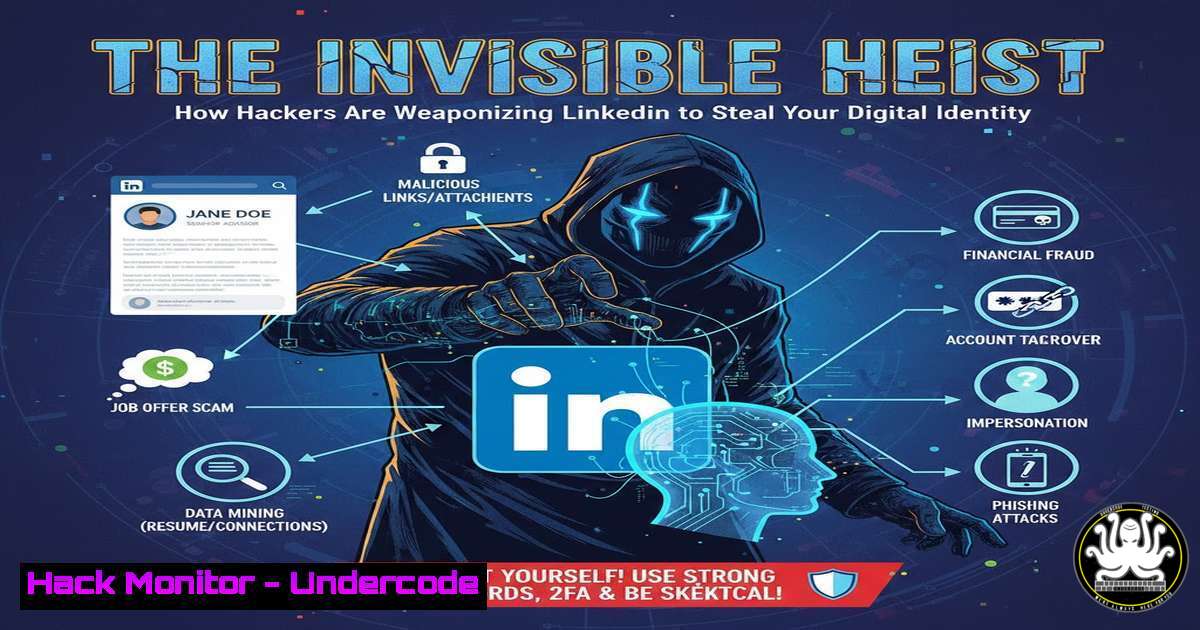
LinkedIn has evolved beyond a professional networking platform into a prime target for sophisticated social engineering attacks. Cybercriminals are now leveraging the trust inherent in professional connections to orchestrate credential harvesting, identity theft, and corporate espionage campaigns. This article deconstructs the technical mechanics behind these attacks and provides a comprehensive defense guide for IT professionals and security-conscious users.
Learning Objectives:
- Understand the technical methods used in LinkedIn-based social engineering and phishing campaigns.
- Implement defensive commands and configurations to harden personal and organizational security postures.
- Develop advanced incident response procedures for credential compromise and identity theft scenarios.
You Should Know:
1. The Anatomy of a LinkedIn Phishing Lure
The initial contact from a threat actor is often a simple connection request or a comment on a post, as seen in the engagement on the wellness post. The goal is to establish legitimacy before delivering the payload.
Step-by-step guide explaining what this does and how to use it.
Step 1: Reconnaissance. Attackers scrape public profiles to identify key employees, technologies used, and recent projects. Tools like `LinkedInt` or `linkedin2username` can automate this.
Command Example (OSINT – Offensive):
 Using LinkedInt to gather potential email addresses
python3 LinkedInt.py -c -u "companyname" -d 100
Defensive Action: Audit your and your employees’ public LinkedIn profiles. Remove overly specific technical details, project names, and organizational hierarchies that could be used for spear-phishing.
Step 2: The Lure. The attacker creates a fake profile, often impersonating a recruiter or a professional in a similar field, and initiates contact. The comment by “Sakshi Gangwal” on the original post is a benign example of how engagement is used to build trust.
Step 3: The Payload Delivery. A direct message (DM) containing a link is sent. The URL often leads to a cloned LinkedIn login page or a malicious document hosting a credential-stealing payload.
- Exploiting Trust with Malicious Links and Document Lures
The “DM HEALTH” call-to-action in the original post is a harmless example of a direct message prompt, but it illustrates the exact mechanism attackers exploit.
Step-by-step guide explaining what this does and how to use it.
Step 1: URL Analysis. Never click a link directly. Use command-line tools to analyze the URL before visiting.
Command Example (Defensive – Linux/Windows WSL):
 Use curl to fetch the HTTP headers without visiting the site fully
curl -I -L "http://suspicious-link-here.com"
 Look for redirects, server type, and security headers (or lack thereof)
Alternative (Windows CMD):
curl -I -L "http://suspicious-link-here.com"
Step 2: Document Sandboxing. If a file is downloaded (e.g., a “project overview.pdf.exe”), analyze it in a sandboxed environment.
Command Example (Defensive – Linux):
 Use strings command to look for suspicious Windows API calls or URLs in a binary
strings malicious_document.exe | grep -i "http|https|cmd.exe|powershell"
Tool Recommendation: Use Cuckoo Sandbox or any.run for automated behavioral analysis.
3. Credential Harvesting and Session Hijacking
Once a user enters their credentials on a fake login page, the attacker captures them and can potentially hijack the active session.
Step-by-step guide explaining what this does and how to use it.
Step 1: How Harvesting Works. Attackers use simple PHP or Node.js scripts to log submitted credentials to a file or a remote server.
Code Snippet (Educational – PHP Credential Harvester):
<?php
$username = $_POST['email'];
$password = $_POST['password'];
$file = fopen("creds.txt", "a");
fwrite($file, "Email: " . $username . " | Pass: " . $password . "\n");
fclose($file);
header('Location: https://www.linkedin.com/feed/'); // Redirect to real site
?>
Step 2: Mitigation with Multi-Factor Authentication (MFA). MFA is the most critical defense. Even if credentials are stolen, the attacker cannot log in without the second factor.
Action: Enforce MFA on all corporate and personal accounts, especially email and social networks. Use an authenticator app (Google/Microsoft Authenticator) instead of SMS if possible.
4. Post-Exploitation: Lateral Movement and Data Exfiltration
After compromising a LinkedIn account, attackers can message connections, access linked email accounts (if password reuse exists), and gather intelligence for further attacks.
Step-by-step guide explaining what this does and how to use it.
Step 1: Assess the Breach. If you suspect account compromise, immediately check active sessions and revoke access.
Action (LinkedIn): Go to Settings & Privacy -> Sign-in & security -> Where you’re signed in. Review and sign out of all sessions.
Step 2: Hunt for Persistence. On a compromised corporate system, an attacker may install a persistent backdoor.
Command Example (Defensive – Windows): Check for suspicious scheduled tasks.
schtasks /query /fo LIST /v | findstr /i "suspicious_script_name"
Command Example (Defensive – Linux): Check crontab for unauthorized entries.
crontab -l  for current user
cat /etc/crontab  for system-wide cron jobs
5. Hardening Your Defenses: A Proactive Security Posture
Prevention is more effective than reaction. Implementing these steps will significantly reduce your attack surface.
Step-by-step guide explaining what this does and how to use it.
Step 1: Password and Secret Management. Enforce the use of a password manager to prevent password reuse. For IT administrators, secure API keys and secrets.
Command Example (Linux – GnuPG for secret encryption):
 Encrypt a file containing credentials before storing it
gpg --symmetric --cipher-algo AES256 my_secrets.txt
Step 2: Security Awareness Training. Simulate phishing attacks to train employees. The original post’s “DM HEALTH” is a perfect example to use in training to show what a legitimate DM prompt looks like versus a malicious one.
Step 3: Endpoint Detection and Response (EDR). Deploy EDR solutions on all endpoints to monitor for malicious process execution and network connections, catching attacks that bypass traditional antivirus software.
What Undercode Say:
- The professional context of LinkedIn creates a false sense of security that is being systematically exploited. An attacker doesn’t need a complex zero-day; they need one employee to let their guard down for a single click.
- The line between personal and corporate identity is blurred. A compromised personal LinkedIn account can be the first step in a chain that leads to a corporate network breach, especially through password recycling and social engineering of colleagues.
The analysis reveals that these attacks are low-cost, highly scalable, and have a high success rate due to their reliance on human psychology. Defending against them requires a multi-layered approach that combines robust technical controls with continuous, realistic user education. The underlying vulnerability isn’t in software, but in the trust we extend within a professional network.
Prediction:
The future of LinkedIn-based attacks will involve highly personalized, AI-driven campaigns. Generative AI will be used to create flawless, personalized messages and deepfake audio/video lures, making traditional detection based on poor grammar or low-quality media obsolete. We will see a rise in “vishing” (voice phishing) attacks where a cloned voice of a CEO, trained on their LinkedIn videos, calls an employee with urgent instructions. Defense will shift towards AI-powered anomaly detection in communication patterns and widespread adoption of hardware security keys for phishing-resistant MFA.
🎯Let’s Practice For Free:
IT/Security Reporter URL:
Reported By: Anjali Vatsalya – Hackers Feeds
Extra Hub: Undercode MoN
Basic Verification: Pass ✅


