Listen to this Post
Introduction:
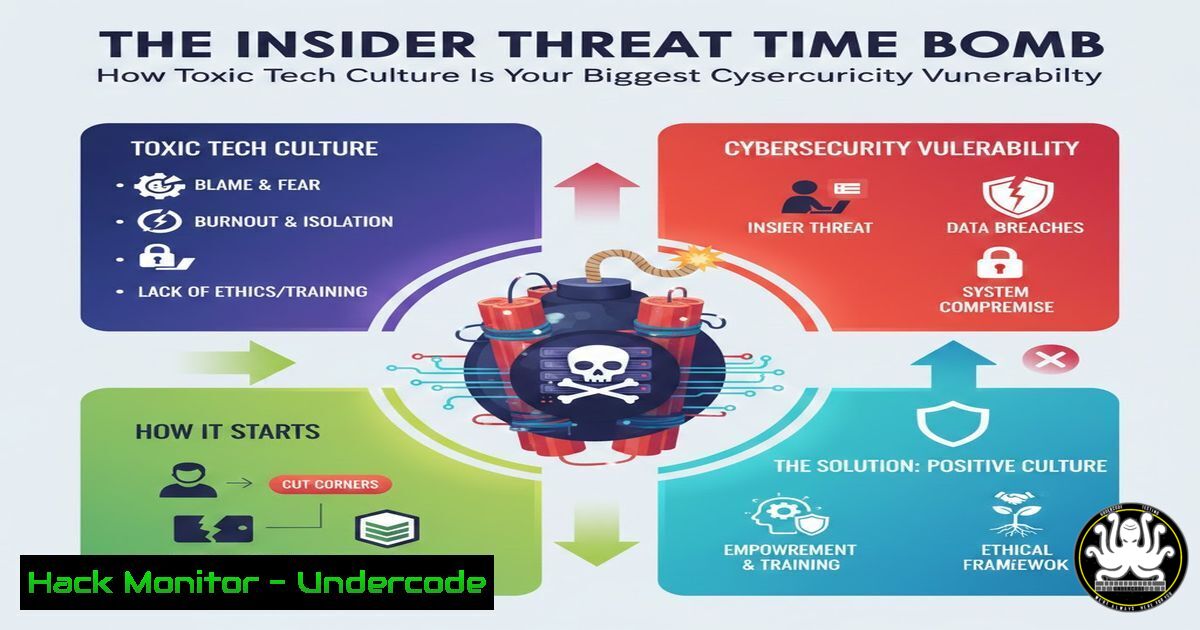
The conversation around toxic tech culture often focuses on morale and ethics, but it overlooks a critical business risk: cybersecurity. A disgruntled or overworked employee in a high-pressure environment represents one of the most potent and overlooked insider threats. This article reframes the discussion on workplace culture through the lens of digital asset protection, outlining how poor management directly creates exploitable security gaps.
Learning Objectives:
- Understand the direct technical pathways through which employee dissatisfaction translates into security breaches.
- Implement monitoring and hardening strategies to mitigate risks from insider threats.
- Develop secure offboarding and access review procedures that protect assets during workforce transitions.
You Should Know:
- The Digital Footprint of a Disgruntled Employee: Auditing Access and Activity
A toxic environment often leads to quiet quitting or malicious intent. The first technical step is understanding what an employee can access. This requires comprehensive auditing.
Step-by-step guide:
On Linux Systems (using `awk` & `cut` for parsing): Audit user privileges and group memberships. Generate a report of all users and their associated groups.
 Get a list of all users and their groups
for user in $(cut -d: -f1 /etc/passwd); do
groups $user | awk -v user="$user" '{print user ": " $0}'
done > user_access_report.txt
On Windows Systems (via PowerShell): Audit local administrator group memberships, a common privilege escalation vector.
 Get members of the local Administrators group
Get-LocalGroupMember -Group "Administrators" | Select-Object Name, PrincipalSource | Export-Csv -Path "LocalAdmins_Report.csv" -NoTypeInformation
Cloud & SaaS (AWS IAM Example): Use the AWS CLI to generate a user access key report and list attached policies.
 Generate a credential report (takes time to generate)
aws iam generate-credential-report
aws iam get-credential-report --output text --query Content | base64 --decode > credential_report.csv
 List all IAM users and their attached policies
aws iam list-users | jq -r '.Users[].UserName' | while read user; do echo "Policies for $user:"; aws iam list-attached-user-policies --user-name $user; done
2. Detecting Data Exfiltration: Network and Endpoint Signatures
Employees planning to leave may attempt to copy sensitive data. Monitoring for unusual data transfers is crucial.
Step-by-step guide:
Linux Network Monitoring (using `iftop` or nethogs): Identify processes consuming unusual network bandwidth in real-time.
 Install and run nethogs to see bandwidth per process
sudo apt install nethogs  Debian/Ubuntu
sudo nethogs
 For packet count monitoring on a specific port (e.g., SSH 22, SMB 445)
sudo tcpdump -i eth0 -c 100 'port 22 or port 445' -w suspicious_transfer.pcap
Windows Command Line (built-in tools): Use `netstat` to monitor established connections, potentially to unfamiliar external IPs.
 List all active TCP connections with process IDs every 5 seconds
PowerShell "while(1) {Get-NetTCPConnection -State Established | Select-Object LocalAddress,RemoteAddress,OwningProcess; Start-Sleep -Seconds 5}"
 Cross-reference PID with tasklist
tasklist /FI "PID eq <PID_Number>"
- Hardening Critical Infrastructure: Principle of Least Privilege Enforcement
Reduce the attack surface by stripping unnecessary privileges, especially in development and staging environments that often mirror production.
Step-by-step guide:
Kubernetes RBAC Audit: Review cluster roles and bindings for excessive permissions.
 Get all ClusterRoleBindings
kubectl get clusterrolebindings -o=custom-columns=NAME:.metadata.name,ROLE:.roleRef.name,SUBJECT:.subjects
 Review a specific ClusterRole's permissions
kubectl describe clusterrole <clusterrole-name>
Database Privilege Review (PostgreSQL Example): Audit database user roles.
-- Connect to PostgreSQL
-- List all roles and their privileges
SELECT grantee, privilege_type, table_schema, table_name FROM information_schema.role_table_grants;
-- Revoke excessive privileges (example)
REVOKE ALL ON DATABASE critical_db FROM public;
REVOKE ALL ON SCHEMA public FROM dev_user;
4. Secure Offboarding Automation: The “Zero Trust” Departure
The moment an employee’s departure is known, a predefined technical offboarding checklist must execute to disable access synchronously across all systems.
Step-by-step guide:
Create an Orchestration Script (Python example using `subprocess` and boto3): Automate account disablement across platforms.
import subprocess
import boto3
def disable_user(username):
 1. Disable Linux Account
subprocess.run(['sudo', 'usermod', '-L', username])  Lock password
subprocess.run(['sudo', 'pkill', '-KILL', '-u', username])  Kill active sessions

<ol>
<li>Disable AWS IAM User
iam = boto3.client('iam')
for key in iam.list_access_keys(UserName=username)['AccessKeyMetadata']:
iam.update_access_key(UserName=username, AccessKeyId=key['AccessKeyId'], Status='Inactive')
iam.delete_login_profile(UserName=username) if iam.get_login_profile(UserName=username) else None</p></li>
<li><p>Disable GitHub / GitLab access via API (placeholder)
Use requests library to call relevant REST API to remove user from organization
print(f"[+] Initiated disablement for {username}")
Execute for a user
disable_user('jdoe')
- Logging and SIEM Correlation: Building a Behavioral Baseline
Aggregate logs to establish normal behavior and alert on anomalies like after-hours access or access to unrelated systems.
Step-by-step guide:
Linux Auditd Rule for Sensitive Files: Monitor access to critical configuration or data files.
 Add a rule to /etc/audit/rules.d/insider.rules
 Monitor the /etc/passwd file for any write or attribute change
-w /etc/passwd -p wa -k identity_management
 Monitor a sensitive data directory
-w /opt/app/secrets/ -p rwxa -k sensitive_data_access
 Apply the rules
sudo auditctl -R /etc/audit/rules.d/insider.rules
 Search the logs
sudo ausearch -k sensitive_data_access | aureport -f -i
Windows Sysmon Configuration (via XML): Log process creation with network connections to detect unauthorized tools.
<!-- Example Sysmon rule in config.xml -->
<Sysmon schemaversion="4.90">
<EventFiltering>
<ProcessCreate onmatch="include">
<CommandLine condition="contains">7z.exe</CommandLine>
<CommandLine condition="contains">mimikatz</CommandLine>
<CommandLine condition="contains">pscp</CommandLine>
</ProcessCreate>
</EventFiltering>
</Sysmon>
Install with: `Sysmon.exe -i config.xml -accepteula`
What Undercode Say:
- Culture is a Configuration File: Employee sentiment directly configures your security posture. Neglect it, and you deploy vulnerabilities by default.
- The Perimeter is Human: The most sophisticated firewall is irrelevant against an insider with legitimate credentials and a motive. Security strategy must evolve from defending against external attacks to managing internal trust.
The discussion on LinkedIn reveals a collective sense of inevitability regarding toxic management. From a security perspective, this resignation is a critical vulnerability. When employees feel powerless, exploited, or disrespected, the likelihood of malicious insider action, negligent security practices, or susceptibility to social engineering (e.g., phishing that promises revenge) increases exponentially. Technical controls are essential, but they are bandaids on the wound created by poor culture. The “human layer” is not separate from your security stack; it is the most critical layer.
Prediction:
Ignoring the systemic link between workplace culture and cybersecurity will lead to a new wave of breaches. These won’t be attributed to advanced zero-days, but to “human error” or “insider threats” stemming from preventable employee disenfranchisement. Forward-thinking organizations will respond by integrating “psychological safety” metrics into their security dashboards and Chief Information Security Officers (CISOs) will increasingly demand a seat at the table for organizational culture discussions. The next frontier of security tools will leverage AI not just for threat detection, but to analyze communication patterns, access logs, and work metrics to identify teams or individuals at high risk of burnout or malicious activity, prompting managerial intervention before a security incident occurs.
🎯Let’s Practice For Free:
IT/Security Reporter URL:
Reported By: David Aftergut – Hackers Feeds
Extra Hub: Undercode MoN
Basic Verification: Pass ✅


