Listen to this Post
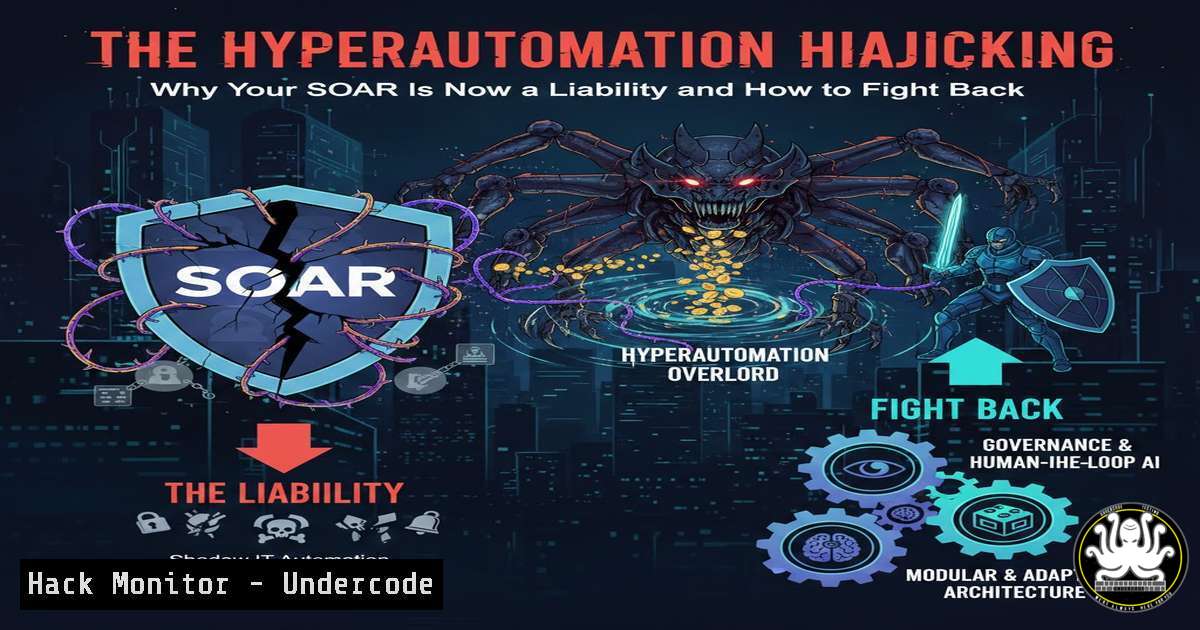
Introduction:
The Security Orchestration, Automation, and Response (SOAR) market, once heralded as the savior of overwhelmed Security Operations Centers (SOCs), is facing an existential critique. Industry voices highlight that traditional SOAR platforms have become too rigid, slow, and manual, failing to keep pace with modern threats and leaving security teams underwater. This article deconstructs the limitations of legacy SOAR and provides a technical blueprint for transitioning to intelligent, flexible hyperautomation, integrating AI, no-code workflows, and proactive threat hunting.
Learning Objectives:
- Understand the critical architectural flaws in traditional SOAR platforms that hinder modern SOC efficiency.
- Learn to implement foundational log aggregation and analysis commands as a precursor to effective automation.
- Gain practical steps for building and integrating dynamic, AI-enhanced playbooks using modern hyperautomation principles.
You Should Know:
1. The Architectural Flaws of Traditional SOAR
Traditional SOAR often operates as a monolithic, playbook-driven system. These playbooks are linear, require extensive manual coding (usually in Python), and are brittle—failing gracefully when encountering a novel attack signature or an unexpected system response. This creates significant maintenance overhead and slows incident response from minutes to hours.
Step‑by‑step guide explaining what this does and how to use it.
The first step is diagnosing your own automation gaps. Use these commands to analyze alert volumes and response times, which highlight where automation is most needed.
Linux (Using ELK Stack & CLI):
 Check the volume of alerts in the last 24 hours from a syslog/alert feed
grep "ALERT" /var/log/security.log | awk '{print $4}' | sort | uniq -c | sort -nr

Use `jq` to parse a SOAR platform's API for mean-time-to-respond (MTTR) on closed cases
curl -s -H "Authorization: Bearer $API_KEY" https://your-soar-api.com/cases/closed | jq '.cases[] | .created_at, .closed_at' | paste - - | awk '{diff=($2-$1); sum+=diff; count++} END {print "Average MTTR:", sum/count, "seconds"}'
Windows (Using PowerShell):
 Get event IDs 4688 (process creation) as a proxy for alert noise
Get-WinEvent -FilterHashtable @{LogName='Security'; ID=4688; StartTime=(Get-Date).AddHours(-24)} | Group-Object -Property Id -NoElement | Sort-Object -Property Count -Descending

Measure time between alert generation and first analyst action from a CSV export
Import-Csv .\alert_log.csv | ForEach-Object { $<em>.FirstActionTime - $</em>.CreationTime } | Measure-Object -Average | Select-Object -ExpandProperty Average
2. Foundations: Centralized Logging & Analysis
Hyperautomation cannot function without high-quality, normalized data. A robust, queryable log aggregation system is non-negotiable. Open-source tools like the ELK Stack (Elasticsearch, Logstash, Kibana) or commercial SIEMs provide this foundation.
Step‑by‑step guide explaining what this does and how to use it.
Deploy a lightweight log forwarder and practice querying to identify patterns.
Linux (Deploying Filebeat & Basic Elastic Queries):
 Install and configure Filebeat to forward syslog to Elasticsearch
sudo apt-get install filebeat
sudo filebeat modules enable system
sudo nano /etc/filebeat/filebeat.yml  Set output.elasticsearch hosts and credentials
sudo systemctl start filebeat

Query Elasticsearch via curl for failed SSH attempts (a common automation trigger)
curl -X GET "localhost:9200/filebeat-/_search" -H 'Content-Type: application/json' -d'
{
"query": {
"match": { "message": "Failed password" }
},
"size": 5
}
'
3. Building Dynamic Playbooks with No-Code/Low-Code Tools
Modern platforms like Torq emphasize no-code drag-and-drop builders integrated with hundreds of APIs. This allows SOC analysts, not just engineers, to create and modify workflows. The core shift is from static “if-then” logic to dynamic, context-aware workflows.
Step‑by‑step guide explaining what this does and how to use it.
Automate a common task: enriching an IP address indicator from an alert.
- Trigger: A SIEM alert containing a suspicious IP is sent via webhook to your hyperautomation platform.
- Enrichment Step: The workflow automatically queries multiple threat intelligence feeds (e.g., AbuseIPDB, VirusTotal API) in parallel.
- Decision Node: A conditional step evaluates the reputation score and sighting count.
If score > 85, automatically block IP at the firewall (via API call to Palo Alto Networks or Cisco).
If score is between 60-85, create a medium-priority ticket in ServiceNow and notify the analyst channel in Slack.
If score < 60, log the event for future context and close the automated workflow. - Python Example for a Custom Integration (if low-code is needed):
import requests
import json
Enrich IP via VirusTotal API
ip_to_check = "192.0.2.1"
api_key = "YOUR_VT_KEY"
url = f"https://www.virustotal.com/api/v3/ip_addresses/{ip_to_check}"
headers = {"x-apikey": api_key}
response = requests.get(url, headers=headers)
if response.status_code == 200:
result = response.json()
reputation = result['data']['attributes']['last_analysis_stats']['malicious']
if reputation > 5:  Threshold
print(f"[!] IP {ip_to_check} is malicious. Triggering block.")
Call firewall API here
4. Integrating AI for Predictive Analysis and Triage
Beyond simple automation, hyperautomation incorporates AI to predict alert severity, suggest actions, and auto-draft investigation summaries. This involves training or fine-tuning models on historical incident data.
Step‑by‑step guide explaining what this does and how to use it.
Implement a simple, script-based “poor man’s AI” using a pre-trained model for alert prioritization.
Linux (Using a Python script with scikit-learn):
 Install required packages
pip install pandas scikit-learn joblib

Example script: train a basic classifier (save this as train_model.py)
import pandas as pd
from sklearn.ensemble import RandomForestClassifier
from sklearn.model_selection import train_test_split
import joblib

Load historical alert data (features: hour, source, alert_type, etc.; target: severity)
df = pd.read_csv('historical_alerts.csv')
X = df[['feature1', 'feature2']]
y = df['severity_label']
X_train, X_test, y_train, y_test = train_test_split(X, y)
model = RandomForestClassifier()
model.fit(X_train, y_train)
joblib.dump(model, 'alert_priority_model.pkl')
print("Model trained and saved.")
Usage: Integrate the saved model (alert_priority_model.pkl) into your automation workflow to score incoming alerts before they hit the analyst’s queue.
5. Proactive Threat Hunting with Automated Sigma Rules
Shift from reactive automation to proactive hunting by automating the execution and correlation of Sigma rules (portable detection signatures) across your endpoints and logs.
Step‑by‑step guide explaining what this does and how to use it.
Use `sigma-cli` to convert Sigma rules to a query for your SIEM and schedule automated searches.
Linux (Sigma CLI & Cron Job):
 Install sigma-cli and a backend (e.g., for Elasticsearch)
pip install sigma-cli
pip install sigma-backend-elasticsearch

Convert a Sigma rule for suspicious process execution to an Elasticsearch Lucene query
sigma convert -t elasticsearch -p lucene /path/to/sigma/rules/process_creation_suspicious.yml

Output will be a query. Place this in a script and run it via a scheduled cron job.
 Script example (hunt_script.sh):
QUERY=$(sigma convert -t elasticsearch -p lucene /path/to/rule.yml)
curl -X GET "localhost:9200/<em>search" -H 'Content-Type: application/json' -d"
{
\"query\": {
\"query_string\": {
\"query\": \"$QUERY\"
}
}
}
" | jq '.hits.hits' > "/tmp/results</em>$(date +%Y%m%d).json"

Add to crontab to run daily
crontab -e
 Add line: 0 9    /path/to/hunt_script.sh
What Undercode Say:
- Key Takeaway 1: The future of SOC efficiency lies not in more rigid playbooks, but in adaptable, AI-augmented hyperautomation frameworks that empower analysts and reduce toil.
- Key Takeaway 2: Successful implementation is a journey: it starts with solid data foundations (logging), moves through basic automation of repetitive tasks, and culminates in intelligent, predictive workflows that proactively hunt threats.
The critique of traditional SOAR is valid; it often automates the process but not the thinking. The next generation, exemplified by platforms like Torq, embeds intelligence into the fabric of automation. This is not just a tool change but a paradigm shift—from a SOC that reacts to alerts to one that orchestrates its entire defense ecosystem contextually and autonomously. The technical barrier is lowering with no-code, but the strategic requirement for clean data and well-defined processes has never been higher.
Prediction:
Within the next 18-24 months, AI-driven hyperautomation will become the baseline for Tier 1 SOC operations, rendering manual alert triage and static playbooks obsolete. Security platforms will compete on their native AI agent capabilities, which will autonomously investigate low-fidelity alerts, draft comprehensive incident reports, and execute complex containment actions with human-in-the-loop approval for critical decisions. This will compress the “detect-to-contain” timeline from hours to seconds for commodity attacks, forcing threat actors to develop significantly more sophisticated and evasive tradecraft, thereby escalating the cyber arms race to a new, faster-paced battlefield.
▶️ Related Video (78% Match):
🎯Let’s Practice For Free:
IT/Security Reporter URL:
Reported By: Caitvanderberry Channelpartners – Hackers Feeds
Extra Hub: Undercode MoN
Basic Verification: Pass ✅


