Listen to this Post
Introduction:
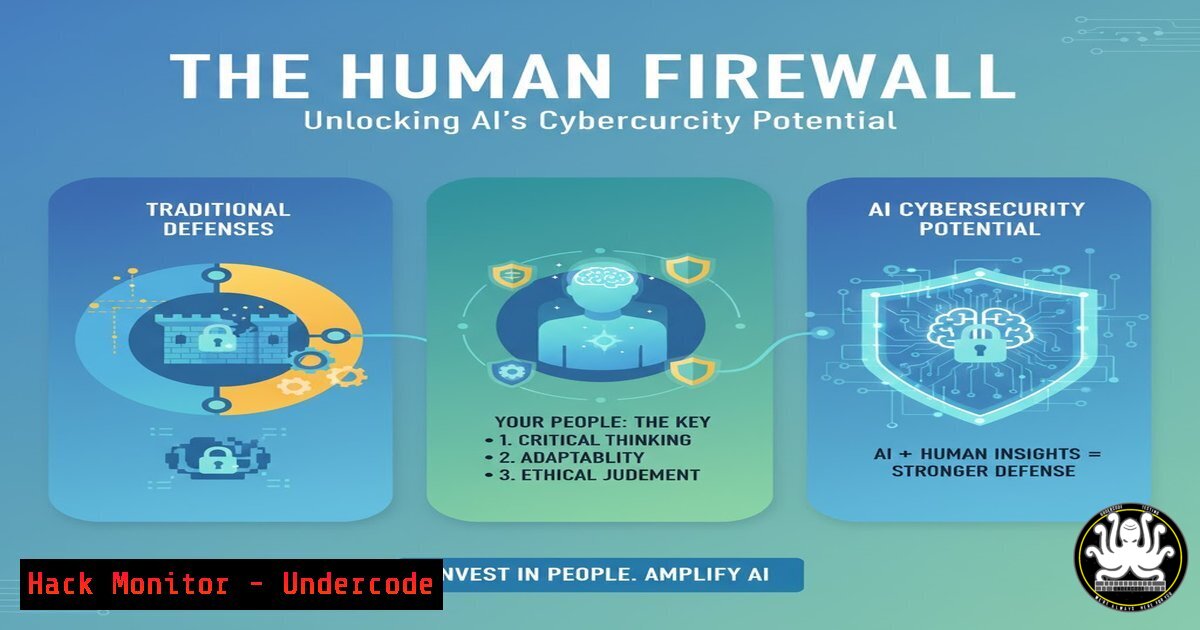
The rapid integration of Artificial Intelligence (AI) into business operations presents a paradoxical challenge: while AI can be a powerful tool for enhancing security, it also introduces a new frontier of vulnerabilities that can be exploited by malicious actors. The key to harnessing AI’s power for defense, rather than falling victim to its offensive potential, lies not solely in technology, but in building a robust human firewall through continuous, adaptive training. This article explores the critical intersection of AI, cybersecurity, and human expertise.
Learning Objectives:
- Understand the dual-use nature of AI in cybersecurity as both a defensive tool and an offensive weapon.
- Identify the new social engineering and technical attack vectors amplified by AI technologies.
- Develop a practical skillset for mitigating AI-specific threats through verified commands and security hardening techniques.
You Should Know:
1. AI-Powered Phishing Detection and Log Analysis
The sophistication of AI-generated phishing emails makes traditional detection methods less effective. Security teams must leverage advanced log analysis and header inspection to identify anomalies.
Command 1: Analyze Email Headers with `grep` and `awk`
grep -A 20 "Received:" suspicious_email.eml | awk '/by [A-Za-z0-9]+./ {print $0}'
What it does: This Linux command pipeline extracts the “Received” headers from a raw email file, which show the mail servers the message passed through. The `awk` filter then isolates lines showing the “by” server, which can help identify suspicious relays or spoofed sources.
Step-by-step guide:
- Save the full email (including headers) as a text file, e.g.,
suspicious_email.eml. - Run the command in your terminal, specifying the correct file name.
- Analyze the output for unknown or mismatched domain names, which are common indicators of phishing attempts.
Command 2: Query Threat Intelligence APIs with `curl`
curl -s "https://www.virustotal.com/api/v3/ip_addresses/192.0.2.1" -H "x-apikey: YOUR_VT_API_KEY"
What it does: This command uses `curl` to programmatically query the VirusTotal API for intelligence on a specific IP address (replace `192.0.2.1` with the suspect IP). This automates the process of checking if an IP is associated with known malicious activity.
Step-by-step guide:
1. Obtain a free API key from VirusTotal.
2. Replace `YOUR_VT_API_KEY` with your actual key.
- Execute the command. The JSON response will contain reputation data and detection flags from numerous security vendors.
2. Hardening Cloud AI Service Configurations
AI services like AWS SageMaker or Azure Cognitive Services are prime targets. Misconfigurations can lead to massive data exfiltration.
Command 3: Audit AWS S3 Bucket Policies
aws s3api get-bucket-policy --bucket YOUR-BUCKET-NAME --region us-east-1 --output json | jq '.Policy | fromjson'
What it does: This AWS CLI command retrieves the policy of a specified S3 bucket, which is often used to store AI training data. The `jq` utility parses the JSON-formatted policy for easy readability, allowing you to check for overly permissive statements like `”Effect”: “Allow”` with "Principal": "".
Step-by-step guide:
- Ensure the AWS CLI is installed and configured with appropriate credentials.
2. Install `jq` for JSON parsing.
- Run the command, replacing `YOUR-BUCKET-NAME` with the actual bucket name. Scrutinize the output for any rules that grant public access.
Command 4: Scan for Open Cloud Storage with `nmap`
nmap -p 80,443 --script http-title <CLOUD_STORAGE_SUBDOMAIN>.blob.core.windows.net
What it does: This `nmap` command scans a potential Azure Blob Storage URL on web ports and retrieves the page title. If a container is misconfigured for public access, this script can reveal accessible data.
Step-by-step guide:
- Identify the storage account subdomain you wish to test.
- Run the command. A successful title retrieval may indicate the data is publicly listed, warranting immediate configuration review.
-
Detecting Data Exfiltration via Command & Control (C2)
AI models and their training data are high-value targets. Attackers will attempt to exfiltrate this data, often using encrypted channels.
Command 5: Monitor for Suspicious Outbound Connections with `netstat`
netstat -tunap | grep ESTABLISHED | awk '{print $5}' | cut -d: -f1 | sort | uniq -c | sort -n
What it does: This Linux command lists all established network connections, extracts the foreign IP addresses, and counts how many connections exist to each. A high number of connections to a single, unknown external IP could indicate data exfiltration.
Step-by-step guide:
- Run the command on critical servers, especially those hosting AI workloads.
- Investigate any external IPs with an unusually high connection count. Cross-reference these IPs with threat intelligence feeds.
Command 6: Windows Forensic Analysis with `PS` and `findstr`
Get-Process | Where-Object {$_.CPU -gt 50} | Format-Table ProcessName, Id, CPU -AutoSize
What it does: This PowerShell command gets all running processes and filters for those using more than 50% CPU, which could be a sign of a compromised process (e.g., cryptocurrency mining) running alongside legitimate AI tasks.
Step-by-step guide:
1. Open PowerShell with administrative privileges.
- Execute the command. Investigate any unfamiliar processes consuming significant resources.
4. Securing AI Model APIs from Exploitation
APIs that serve AI models are endpoints vulnerable to injection attacks and unauthorized access.
Command 7: Test for API Input Sanitization with `curl`
curl -X POST https://api.example.com/v1/predict -H "Content-Type: application/json" -d '{"input":"<script>alert(\"XSS\")</script>"}'
What it does: This command sends a POST request to an AI model’s prediction endpoint with a simple Cross-Site Scripting (XSS) payload as input. It tests whether the API properly sanitizes input before processing.
Step-by-step guide:
- Replace the URL with your target API endpoint.
- Execute the command. If the script tag is reflected in the response without being sanitized, the endpoint is vulnerable.
Command 8: Implement and Test WAF Rules with `nmap`
nmap -p 80,443 --script http-waf-detect <TARGET_SERVER_IP>
What it does: This `nmap` script attempts to detect the presence of a Web Application Firewall (WAF) in front of your web server or API gateway. A WAF is crucial for blocking malicious requests before they reach your AI application.
Step-by-step guide:
- Run the command against your public-facing IP or domain.
- Review the output. A positive detection confirms your WAF is active and visible.
5. Mitigating Prompt Injection and Model Manipulation
A novel threat specific to AI, prompt injection involves crafting inputs that cause the model to bypass its safety guidelines or reveal confidential information.
Command 9: Log and Monitor AI Model Interactions
tail -f /var/log/ai-service.log | grep -E "(SELECT|INSERT|DROP|UNION|system(|python -c)"
What it does: This command tails the live log file of an AI service and uses `grep` with an extended regular expression to filter for potentially malicious strings that might indicate a prompt injection attempt, such as SQL commands or system calls.
Step-by-step guide:
- Identify the correct log file path for your AI service (e.g., TensorFlow Serving, a custom Flask app).
- Run the command. Any matches should be treated as high-priority security events for immediate investigation.
Command 10: Harden the AI Environment with `iptables`
iptables -A OUTPUT -p tcp --dport 443 -d allowed-api.example.com -j ACCEPT
iptables -A OUTPUT -p tcp --dport 443 -j DROP
What it does: These `iptables` rules create a restrictive outbound firewall policy on a server hosting an AI model. It only allows HTTPS traffic to a pre-approved, necessary external service (e.g., for model updates) and blocks all other outbound encrypted web traffic, preventing a compromised model from exfiltrating data.
Step-by-step guide:
1. Execute these commands as root.
- Replace `allowed-api.example.com` with the actual domain your service needs to communicate with.
- This is a critical containment step for production AI systems.
What Undercode Say:
- Technology is a Force Multiplier, Not a Silver Bullet. AI security tools are only as effective as the personnel who configure, monitor, and interpret their outputs. An untrained team with the best tools is like a novice pilot in a fighter jet—dangerous and ineffective.
- The Attack Surface is Now Cognitive. The primary vulnerability is shifting from software bugs to human cognition. AI-powered social engineering can create hyper-personalized, convincing attacks that bypass technical controls by manipulating the user. Continuous security awareness training that simulates these advanced tactics is no longer optional; it is foundational to modern cyber defense.
The core analysis is that the industry’s current focus on “AI for security” must be balanced with an equal, if not greater, emphasis on “security for AI” and, most importantly, “training for humans on AI.” The original post’s assertion is correct: the human element is the linchpin. Without a culture of security and a workforce skilled in both the offensive and defensive applications of AI, organizations are simply building digital fortresses with unlocked doors. The future CISO must be a chief learning officer as much as a technology officer.
Prediction:
The near future will see the emergence of AI-on-AI cyber warfare, where defensive AI systems autonomously combat offensive AI attacks at machine speeds. However, this will create an “attribution gap,” making it harder to identify the human actors behind attacks. The most significant breaches will not be caused by a failure of AI technology itself, but by a failure of human oversight and a lack of trained professionals who can understand the intricate interplay between AI models, data pipelines, and classic infrastructure. Organizations that invest heavily in integrated AI-cybersecurity training programs today will be the ones that successfully navigate the algorithmic arms race of tomorrow.
🎯Let’s Practice For Free:
IT/Security Reporter URL:
Reported By: Darlenenewman The – Hackers Feeds
Extra Hub: Undercode MoN
Basic Verification: Pass ✅


