Listen to this Post
Introduction:
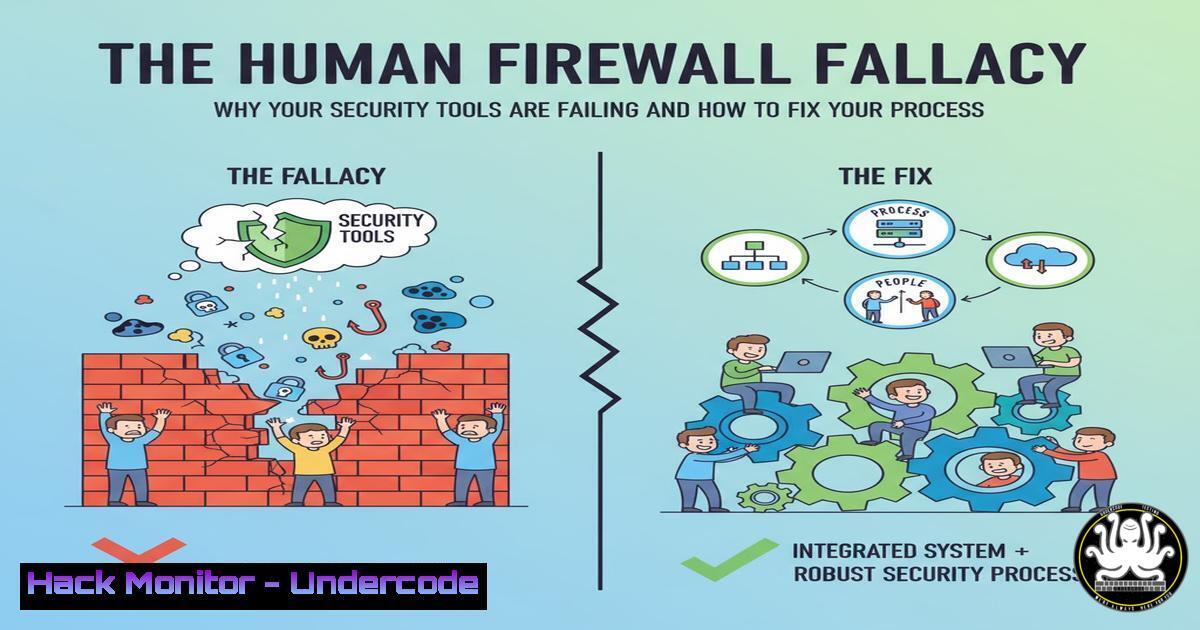
Modern cybersecurity is drowning in a sea of advanced tools that promise impenetrable defenses, yet breaches continue to escalate. The core issue is no longer a lack of technology but a critical failure in how these tools integrate with human operators and operational workflows. This article deconstructs the myth of the silver-bullet security product and provides a tactical blueprint for building processes that reduce stress, enable clear decision-making, and foster genuine, human-centric resilience.
Learning Objectives:
- Understand the critical role of human factors and process design in achieving effective cybersecurity.
- Learn to architect and implement intuitive security playbooks for incident response.
- Master techniques for automating repetitive tasks and designing user-centric security information interfaces.
You Should Know:
- The Psychology of Security: Building for Humans, Not Machines
The greatest vulnerability in any system is often the human operator burdened with confusing alerts and cumbersome procedures. Sustainable security requires designing processes that align with natural human cognition and reduce cognitive load. This means creating clear, logical workflows that guide an analyst from alert to resolution without unnecessary complexity.
Step‑by‑step guide explaining what this does and how to use it.
Step 1: Conduct a Cognitive Load Audit. Review your current Security Operations Center (SOC) playbooks and tool interfaces. Identify every point where an analyst must make a decision with insufficient data, switch between more than three tools to gather context, or remember a complex, multi-step procedure without aid.
Step 2: Implement “Progressive Disclosure” in Playbooks. Design playbooks that reveal information contextually. The first step should show only the essential data and actions for initial triage. Subsequent steps unlock as the analyst confirms hypotheses.
Example Playbook Snippet (Pseudo-Code):
`IF alert.severity == “High” AND alert.source == “EDR”:
DISPLAY “Critical Host Isolation Protocol”
SHOW button: “Isolate Host via CrowdStrike”
SHOW button: “Query SIEM for Lateral Movement”
HIDE advanced forensics steps.
ON CLICK “Isolate Host”, EXECUTE `cscli isolate `
`
Step 3: Standardize and Simplify Communication. Use pre-formatted templates for incident updates to reduce mental effort and ensure consistency. For example, a Slack/Microsoft Teams message template for a contained incident: `[INCIDENT RESOLVED]
2. From Chaos to Control: Architecting Actionable Security Playbooks
A playbook is not a document; it is an executable strategy. The goal is to transform ad-hoc, panic-driven responses into calm, methodical procedures. Effective playbooks provide certainty and guidance during high-stress situations.
Step‑by‑step guide explaining what this does and how to use it.
Step 1: Foundation – The “Trigger” Definition. Every playbook must start with a clear, unambiguous trigger. This is typically an alert from a SIEM, EDR, or IDS. Example: “Playbook: BECON_Phishing_Campaign – TRIGGER: ANY email with subject line matching regex `\b(URGENT|Action Required|Invoice)\b` AND containing a macro-enabled attachment.”
Step 2: Triage & Enrichment. The first steps must be dedicated to rapid information gathering.
Linux Command for URL Analysis: `curl -s -I “http://malicious-domain.com/payload.exe” | grep -i “location”` (Checks for redirects).
Windows Command for Initial Host Check: `Get-CimInstance -ClassName Win32_Process | Where-Object {$_.CommandLine -like “suspicious_string”} | Select-Object ProcessId, CommandLine`
VirusTotal API Check (via CLI with jq): `vt file “hash_value” | jq ‘.data.attributes.last_analysis_stats’`
Step 3: Containment & Eradication. Provide one-click or one-command actions.
CrowdStrike Falcon CLI to isolate a host: `cscli isolate
Azure/Microsoft 365 CLI to block a user: `az ad user update –id [email protected] –account-enabled false`
3. Automating the Monotony: Freeing Your Team for Critical Thinking
Automation is the force multiplier that prevents alert fatigue and allows human experts to focus on sophisticated threats. The target for automation is any repetitive, predictable, and time-consuming task.
Step‑by‑step guide explaining what this does and how to use it.
Step 1: Identify Automation Candidates. Use the “Rule of Three”: if a task has been performed manually more than three times in the last month and follows a consistent pattern, it is a candidate for automation.
Step 2: Build a Simple Phishing Triage Bot (Python Example). This script automatically analyzes a suspected phishing URL.
import requests
import vt
import json

def analyze_url(suspected_url):
 Check with VirusTotal API
client = vt.Client("<YOUR_VT_API_KEY>")
try:
url_id = vt.url_id(suspected_url)
analysis = client.get_object("/urls/{}", url_id)
stats = analysis.last_analysis_stats
client.close()

Simple logic: If 3+ engines flag as malicious, auto-blocklist
if stats['malicious'] >= 3:
 Action: Add URL to blocklist in firewall/proxy (e.g., via API)
requests.post('https://your-firewall-mgmt/api/blocklist', json={'url': suspected_url})
return "MALICIOUS - AUTO-BLOCKLISTED"
else:
return "SUSPICIOUS - REQUIRES MANUAL REVIEW"
except vt.APIError as e:
return f"VT API Error: {e}"

Example usage
result = analyze_url("http://malicious.example.com")
print(result)
Step 3: Schedule and Monitor. Use cron (Linux) or Task Scheduler (Windows) to run these automation scripts periodically or trigger them via webhooks from your SOAR platform.
4. The Dashboard Dilemma: Designing Interfaces for Decision-Making
A dashboard cluttered with 100 graphs is a data dump, not a decision-support tool. The goal is to present the right information, to the right person, at the right time, in a digestible format.
Step‑by‑step guide explaining what this does and how to use it.
Step 1: Define User Personas. A CISO, a SOC L1 Analyst, and a Threat Hunter need different information. Architect separate dashboards for each.
Step 2: Build a Triage-Centric SOC Dashboard (KQL for Microsoft Sentinel Example). This query surfaces the most critical alerts needing immediate attention.
SecurityIncident
| where TimeGenerated > ago(24h)
| where Status == "New"
| extend SeverityOrder = case(
Severity == "High", 1,
Severity == "Medium", 2,
Severity == "Low", 3,
4)
| sort by SeverityOrder asc, TimeGenerated desc
| project IncidentNumber, , Severity, TimeGenerated, ProductName
| take 10
Step 3: Implement “Drill-Down” Capabilities. Ensure every key metric on the dashboard is clickable, leading the analyst directly to the raw logs or a pre-filtered investigation query to understand the “why” behind the number.
5. Hardening the Human Element: Training that Sticks
Technical hardening is futile without a corresponding hardening of the human element. Training must be continuous, engaging, and directly relevant to the threats your organization faces.
Step‑by‑step guide explaining what this does and how to use it.
Step 1: Move Beyond Annual Compliance Videos. Integrate micro-learning into the workflow. Use platforms that deliver 5-minute simulated phishing emails or security quizzes regularly.
Step 2: Conduct Tabletop Exercises with Real Scenarios. Quarterly, run a simulated incident. Use a controlled environment.
Command to simulate a suspicious process on a test machine (Linux): `nohup sleep 300 &` (Then task the team with finding this “persistent” unknown process using `ps aux` or EDR tools).
Step 3: Foster Cross-Team Collaboration. Mandate that developers spend a day with the SOC team, and vice-versa. This builds empathy and a shared understanding of operational challenges, leading to better-secured code and more context-aware monitoring.
What Undercode Say:
- Tooling is an Enabler, Not a Strategy. The most sophisticated EDR or SIEM will fail if the processes around it are brittle and the people using it are overwhelmed. Invest as much in process design and user experience as you do in the tools themselves.
- Resilience is a Cultural Artifact. True security resilience is not measured by the number of blocked attacks but by the speed and calmness of your recovery. This can only be achieved through a culture that values clear processes, automation, and continuous, empathetic training.
Analysis: The original post from HanseSecure hits on a fundamental truth the cybersecurity industry has long ignored in its tooling arms race. The focus on “Mehrarbeit” (more work) versus “wirkliche Hilfe” (real help) is the core differentiator between a mature security program and a failing one. By prioritizing user-friendly tools, clear processes, and automated workloads, organizations can shift their security posture from reactive and frantic to proactive and controlled. This human-centric approach directly addresses the primary cause of analyst burnout and operational errors, ultimately closing the gap between theoretical security (what the tools can do) and practical security (what actually gets done during an incident).
Prediction:
The future of cybersecurity will be dominated by platforms and consultancies that successfully bridge the human-technical divide. AI and automation will become table stakes, but their value will be gated by the quality of the underlying processes they are embedded within. Companies that continue to prioritize tool acquisition over holistic process design will see diminishing returns on their security investments and will remain vulnerable to attacks that exploit operational friction and human fatigue. The winners will be those who architect their security operations with the same level of care and user-centric design as their best customer-facing products.
🎯Let’s Practice For Free:
IT/Security Reporter URL:
Reported By: Hansesecure Wearehiring – Hackers Feeds
Extra Hub: Undercode MoN
Basic Verification: Pass ✅


