Listen to this Post
Introduction:
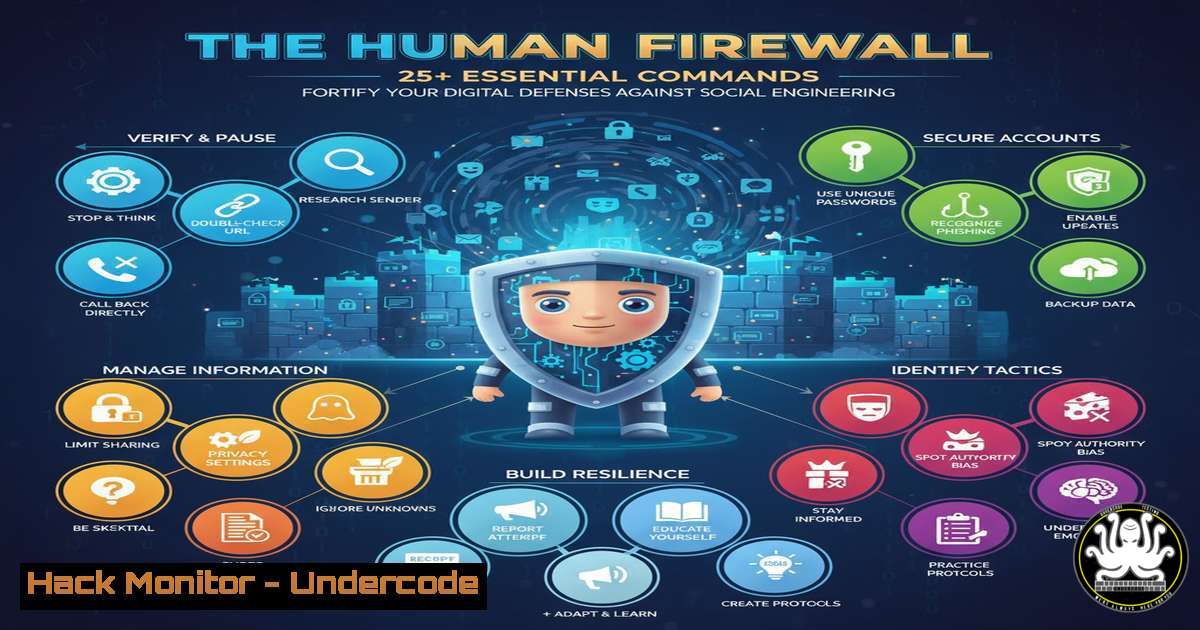
As Artificial Intelligence-powered security tools continue their development cycle, cybercriminals are not waiting, instead relentlessly targeting the most vulnerable element in any organization: people. This article provides a critical technical skill set for IT professionals and security-conscious users to proactively identify and mitigate social engineering threats, building a robust human firewall while automated solutions mature.
Learning Objectives:
- Master command-line tools for analyzing suspicious emails, URLs, and system integrity.
- Implement advanced network monitoring and system hardening techniques.
- Develop a proactive incident response posture using verifiable technical checks.
You Should Know:
1. Decoding Phishing Email Headers
The first line of defense against phishing is a deep analysis of email headers. Attackers often spoof the “From” address, but the underlying routing information reveals the truth.
 On a Linux/Mac system, save a suspicious email as 'suspicious.eml' and run:
grep -E '(from|by|with|for)' suspicious.eml | head -20

On Windows PowerShell, after importing the email into a variable:
Get-Content suspicious.eml | Select-String -Pattern "(from|by|with|for)" | Select-Object -First 20
Step-by-step guide:
This command filters the complex email header to show the critical “Received” fields. The “Received” chain details every server that handled the message. Look for discrepancies: a “From” address claiming to be from `microsoft.com` but a “Received” field showing it originated from an unknown IP or a suspicious domain like micros0ft-support.com. The final receiving server is at the top; trace backwards to find the origin.
2. Interrogating Suspicious Domains and URLs
Before clicking a link, verify the true destination and reputation of the domain.
 Use 'dig' to perform DNS lookups and gather information about a domain.
dig A malicious-domain.com
dig MX malicious-domain.com  Check for Mail Exchange records
dig TXT malicious-domain.com  Check for SPF/DKIM records (often missing or fake in phishing domains)

On Windows, use 'nslookup':
nslookup -type=A malicious-domain.com
nslookup -type=MX malicious-domain.com
Step-by-step guide:
`dig` (Domain Information Groper) is a powerful DNS reconnaissance tool. Querying the ‘A’ record reveals the IP address the domain points to. Cross-reference this IP with threat intelligence feeds. Checking ‘MX’ records can indicate if the domain is configured for email, a common trait for active phishing campaigns. A `TXT` record query might show if the domain has Sender Policy Framework (SPF) set up; its absence or a generic `v=spf1 +all` is a red flag.
3. Network Sniffing for Data Exfiltration Attempts
Social engineering can lead to malware installation that calls back to a command-and-control (C2) server. Monitor your network for these calls.
 Use tcpdump to capture packets on a specific interface.
sudo tcpdump -i eth0 -w capture.pcap host <suspicious_ip>

For a more user-friendly, real-time analysis, use tshark (Wireshark's CLI).
sudo tshark -i eth0 -f "host <suspicious_ip>" -V
Step-by-step guide:
`tcpdump` captures raw packet data. The `-i` flag specifies the interface (like `eth0` or wlan0), `-w` writes the output to a file for later analysis, and `host` filters traffic to/from a specific IP. After capturing, you can open the `.pcap` file in Wireshark for deep inspection. `tshark` provides similar functionality with more immediate, verbose output (-V), allowing you to see protocol details in the terminal, which is useful for spotting DNS tunneling or unexpected HTTP POST requests to unknown domains.
4. Windows Process Investigation & Malware Hunting
Unexplained processes are a major red flag. Use PowerShell to deeply inspect running applications.
 Get detailed process information with parent process ID and command line.
Get-WmiObject Win32_Process | Select-Object Name, ProcessId, ParentProcessId, CommandLine | Format-Table -AutoSize

Check for established network connections associated with processes.
Get-NetTCPConnection | Where-Object {$_.State -eq "Established"} | Format-Table LocalAddress, LocalPort, RemoteAddress, RemotePort, State, OwningProcess -AutoSize
Step-by-step guide:
The first command lists all processes. Crucially, it shows the ParentProcessId. If a common process like `notepad.exe` is spawned by a suspicious script or an unknown binary, this is a clear indicator of compromise. The `CommandLine` property shows the exact arguments used to launch the process, often revealing script contents or obfuscated commands. The second command lists all active network connections and ties them to a Process ID (OwningProcess). Correlate this with the process list to identify exactly which program is communicating with a remote IP.
5. Linux System Integrity and Rootkit Detection
Ensure your system’s core utilities have not been tampered with by malware.
 Use 'rpm' (Red Hat-based) or 'dpkg' (Debian-based) to verify installed package integrity.
rpm -Va  Verifies all packages; outputs any changes. Look for 'S' (size), '5' (MD5 sum), 'U' (user) changes.

On Debian/Ubuntu, use debsums to check (may need installation: <code>apt install debsums</code>).
debsums -ac

Check for hidden processes and modules using lsof.
sudo lsof +L1  Lists all deleted files that are still held open by processes (a common rootkit tactic).
Step-by-step guide:
`rpm -Va` performs a verification check on every file installed by the package manager. An output line like `S.5….T. c /usr/bin/passwd` means the `passwd` binary’s size, MD5 checksum, and modification time have changed, indicating potential tampering. `lsof +L1` lists files that have been “unlinked” (deleted from the filesystem) but are still running in memory. This is a sophisticated persistence mechanism for rootkits, and finding a keylogger or backdoor in this list is a definitive sign of a compromised system.
6. Cloud Infrastructure Hardening (AWS S3 Example)
Social engineering often targets misconfigured cloud storage. Automate checks for public accessibility.
 Use AWS CLI to scan for S3 buckets and check their public access block configuration.
aws s3api list-buckets --query "Buckets[].Name" --output text

For each bucket, check its public access block configuration (should be 'True').
aws s3api get-public-access-block --bucket-name <your-bucket-name>

Check the bucket policy for overly permissive statements.
aws s3api get-bucket-policy --bucket-name <your-bucket-name> --output text | jq .  jq for formatting
Step-by-step guide:
The `list-buckets` command retrieves all S3 buckets in your account. The critical command is get-public-access-block. This should return four settings (BlockPublicAcls, IgnorePublicAcls, BlockPublicPolicy, RestrictPublicBuckets) all set to `True` to prevent any public access. If any are False, the bucket is at risk. Finally, `get-bucket-policy` fetches the resource-based policy. Use `jq` to format the JSON and manually inspect for principals set to `””` or "AWS": "", which grant anonymous or overly broad access.
7. API Security Testing with Curl
APIs are prime targets. Test your endpoints for common vulnerabilities like insecure direct object references (IDOR).
 Test for IDOR by manipulating an object ID in a API request.
 Replace with a valid token and user IDs.
curl -H "Authorization: Bearer <your_token>" https://api.example.com/v1/users/123/documents

Now try accessing a resource for a different user (ID 456).
curl -H "Authorization: Bearer <your_token>" https://api.example.com/v1/users/456/documents

Test for missing rate limiting by spamming a login endpoint.
for i in {1..50}; do curl -X POST https://api.example.com/login -d '{"user":"test","pass":"guess"}' & done
Step-by-step guide:
The first two `curl` commands test for IDOR. If you are authorized as user `123` but can successfully retrieve the documents of user `456` by simply changing the ID in the URL, the API has a critical authorization flaw. The `for` loop is a basic rate-limiting test. It fires 50 login requests in the background (&). If the API does not eventually block these requests (e.g., with HTTP 429 Too Many Requests) or slow them down significantly, it is vulnerable to brute-force attacks. Always conduct these tests only on systems you own or have explicit permission to test.
What Undercode Say:
- Vigilance is a Technical Skill: The modern cybersecurity professional must translate abstract warnings about “being careful” into concrete, verifiable command-line actions. The ability to independently investigate a phishing email, a suspicious process, or a cloud misconfiguration is what separates an effective human firewall from a potential victim.
- Automate or Be Breached: While this guide provides manual commands, the ultimate goal is to orchestrate these checks into automated scripts and security pipelines. Continuous monitoring for the anomalies described here is non-negotiable for enterprise security.
The gap between advanced AI security tools and their widespread, affordable availability is a battlefield that defenders currently occupy with manual, skilled effort. Relying solely on future technological solutions is a strategic error. The commands and techniques outlined here represent the essential, hands-on work required to defend digital assets today. Social engineering works because it preys on a lack of knowledge; the antidote is a deep, practical, and continuously updated technical education that empowers individuals to question, verify, and respond to threats with confidence.
Prediction:
The immediate future will see AI become a double-edged sword, with offensive social engineering attacks becoming hyper-personalized and scalable through generative AI, making traditional spam filters obsolete. This will force a fundamental shift in defensive postures. The “Human Firewall” will evolve from a concept of basic awareness to one of advanced technical literacy, where end-users and IT staff alike are expected to perform initial digital forensics. Security training will become less about motivational talks and more about practical, command-line drills, ultimately merging the roles of end-user and Level 1 security analyst. Organizations that fail to implement this level of pervasive, technical vigilance will face an unsustainable volume of successful breaches.
🎯Let’s Practice For Free:
IT/Security Reporter URL:
Reported By: Maria Aperador – Hackers Feeds
Extra Hub: Undercode MoN
Basic Verification: Pass ✅


