Listen to this Post
Introduction:
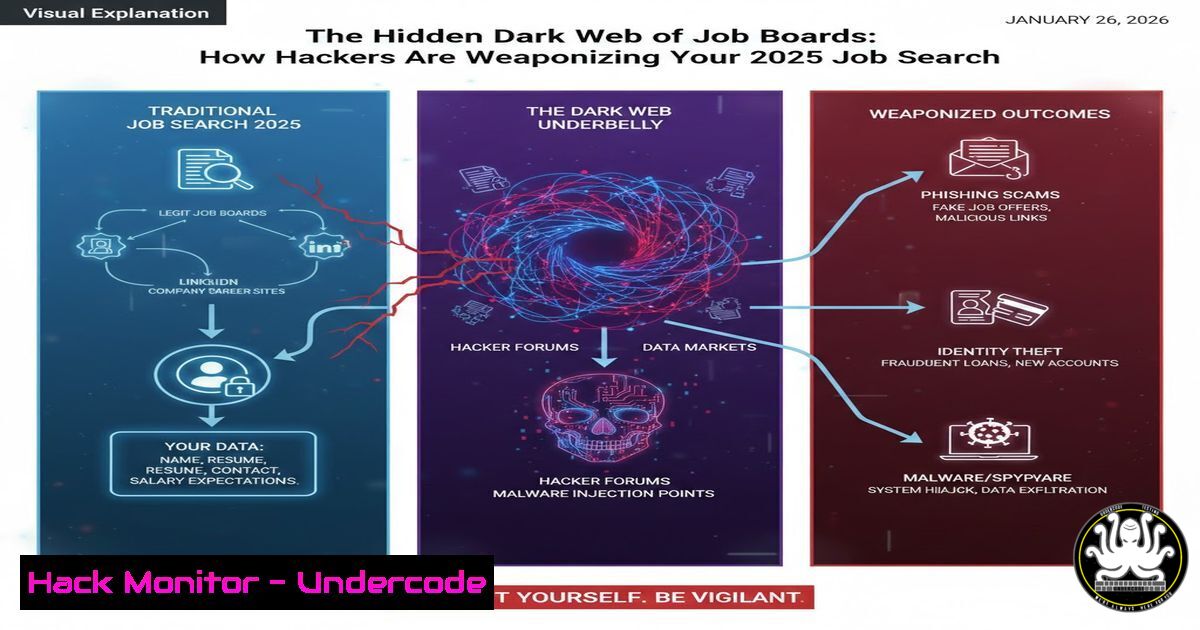
The modern job hunt has migrated almost entirely online, turning platforms like LinkedIn, Indeed, and remote job boards into critical digital infrastructure for careers. However, this concentration of sensitive personal data—resumes, contact details, professional histories—has made these sites prime targets for advanced phishing campaigns, credential harvesting, and malware distribution. This article deconstructs the cyber threats embedded within the job search process and provides technical professionals with the tools to hunt for opportunities without becoming the prey.
Learning Objectives:
- Identify and dissect sophisticated phishing infrastructures masquerading as legitimate job platforms.
- Implement technical verification workflows for job postings, recruiter communications, and application portals.
- Harden your personal data exposure and application environment to mitigate credential theft and social engineering.
You Should Know:
- Deconstructing the Phishing Portal: Fake Job Sites & Cloned Boards
Cybercriminals frequently clone legitimate job boards or create convincing fraudulent ones to harvest credentials and infect devices. A site promising “exclusive remote Turing.com jobs” might be a frontend sending your login credentials straight to a C2 server.
Step-by-step guide:
- URL & Domain Analysis: Never click directly. Hover over links to preview the true destination. Use command-line tools for pre-engagement reconnaissance.
On Linux/Mac: Use `dig` and `whois` to analyze the domain’s registration details. A recently created domain is a major red flag.dig A fake-job-board-2025.com whois fake-job-board-2025.com | grep -E "Creation Date|Registrar"
On Windows: Use `nslookup` and online whois services.
nslookup fake-job-board-2025.com
- SSL/TLS Certificate Inspection: Legitimate sites use properly validated certificates. Check certificate details in your browser (click the padlock icon). Tools like `testssl.sh` can be run against a domain to assess certificate health.
- Website Footprinting: Use a tool like `whatweb` or `Wappalyzer` (browser extension) to fingerprint the technologies used. Discrepancies (e.g., a “major” job board running on an outdated WordPress version with no security headers) are warning signs.
-
The Malicious Attachment: Weaponized Job Descriptions & “Test Tasks”
A common attack vector is the “job description” or “skills assessment” PDF/ZIP file that contains embedded macros or exploits. The attachment might be namedAmazon_Technical_Assessment_2025.zip.
Step-by-step guide:
- Sandbox All Attachments: Never open an attachment from an unverified source on your host machine. Use a dedicated virtual machine (VM) or a sandbox service.
- Static File Analysis: Use command-line tools to examine file properties without executing code.
On Linux, usefile,exiftool, and `strings` to gather metadata and look for suspicious PowerShell or shell commands.file Technical_Test.pdf exiftool Technical_Test.pdf strings Technical_Test.pdf | grep -i "http|powerShell|cmd.exe"
- Dynamic Analysis in a VM: If you must examine the file, use a disposable VM with no network access or shared folders. Tools like `hybrid-analysis.com` allow you to upload files for automated sandbox analysis.
3. Credential Harvesting via Fake Application Portals
You click “Apply,” are redirected to a login page that mimics LinkedIn or Google Single Sign-On (SSO), and your credentials are stolen.
Step-by-step guide:
- Inspect Login Page Source: Right-click on the login form, select “Inspect Element.” Check the `form`
actionURL. Does it POST data to a domain unrelated to the purported service? - Check for HTTPS and Proper Certificate: The login page must use HTTPS. Ensure the certificate is valid and issued to the correct domain (e.g.,
accounts.google.com, notaccounts-google.com.security-login.top). - Use a Password Manager: Password managers like Bitwarden or KeePass will not auto-fill credentials on a domain that doesn’t match the saved record. This is a critical automated defense.
-
Reconnaissance for Social Engineering: How Your Public Resume Fuels Targeted Attacks
Posting your detailed resume on public boards gives attackers ammunition for highly targeted (spear) phishing. They can impersonate your past employers, mention specific projects, or pose as a recruiter from a company you’ve just applied to.
Step-by-step guide:
- Conduct a Self-Doxx: Regularly search for your own personal information.
Use Google Dorking: `”your name” “resume” filetype:pdf`
Search sites like HaveIBeenPwned for past breaches containing your professional info.
2. Minimize Exposure: Strip your public resume of exact dates, specific internal project names, and personal addresses. Use a dedicated email and Google Voice number for job applications.
3. Verify Unusual Contact: If a recruiter contacts you referencing an obscure detail from your resume, independently verify their identity. Call the company’s main line via a number from their official website, not the one provided in the email.
5. Securing the Application Environment: A Systems Approach
Treat your job search as a security operation. Isolate and protect the environment where you manage applications.
Step-by-step guide:
- Browser Hardening: Use a separate browser profile or a dedicated browser (like Brave or hardened Firefox) for job searching. Employ privacy-focused extensions like uBlock Origin (blocks malicious ads) and Privacy Badger.
- Network-Level Security: Use a reputable VPN to obscure your IP address and location from potentially malicious trackers on job boards. Consider using DNS filtering services (like NextDNS or Control D) to block known malware and phishing domains at the DNS level.
- System Integrity: Ensure your OS and antivirus/EDR software are updated. On Windows, enable Controlled Folder Access to prevent unauthorized changes by ransomware. On Linux, employ a host-based firewall (
ufw) and consider using `clamav` for occasional scans.Linux example: Enable and configure UFW sudo ufw enable sudo ufw default deny incoming sudo ufw default allow outgoing
What Undercode Say:
- The Attack Surface is You: The job seeker’s profile, resume, and hopeful engagement are the primary attack vectors. Technical defenses must be paired with sustained behavioral skepticism.
- Automation is the Double-Edged Sword: While job search platforms use AI to match candidates, attackers use AI to generate flawless phishing copy and clone websites. The arms race has escalated to an algorithmic level.
The convergence of professional desperation and platform-based trust creates a uniquely vulnerable psychology that threat actors exploit with surgical precision. The listed job boards are not inherently insecure, but their very purpose—aggregating people and data—makes them high-value proxies for attacks. The security community must shift its focus from purely corporate defense to include the protection of individuals in critical transitional states, such as job hunting, where their digital guard is most likely to be down.
Prediction:
The future of job search cyber threats lies in hyper-personalized, AI-driven campaigns. We will see a rise in deepfake video interview scams, where attackers use synthesized voices and video to impersonate hiring managers in real-time calls. Furthermore, attackers will compromise legitimate but smaller job board APIs to inject malicious listings directly into trusted feeds, bypassing domain-based checks. The proliferation of remote work will also lead to “fake job ransomware,” where malicious “company onboarding software” is distributed to new “hires,” encrypting their devices as a first “task.” Defending against these threats will require a shift towards decentralized identity verification (e.g., using verifiable credentials) and zero-trust principles applied to the personal job search workflow.
▶️ Related Video (78% Match):
🎯Let’s Practice For Free:
IT/Security Reporter URL:
Reported By: Anish Jaitwar – Hackers Feeds
Extra Hub: Undercode MoN
Basic Verification: Pass ✅


