Listen to this Post
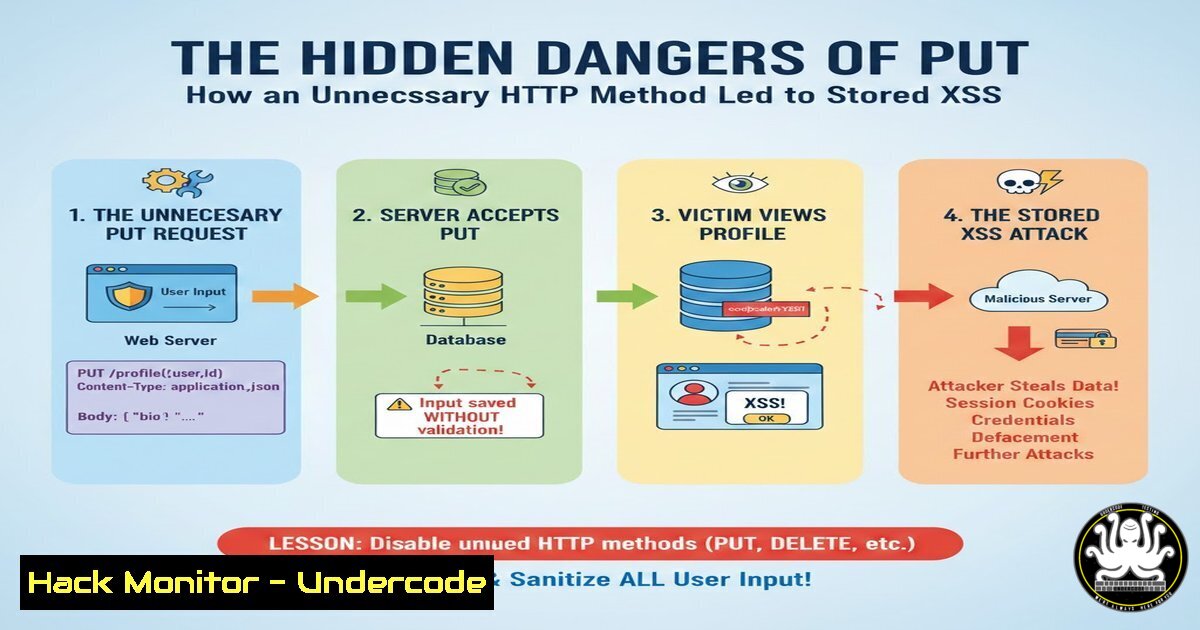
Introduction:
While modern web applications leverage a variety of HTTP methods for RESTful API design, the unnecessary enabling of infrequently used methods like PUT can introduce significant security risks. A recent case study from a bug bounty hunter demonstrates how an enabled PUT method, combined with inadequate file upload validation, allowed for the upload of a malicious SVG file, leading to a complete stored cross-site scripting (XSS) compromise. This incident underscores a critical principle in web application hardening: reduce the attack surface by disabling any functionality not explicitly required for the application to function.
Learning Objectives:
- Understand the security risks associated with the HTTP PUT method in web applications.
- Learn how to identify and exploit file upload functionalities via PUT for stored XSS.
- Acquire the skills to properly harden web servers by disabling unnecessary HTTP methods.
You Should Know:
- The Inherent Risk of the HTTP PUT Method
The HTTP PUT method is designed to allow a client to create or overwrite a resource at a specific URL. While essential for some RESTful APIs, most standard web applications do not require this capability for their front-end operations. When enabled without a specific business need, it creates a direct pathway for attackers to upload malicious content to the server. This is a classic case of an unnecessarily enlarged attack surface. A server configured to accept PUT requests is inherently more vulnerable than one that rejects them.
Step‑by‑step guide explaining what this does and how to use it.
Step 1: Reconnaissance. The first step is to identify which HTTP methods a server or endpoint allows. This can be done using tools like `curl` or nmap.
Step 2: Craft the Request. Using curl, you can send an OPTIONS request to discover enabled methods.
`curl -X OPTIONS -i http://target-website.com/api/user`
Step 3: Analyze the Response. The server’s response will include an `Allow` or `Access-Control-Allow-Methods` header listing the permitted HTTP methods. If PUT is listed, it signifies a potential vulnerability.
2. Crafting a Malicious SVG Payload for XSS
SVG (Scalable Vector Graphics) files are XML-based and can contain JavaScript, making them a potent vector for XSS attacks. Because SVGs are often considered image files, they may bypass file upload restrictions that only check for extensions like `.png` or .jpg. A malicious SVG can execute script when rendered directly by the browser, leading to session hijacking, credential theft, or defacement.
Step‑by‑step guide explaining what this does and how to use it.
Step 1: Create the Payload. Create a new file named malicious.svg.
Step 2: Insert XSS Code. The following code uses an `