Listen to this Post
Introduction:
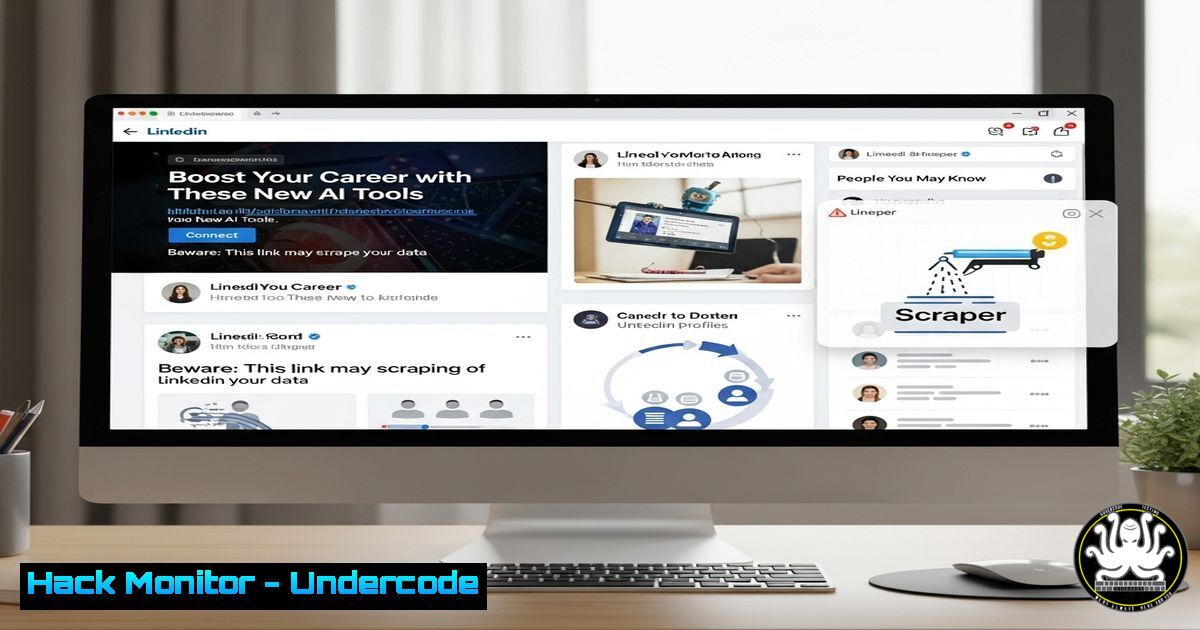
Social media platforms like LinkedIn have become a new attack vector for cybercriminals, leveraging the inherent trust within professional networks. This article deconstructs the tactics used in phishing campaigns, credential harvesting, and social engineering, providing the technical knowledge to identify and neutralize these threats directly from your terminal.
Learning Objectives:
- Identify and deconstruct malicious shortened URLs commonly shared on social media.
- Implement command-line tools to analyze potential threats before clicking.
- Harden your professional online presence against data scraping and reconnaissance.
You Should Know:
1. Deconstructing Suspicious Shortened URLs
Shortened links, like the `http://dlvr.it/TMv1HQ` in the provided text, are a classic phishing tool used to obfuscate the final destination.
Command:
curl -sI "http://dlvr.it/TMv1HQ" | grep -i "^location:"
Step-by-step guide:
This `curl` command sends an HTTP HEAD request (-I) to the shortened URL. The `-s` flag silences the progress meter. We then pipe (|) the output to `grep` to search for the “Location:” header (case-insensitive with -i), which contains the real URL the shortener redirects to. This allows you to see the true destination without visiting it directly.
2. Analyzing the Final URL Destination
Once you have the final URL, you can perform a safety check using VirusTotal’s API.
Command:
API_KEY="your_virustotal_api_key"
URL="https://the-final-unshortened-url.com"
curl -s -X POST --url "https://www.virustotal.com/api/v3/urls" \
--header "x-apikey: $API_KEY" \
--form "url=$URL" | jq '.data.links.self'
Step-by-step guide:
Replace `your_virustotal_api_key` with your actual API key (sign up for a free account on VirusTotal) and the `URL` variable. This command submits the URL for analysis. The `jq` tool parses the JSON response to extract the analysis report link. You can then visit that link in a browser to see the scan results from dozens of antivirus engines.
3. Passive Domain Reconnaissance with whois
Before interacting with a domain, gather basic registration information to assess its legitimacy.
Command:
whois $(echo "https://example.com" | awk -F/ '{print $3}')
Step-by-step guide:
This command uses command substitution `$()` and `awk` to extract the domain name from a full URL. The `awk` command splits the URL by slashes (-F/) and prints the third field ({print $3}), which is the domain. The `whois` command then queries public registration databases for that domain, revealing its creation date, registrar, and contact info—often a red flag if it was created very recently.
4. Active Network Probing for Suspicious Domains
If a domain seems suspicious, probe its network services to understand what it’s hosting.
Command:
nmap -sS -sV -O --top-ports 20 suspicious-domain.com
Step-by-step guide:
This `nmap` command performs a SYN scan (-sS) for stealth, attempts to determine service versions (-sV), tries to identify the operating system (-O), and scans the top 20 most common ports. Discovering unexpected open ports (e.g., remote desktop, database ports) on a domain supposedly hosting a simple blog is a major red flag.
5. Monitoring for Data Leaks with haveibeenpwned
Criminals cross-reference LinkedIn profiles with breached credential databases for password reuse attacks.
Command (using PowerShell on Windows):
$email = "[email protected]"
$uri = "https://haveibeenpwned.com/api/v3/breachedaccount/$email"
Invoke-RestMethod -Uri $uri -Headers @{"hibp-api-key" = "your_api_key"} -UserAgent "LinkedIn-Security-Check"
Step-by-step guide:
Replace the email and `your_api_key` (get a key from the HIBP website). This PowerShell cmdlet queries the Have I Been Pwned API to check if the specified email address appears in any known data breaches. This is crucial for understanding your attack surface and knowing which passwords need to be changed immediately.
6. Image-Based Threat Awareness (Steganography)
The post references an image with “No alternative text.” Malicious actors can hide data or code within images using steganography.
Command (using steghide for demonstration):
 To check if an image might contain hidden data (if you suspect it):
steghide info --passphrase "" suspicious_image.jpg
Step-by-step guide:
The `steghide info` command attempts to get information about embedded data in a JPEG image. Using an empty passphrase `””` might work if the attacker did not set one. This is a basic check; advanced steganography requires more sophisticated tools, but the core principle is to be wary of downloading and opening unsolicited images, especially from unknown sources.
7. Browser Console for LinkedIn Element Analysis
You can use your browser’s developer tools to analyze page elements for scams.
Step-by-step guide:
- Right-click on a suspicious post or profile on LinkedIn and select “Inspect.”
- In the Elements panel, examine the code for iframes, script tags, or links with unusual `src` or `href` attributes.
- Check the Network tab for any external calls made when the page loads, looking for calls to unknown or high-risk domains. This helps identify tracking pixels or scripts loading from malicious sources.
What Undercode Say:
- Trust, but Verify. The professional context of LinkedIn creates a false sense of security. Every link, image, and connection request must be treated with the same skepticism as an email from an unknown sender.
- Your Public Profile is Your Attack Surface. The data you willingly share—premium badges, job titles, skills, connections—is weaponized for highly targeted spear-phishing campaigns. Operational security (OpSec) is not just for infosec professionals.
Our analysis indicates that social media phishing is evolving beyond simple credential harvesting. Attackers are building sophisticated profiles of targets to bypass multi-factor authentication (MFA) by social engineering SIM swaps or exploiting “MFA fatigue” attacks. The integration of AI allows them to generate highly convincing, personalized messages at scale, making traditional vigilance insufficient. The future of defense lies in automated, pre-engagement analysis of all external content, a practice that must become as standard as running an antivirus scan.
Prediction:
The convergence of AI-generated content and hyper-targeted social media data will lead to an epidemic of “deepfake” connection requests and vishing (voice phishing) calls. Attackers will use AI to mimic the voice and video of a target’s known connections (e.g., a CEO or colleague) based on public conference talks and posts, instructing them to initiate fraudulent wire transfers or share credentials. Defense will pivot towards AI-powered anomaly detection in communication patterns and widespread adoption of cryptographic verification for identity and message integrity.
🎯Let’s Practice For Free:
IT/Security Reporter URL:
Reported By: Timospapagatsias Icymi – Hackers Feeds
Extra Hub: Undercode MoN
Basic Verification: Pass ✅


