Listen to this Post
Introduction:
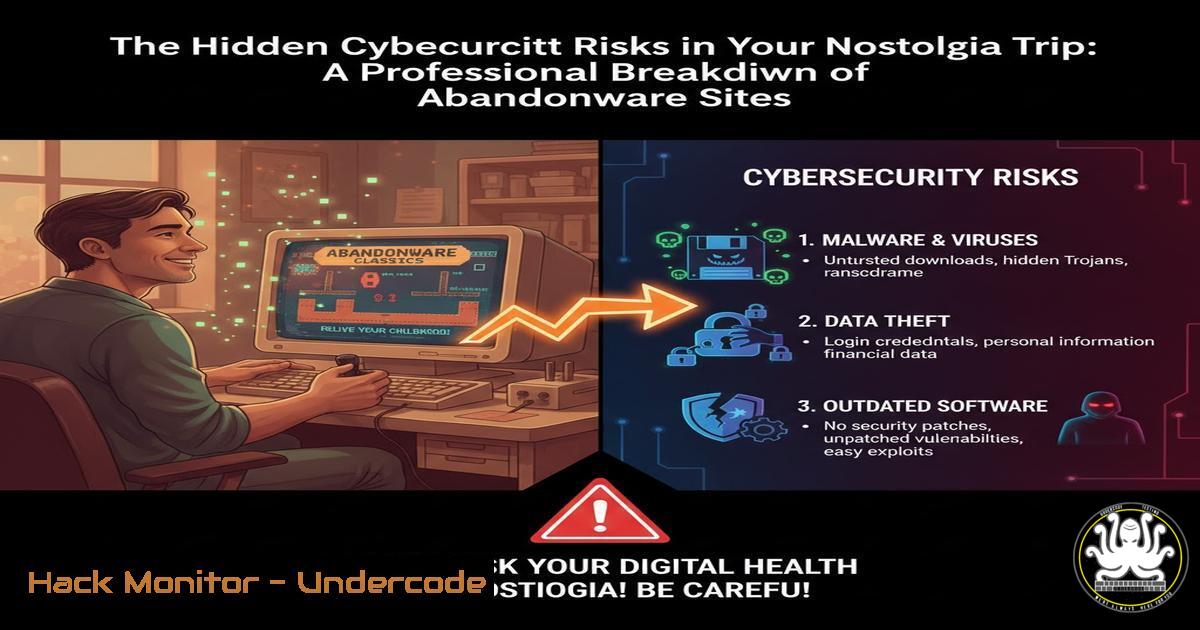
The resurgence of retro gaming through abandonware sites offers a potent dose of nostalgia but introduces significant, often overlooked, cybersecurity threats. These platforms, while providing access to long-forgotten software, can serve as unwitting distribution channels for malware, posing serious risks to both personal and enterprise environments. This article deconstructs the specific threats and provides actionable hardening techniques for security professionals and enthusiasts.
Learning Objectives:
- Identify common malware distribution vectors and social engineering tactics on abandonware and software preservation sites.
- Implement system isolation and monitoring controls to safely analyze and execute potentially untrustworthy software.
- Apply forensic and reverse-engineering techniques to vet legacy executables before execution.
You Should Know:
1. The Malware Vector in Legacy Installers
Verified commands for static analysis on a Linux analysis machine:
`file abandonware_game.exe` – Identifies the file type.
`strings abandonware_game.exe | grep -i ‘http\\|malware\\|virus’` – Scans for suspicious plain-text strings.
`md5sum abandonware_game.exe` – Generates an MD5 hash for threat intelligence lookup.
`sha256sum abandonware_game.exe` – Generates a more secure SHA-256 hash.
`exiftool abandonware_game.exe` – Extracts metadata, which can reveal origin or manipulation.
Step-by-step guide:
Before executing any downloaded installer, conduct initial static analysis. First, use `file` to confirm the binary type. Then, generate cryptographic hashes with `md5sum` and `sha256sum` to query against VirusTotal or other threat intelligence platforms. The `strings` command can often reveal hardcoded URLs or commands indicative of a malware payload. `exiftool` can show if the file was recently created or modified, contradicting its purported age.
2. Isolating Execution with Virtualization
Verified commands for creating a safe analysis environment:
`vboxmanage createvm –name “Malware_Analysis” –ostype “WindowsXP” –register`
`vboxmanage modifyvm “Malware_Analysis” –nic1 nat`
`vboxmanage modifyvm “Malware_Analysis” –nictrace1 on –nictracefile1 packet_capture.pcap`
`vboxmanage snapshot “Malware_Analysis” take “Clean_State”`
`vboxmanage controlvm “Malware_Analysis” snapshot “Clean_State”`
Step-by-step guide:
Isolation is critical. Use VirtualBox (or similar) to create a disposable virtual machine (VM) with an OS matching the retro game’s era (e.g., Windows XP). Crucially, configure the VM with no shared folders and use NAT for network isolation. Enable network tracing (nictrace1 on) to capture all outbound connections. Before executing any suspect file, take a snapshot (snapshot take). After analysis, you can instantly revert the VM to this clean state (controlvm snapshot), eliminating any infection.
3. Network Monitoring for Call-Home Behavior
Verified Wireshark and command-line monitoring techniques:
`tshark -i eth0 -f “host not 192.168.1.1” -w abandonware_traffic.pcap`
`tcpdump -i any -w traffic_capture.pcap port not 53`
`netstat -anb | findstr “ESTABLISHED”` (Windows, run from an elevated command prompt)
`wireshark` (GUI) – Use the filter: `http or dns or tls.handshake.type eq 1`
Step-by-step guide:
Legacy malware often attempts to communicate with command-and-control (C2) servers. On your host or analysis VM, start a packet capture before running the abandonware. Using `tshark` or tcpdump, capture all traffic, filtering out common noise like local gateway or DNS queries. After execution, analyze the capture file in Wireshark. Look for DNS queries to suspicious domains, HTTP requests to unknown IPs, or unexpected TLS handshakes. On Windows, use `netstat -anb` post-execution to identify any unknown established connections and the binary responsible.
4. Windows System Hardening and Monitoring
Verified Windows commands and PowerShell scripts for baseline and monitoring:
`Get-NetFirewallRule | Where-Object {$_.Enabled -eq ‘True’}` (PowerShell)
`wmic /namespace:\\root\securitycenter2 path antivirusproduct get displayName, productState`
`reg query “HKLM\SOFTWARE\Microsoft\Windows\CurrentVersion\Run”` (Command Prompt)
`Get-WinEvent -LogName Security -MaxEvents 20 | Where-Object {$_.ID -eq 4688}` (PowerShell – looks for new process creation)
`sigcheck -accepteula -u -h abandonware_game.exe` (Sysinternals tool)
Step-by-step guide:
Harden your analysis VM. Use PowerShell to verify the Windows Firewall is active and review active rules. Check for the presence of an antivirus product using WMIC. Before execution, establish a baseline: query the `Run` registry key for persistence mechanisms and use `Get-WinEvent` to see recent process creation. After execution, re-run these commands to detect changes. The Sysinternals `sigcheck` tool is invaluable for checking the digital signature and version information of executables.
5. Analyzing DOSBox and 16-bit Executables
Verified commands for analyzing the DOS environment and game files:
`dosbox -conf myconfig.conf` (Launching DOSBox with a custom, read-only configuration)
`debug game.com` (Legacy DOS debugger, useful for basic inspection within the environment)
`hexdump -C GAME.EXE | head -100` (Linux command to view the file header)
`strings -el GAME.EXE` (Linux command to extract strings from a 16-bit executable, using little-endian 16-bit format)
Step-by-step guide:
While DOSBox itself is safe, the games it runs are not. Create a custom DOSBox configuration file (myconfig.conf) that mounts the game directory as a read-only drive. This prevents the game from writing malicious files back to the host OS. Before launching, analyze the `.EXE` or `.COM` file on your host system using `hexdump` to view the header and `strings -el` to search for suspicious text within the 16-bit executable. Be wary of any batch files (.BAT) that may contain malicious DOS commands.
6. Forensic Artifact Hunting Post-Execution
Verified commands to find persistence and system changes on Windows:
`autoruns64 -accepteula` (Sysinternals – comprehensive autostart program viewer)
`volatility -f MEMORY.DMP –profile=Win7SP1x64 pslist` (Using Volatility on a memory dump)
`volatility -f MEMORY.DMP –profile=Win7SP1x64 netscan`
`Get-WinEvent -FilterHashtable @{LogName=’System’,’Application’; StartTime=(Get-Date).AddHours(-1)} | Format-Table LevelDisplayName, TimeCreated, ProviderName, Id, Message -Wrap` (PowerShell)
`icacls “C:\SuspiciousDirectory” /T` (Command Prompt – displays permissions)
Step-by-step guide:
After analysis, hunt for forensic artifacts. Use Sysinternals `Autoruns` to check all locations for persistence. If you captured a memory dump, use the Volatility framework to list running processes (pslist) and network connections (netscan) from the memory image, which can reveal hidden malware. Review System and Application event logs in PowerShell for errors or warnings correlated with the execution time. Finally, check for new files or directories and their permissions using icacls.
What Undercode Say:
- The primary risk is not the abandonware itself, but the modern malware injected into its installers by third-party distributors.
- Legal ambiguity creates a “wild west” environment where traditional software vetting and digital signatures are absent, making these sites attractive to threat actors.
The convergence of high user trust (driven by nostalgia) and low security oversight makes abandonware platforms a potent social engineering and malware delivery mechanism. While the original games may be harmless, the automated installers and repackaged downloads are the true threat vector. They often run with elevated privileges to install software, providing a perfect opportunity to deploy a simultaneous payload. Security teams should consider traffic to such sites a potential indicator of compromise, as it often bypasses corporate acceptable use policies and introduces unvetted risk.
Prediction:
The trend of exploiting trust in niche communities (gaming, open-source software, nostalgia) for malware distribution will intensify. We predict a rise in fileless malware and sophisticated payloads specifically designed to evade detection within legacy gaming environments, potentially using them as a initial foothold for lateral movement into corporate networks. The legal gray zone will continue to hinder coordinated takedowns, forcing a shift towards user education and technical controls rather than content removal.
🎯Let’s Practice For Free:
IT/Security Reporter URL:
Reported By: Thomassautier Retrogaming – Hackers Feeds
Extra Hub: Undercode MoN
Basic Verification: Pass ✅


