Listen to this Post
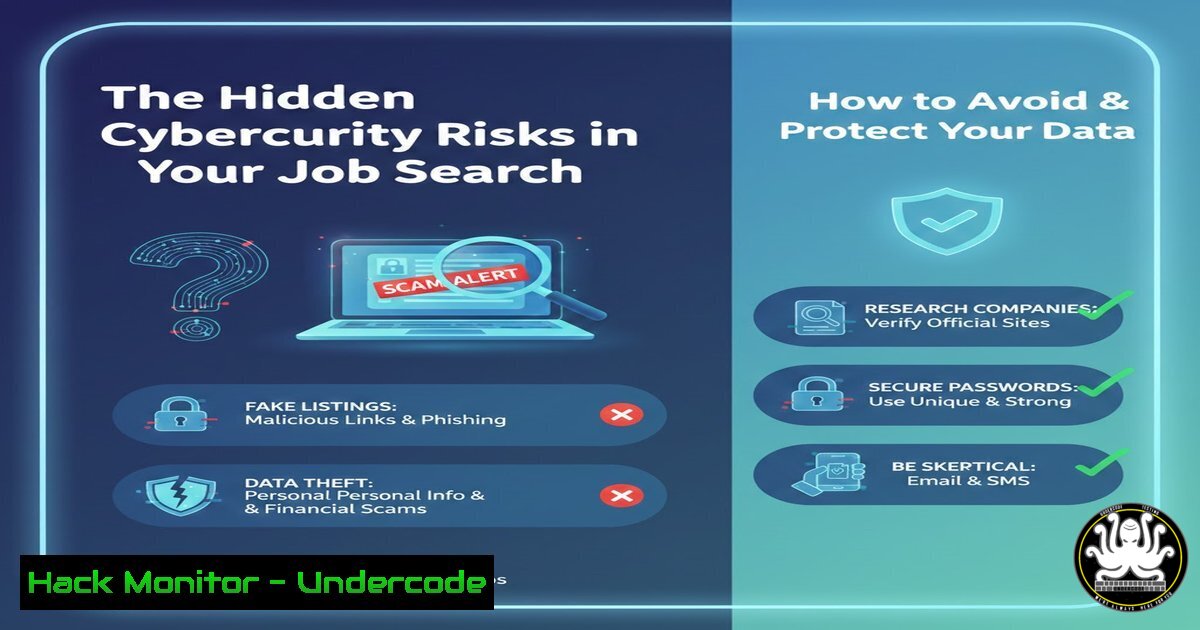
Introduction:
The modern job hunt has migrated almost entirely online, with platforms like LinkedIn serving as primary conduits for connecting talent with opportunity. However, this digital ecosystem is a fertile hunting ground for cybercriminals who deploy sophisticated fake job listings. These scams are engineered not to fill a position, but to harvest personal data, deliver malware, or execute financial fraud. Understanding the anatomy of these scams and implementing rigorous verification protocols is no longer optional for today’s professional.
Learning Objectives:
- Identify the key red flags of a malicious job posting or recruitment message.
- Apply technical verification methods to confirm the legitimacy of a company and job opportunity.
- Implement personal security controls to safeguard your data during an online job search.
You Should Know:
- Deconstructing the Fake Job Listing: Anatomy of a Scam
Fake job listings are social engineering attacks that prey on a candidate’s ambition and need. While the post from Aqeel Siddiqui for XBOW appears legitimate, malicious actors create near-identical copies to build credibility. The primary goal is to trick you into divulging sensitive Personally Identifiable Information (PII) like your Social Security Number, home address, and banking details under the guise of an “application form.” A secondary objective is to deliver malware, often through a “job description” PDF or a link to a “required skills test” that installs remote access trojans (RATs) or keyloggers.
Step‑by‑step guide explaining what this does and how to use it.
1. Analyze the Poster’s Profile: Cross-reference the poster’s identity. A legitimate recruiter or hiring manager should have a robust, connected profile with a consistent employment history. Check for a low connection count, recent profile creation, and generic or stolen content.
2. Inspect the Job URL: Hover your mouse over the job link without clicking. A legitimate AshbyHQ jobs link (jobs.ashbyhq.com) is a positive sign, as it’s a known recruiting platform. Be wary of URLs that use misspellings (e.g., ashbyhq-careers.com), unfamiliar top-level domains (.tk, .ml), or URL shorteners that obscure the destination.
3. Verify the Company Independently: Do not rely on the link provided. Open a new browser tab and manually search for “XBOW careers.” Navigate to their official website and confirm that the Controller position is listed on their official careers page. This simple step invalidates most phishing attempts.
2. Technical Verification: Interrogating the Digital Footprint
Before engaging with any online entity, you must verify its digital authenticity. This involves using command-line and web-based tools to investigate the infrastructure behind a job posting, such as the company’s website and the platform hosting the application.
Step‑by‑step guide explaining what this does and how to use it.
1. Verify Website SSL/TLS Certificate: A valid certificate from a trusted Certificate Authority (CA) is a basic hygiene indicator. Use the `curl` command to inspect it.
Linux/macOS Command:
curl -I https://xbows.com
Look for the `HTTP/2 200` status code. For a deeper dive, use:
openssl s_client -connect xbows.com:443 -servername xbows.com | openssl x509 -noout -subject -issuer -dates
This confirms the certificate is issued to the correct domain, is from a trusted issuer (e.g., Let’s Encrypt, DigiCert), and is not expired.
2. Check for Suspicious Network Activity: If you are required to download and run any software, use network monitoring tools. On Windows, you can use `netstat` to see active connections.
Windows Command (Run as Administrator in Command Prompt):
netstat -an | findstr "ESTABLISHED"
This will show all active network connections. If you see connections to unknown IP addresses in foreign countries right after running a “skills assessment” tool, it is a major red flag.
3. Securing Your Application Process: A Defender’s Checklist
Your personal data is your most valuable asset. Applying for jobs requires sharing some of it, but you must do so securely and selectively.
Step‑by‑step guide explaining what this does and how to use it.
1. Use a Dedicated Email Alias: Create a new email address solely for job applications (e.g., [email protected]). This contains potential spam and makes it easier to identify which company may have sold your data if a breach occurs.
2. Beware of Phishing Payloads: Never open email attachments from unknown recruiters. If you must, upload them to a service like VirusTotal.com, which scans files with over 70 antivirus engines. For links, use a URL scanner like urlscan.io to preview the destination without directly visiting it.
3. Enable Multi-Factor Authentication (MFA): Ensure your email, LinkedIn, and other professional accounts are protected with MFA. This prevents account takeover even if your password is stolen from a compromised job board.
4. Hardening Your LinkedIn Profile and Engagement
As the primary platform for professional networking, LinkedIn is a key attack vector. Securing your profile and behavior on the platform is critical.
Step‑by‑step guide explaining what this does and how to use it.
1. Adjust Your Privacy Settings: Navigate to `Settings & Privacy` > `Visibility` > Edit your public profile. Restrict the visibility of your connections and profile photo to only your 1st-degree connections to make it harder for attackers to scrape data and create fake, connected profiles.
2. Audit Connection Requests: Do not accept connection requests from people with whom you have no mutual connections or shared employment history. Scammers often build fake networks to appear legitimate.
3. Report Suspicious Activity: If you encounter a fake job listing, use LinkedIn’s reporting feature (... more icon on the post > Report this post). This helps protect the wider community.
- Incident Response: What to Do If You Suspect a Scam
If you believe you have interacted with a malicious job posting, immediate action is required to mitigate damage.
Step‑by‑step guide explaining what this does and how to use it.
1. Disconnect and Scan: Immediately disconnect your computer from the internet (Wi-Fi and Ethernet). Run a full system scan with a reputable antivirus/anti-malware solution.
2. Change Compromised Credentials: If you entered a password on a suspicious site, change that password immediately on all accounts where you have used it. Use a password manager to generate and store unique, complex passwords.
3. Place a Fraud Alert: If you provided your Social Security Number or other government ID, contact the major credit bureaus (Equifax, Experian, TransUnion) to place a fraud alert on your credit file.
What Undercode Say:
- Trust, but Verify Digitally. Professional platforms lend an air of legitimacy, but this is precisely what attackers exploit. The burden of verification has shifted to the individual.
- Your Data is the Real Product. In many of these scams, the “job” is merely the bait. The financial value for the criminal is in the aggregated PII, which is sold on dark web marketplaces, or the access gained to a corporate network through an infected applicant’s computer.
The post from Aqeel Siddiqui serves as a perfect case study of a legitimate opportunity, which is why it’s the ideal benchmark against which to compare threats. The presence on a real SaaS platform (AshbyHQ), the detailed poster profile, and the professional context are all green flags. However, a malicious actor could easily replicate this structure with a compromised account or a highly convincing fake. The core analysis is that the professional job search is now a frontline in personal cybersecurity. The techniques once reserved for IT administrators—infrastructure verification, network monitoring, and incident response—are now essential skills for any professional navigating the digital labor market. The line between personal and organizational security has blurred, as an individual’s compromised device can become the entry point for a sophisticated supply-chain attack on their future employer.
Prediction:
The sophistication of job search scams will continue to escalate, leveraging AI-generated deepfake video interviews and personalized, data-driven phishing emails that reference real details from a candidate’s profile. We will see a rise in “long-con” scams where attackers conduct multiple interview rounds over weeks to build trust before delivering a final payload, such as a request to set up direct deposit for a “signing bonus” that steals banking information. Furthermore, as remote work solidifies, we can expect an increase in attacks targeting home office infrastructure, with fake job offers serving as the initial access vector for broader attacks. The future of secure hiring will rely on blockchain-verified credentials and zero-trust identity assurance platforms to render these current forms of deception obsolete.
🎯Let’s Practice For Free:
IT/Security Reporter URL:
Reported By: Aqeel A – Hackers Feeds
Extra Hub: Undercode MoN
Basic Verification: Pass ✅


