Listen to this Post
Introduction:
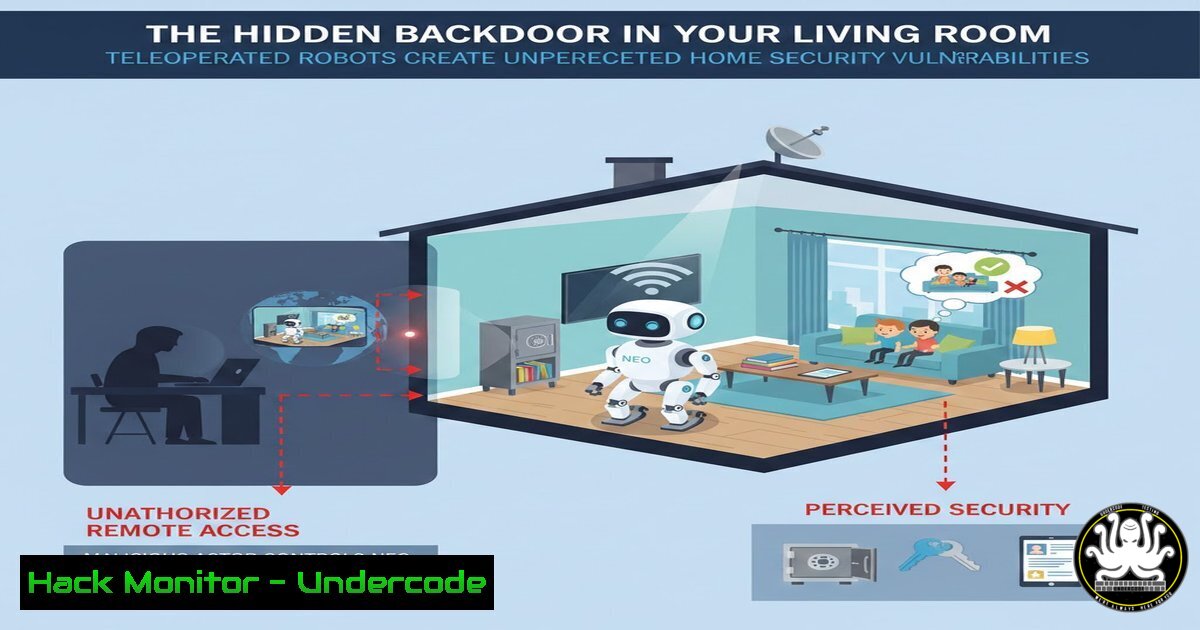
The advent of consumer humanoid robots, such as 1X Technologies’ Neo, marks a revolutionary step in domestic automation. However, this breakthrough introduces a complex new attack surface for cybersecurity. The very feature that enables its functionality—a constant, remote connection to a human operator center—transforms your home into a potentially accessible node on a corporate network, creating risks far beyond those of a standard smart device.
Learning Objectives:
- Understand the unique cybersecurity risks posed by teleoperated robotics in home environments.
- Learn how to audit and secure the network pathways used by an always-connected device.
- Implement mitigation strategies to protect your privacy and network integrity from exploitation through a connected robot.
You Should Know:
1. The Architecture of a Teleoperation Backdoor
The “human-in-the-loop” model is not just a feature; it’s a persistent network tunnel into your private space. Neo, and robots like it, require a continuous, bidirectional data stream. This includes live audio/video feeds from the robot’s sensors (its “eyes and ears”) and command/control signals from the remote operators. This architecture is fundamentally different from a smart speaker or thermostat, as it requires a constant, high-bandwidth, low-latency connection to an external server to function at all.
Step-by-step guide explaining what this does and how to use it:
Concept: The robot acts as a client, establishing an outbound connection to a cloud-based teleoperation server. While this bypasses the need for you to open ports on your home firewall (a technique called “hole punching”), it creates a permanent conduit for data exfiltration and, if the teleoperation center is compromised, potential command infiltration.
How to Audit: Use network monitoring tools to observe the traffic.
On Linux: Use `tcpdump` to capture packets on your network interface.
sudo tcpdump -i any -w robot_traffic.pcap host <ROBOT_IP_ADDRESS>
Analyze the capture file with Wireshark to identify destination IPs, ports, and protocols. Look for unencrypted streams.
On Windows: Use `Resource Monitor` (resmon) in the Network tab to see which processes on your robot’s host machine (if applicable) are making connections and to where.
2. Securing the Robot’s Network Segment
The first and most critical rule of IoT security is segmentation. Never place a high-risk, novel device like a humanoid robot on your primary trusted network where your personal computers, phones, and file servers reside.
Step-by-step guide explaining what this does and how to use it:
Concept: Create a separate Virtual Local Area Network (VLAN) exclusively for the robot. This isolates it, so even if it is compromised, an attacker cannot laterally move to your other devices.
Implementation:
- Access your advanced router or network switch’s admin panel (e.g., at
192.168.1.1). - Navigate to VLAN settings. Create a new VLAN (e.g., VLAN ID 30) and name it “IoT-Untrusted”.
- Assign the port your robot’s base station connects to, to this new VLAN.
- Create a firewall rule that blocks all traffic from the “IoT-Untrusted” VLAN to your “Trusted” LAN, but allows established and related return traffic. This lets the robot access the internet for its teleoperation but prevents it from initiating a connection to your laptop.
-
The Data Exfiltration Threat: Your Home Under Surveillance
The robot’s primary sensors are cameras and microphones. The raw data from these sensors is streamed to remote operators. You must trust the manufacturer’s data encryption, storage, and handling policies entirely. A breach at the teleoperation center could expose live feeds and historical data from your home.
Step-by-step guide explaining what this does and how to use it:
Concept: Treat the robot as a mobile CCTV system owned by a third party. Assume all data it collects is being stored and processed externally.
Mitigation:
Scrutinize the Privacy Policy: Before purchase, read the manufacturer’s privacy policy and terms of service. Look for clauses on data retention, sharing with third parties, and data ownership.
Physical Control: Implement a physical “kill switch” by placing the robot on a smart plug. You can then schedule it to be completely powered off during sensitive times (e.g., late nights, during private meetings). A simple command for a home automation system could be: IF time between 11:00 PM and 7:00 AM THEN power_off smart_plug_robot.
4. API Security and Cloud Service Compromise
The robot’s functionality is likely managed through a mobile app or web portal that communicates with the manufacturer’s cloud API. Vulnerabilities in this API (like insecure direct object references or broken authentication) could allow an attacker to hijack other users’ robots or access their data.
Step-by-step guide explaining what this does and how to use it:
Concept: The security of your robot is only as strong as the security of the manufacturer’s cloud infrastructure.
How to Protect Yourself: This is largely out of your hands, but you can practice good hygiene.
Use a unique, strong password for the robot’s service account.
Enable Multi-Factor Authentication (MFA) if it is offered.
Monitor the manufacturer’s security bulletins for disclosed vulnerabilities.
5. Firmware Integrity and Supply Chain Attacks
As a first-generation device, Neo will receive frequent firmware updates. These updates are a critical vector for supply chain attacks. A malicious update, either from a compromised vendor or a man-in-the-middle attack during download, could permanently compromise the device.
Step-by-step guide explaining what this does and how to use it:
Concept: Ensure the firmware your robot downloads is authentic and has not been tampered with.
Verification (for advanced users): While difficult for the end-user to fully verify, you can check that the download uses encrypted channels.
Command: Re-run the `tcpdump` command from section 1 during a firmware update. In Wireshark, follow the TLS stream to the update server. Check that the connection is using a strong cipher suite and that the certificate is valid and issued to the manufacturer.
What Undercode Say:
- The Convenience-Security Trade-off is Extreme: You are trading a significant amount of potential privacy and network security for a novel convenience. The risk profile is an order of magnitude greater than that of a standard IoT device.
- Your Network is the New Front Line: Proactive network segmentation is not a best practice here; it is an absolute necessity. Failure to do so is akin to inviting a stranger with a live webcam into your home and connecting their laptop directly to your corporate network.
The hybrid autonomy model of robots like Neo is a necessary technological stepping stone, but from a security perspective, it creates a paradigm-shifting threat. We are moving beyond devices that are occasionally vulnerable to deploying a permanent, mobile, sensor-rich endpoint inside our most private spaces. The onus is now on consumers to become amateur security architects, and on manufacturers to prioritize security and transparency as much as they do functionality. The dream of a home assistant should not become the backdoor for a digital intruder.
Prediction:
Within the next 2-3 years, as teleoperated home robots see wider adoption, we will witness the first major coordinated botnet comprising compromised humanoid robots. These “physical botnets” will be weaponized for both cyber and physical attacks, capable of launching DDoS attacks from within thousands of homes while simultaneously being used for coordinated physical espionage, data theft, and even causing deliberate physical damage or distress within the homes they inhabit. Regulatory bodies will be forced to create new cybersecurity frameworks specifically for consumer robotics, mandating features like local-only operation modes and hardware privacy shutters.
🎯Let’s Practice For Free:
IT/Security Reporter URL:
Reported By: Giovanni Nicolai – Hackers Feeds
Extra Hub: Undercode MoN
Basic Verification: Pass ✅


