Listen to this Post
Introduction:
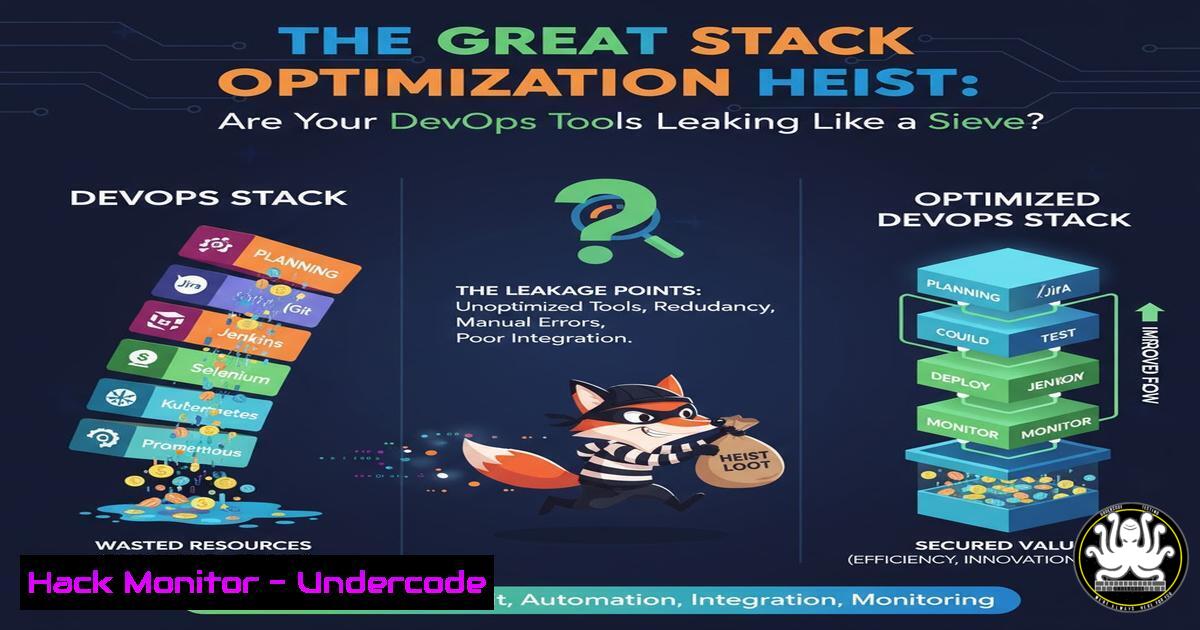
Modern tech stacks are complex ecosystems of interconnected DevOps tools, APIs, and cloud services. While this complexity drives innovation, it also creates a sprawling attack surface where a single misconfigured service can become the entry point for a catastrophic breach. This article deconstructs the critical security vulnerabilities inherent in stack optimization and provides a tactical guide to locking down your environment.
Learning Objectives:
- Identify and remediate common misconfigurations in CI/CD pipelines, cloud storage, and API gateways.
- Implement security hardening commands for Linux, Windows, and major cloud providers.
- Integrate automated security scanning into the DevOps lifecycle to detect leaks and vulnerabilities.
You Should Know:
1. The Exposed CI/CD Pipeline
Misconfigured Continuous Integration servers like Jenkins are prime targets. Attackers can exploit weak credentials or open ports to inject malicious code into your build process.
Verified Command/Tutorial:
 Scan for open Jenkins ports (common default is 8080) on a network segment.
nmap -p 8080 --open 192.168.1.0/24

Check Jenkins config for weak authentication (run on the Jenkins server itself).
sudo cat /var/lib/jenkins/config.xml | grep -A 10 -B 10 "useSecurity"
Step-by-step guide:
The `nmap` command scans your network for any systems with port 8080 open, a common Jenkins port. Discovering unknown Jenkins instances is the first step. The `grep` command on the Jenkins server checks the central configuration file to see if security (authentication) is enabled. If the `useSecurity` tag is set to false, your instance is wide open.
2. The Unlocked Cloud Vault
Public cloud storage buckets (AWS S3, Azure Blobs) are frequently left unintentionally public, exposing sensitive data.
Verified Command/Tutorial:
 Use the AWS CLI to check the ACL (Access Control List) of an S3 bucket.
aws s3api get-bucket-acl --bucket my-company-bucket

Check bucket policy for public grants.
aws s3api get-bucket-policy --bucket my-company-bucket
Step-by-step guide:
These commands require the AWS CLI to be installed and configured. `get-bucket-acl` reveals which AWS accounts or groups have permissions. Look for `”Grantee”: “http://acs.amazonaws.com/groups/global/AllUsers”` which indicates a public grant. `get-bucket-policy` retrieves the JSON policy document; any policy with a `”Principal”: “”` is a major red flag for public access.
3. Hardening the Linux Workhorse
Server hardening is non-negotiable. These commands reduce the attack surface of your Linux-based application servers.
Verified Command/Tutorial:
 Check for failed SSH login attempts, indicating a brute-force attack.
sudo grep "Failed password" /var/log/auth.log

Harden SSH by disabling root login and password authentication.
sudo sed -i 's/PermitRootLogin yes/PermitRootLogin no/' /etc/ssh/sshd_config
sudo sed -i 's/PasswordAuthentication yes/PasswordAuthentication no/' /etc/ssh/sshd_config
sudo systemctl restart sshd

Verify no unnecessary services are running.
sudo netstat -tulpn | grep LISTEN
Step-by-step guide:
The `grep` command audits your authentication logs. The `sed` commands permanently modify the SSH configuration file to disable direct root logins and force key-based authentication, which is far more secure. Always restart the SSH service (sshd) to apply changes. `netstat` shows all listening ports, allowing you to identify and disable unused services.
4. Securing the Windows Domain
Windows servers, especially Domain Controllers, require stringent access controls to prevent lateral movement.
Verified Command/Tutorial:
 PowerShell: Audit user accounts in sensitive groups (e.g., Domain Admins).
Get-ADGroupMember -Identity "Domain Admins" | Select-Object name

Check for shared folders and their permissions.
Get-SmbShare | Format-List Name, Path, Permissions

Enable Windows Defender Antivirus real-time protection.
Set-MpPreference -DisableRealtimeMonitoring $false
Step-by-step guide:
The first command lists all members of the powerful “Domain Admins” group; this list should be kept extremely small. `Get-SmbShare` reveals all shared folders on the network; inspect the `Permissions` column for over-privileged users. The final command ensures the native Windows Defender is actively protecting the system.
5. The API Key Backdoor
Hardcoded API keys in source code are a common secret leak that grants attackers direct access to your services.
Verified Command/Tutorial:
 Use TruffleHog or similar to scan git history for secrets.
trufflehog git file://path/to/your/repo/ --only-verified

Basic grep to find common API key patterns in code.
grep -r "AKIA[0-9A-Z]{16}" ./src/  AWS Access Key ID pattern
grep -r "sk-[a-zA-Z0-9]{48}" ./src/  OpenAI API Key pattern
Step-by-step guide:
TruffleHog is a dedicated tool that scans git repositories for verified secrets (it checks if the found keys are actually valid). The `grep` commands are a quick, pattern-based search for AWS and OpenAI keys. These should be run as part of your pre-commit hooks or CI pipeline to prevent secrets from ever entering the codebase.
6. Container Escape Hatch
Unsecured Docker containers can be exploited to break out and access the host system.
Verified Command/Tutorial:
 Scan a Docker image for known vulnerabilities using Trivy.
trivy image my-application:latest

Run a container without dangerous privileged mode and with limited capabilities.
docker run --rm -it --cap-drop=ALL --cap-add=NET_BIND_SERVICE alpine:latest

Inspect a running container's security profile.
docker inspect <container_id> | grep -i "privileged|capabilities"
Step-by-step guide:
Trivy scans container images for CVEs. The `docker run` command starts a container in a highly restricted state, dropping all capabilities (--cap-drop=ALL) and only adding the specific one needed to bind to a privileged port. The `inspect` command lets you audit running containers to ensure they are not running with "Privileged": true.
7. The Silent Cloud Log Drain
Without proper monitoring, you won’t see an attack until it’s too late. Enabling and centralizing logs is critical.
Verified Command/Tutorial:
 AWS CLI: Enable CloudTrail logging in all regions to track API activity.
aws cloudtrail create-trail --name my-management-trail --s3-bucket-name my-log-bucket --is-multi-region-trail

In Linux, forward system logs to a central SIEM using rsyslog.
echo ". @<your-siem-ip>:514" | sudo tee -a /etc/rsyslog.conf
sudo systemctl restart rsyslog
Step-by-step guide:
The CloudTrail command creates a trail that logs all management events across every AWS region, storing them in a secure S3 bucket. The Linux command configures the `rsyslog` daemon to forward all log messages (.) to a central Security Information and Event Management (SIEM) system at a specified IP address on port 514, ensuring logs are collected and analyzable in one place.
What Undercode Say:
- Complexity is the Enemy of Security. The drive for optimized, feature-rich stacks inherently increases the number of potential failure points. Automation is not just for deployment but for continuous security validation.
- The Perimeter is Dead. Assuming your internal tools (Jenkins, Docker repos) are safe because they are “inside” the network is a fatal error. A Zero-Trust approach, where every access request is verified, is essential.
The analysis from our security team indicates that the convergence of DevOps and cloud-native technologies has shifted the primary attack vector from external network perimeters to internal tooling and identities. The “heist” no longer requires breaching a fortress wall; it involves finding one set of keys left in a public repository or one unpatched container that provides a foothold. The tools designed to accelerate development are now the soft underbelly targeted by advanced persistent threats. Proactive, automated hardening and vigilant monitoring of the entire stack, not just the application code, is the new baseline for defense.
Prediction:
The trend of automation-driven attacks will intensify. We predict the emergence of AI-powered offensive security tools that can autonomously scan public code repositories, identify stack-specific misconfigurations, and generate targeted exploit code within minutes. This will shrink the time between the discovery of a vulnerability and its widespread exploitation from days to mere hours, forcing a paradigm shift towards fully automated, integrated defense-in-depth security protocols embedded directly into the DevOps toolchain.
🎯Let’s Practice For Free:
IT/Security Reporter URL:
Reported By: Penn Frank – Hackers Feeds
Extra Hub: Undercode MoN
Basic Verification: Pass ✅


