Listen to this Post
Introduction:
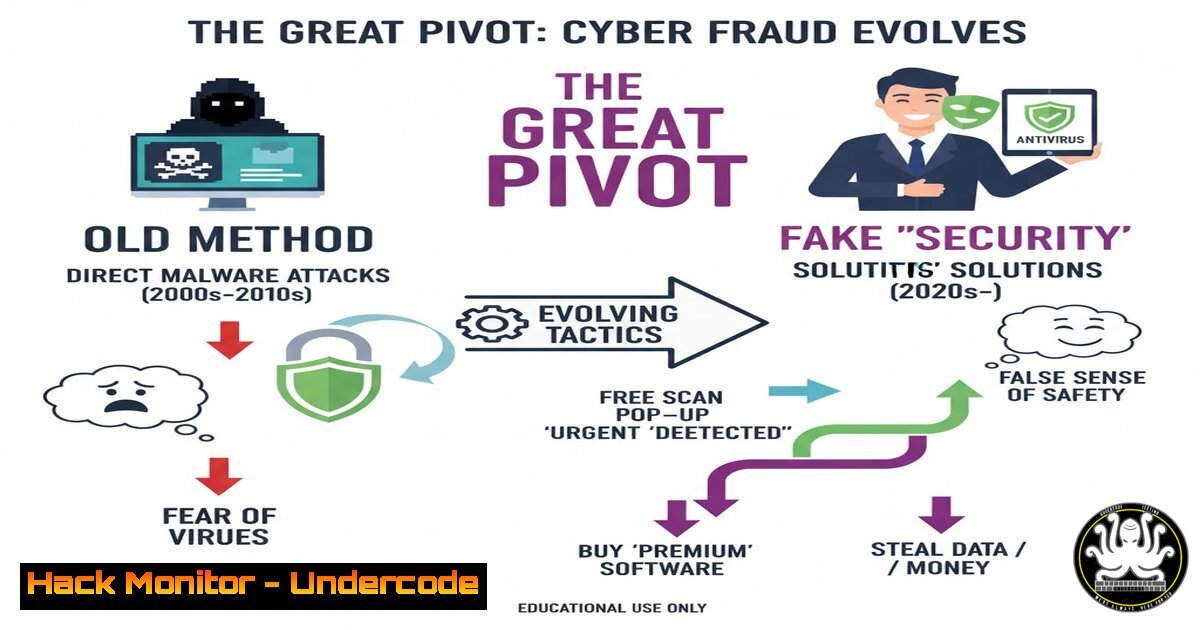
In a bizarre twist on traditional cybercrime, security researchers have uncovered a sophisticated scam where threat actors are leveraging fake malware infection warnings to funnel victims towards legitimate antivirus software. This scheme, discovered during a routine threat hunt, abandons ransomware or data theft in favor of earning affiliate commissions, marking a significant evolution in attacker monetization strategies. This article deconstructs the technical mechanics of this “scareware 2.0” and provides a step-by-step guide for identification and mitigation.
Learning Objectives:
- Understand the anatomy of the fake infection scareware scam and its affiliate-based revenue model.
- Learn to identify and analyze malicious JavaScript and network traffic used in these deceptive pages.
- Implement system hardening and user training strategies to prevent such social engineering attacks.
You Should Know:
- Deconstructing the Fake Scan: Social Engineering via JavaScript
The core of this scam is a web page that mimics a system scanner, often using generic branding like “Windows Security” or, as in this case, a poorly designed page featuring both McAfee and Avast logos. The page runs a JavaScript function that simulates a system scan, populating a list with fake, generic malware names to create a sense of urgency and panic in the victim.
Step‑by‑step guide explaining what this does and how to use it.
Step 1: Identify the Deceptive Code. Right-click on the scareware page and select “View Page Source” or press Ctrl+U. Search for script tags (<script>...</script>). The code will often contain arrays of fake malware names and functions that dynamically “discover” them.
Step 2: Analyze the Network Call. Open the browser’s Developer Tools (F12) and go to the “Network” tab. Click the “Renew Now” or similar button. You will see an outbound HTTP GET or POST request to a URL that is not a legitimate Microsoft or antivirus domain. This is the affiliate link that tracks the click and subsequent purchase.
Step 3: Verify the Final Destination. The initial scareware page often redirects through multiple affiliate tracking domains before landing on the genuine Avast or McAfee sales page. This obfuscates the trail but confirms the financial motive.
- The Affiliate Link Economy: How Attackers Get Paid
Threat Actors (TAs) are enrolled in the Avast Affiliate Program (or similar). They receive a unique tracking link. Every user who clicks their fake “Renew Now” button and subsequently purchases Avast software generates a commission for the TA. This is a low-risk, high-reward model for criminals, as it leverages legitimate business infrastructure for illicit gain.
Step‑by‑step guide explaining what this does and how to use it.
Step 1: Dissect the URL. The affiliate link will look something like https://www.avast.com/en-us/index.php?p=1&affiliate=XYZ123&utm_campaign=scareware`. The critical parameters are `affiliate=XYZ123` and any `utm_` tracking parameters.[email protected]`). This helps them deactivate the affiliate account and stem the flow of illicit commissions.
Step 2: Report the Abuse. Legitimate companies have strict policies against this. Forward the full URL with headers to the antivirus vendor's abuse department (e.g.,
- System Hardening: Blocking Scareware at the Network Level
Preventing user access to these malicious pages is the most effective defense. This can be achieved by implementing robust DNS filtering and network security policies.
Step‑by‑step guide explaining what this does and how to use it.
For Windows (via PowerShell): Configure your DNS settings to use a filtering service like Quad9 (9.9.9.9) or Cloudflare (1.1.1.1).
`Set-DnsClientServerAddress -InterfaceAlias “Ethernet” -ServerAddresses (“1.1.1.1”, “1.0.0.1”)`
For Linux (systemd-resolved): Edit the resolved configuration file.
`sudo nano /etc/systemd/resolved.conf`
Add or modify the following lines:
`DNS=9.9.9.9dns.quad9.net`
`FallbackDNS=1.1.1.1`
Then restart the service: `sudo systemctl restart systemd-resolved`
4. Forensic Detection: Hunting for Scareware Artifacts
If a user reports encountering such a page, you can check for related artifacts on their system, such as browser cache and specific download history.
Step‑by‑step guide explaining what this does and how to use it.
On Windows (Command Prompt): Use the `dir` command to search the user’s Temp and browser cache folders for recently downloaded files related to the scam.
`dir %TEMP%\avast /s`
`dir %TEMP%\fakescan /s`
On Linux (Terminal): Use `find` and `grep` to search for relevant files in the user’s home directory and browser cache.
`find ~/.cache -mtime -1 -name “avast”`
`find /tmp -type f -exec grep -l “fake.scan.script” {} \;`
5. User Awareness Training: The Human Firewall
The ultimate mitigation for this scam is user education. Security teams must train users to recognize the hallmarks of social engineering.
Step‑by‑step guide explaining what this does and how to use it.
Step 1: Run Simulated Phishing Campaigns. Use platforms like GoPhish to create internal training campaigns that mimic this exact scareware tactic. Track click-through rates and provide immediate feedback to users who fall for the test.
Step 2: Create Recognition Guidelines. Teach users that legitimate antivirus software will never perform a system-wide scan from a web browser. Legitimate warnings are generated by the local client, not a random website. Encourage them to close the browser tab and run a known, installed security scan if they are concerned.
What Undercode Say:
- Monetization Shift is a Key Indicator. This pivot from destructive payloads to affiliate fraud signifies a maturation of the cybercrime ecosystem, where low-risk, steady revenue is prioritized over high-impact, high-visibility attacks.
- The Blurred Line Complicates Defense. The use of a legitimate endpoint (Avast) makes traditional blacklisting ineffective. Defenses must now focus more on user behavior and the journey to a website, not just the final destination.
This scam is ingenious in its simplicity. It requires no malware development, no complex C2 infrastructure, and no data exfiltration. By exploiting the trust in a known brand and the universal fear of infection, TAs have found a way to monetize panic with minimal legal exposure. This represents a “gray zone” attack that is harder for automated security tools to flag and requires a more nuanced, educated response from both security teams and end-users.
Prediction:
The success of this affiliate-based scareware model will lead to its rapid adoption by other cybercriminal groups. We predict a future where these scams become more personalized, using AI-driven content to tailor the fake infection alerts based on the victim’s geolocation, device type, and even browsing history. Furthermore, we will likely see a “service” model emerge, where affiliates can purchase pre-packaged scareware kits, lowering the barrier to entry and increasing the volume of these attacks exponentially. The cybersecurity industry’s response will need to evolve beyond technical blocks to include closer collaboration with affiliate networks and more aggressive legal action against abusers.
🎯Let’s Practice For Free:
IT/Security Reporter URL:
Reported By: Kostastsale As – Hackers Feeds
Extra Hub: Undercode MoN
Basic Verification: Pass ✅


