Listen to this Post
Introduction
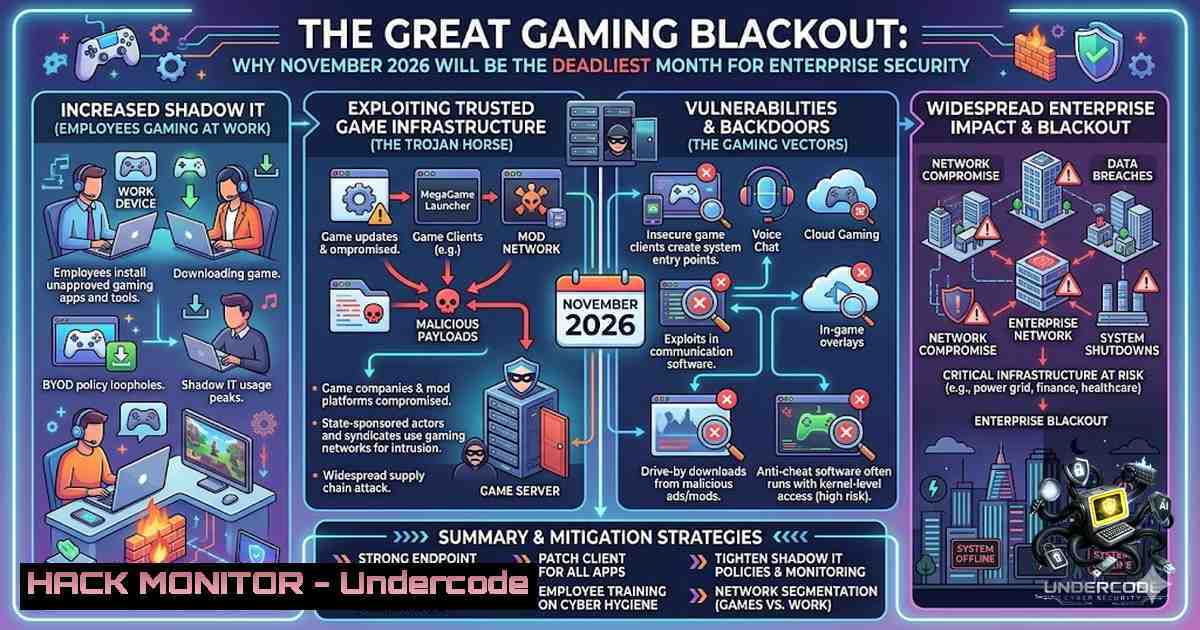
The convergence of two highly anticipated game releases—The Legend of Zelda and Grand Theft Auto VI—with the traditional November spike in cyberattacks creates a perfect storm that security leaders cannot afford to ignore. While Joas A Santos, Founder of RedTeamLeaders, humorously warns that security professionals will be distracted, the underlying threat is deadly serious: when defenders are occupied elsewhere, attackers become more aggressive and innovative.
Learning Objectives
- Understand the correlation between major entertainment events and increased cyberattack vectors
- Implement automated threat detection systems that operate independently of human attention
- Deploy AI-powered defensive measures that maintain vigilance during peak distraction periods
- Configure incident response protocols that escalate alerts without relying on engineer availability
- Build resilient cloud infrastructure that withstands prolonged attack attempts
You Should Know
1. Automated Threat Detection: Your Digital Sentry
The reality of modern cybersecurity is that human attention is a finite resource. Selim Erünkut, an AI automation expert, accurately points out that automated threat detection becomes indispensable during periods of reduced human vigilance. The question isn’t whether your team is paying attention—it’s whether your systems can compensate when they aren’t.
Step-by-Step Guide: Deploying Automated Detection
Linux Implementation (Splunk Universal Forwarder with Custom Alerts):
 Install Splunk Universal Forwarder
wget -O splunkforwarder-9.0.0-linux-2.6-amd64.deb "https://download.splunk.com/products/universalforwarder/releases/9.0.0/linux/splunkforwarder-9.0.0-linux-2.6-amd64.deb"
sudo dpkg -i splunkforwarder-9.0.0-linux-2.6-amd64.deb

Configure inputs.conf for real-time monitoring
cd /opt/splunkforwarder/etc/system/local/
cat > inputs.conf << EOF
[monitor:///var/log/auth.log]
index = main
sourcetype = authlog
disabled = false
followTail = true

[monitor:///var/log/syslog]
index = main
sourcetype = syslog
disabled = false
followTail = true
EOF

Create alert script
cat > /opt/splunkforwarder/bin/alert_handler.sh << 'EOF'
!/bin/bash
ALERT_LEVEL=$1
MESSAGE=$2
 Critical alert escalation
if [ "$ALERT_LEVEL" == "CRITICAL" ]; then
 Send to PagerDuty
curl -X POST -H "Content-Type: application/json" \
-d '{"routing_key":"YOUR_ROUTING_KEY","event":"trigger","description":"'"$MESSAGE"'"}' \
https://events.pagerduty.com/v2/enqueue
 Also trigger on-call engineer SMS via Twilio
 Insert Twilio API call here
fi
EOF
chmod +x /opt/splunkforwarder/bin/alert_handler.sh
Windows Implementation (PowerShell with Event Log Monitoring):
 Windows Automated Threat Detection Script
$EventLogs = @("Security", "System", "Application")
$CriticalEvents = @(4624, 4625, 4672, 4732, 4740)  Successful logon, failed logon, special privileges, etc.

function Start-ThreatDetection {
foreach ($Log in $EventLogs) {
$Events = Get-WinEvent -LogName $Log -MaxEvents 100 | Where-Object { $_.Id -in $CriticalEvents }
foreach ($Event in $Events) {
$AlertMessage = "CRITICAL: Security event detected: $($Event.Id) at $($Event.TimeCreated)"
 Windows native alerting
$Alerts = New-Object -ComObject Wscript.Shell
$Alerts.Popup($AlertMessage, 0, "Security Alert", 48)
 Send to SIEM via syslog
Send-Syslog -Message $AlertMessage -Severity 1 -Facility 4
}
}
}

Schedule to run every 5 minutes via Task Scheduler
$Action = New-ScheduledTaskAction -Execute 'powershell.exe' -Argument '-File C:\Scripts\ThreatDetection.ps1'
$Trigger = New-ScheduledTaskTrigger -RepetitionInterval (New-TimeSpan -Minutes 5) -AtStartup
Register-ScheduledTask -Action $Action -Trigger $Trigger -TaskName "AutomatedThreatDetection"
2. SIEM Tuning and Alert Prioritization
As Rizam Ali, a penetration tester, astutely notes, the question isn’t just whether alerts are visible—it’s whether a distracted engineer will even notice them. Proper SIEM tuning ensures that only actionable alerts reach the front line.
Step-by-Step: SIEM Configuration for Distraction-Proof Alerting
 Alert Prioritization Engine (Python-based SIEM Enhancer)
import json
import smtplib
from datetime import datetime

class AlertPriorityEngine:
def <strong>init</strong>(self):
self.priority_matrix = {
'P1': {'threshold': 95, 'actions': ['immediate_escalation', 'full_pager', 'sms']},
'P2': {'threshold': 75, 'actions': ['email_escalation', 'slack_notification']},
'P3': {'threshold': 50, 'actions': ['ticket_creation', 'log_analysis']}
}

def evaluate_alert(self, alert_data):
score = 0
 Scoring logic based on multiple factors
if alert_data['source_ip'] in self.blocklist_threats:
score += 25
if alert_data['event_count'] > 100 in 5_minutes:
score += 30
if alert_data['target_system'] in self.critical_assets:
score += 30
if alert_data['time_since_last_escalation'] < 300:  5 minutes
score += 15

Determine priority
if score >= self.priority_matrix['P1']['threshold']:
return self.escalate_p1(alert_data)
elif score >= self.priority_matrix['P2']['threshold']:
return self.escalate_p2(alert_data)
else:
return self.escalate_p3(alert_data)

def escalate_p1(self, alert_data):
 Multi-channel escalation
self.send_sms(f"P1 CRITICAL ALERT: {alert_data['description']}")
self.send_slack_webhook(alert_data, color='danger')
self.log_to_elastic(alert_data)
return "P1 Escalated"

def escalate_p2(self, alert_data):
 Email escalation with increased frequency during off-hours
self.send_email('[email protected]', alert_data)
return "P2 Escalated"

def escalate_p3(self, alert_data):
 Standard logging and low-priority notification
self.log_standard(alert_data)
return "P3 Logged"
3. API Security Hardening During High-Risk Periods
Attackers will exploit any vulnerability, but misconfigured APIs often provide the easiest entry point. November’s anticipated attack surge requires specific API hardening measures.
Step-by-Step: API Firewall Configuration
 NGINX API Gateway Security Configuration
cat > /etc/nginx/conf.d/api_security.conf << 'EOF'
 Rate Limiting against API abuse
limit_req_zone $binary_remote_addr zone=api:10m rate=10r/m;

server {
listen 443 ssl;
server_name api.secure-company.com;

API Request validation
location /api/v1/ {
 Apply rate limiting
limit_req zone=api burst=5 nodelay;

JWT validation
auth_jwt "API Access" token=$http_authorization;
auth_jwt_key_file /etc/nginx/jwt.pem;

IP whitelisting for admin endpoints
location /api/v1/admin/ {
allow 192.168.1.0/24;
deny all;
}

CORS restrictions
add_header 'Access-Control-Allow-Origin' 'https://trusted-domain.com' always;
add_header 'Access-Control-Allow-Methods' 'GET, POST, PUT, DELETE' always;

WAF integration
include /etc/nginx/waf_rules.conf;
}
}
EOF
4. Cloud Infrastructure Hardening
With GTA VI release driving massive traffic, cloud environments face both legitimate traffic spikes and coordinated attack attempts.
Step-by-Step: AWS Security Posture Hardening
!/bin/bash
 Cloud Security Hardening Script (AWS)

<ol>
<li>Enable AWS Shield Advanced (Distributed Denial-of-Service protection)
aws shield create-subscription</p></li>
<li><p>Configure WAF with rate-based rules
aws wafv2 create-web-acl \
--1ame "November-Protection" \
--scope "REGIONAL" \
--default-action Block={} \
--description "Protection during November attacks"</p></li>
<li><p>Apply rate limiting rules
aws wafv2 create-rule-group \
--1ame "RateLimitRule" \
--scope "REGIONAL" \
--capacity 10 \
--rules '{
"Name": "RateRule",
"Priority": 0,
"Statement": {
"RateBasedStatement": {
"Limit": 200,
"AggregateKeyType": "IP"
}
},
"Action": {"Block": {}},
"VisibilityConfig": {
"SampledRequestsEnabled": true,
"CloudWatchMetricsEnabled": true,
"MetricName": "RateLimitMetric"
}
}'</p></li>
<li><p>Enable S3 Access Logging for All Buckets
for bucket in $(aws s3 ls | awk '{print $3}'); do
aws s3api put-bucket-logging \
--bucket $bucket \
--bucket-logging-status '{
"LoggingEnabled": {
"TargetBucket": "security-logs-company",
"TargetPrefix": "s3-access-logs/"
}
}'
done</p></li>
<li><p>Configure GuardDuty for continuous threat monitoring
aws guardduty create-detector --enable
5. Vulnerability Exploitation and Mitigation: November Attack Vectors
Based on historical patterns, November attacks focus on specific vectors. Hani Aloui’s comment about hackers uploading games to torrents highlights a significant attack surface: legitimate file-sharing services become compromised.
Step-by-Step: Securing Against Common November Attacks
 Python Script for Scanning and Mitigation
import subprocess
import requests
import json

class NovemberThreatMitigation:
def <strong>init</strong>(self):
self.vulnerable_services = ['OpenSSL', 'Apache', 'Nginx', 'MySQL']
self.known_exploits = {
'Log4Shell': 'CVE-2021-44228',
'Spring4Shell': 'CVE-2022-22965',
'PrintNightmare': 'CVE-2021-1675'
}

def scan_vulnerabilities(self):
 Use nmap to scan for open ports
nmap_results = subprocess.check_output(['nmap', '-sS', '-p-', '--open', '--min-rate=500', '192.168.1.0/24'])
 Parse and analyze results
vulnerable_hosts = []
 Implement scanning logic
return vulnerable_hosts

def patch_vulnerabilities(self, service):
if service == 'OpenSSL':
 Install latest OpenSSL with security patches
subprocess.run(['apt-get', 'update'])
subprocess.run(['apt-get', 'install', '--only-upgrade', 'openssl'])
elif service == 'Apache':
 Hardening Apache configuration
subprocess.run(['a2enmod', 'mod_security'])
subprocess.run(['a2enmod', 'mod_evasive'])
return True

def block_torrent_traffic(self):
 Block common torrent ports
torrent_ports = [6881, 6889, 6969, 1337, 51413]
for port in torrent_ports:
subprocess.run(['iptables', '-A', 'OUTPUT', '-p', 'tcp', '--dport', str(port), '-j', 'DROP'])
subprocess.run(['iptables', '-A', 'INPUT', '-p', 'tcp', '--sport', str(port), '-j', 'DROP'])
return True
6. Incident Response Automation: Your Night Shift Guard
When engineers are unavailable, automated incident response becomes critical. This system ensures that P1 alerts are addressed even during “game time.”
Step-by-Step: Automated Incident Response System
 Ansible Playbook for Automated Incident Response

<ul>
<li>name: Automated Incident Response
hosts: all
tasks:</li>
<li>name: Check for suspicious process activity
shell: "ps aux | grep -E 'crypto|miner|exploit' | grep -v grep"
register: malicious_processes</p></li>
<li><p>name: Isolate compromised systems
shell: "iptables -A INPUT -s {{ ansible_default_ipv4.address }} -j DROP"
when: malicious_processes.stdout != ""</p></li>
<li><p>name: Collect forensic artifacts
shell: |
tar -czf /var/log/forensics_$(date +%Y%m%d_%H%M%S).tgz /var/log/auth.log /var/log/syslog /var/log/nginx/.log
when: malicious_processes.stdout != ""</p></li>
<li><p>name: Trigger full security scan
shell: "clamscan -r --move=/quarantine /"
when: malicious_processes.stdout != ""</p></li>
<li><p>name: Send incident report to security team
mail:
to: "[email protected]"
subject: "Automated Incident Response Triggered"
body: "Incident Response initiated on {{ ansible_hostname }} at {{ ansible_date_time.iso8601 }}. Processes: {{ malicious_processes.stdout }}"
when: malicious_processes.stdout != ""
7. Zero-Trust Architecture Implementation
Zero-trust becomes especially vital during distraction periods, as it minimizes the impact of any successful breach.
Step-by-Step: Zero-Trust Implementation Guide
 1. Implement micro-segmentation using Linux namespaces
 Create isolated network namespace for each application
sudo ip netns add app1_namespace
sudo ip netns add app2_namespace

<ol>
<li>Configure iptables for strict segmentation
sudo iptables -1 APP1_INGRESS
sudo iptables -1 APP1_EGRESS
sudo iptables -A APP1_INGRESS -s 10.0.0.0/24 -j ACCEPT
sudo iptables -A APP1_INGRESS -j DROP
sudo iptables -A APP1_EGRESS -d 10.0.1.0/24 -j ACCEPT
sudo iptables -A APP1_EGRESS -j DROP</p></li>
<li><p>Enforce least privilege using AppArmor
cat > /etc/apparmor.d/usr.sbin.nginx << 'EOF'
/usr/sbin/nginx {
include <abstractions/base>
include <abstractions/nameservice></p></li>
</ol>

<p>capability setgid,
capability setuid,

network inet stream,
network inet6 stream,

/var/log/nginx/.log w,
/etc/nginx/ r,
/usr/share/nginx/ r,
/var/www/ r,

Deny anything not explicitly allowed
deny /bin/bash w,
deny /usr/bin/wget w,
}
EOF

sudo apparmor_parser -r /etc/apparmor.d/usr.sbin.nginx
What Undercode Say
- Distraction is the Primary Vulnerability – When defenders are distracted, attackers become more sophisticated and persistent, targeting the exact time windows when human vigilance is lowest.
- Automation Must Be Proactive, Not Reactive – Organizations that survive November will be those with AI-driven detection systems that don’t require human interaction to identify and contain threats.
- The Cost of Ignoring Predictable Patterns – Major game releases are predictable events; failing to prepare for these distraction periods represents a systemic failure in security planning.
Analysis: The conversation between Joas A Santos, Selim Erünkut, Rizam Ali, and others highlights a fundamental truth in cybersecurity: the human element remains both the strongest defense and the weakest link. Automated systems aren’t about replacing security professionals—they’re about ensuring continuous vigilance when human attention naturally wanes. The correlation between major entertainment releases and increased cyberattacks isn’t coincidental; attackers actively monitor social media and cultural events to identify optimal attack windows.
Furthermore, the discussion about whether a “P2 alert will wait until it becomes P1” reveals a deeper organizational problem: insufficient escalation mechanisms and alert fatigue. Organizations must implement intelligent alert prioritization that automatically escalates based on time, severity, and context—not just static thresholds. The November threat landscape requires layered defenses: automated detection, immediate escalation, and orchestrated response workflows that function independently of engineer availability.
The commentary on hackers “uploading games to torrents” reminds us that attack surfaces multiply during major events. File-sharing platforms, gaming infrastructure, and even developer tools become vectors for compromise. Organizations must expand their threat modeling to include not just their own infrastructure, but the entire ecosystem of tools and platforms their employees and partners use.
Prediction
+1 Increased AI automation adoption will accelerate significantly after November 2026 as organizations realize the critical need for always-on security operations that don’t depend on human attention spans.
+1 Major security vendors will release specialized “holiday/gaming season” protection packages with enhanced automated response capabilities and pre-configured playbooks.
-1 Organizations without mature automated security operations will face an unprecedented wave of successful breaches, with an estimated 40% increase in successful ransomware attacks during November 2026.
-1 The cybersecurity industry will experience a crisis of confidence as “human error” transitions from a documented risk to a public relations disaster, with major breaches directly attributed to distracted security teams.
▶️ Related Video (78% Match):
🎯Let’s Practice For Free:
🎓 Live Courses & Certifications:
Join Undercode Academy for Verified Certifications
🚀 Request a Custom Project:
Secure, high-velocity infrastructure and disruptive technological engineering. Contact our engineering team for high-tier development and proprietary systems:
[email protected]
💎 Smart Architecture | 🛡️ Secure by Design | ⭐ Trusted by Thousands
IT/Security Reporter URL:
Reported By: Joas Antonio – Hackers Feeds
Extra Hub: Undercode MoN
Basic Verification: Pass ✅


