Listen to this Post
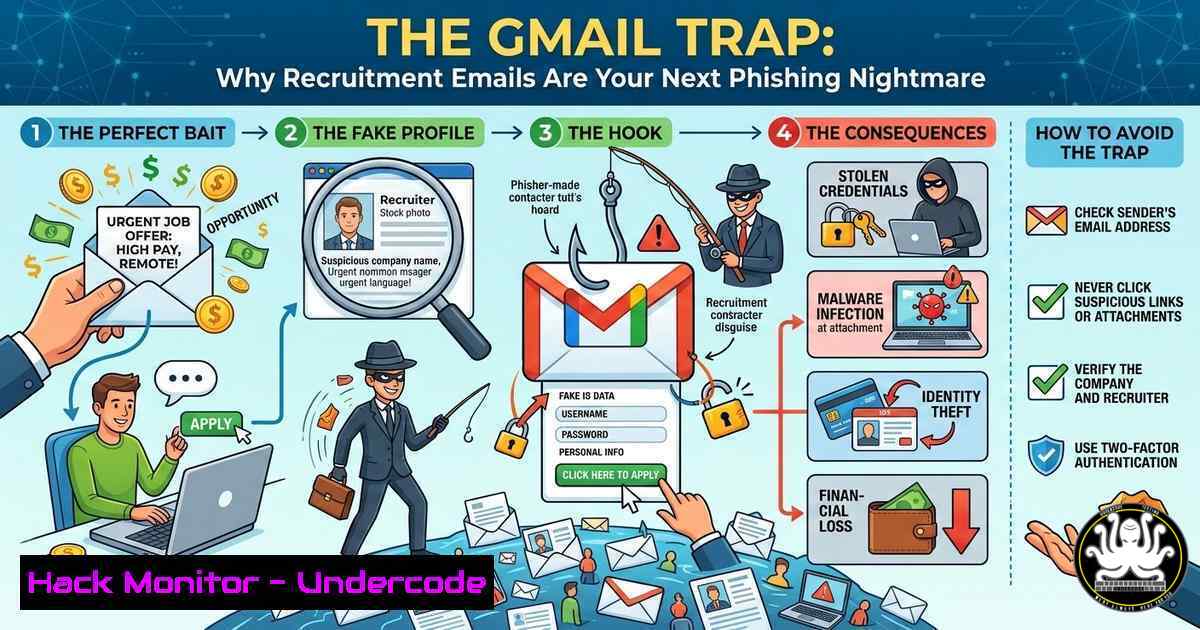
Introduction:
A seemingly innocuous LinkedIn post about a dubious recruitment email has sparked a critical conversation about the evolution of social engineering. While the sender’s use of a personal Gmail address is an immediate red flag, modern phishing campaigns targeting professionals go far deeper, leveraging OSINT (Open-Source Intelligence) to craft highly personalized traps. This article dissects the anatomy of a recruitment scam, providing technical analysis and step-by-step guides to unmask malicious actors and harden your digital footprint against identity-based attacks.
Learning Objectives:
- Identify advanced indicators of phishing beyond generic greetings and poor grammar.
- Utilize Linux and Windows command-line tools to analyze email headers and sender infrastructure.
- Implement OSINT techniques to audit your own publicly exposed Personally Identifiable Information (PII).
- Configure email security settings and recognize supply chain attacks targeting recruitment platforms.
You Should Know:
- Header Forensics: Tracing the Origin of the “Recruiter”
The post by David Spinks highlights a recruitment email from a US-based consultant using a Gmail address. In cybersecurity, we never trust the display name; we follow the headers. Email headers contain the “Received” path, which traces the server route, and theAuthentication-Results, which verifies the sender.
Step‑by‑step guide to analyzing email headers:
On Linux/macOS:
You can use the `swaks` or `telnet` tools to inspect an SMTP conversation, but for analyzing a received email, save the email as a `.eml` file and use `grep` and awk.
 Example: Extract the originating IP from an email header file
cat suspicious_email.eml | grep -i "Received:" | head -1

Use dig for reverse DNS lookup on the IP found
dig -x [bash] +short
If the reverse DNS points to a residential ISP (e.g., .static.residential.net) rather than a corporate mail server (e.g., `google.com` or microsoft.com), it is highly likely a spoofed or compromised endpoint.
On Windows (PowerShell):
 Analyze email headers by copying them into a variable
$headers = Get-Content .\email_headers.txt
$headers | Select-String "Received"
Look for a mismatch in the `SPF` (Sender Policy Framework) and `DKIM` (DomainKeys Identified Mail) signatures. A failed SPF check (softfail or fail) indicates the sending server was not authorized by the domain owner (in this case, the supposed recruitment agency’s domain, not the Gmail address).
2. OSINT Mining: How Attackers Found Your Email
Guru Sharma commented on the post, noting that a Gmail account and a public LinkedIn profile pointing to India are signs of spam. This is surface-level OSINT. Attackers scrape LinkedIn, GitHub, and personal blogs to build psychological profiles.
Step‑by‑step guide to auditing your own digital footprint:
Using theHarvester (Linux):
This tool aggregates emails and subdomains from public sources.
 Gather emails associated with your company domain (e.g., undercode.com)
theharvester -d undercode.com -b all -l 500
If your personal email appears in these results, it is in the hands of attackers.
Manual Google Hacking (Google Dorks):
Use advanced search operators to find where your email is exposed.
intext:"[email protected]" filetype:pdf OR filetype:docx
This searches for PDFs or Word documents online that contain your email, which may have been crawled from public repositories.
- Email Authentication: Setting Up DMARC to Prevent Spoofing
To prevent threat actors from impersonating your domain (like a fake recruitment agency domain), you must configure email authentication.
Step‑by‑step guide to hardening your domain:
These are DNS (Domain Name System) `TXT` record configurations managed through your domain registrar or hosting provider.
- SPF Record: Define which servers are allowed to send email for your domain.
v=spf1 include:_spf.google.com ~all
Note: `~all` means softfail; use `-all` for a hard fail (strict rejection).
-
DKIM Record: Sign your outgoing emails with a cryptographic key.
– Generate a key pair via your email provider (Google Workspace, Microsoft 365).
– Publish the public key as a DNS TXT record (e.g., google._domainkey.yourdomain.com).
- DMARC Record: Tell receiving servers what to do if SPF/DKIM fails.
v=DMARC1; p=quarantine; rua=mailto:[email protected]
This instructs servers to send emails that fail authentication to spam and report back to you.
-
API Security: The Hidden Risk in Recruitment Bots
Many “recruiters” use automated tools that scrape profiles via the LinkedIn API. These bots can sometimes be exploited via Insecure Direct Object References (IDORs).
Conceptual exploitation (for educational purposes):
If an API endpoint uses a sequential User ID (e.g., api.linkedin.com/v2/people/12345678), changing the number to `12345679` might return another user’s data if proper authorization checks are missing.
– Mitigation: Use UUIDs (Universally Unique Identifiers) instead of integers and enforce strict role-based access control (RBAC) on all API endpoints.
- Cloud Hardening: Protecting Your PII in SaaS Platforms
Recruitment data often lives in cloud-based Applicant Tracking Systems (ATS). These platforms can be misconfigured, leading to data leaks.
Step‑by‑step guide to checking cloud buckets (AWS S3):
If a recruiter uses a misconfigured S3 bucket to store resumes, it might be publicly readable.
 Using AWS CLI to check bucket permissions
aws s3api get-bucket-acl --bucket target-recruitment-bucket

Check if the bucket allows public listing
aws s3 ls s3://target-recruitment-bucket/
If this returns a list of files, thousands of resumes (including emails and phone numbers) are exposed.
6. Windows Defender & Phishing Mitigation
For end-users receiving these emails on Windows, built-in tools can help analyze attachments without detonating them.
Step‑by‑step guide to using Windows Sandbox:
Windows Sandbox provides a lightweight, isolated desktop environment to safely open suspicious attachments.
1. Enable Windows Sandbox: Go to Control Panel > Programs > Turn Windows features on or off > Check Windows Sandbox > Restart.
2. Launch Windows Sandbox from the Start Menu.
- Copy the suspicious email attachment (e.g., a fake job description
.docx) into the Sandbox window. - Open the file inside the isolated environment. If it executes macros or tries to reach out to a Command & Control server, your host system remains safe.
-
Social Engineering Defense: The Principle of “Trust but Verify”
The most technical defense fails if the human element is compromised.
Step‑by‑step verification process:
- Direct Call: Do not use the phone number in the email signature. Look up the company’s main switchboard via a Google search and ask to be transferred to the HR department.
- Sender Domain Inspection: Hover over the sender’s email address. Does the domain (the part after the @) have a valid SSL certificate? Visit `https://theirdomain.com`. If it redirects to a parked page or returns a 404, it is a fraudulent domain.
- Check Certificate Transparency Logs: Use `crt.sh` to search for subdomains of the recruiter’s claimed company. If they have a subdomain like `jobs.their-company.com` set up recently, it might be a phishing panel.
What Undercode Say:
- The Surface Web is the Attack Surface: The information David Spinks referenced—location, Gmail address—is just the tip of the iceberg. Every comment, like, and share on professional networks feeds the OSINT machine, allowing attackers to build realistic personas.
- Authentication is a Two-Way Street: We often think of authentication as logging into a system, but verifying the identity of the person contacting you is just as critical. Treat unsolicited business opportunities with the same skepticism as a password reset email.
- Defense in Depth is Personal: There is no single tool to stop social engineering. Combining technical header analysis (Linux/Windows), DNS hardening (DMARC), and strict operational security (Windows Sandbox, phone verification) creates a human firewall that is exponentially harder to bypass than any single piece of software.
Prediction:
The convergence of AI and recruitment spam will lead to “Deepfake Luring.” Within the next 12-18 months, we will see a rise in attacks where threat actors clone a recruiter’s voice using AI and leave a voicemail, or use AI-generated video avatars in “Zoom interviews” to harvest even more PII. This will necessitate a shift from text-based email security to biometric and out-of-band verification for all professional communications.
▶️ Related Video (86% Match):
🎯Let’s Practice For Free:
IT/Security Reporter URL:
Reported By: Daspinks What – Hackers Feeds
Extra Hub: Undercode MoN
Basic Verification: Pass ✅


