Listen to this Post
Introduction:
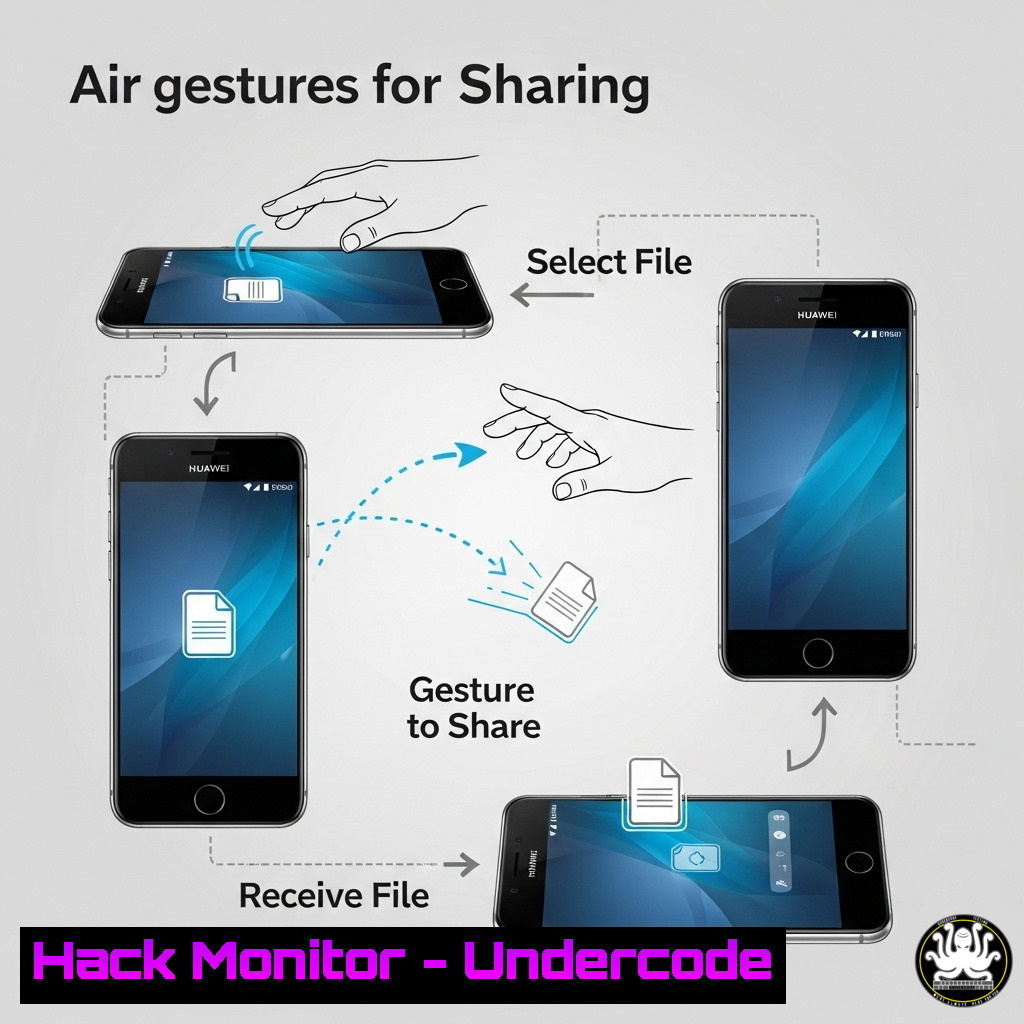
Huawei’s Mate 70 introduces a revolutionary air gesture feature for contactless file sharing, blending AI, Bluetooth, and Wi-Fi for a seamless user experience. This innovation, while impressive, introduces a novel attack surface at the intersection of physical gesture recognition and wireless data protocols, demanding a new layer of cybersecurity awareness for both consumers and enterprises.
Learning Objectives:
- Understand the underlying wireless technologies (Wi-Fi/Bluetooth) and AI gesture recognition that power the feature.
- Identify the potential security and privacy risks inherent in gesture-based data transfer systems.
- Learn critical mitigation strategies and commands to harden devices against unauthorized access and data interception.
You Should Know:
1. Bluetooth Discovery & Pairing Security
`hcitool scan` | `bluetoothctl` | `sdptool browse [bash]`
The foundation of Huawei’s feature is Bluetooth Low Energy (BLE) for device discovery. While convenient, an open Bluetooth interface is a primary vector for attack. Use `hcitool scan` on a Linux system to discover nearby discoverable devices, mimicking how an attacker would find targets. The `bluetoothctl` utility allows you to manage agents and control pairing policies, forcing secure pairing methods like SSP (Secure Simple Pairing) instead of legacy, insecure ones. Always ensure your device is not “discoverable” when not in use.
2. Wi-Fi Direct and MITM Vulnerabilities
`airodump-ng wlan0mon` | `aireplay-ng –deauth [bash] wlan0mon`
Once devices pair via Bluetooth, the actual file transfer occurs over a high-speed Wi-Fi Direct or similar peer-to-peer Wi-Fi link. This connection can be targeted. Tools like Aircrack-ng suite can be used to monitor networks (airodump-ng) and launch deauthentication attacks (aireplay-ng), forcibly disconnecting a device to potentially capture handshakes or exploit reconnection protocols, leading to Man-in-The-Middle (MITM) positions.
3. AI/ML Model Exploitation via Adversarial Attacks
The AI model interpreting hand gestures is vulnerable to “adversarial examples.” An attacker could use a specially crafted pattern or movement that the model misclassifies as a “clench” or “drop” command, triggering an unintended file transfer. While no direct command exists to exploit this, hardening involves ensuring the device’s AI software is always updated to the latest version, as patches often include model retraining to resist such attacks.
4. Proximity-Based Authorization Bypass
The system uses proximity, timing, and Huawei ID to authorize transfers. This logic can be spoofed. An attacker with a powerful directional antenna could amplify Bluetooth signals to make a distant phone appear proximate. Mitigation involves scrutinizing connection prompts carefully and not relying solely on automatic proximity-based acceptance. Disable auto-accept features in the Huawei Share settings if available.
5. Forensic Analysis of Wireless Transfers
`tshark -i wlan0 -Y “eapol || wlan.fc.type_subtype == 0x08 || wlan.fc.type_subtype == 0x05” -w capture.pcap`
To investigate suspicious activity, security analysts can capture wireless traffic. The Tshark command above captures Wi-Fi beacon frames, probe requests, and EAPOL handshakes, which are crucial for diagnosing connection sequences and potential malicious association attempts. Analyzing this .pcap file can reveal unauthorized connection attempts or data exfiltration.
6. Hardening Device Network Configurations (Windows/Linux)
Windows: `netsh advfirewall firewall add rule name=”Block Huawei Share Inbound” dir=in action=block program=”C:\Path\To\HuaweiShare.exe” enable=yes`
Linux: `sudo iptables -A OUTPUT -p tcp –dport 12345 -j DROP` (Replace 12345 with the actual port used)
These commands demonstrate how to use built-in firewalls to control application traffic. The Windows command creates a specific inbound block rule for the Huawei Share executable. The Linux command uses iptables to block outbound traffic on a specific port. Isolating the application’s network access is a key containment strategy.
7. Privacy Audit: Reviewing File and Clipboard Access
Android ADB: `adb shell dumpsys package com.huawei.[bash] | grep -A5 -B5 “android.permission”`
Windows: `Get-NetFirewallRule -DisplayName “Huawei” | Format-Table DisplayName, Enabled, Action`
For deep privacy checks, on Android devices with USB debugging enabled, use ADB to dump the package permissions for the Huawei Share service and scrutinize what data it can access (e.g., photos, clipboard, location). On Windows, if the feature is integrated, use PowerShell to audit any related firewall rules to understand its network permissions.
What Undercode Say:
- The convergence of multiple wireless protocols (BLE, Wi-Fi) under automated AI control creates a complex and difficult-to-audit attack surface.
- The “magic” of seamless user experience is often achieved by prioritizing convenience over security, requiring users to proactively enable privacy safeguards.
This feature represents a significant step towards ambient computing but also a potential Pandora’s box for corporate environments. The ability to transfer files via gesture to a nearby device could easily bypass traditional Data Loss Prevention (DLP) systems that monitor USB drives and email. The underlying technology is not inherently insecure, but its implementation and the user’s trust in the “magic” become the weakest links. Organizations must immediately classify such devices and create policies governing their use within secure perimeters.
Prediction:
The proliferation of gesture-based and proximity-aware data transfer protocols will force a major evolution in network access control (NAC) and data loss prevention solutions. Future NAC systems will need to integrate real-time location and spatial awareness (e.g., using RFID or ultra-wideband) to not only authenticate who is on the network but also where they are physically located. DLP tools will advance to intercept and analyze data traversing peer-to-peer wireless links, treating them with the same scrutiny as external network traffic. This hack is a precursor to a new genre of insider threat and proximity-based attacks.
🎯Let’s Practice For Free:
IT/Security Reporter URL:
Reported By: Amanai Man – Hackers Feeds
Extra Hub: Undercode MoN
Basic Verification: Pass ✅


