
Listen to this Post
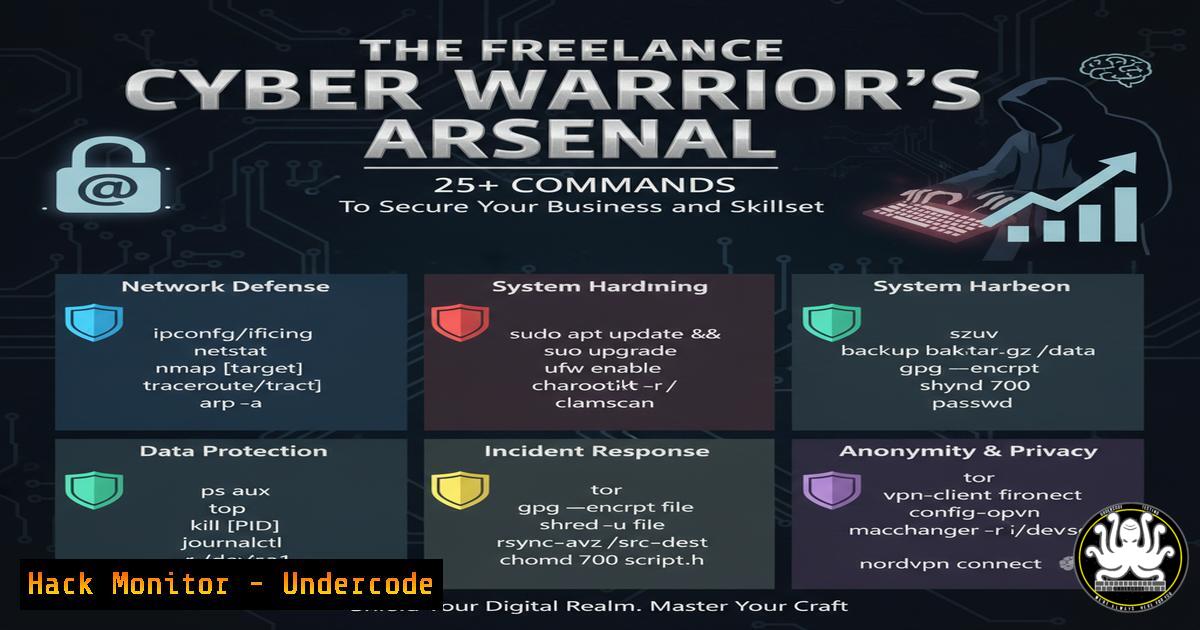
Introduction:
The transition from technical expert to successful cybersecurity freelancer requires more than just deep technical knowledge; it demands a business-minded approach fortified by robust security practices. By integrating essential command-line tools and security protocols into their daily operations, freelancers can protect their own business assets while delivering superior, secure value to clients.
Learning Objectives:
- Implement security hardening commands for freelance workstations and client environments.
- Automate key administrative and monitoring tasks to enforce business boundaries.
- Utilize open-source intelligence (OSINT) and due diligence tools to vet potential clients and projects.
You Should Know:
1. Securing Your Freelance Workstation
A freelancer’s primary asset is their own system. Hardening it is non-negotiable.
Linux/Mac: Verify File Integrity with Checksums
 Generate a SHA-256 checksum for a critical file (e.g., a client proposal template)
sha256sum proposal_template.docx

Store the checksum securely. Later, verify the file has not been tampered with:
sha256sum -c proposal_template.sha256
Step-by-step guide:
- The `sha256sum` command creates a unique cryptographic fingerprint of your file.
- Save the output to a file (e.g.,
proposal_template.sha256). - Periodically, or if you suspect foul play, run the verification command. It will confirm if the file is unchanged. Any alteration will cause a checksum mismatch, alerting you to potential malware or unauthorized access.
Windows: Enable PowerShell Logging for Auditing
 Check the current Script Block Logging policy
Get-ItemProperty -Path "HKLM:\SOFTWARE\Policies\Microsoft\Windows\PowerShell\ScriptBlockLogging"

Enable Module Logging (Run as Administrator)
Enable-PSRemoting -Force
Set-ItemProperty -Path "HKLM:\SOFTWARE\Policies\Microsoft\Windows\PowerShell\ModuleLogging" -Name "EnableModuleLogging" -Value 1
Step-by-step guide:
- These commands help audit PowerShell activity, a common attack vector.
- The first command checks the current logging status.
- The subsequent commands enable detailed logging of all PowerShell modules used, creating an audit trail that can detect malicious scripts targeting your system.
2. Automating Client Scope and Deliverable Management
“Écrire noir sur blanc ce qui est hors périmètre.” Use automation to enforce these boundaries.
Bash Scripting: Automated Project Scope Documentation
!/bin/bash
 This script generates a base project directory with scope documentation.
PROJECT_NAME=$1
CLIENT_NAME=$2

mkdir -p "/projects/$CLIENT_NAME/$PROJECT_NAME"/{deliverables,scope,evidence}
cat << EOF > "/projects/$CLIENT_NAME/$PROJECT_NAME/scope/statement_of_work.md"
 Statement of Work
Client: $CLIENT_NAME
Project: $PROJECT_NAME
In-Scope: [List here]
Out-of-Scope: [Explicitly list exclusions here]
Communication Protocol: Email, Slack (9am-5pm only)
EOF
echo "Project scaffold and scope document created for $PROJECT_NAME."
Step-by-step guide:
1. Save this script as `project_init.sh`.
2. Make it executable with `chmod +x project_init.sh`.
- Run it with
./project_init.sh "Pentest" "Acme_Corp". It creates a standardized folder structure and populates a scope document with the predefined client and project names, ensuring consistency and clarity from day one. -
Continuous Learning: Setting Up a Personal Cyber Lab
“Ne jamais arrêter de se former.” A home lab is essential.
Docker & Vulnerability Practice
 Pull and run a vulnerable web application for practice (e.g., bWAPP)
docker pull raesene/bwapp
docker run -d -p 80:80 raesene/bwapp

Use Nikto to scan the local instance for vulnerabilities
nikto -h http://localhost
Step-by-step guide:
1. Ensure Docker is installed on your system.
- The `docker run` command downloads and starts the bWAPP application in an isolated container.
- You can then point security tools like Nikto at `http://localhost` to practice web application assessments safely and legally in a controlled environment.
4. Client Due Diligence and OSINT
“Refuser les projets mal payés.” Use tools to research potential clients.
TheHarvester: Domain Intelligence
 Perform a basic email and host discovery on a client domain
theharvester -d acme-corp.com -b google,linkedin

 Check for exposed subdomains
theharvester -d acme-corp.com -b crtsh
Step-by-step guide:
1. Install TheHarvester (`pip install theharvester`).
2. The `-d` flag specifies the target domain.
- The `-b` flag specifies data sources. `google` and `linkedin` can find employee emails, while `crtsh` checks certificate transparency logs for subdomains. This helps you understand the client’s public attack surface before engagement.
5. Network Security for Remote Work
“Poser des limites claires.” This includes securing your own network.
Windows: Disable SMBv1 for Hardening
 Check if SMBv1 is enabled
Get-WindowsOptionalFeature -Online -FeatureName SMB1Protocol

Disable SMBv1 (Requires Administrator)
Disable-WindowsOptionalFeature -Online -FeatureName SMB1Protocol -Remove
Step-by-step guide:
1. SMBv1 is an outdated and insecure protocol.
2. The first command checks its status.
- The second command disables and removes it, significantly reducing the attack surface of your workstation, especially when connecting to client networks.
Linux: Configure a Basic Firewall with UFW
 Deny all incoming traffic by default
sudo ufw default deny incoming

Allow SSH for remote access
sudo ufw allow ssh

Enable the firewall
sudo ufw enable
Step-by-step guide:
1. UFW (Uncomplicated Firewall) simplifies iptables management.
- The `default deny incoming` rule blocks all unsolicited connection attempts.
- The `allow ssh` rule creates an explicit exception for your SSH service. This is a fundamental step in securing any internet-facing system.
6. Secure Communication and Data Handling
Protecting client data is paramount to professionalism and contracts.
OpenSSL: Encrypt Sensitive Files Before Transfer
 Encrypt a file (e.g., a draft report)
openssl enc -aes-256-cbc -salt -in report_draft.pdf -out report_draft.enc

Decrypt the file (client would do this with the password you share via a separate channel)
openssl enc -d -aes-256-cbc -in report_draft.enc -out decrypted_report.pdf
Step-by-step guide:
- The encryption command uses the strong AES-256 cipher.
- You will be prompted to set a strong password. Share this password with the client through a different medium (e.g., Signal, a phone call).
- The client can use the decryption command to regain access to the original file. This ensures data confidentiality even if transferred over unsecured channels.
7. Post-Engagement Analysis and Feedback
“Toujours demander un retour après mission.” Automate parts of your final analysis.
Linux Command Line: Analyze Web Server Logs
 Get top 10 IP addresses hitting your client's web server (if you managed it)
awk '{print $1}' /var/log/nginx/access.log | sort | uniq -c | sort -nr | head -10

Search for a specific attack pattern (e.g., SQL injection attempts)
grep -i "union.select" /var/log/apache2/access.log
Step-by-step guide:
- The first command uses `awk` to extract the first column (IP addresses), sorts them, counts unique occurrences (
uniq -c), and then lists the top 10. - The second command uses `grep` to search the log file for common SQL injection payloads.
- Including such concrete evidence of ongoing attacks or traffic patterns in your final report provides immense value and justification for your work, encouraging positive feedback and repeat business.
What Undercode Say:
- Technical Rigor is Business Armor. The commands and scripts listed are not just technical exercises; they are the operational backbone of a professional, secure, and efficient freelance practice. They codify business rules into executable actions.
- Automation Enforces Boundaries. By automating scope documentation and system hardening, freelancers can consistently apply their business rules, reducing scope creep and personal security risks. This allows them to focus on high-value strategic work for the client.
The most successful freelancers are those who treat their own business with the same level of security scrutiny they offer their clients. The integration of these technical practices directly supports the business advice Ana Griman outlines. For instance, using `theharvester` for due diligence helps you “refuser les projets mal payés” by identifying potentially unstable or high-risk clients. Automating project setup with scripts ensures you always “écrire noir sur blanc,” preventing disputes. This synergy between business acumen and technical execution creates a formidable and resilient freelance operation.
Prediction:
The freelance cybersecurity market will increasingly bifurcate. Generalists who fail to harden their own practices and automate their operations will be outcompeted on price and perceived value. Meanwhile, highly specialized “cyber warriors” who weaponize their business with integrated security tooling and automated professionalism will command premium rates. Their ability to demonstrate a secure, efficient, and evidence-based methodology will become the key differentiator, leading to longer, more trusted client relationships and a stronger personal brand impervious to market fluctuations.
🎯Let’s Practice For Free:
IT/Security Reporter URL:
Reported By: Ana Griman – Hackers Feeds
Extra Hub: Undercode MoN
Basic Verification: Pass ✅


