Listen to this Post
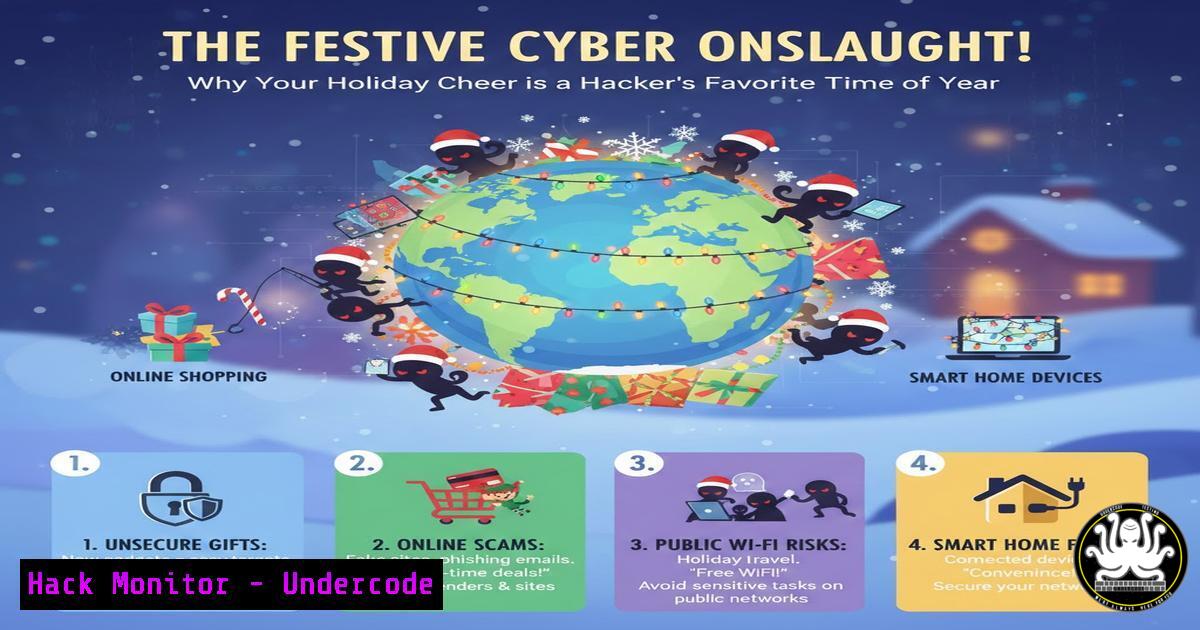
Introduction:
While the holiday season promotes goodwill and connection, it simultaneously opens a critical window of vulnerability for organizations and individuals. Cybercriminals expertly exploit distracted staff, increased online shopping, and the influx of holiday-themed communications to launch targeted attacks. This article deconstructs the seasonal threat landscape and provides actionable, technical defenses to ensure your festivities remain secure.
Learning Objectives:
- Identify and mitigate holiday-specific phishing and social engineering campaigns.
- Harden personal and corporate endpoints against seasonal exploit attempts.
- Implement enhanced monitoring to detect anomalous activity during low-staff periods.
You Should Know:
1. Deconstructing the Holiday Phishing Lure
The sentimental and urgent nature of holiday communications is a social engineer’s perfect tool. Attackers craft emails posing as shipping notifications (FedEx, UPS), e-cards, charitable donation requests, and even internal “holiday party” invites. These often contain malicious links or attachments.
Step‑by‑step guide explaining what this does and how to use it.
Step 1: Email Header Analysis (Linux/Mac)
Save a suspicious email as a `.eml` file. Use command-line tools to inspect its origins.
 View full headers to trace the email path
cat suspicious_email.eml | grep -E '(From:|Return-Path:|Received:|X-Mailer:)'
 Check SPF/DKIM alignment (simplified)
cat suspicious_email.eml | grep -i 'authentication-results'
This helps verify the sending server’s legitimacy against the claimed sender domain.
Step 2: URL & Attachment Sandboxing
Never click directly. For URLs, use a sandbox service like VirusTotal’s CLI or browser extensions to preview the destination.
 Use curl to safely inspect a URL's header without fetching the full body
curl -I -L --max-redirs 3 "http://suspicious-holiday-url.com"
For attachments, submit them to a sandbox like Hybrid-Analysis or use a disposable virtual machine.
2. Securing the Remote Work Holiday Party
The shift to remote holiday celebrations and work introduces risks via unsecured video conferencing and shadow IT applications (e.g., unauthorized file-sharing tools for party photos).
Step‑by‑step guide explaining what this does and how to use it.
Step 1: Hardening Your Video Conferencing
Enforce the following for all company meetings:
Require a Meeting Password: Non-negotiable.
Enable a “Waiting Room”: So the host can vet entrants.
Restrict Screen Sharing: To “Host Only” by default.
Generate unique meeting IDs per session, never use personal meeting IDs for public events.
Step 2: Network Monitoring for Unauthorized Apps
Use command-line network tools to detect unexpected traffic from employee endpoints.
 On a Linux-based firewall or endpoint, list established connections
sudo netstat -tulpn | grep ESTABLISHED
 Or using ss (socket statistics)
sudo ss -tup state established
Correlate this with approved application lists to flag unauthorized file-sharing or streaming services.
3. E-commerce Payment Skimming & Mitigation
Holiday shopping peaks lead to increased credit card use on both legitimate and fraudulent sites. Magecart-style attacks inject skimming code into payment forms.
Step‑by‑step guide explaining what this does and how to use it.
Step 1: Browser Isolation for Shopping
Use a dedicated, hardened browser profile or a disposable virtual machine for all online shopping. Disable JavaScript on checkout pages as a test—legitimate payment processors like Stripe/Braintree often still function, while many skimmers break.
Step 2: Card Tokenization & Virtual Cards
Use services that generate virtual card numbers (privacy.com, some bank offerings). This limits exposure. Monitor transactions via CLI:
 Example using a financial aggregator's API (like Plaid) to fetch recent transactions for monitoring
curl -X POST https://sandbox.plaid.com/transactions/get \
-H 'Content-Type: application/json' \
-d '{
"client_id": "YOUR_CLIENT_ID",
"secret": "YOUR_SECRET",
"access_token": "ACCESS_TOKEN",
"start_date": "2023-12-01",
"end_date": "2023-12-26"
}'
4. API Security for Holiday Sales Platforms
Surge traffic to retail platforms stresses APIs, making them prime targets for DDoS, credential stuffing, and data scraping attacks.
Step‑by‑step guide explaining what this does and how to use it.
Step 1: Implement Rate Limiting and Threshold Alerts
Using a tool like nginx, configure aggressive rate limiting on login and checkout endpoints.
 Inside nginx configuration (http block)
limit_req_zone $binary_remote_addr zone=api_login:10m rate=5r/m;
limit_req_zone $binary_remote_addr zone=api_checkout:10m rate=10r/m;

Inside server/location block for login
location /api/v1/login {
limit_req zone=api_login burst=5 nodelay;
proxy_pass http://backend;
}
Step 2: Enhanced API Monitoring
Use `jq` to parse logs and detect anomalous patterns.
 Count failed login attempts by IP in the last hour
tail -10000 /var/log/api/access.log | grep "POST /login.401" | awk '{print $1}' | sort | uniq -c | sort -nr
5. Post-Holiday Digital Detox: Threat Hunting
The return to work is the ideal time to hunt for IOCs (Indicators of Compromise) that may have slipped through during the holidays.
Step‑by‑step guide explaining what this does and how to use it.
Step 1: YARA Rule Scanning for Holiday-Themed Malware
Create and run YARA rules to scan memory and disk for known holiday attack signatures.
 Simple YARA rule file (holiday_rules.yar)
rule Holiday_Phish_2023 {
strings:
$s1 = "Urgent Holiday Shipping Notification"
$s2 = "Christmas_Card_Final.exe"
$s3 = "/wp-content/uploads/2023/12/giftcard.scr"
condition:
any of them
}
 Run the scan
yara holiday_rules.yar /path/to/scan/
Step 2: Review User and Service Account Permissions
Audit for any new, unnecessary privileges added during the chaotic holiday period.
 Windows PowerShell: Get users in specific privileged group
Get-ADGroupMember -Identity "Domain Admins" | Select-Object name
 Linux: Check for users with sudo rights
grep -Po '^sudo.+:\K.$' /etc/group
What Undercode Say:
- Human Factors Are the Critical Control Point. The most advanced technical defenses are nullified by a single distracted click on a fraudulent holiday e-card. Security awareness training tailored to seasonal lures is non-negotiable.
- Operational Tempo Must Match the Threat Calendar. Security monitoring and incident response playbooks must be adjusted before holiday periods, anticipating increased alert fatigue and reduced staffing.
Analysis: The original post highlights human connection and goodwill as the essence of the season. Ironically, these very traits are what advanced persistent threats (APTs) and opportunistic attackers weaponize. The technical guidance provided isn’t just about tools; it’s about creating structured, enforceable habits that compensate for the natural, human drop in vigilance during high-distraction periods. Failing to adapt security postures to the cultural and psychological rhythms of an organization is a fundamental strategic flaw. The “holiday threat landscape” is a perfect microcosm of the entire cybersecurity challenge: defending human behavior with intelligent technology and process.
Prediction:
The future of holiday-season attacks will see full automation leveraging AI. Expect hyper-personalized phishing campaigns generated in real-time by LLMs, scraping social media posts (like the one analyzed) to mimic the writing style of friends and colleagues. AI-driven bots will execute credential stuffing attacks at unprecedented scale during login surges, while simultaneously generating fraudulent product reviews and gift card scams. Defensively, AI-powered security orchestration (SOAR) will become essential to triage the alert deluge, automatically enacting containment playbooks for common holiday attack patterns, allowing human analysts to focus on truly novel threats. The seasonal cyber war will be fought at machine speed.
▶️ Related Video (78% Match):
🎯Let’s Practice For Free:
IT/Security Reporter URL:
Reported By: Loubna Azghoud – Hackers Feeds
Extra Hub: Undercode MoN
Basic Verification: Pass ✅


