Listen to this Post
Introduction:
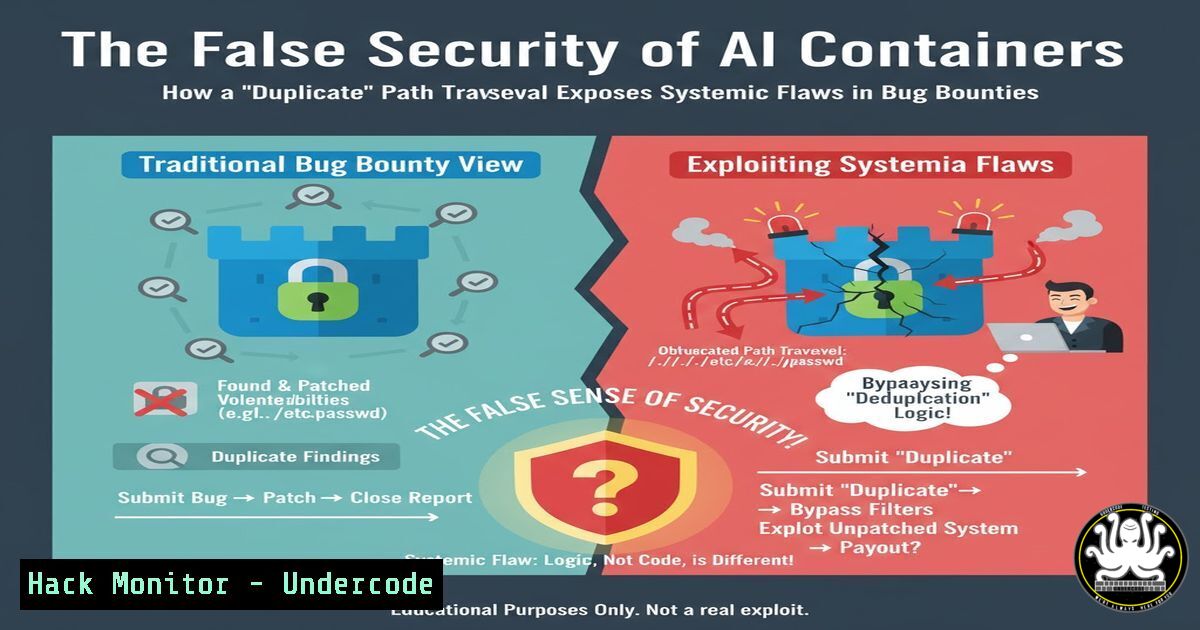
A sophisticated path traversal vulnerability in a leading AI platform, capable of exposing environment variables, configuration files, and system binaries, was recently dismissed as a “low-risk duplicate” by a bug bounty program’s Level 1 analyst. This incident highlights critical failures in the vulnerability disclosure ecosystem, where complex security research is systematically undervalued in favor of quicker, simpler findings. The case serves as a stark reminder that bug bounty programs cannot be a primary security control and must be supplemented with robust, continuous testing integrated directly into the software development lifecycle.
Learning Objectives:
- Understand the technical mechanics and critical risks associated with advanced path traversal attacks.
- Learn how to harden containerized applications, particularly AI platforms, against Local File Inclusion (LFI) and directory traversal exploits.
- Analyze the structural flaws in modern bug bounty programs and identify alternative security testing methodologies.
You Should Know:
1. Deconstructing the Path Traversal Vulnerability
Path traversal, or Directory Traversal, is an attack that allows adversaries to access files and directories stored outside the web root folder. By manipulating variables that reference files with “dot-dot-slash (../)” sequences, attackers can climb the directory tree and access sensitive operating system files. In the context of containerized AI applications, this could expose Kubernetes secrets, cloud service credentials, and proprietary model weights.
Verified Command & Exploitation:
 Basic curl command to test for path traversal
curl "http://vulnerable-ai-platform.com/api/v1/load?file=../../../../etc/passwd"

A more advanced test using URL encoding
curl -G "http://vulnerable-ai-platform.com/api/v1/model" --data-urlencode "config=../../../proc/self/environ"

Testing for Windows-based containers
curl "http://vulnerable-app.com/download?name=..%5C..%5C..%5CWindows%5CSystem32%5Cdrivers%5Cetc%5Chosts"
Step-by-step guide:
This sequence demonstrates how to probe an application for path traversal flaws. The first command attempts to retrieve the `/etc/passwd` file, a classic proof-of-concept. The second uses URL encoding to bypass basic filters and targets environment variables. The third command adapts the technique for Windows environments, using backslashes and URL-encoded characters. Successful execution of any of these commands, resulting in the output of the target file, confirms a critical vulnerability.
2. Exploiting AI Platform Container Misconfigurations
AI platforms often run in containerized environments like Docker, which can be misconfigured to allow breakout or sensitive file access. Common issues include running containers with privileged flags, insecure volume mounts, and exposed Docker sockets. The exposed environment variables from the initial traversal can reveal API keys, database credentials, and cloud access tokens.
Verified Command & Mitigation:
 Check container privileges from within a compromised environment
cat /proc/self/status | grep CapEff

Look for mounted sensitive directories
mount | grep -E "(etc|var|root|home)"

Audit Dockerfile for security best practices
 INSECURE:
VOLUME ["/var/log", "/etc/secrets"]

SECURE:
VOLUME ["/tmp/logs"]
Step-by-step guide:
After initial access via path traversal, an attacker can use these commands to assess the container’s security posture. The `grep CapEff` command checks the effective capabilities of the container—a hexadecimal value of `0000003fffffffff` indicates overly permissive privileges. The `mount` command reveals if sensitive host directories are mounted inside the container. To mitigate, ensure Dockerfiles do not mount sensitive host paths and containers run with the `–security-opt=no-new-privileges` flag and minimal capabilities.
3. Hardening Web Servers Against LFI Attacks
The primary defense against path traversal is rigorous input validation and sanitization. Web server configurations and application code must be hardened to reject any input containing path traversal sequences, regardless of encoding.
Verified Configuration & Code Snippets:
 Nginx configuration hardening
location /api/ {
 Deny all attempts to access hidden files
location ~ /. { deny all; access_log off; log_not_found off; }
 Block common traversal patterns
if ($query_string ~ "..") { return 403; }
}

Python Flask input sanitization
import os
from flask import request, abort

def safe_file_access(filename):
base_dir = '/safe/directory/path'
requested_path = os.path.realpath(os.path.join(base_dir, filename))

if not requested_path.startswith(base_dir):
abort(403)  Forbidden
 Proceed with file operations
Step-by-step guide:
The Nginx configuration blocks access to hidden files and denies requests with double-dot sequences in the query string. The Python code demonstrates the principle of canonicalization: it constructs the full path and then checks if it remains within the intended base directory. This prevents attackers from using sequences like `../../../etc/passwd` to escape the designated folder. Always use an allowlist of permitted characters and normalize paths before validation.
4. API Security: The New Attack Surface
APIs, particularly in AI platforms that expose model endpoints, are increasingly targeted. The original vulnerability was likely in an API endpoint that fetched files or configurations. Traditional WAFs often fail to protect against business logic flaws in APIs.
Verified Commands for API Security Testing:
 Using ffuf to fuzz API endpoints for traversal
ffuf -w common_traversal_payloads.txt -u "http://target.com/api/FUZZ" -H "Authorization: Bearer <token>"

Scanning with OWASP ZAP for API vulnerabilities
docker run -v $(pwd):/zap/wrk/:rw -t owasp/zap2docker-stable zap-api-scan.py -t http://target.com/openapi.json -f openapi

Checking for exposed API keys in environment
env | grep -i "api|key|token|secret"
Step-by-step guide:
The `ffuf` command fuzzes an API endpoint with a wordlist of common traversal payloads. OWASP ZAP’s API scan ingests an OpenAPI specification to systematically test all documented endpoints. The `env` command, usable post-exploitation, scans for credentials in environment variables. For defense, implement strict API schema validation, rate limiting, and use tools like Elastic SIEM to detect anomalous API traffic patterns.
5. System Hardening Commands for Linux Containers
Containers should run with the least privileges necessary. Hardening the underlying OS and container runtime is crucial to limit the impact of a successful initial breach.
Verified Linux Hardening Commands:
 Set no-new-privileges security option
docker run --security-opt=no-new-privileges:true my-ai-app

Drop all capabilities and add only required ones
docker run --cap-drop=ALL --cap-add=NET_BIND_SERVICE my-ai-app

Apply filesystem hardening
chattr +i /etc/passwd /etc/shadow  Make critical files immutable
mount -o remount,nodev,noexec,nosuid /tmp  Secure temporary mounts

Configure user namespaces for root isolation
echo 'root:1000000:65536' >> /etc/subuid
echo 'root:1000000:65536' >> /etc/subgid
Step-by-step guide:
These commands demonstrate a layered defense approach. The `–security-opt` flag prevents privilege escalation within the container. `–cap-drop` removes all capabilities by default, only adding the minimal set required. The `chattr +i` command makes critical system files immutable, blocking modification even by root. User namespaces remap container root to a non-root user on the host, containing breakouts. Regularly audit with `docker inspect
6. Automating Security with Continuous Penetration Testing
As the original post argues, relying on bug bounties is insufficient. Continuous, automated security testing integrated into the CI/CD pipeline is essential for catching vulnerabilities before production deployment.
Verified Code Snippet for GitLab CI:
 .gitlab-ci.yml example for SAST and DAST
stages:
- test
- security

sast:
stage: security
image: owasp/zap2docker-stable
script:
- zap-baseline.py -t http://your-test-environment.com -I

dast:
stage: security
image: docker:latest
services:
- docker:dind
script:
- docker run --rm -v /var/run/docker.sock:/var/run/docker.sock aquasec/trivy image your-registry/ai-app:latest
Step-by-step guide:
This GitLab CI configuration automates security testing. The SAST (Static Application Security Testing) job uses OWASP ZAP to perform a baseline scan against a running instance of the application. The DAST (Dynamic Application Security Testing) job uses Trivy to scan the Docker image for known vulnerabilities. Integrating these steps ensures every code commit is automatically tested, shifting security left in the development process and reducing reliance on external bug bounty researchers.
7. Forensic Analysis and Incident Response Commands
If a path traversal attack is suspected, rapid forensic analysis is critical to determine the scope of the breach and what data may have been exfiltrated.
Verified Incident Response Commands:
 Check for recent file access on Linux
find /var/log /etc /home -type f -name ".log" -exec grep -l "../" {} \;
ausearch -k traversal_attempt | aureport -f -i

Analyze web server logs for traversal patterns
grep -E "..%2f|..%5c|../" /var/log/nginx/access.log

Check network connections around the time of the incident
ss -tunp | grep ESTAB
netstat -an | grep :443

On Windows, query the security log for suspicious access
Get-WinEvent -FilterHashtable @{LogName='Security'; ID=4663} | Where-Object {$_.Message -like "..\"}
Step-by-step guide:
These commands help investigators trace the attack. The `find` and `grep` commands scan log files for evidence of traversal patterns. `ausearch` on Linux systems with auditd enabled can reveal specific file access attempts. The `ss` and `netstat` commands show established network connections that might indicate data exfiltration. The PowerShell command on Windows systems queries the security event log for object access events (ID 4663) that contain path traversal sequences, helping to identify compromised files.
What Undercode Say:
- The incentive structure of bug bounty programs is fundamentally misaligned with uncovering complex vulnerabilities, favoring low-hanging fruit over deep security research.
- Transparency in the triage and duplication process is nonexistent, leading to researcher burnout and leaving critical vulnerabilities unaddressed.
The systemic failure highlighted by this case study is not merely an operational issue but a strategic one. Bug bounty platforms, by design, optimize for volume and speed, creating a perverse incentive where sophisticated attacks that require days of research are financially irrational to pursue. The “duplicate” dismissal without evidence is a recurring theme that erodes trust in the entire disclosure ecosystem. This incident demonstrates that while bug bounties have a place in a defense-in-depth strategy, they cannot replace integrated, continuous security testing. Organizations must shift left, embedding security into their SDLC and compensating researchers fairly for their time, not just for specific findings, to foster the deep work required to secure complex systems like AI platforms.
Prediction:
The dismissal of complex vulnerabilities in favor of easily monetized low-severity flaws will lead to a significant increase in sophisticated supply-chain attacks targeting AI infrastructure. As AI platforms become more integrated into critical business operations and decision-making systems, unaddressed architectural vulnerabilities like path traversal will be weaponized to poison training data, exfiltrate proprietary models, and manipulate AI outputs. This will force a market correction, with organizations moving towards guaranteed compensation models for security researchers and mandated, continuous penetration testing for any AI system deployed in production, regulated similarly to critical financial or healthcare infrastructure.
🎯Let’s Practice For Free:
IT/Security Reporter URL:
Reported By: Alessiodallapiazza Hackerone – Hackers Feeds
Extra Hub: Undercode MoN
Basic Verification: Pass ✅


