Listen to this Post
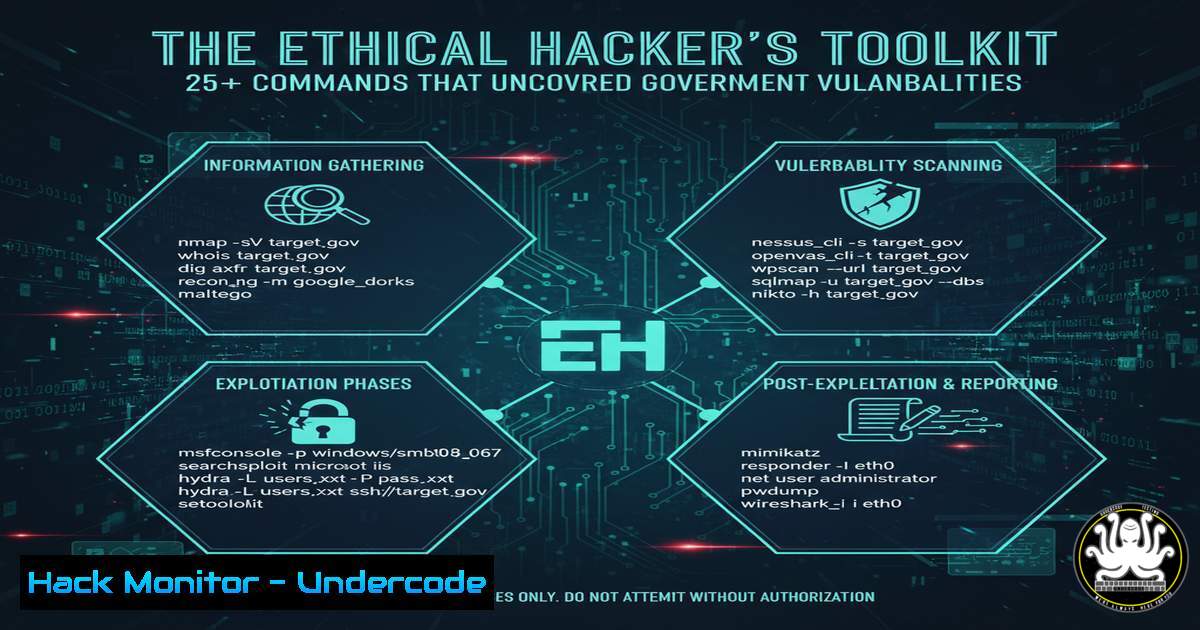
Introduction:
A recent responsible disclosure by a security researcher, uncovering SQL injection flaws and an exposed info page on a government system, highlights the critical need for robust application security. This incident serves as a powerful real-world case study in the importance of proactive vulnerability assessment and penetration testing. Mastering a core set of commands is fundamental to identifying and mitigating such common yet dangerous security weaknesses.
Learning Objectives:
- Understand and execute fundamental reconnaissance and vulnerability scanning techniques.
- Identify and exploit common web application vulnerabilities like SQL Injection for assessment purposes.
- Learn essential commands for system hardening and post-exploitation analysis.
You Should Know:
- The Art of the Hunt: Initial Reconnaissance with `nmap`
Before any testing begins, understanding the target’s landscape is crucial. `nmap` (Network Mapper) is the premier tool for network discovery and security auditing.
 Basic TCP SYN scan to discover open ports on a target
nmap -sS 192.168.1.100

Aggressive scan with OS detection, version detection, script scanning, and traceroute
nmap -A 192.168.1.100

Scan for specific web-related ports
nmap -p 80,443,8080,8443 192.168.1.100

Run a vulnerability scan using Nmap Scripting Engine (NSE)
nmap --script vuln 192.168.1.100
Step-by-step guide: The `-sS` flag initiates a SYN scan, the most common and efficient type of TCP scan. The `-A` flag enables a suite of advanced options, providing a wealth of information about the target. By specifying ports with -p, you focus your efforts on services most likely to contain web vulnerabilities. The `–script vuln` command leverages community-developed scripts to check for known security issues.
2. Interrogating Web Servers with `curl`
The `curl` command is an indispensable tool for interacting with web servers from the command line, allowing you to inspect headers and responses manually.
 Fetch only the HTTP headers of a response
curl -I http://example.com/admin.php

Send a POST request with form data (simulating a login)
curl -X POST http://example.com/login.php -d "username=admin&password=guess"

Test for HTTP Security Headers
curl -I https://example.com | grep -i "strict-transport-security|x-frame-options|x-content-type-options"
Step-by-step guide: The `-I` (head) option fetches only the headers, which is useful for checking server type, security policies, and cookies without downloading the entire page. The `-X` flag specifies a custom HTTP method (like POST), and `-d` sends the specified data in the request body. Grepping the output for specific headers helps quickly assess the site’s security posture.
3. Uncovering SQL Injection with Manual Testing
SQL Injection (SQLi) remains a top vulnerability. Manual testing involves injecting SQL meta-characters into input parameters to see if the application responds unexpectedly.
 Using curl to test a parameter for SQLi. The single quote (') is a common test.
curl http://example.com/products.php?id=1'

Testing with a logical OR condition that is always true
curl "http://example.com/products.php?id=1 OR 1=1--"

Using a tool like sqlmap to automate the detection and exploitation process
sqlmap -u "http://example.com/products.php?id=1" --batch
Step-by-step guide: The first command appends a single quote to the `id` parameter. If the application returns a database error, it is likely vulnerable. The second command uses a logic bypass (OR 1=1) commented with `–` to see if more data is returned. For comprehensive testing, `sqlmap` automates the process of finding not just the vulnerability but also the database structure, allowing for data extraction.
4. Finding Exposed Sensitive Files like `phpinfo.php`
Exposed information pages, such as phpinfo.php, leak critical system configuration details. Finding them is often a matter of brute-forcing common file names.
 Using gobuster to brute-force file and directory names on a web server
gobuster dir -u http://example.com -w /usr/share/wordlists/common.txt -x php,html,txt

A common wordlist for sensitive files might include entries like:
 phpinfo.php, info.php, test.php, admin.php, backup.sql
Step-by-step guide: Gobuster’s `dir` mode is used for directory and file busting. The `-u` flag specifies the target URL. The `-w` flag points to a wordlist containing potential file/directory names. The `-x` flag specifies the extensions to append to each word (e.g., .php, .html). A successful hit on `phpinfo.php` would reveal a page teeming with system information.
5. Windows Command Line Reconnaissance with `net`
On a compromised Windows system or during an internal penetration test, understanding the network and user landscape is key.
 View all users on the local system
net user

Get detailed information about a specific user
net user administrator

View the local groups on the system
net localgroup

View network shares
net view \localhost /all
Step-by-step guide: The `net user` command lists all local user accounts. Querying a specific user provides details like logon times and group memberships. `net localgroup` reveals groups like “Administrators,” which are high-value targets. `net view` shows available shared resources, which could be misconfigured.
6. PowerShell for Deep System Analysis
PowerShell provides unparalleled access to Windows system internals for both attackers and defenders.
 Get a list of all running processes
Get-Process

Check for patches and installed software (useful for finding missing updates)
Get-HotFix | Sort-Object InstalledOn -Descending | Select-Object -First 5

Search files for specific keywords, like "password"
Get-ChildItem C:\Users\ -Include .txt, .xml, .config -Recurse -ErrorAction SilentlyContinue | Select-String "password"
Step-by-step guide: `Get-Process` is the PowerShell equivalent of tasklist. `Get-HotFix` queries the system for installed updates, helping to identify systems missing critical patches. The `Get-ChildItem` cmdlet with `Select-String` performs a powerful content search across the filesystem, which is essential for finding sensitive data leaks.
7. Hardening Linux: Managing Firewalls with `ufw`
Mitigating attacks requires strong defenses. The Uncomplicated Firewall (ufw) simplifies `iptables` management on Linux.
 Enable the firewall
sudo ufw enable

Allow incoming SSH connections (crucial for remote management)
sudo ufw allow ssh

Deny all incoming traffic by default
sudo ufw default deny incoming

Allow HTTP and HTTPS traffic
sudo ufw allow 80/tcp
sudo ufw allow 443/tcp

Check the firewall status and rules
sudo ufw status verbose
Step-by-step guide: After enabling UFW with enable, set a default policy to deny all incoming traffic while allowing outgoing. Then, explicitly allow only the necessary services (SSH, HTTP, HTTPS). Always verify the rules with `status verbose` to ensure the configuration is correct and will not lock you out.
What Undercode Say:
- The Tool is Nothing Without the Mindset. The commands listed are powerful, but their ethical application is defined by the user’s intent and methodology. Responsible disclosure, as demonstrated in the triggering event, is the non-negotiable line between a security professional and a malicious actor.
- Automation is a Force Multiplier, But Manual Verification is King. Tools like `sqlmap` and `gobuster` are essential for efficiency, but a deep understanding of the underlying mechanisms—gained through manual command-line testing—is what allows a researcher to recognize subtle, complex vulnerabilities that automated tools might miss.
The discovery of SQL injection and information disclosure vulnerabilities on a government platform is not an isolated incident but a symptom of a persistent problem in software development. While the tools to find these flaws are readily available and their usage patterns well-documented, they continue to exist in critical infrastructure. This underscores a gap not in offensive security capabilities, but in defensive secure development lifecycles (SDL). The key takeaway for organizations is not just to fear these tools, but to embrace them internally. Proactive, continuous penetration testing using these very techniques, integrated before deployment, is the most effective defense. The ethical hacker’s toolkit, therefore, serves as the ultimate quality assurance check for modern software.
Prediction:
The sophistication and availability of automated vulnerability scanning and exploitation tools will only increase, likely integrating AI to identify novel attack vectors. However, this will be met by an equal rise in AI-powered defensive systems for code analysis and anomaly detection. The future battleground will shift from finding simple SQLi flaws to a complex AI-versus-AI arms race in critical infrastructure. Consequently, the value of human ethical hackers will evolve from mere bug finders to interpreters of AI-generated findings, strategists for red team operations, and architects of resilient systems that can withstand automated, intelligent attacks. The focus will move beyond individual vulnerabilities to systemic resilience.
🎯Let’s Practice For Free:
IT/Security Reporter URL:
Reported By: Anshu Bind – Hackers Feeds
Extra Hub: Undercode MoN
Basic Verification: Pass ✅


