
Listen to this Post
Introduction:
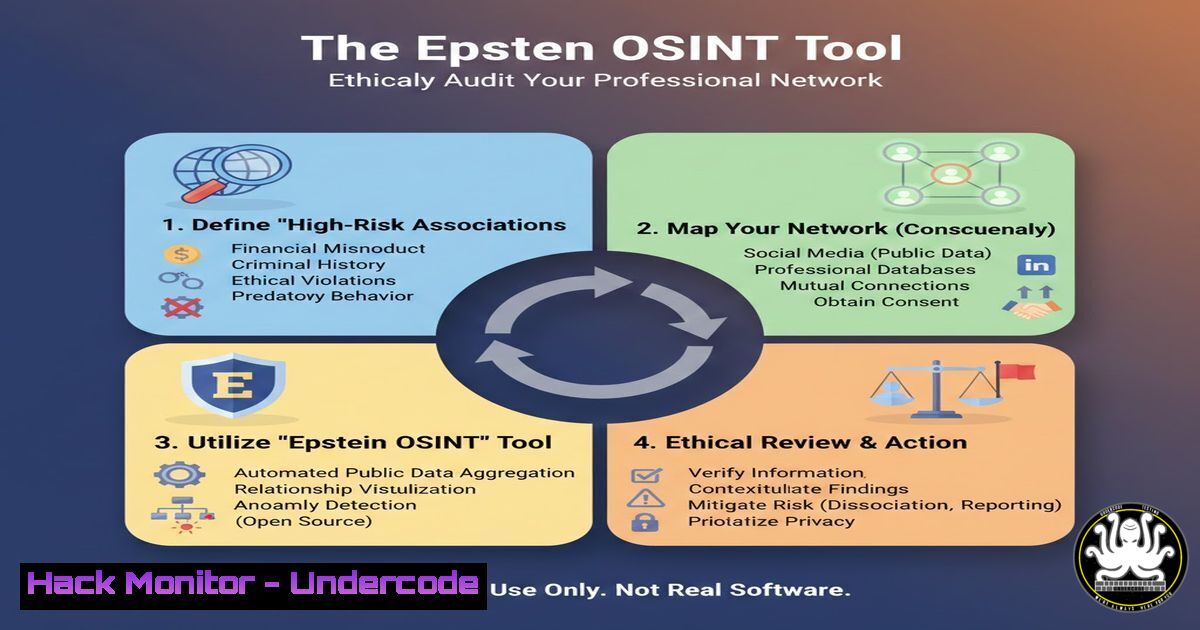
In the evolving landscape of cybersecurity and threat intelligence, Open-Source Intelligence (OSINT) tools are increasingly used to map digital relationships and assess risk. A new, controversial tool named “EpsteIn” has emerged, designed to cross-reference a user’s LinkedIn connections with names appearing in publicly released documents, such as the Epstein flight logs. This highlights the intersection of data privacy, ethical hacking, and the professional need for due diligence in network associations.
Learning Objectives:
- Understand the technical workflow of the EpsteIn OSINT tool, from data export to analysis.
- Learn the ethical and legal boundaries of using personal connection data for intelligence purposes.
- Gain practical skills in parsing and comparing datasets using command-line tools.
You Should Know:
1. Tool Acquisition and Initial Setup
The EpsteIn tool is hosted on GitHub. The first step is to clone the repository and review its code for safety and dependencies. This is a critical security practice to avoid executing malicious code.
Step‑by‑step guide:
Open your terminal (Linux/macOS) or PowerShell (Windows).
Clone the repository: git clone <GitHub_URL>. (Note: The actual URL from the post, https://lnkd.in/gK4WZP-d, is a redirect; you must find the true GitHub link.)
Navigate into the directory: `cd EpsteIn`.
Inspect the repository structure and key files like `README.md` and `requirements.txt` before proceeding: ls -la.
For Python-based tools, always review the source code in a text editor first: `nano epstein_tool.py` or use `cat epstein_tool.py | head -50` to preview.
2. Exporting Your LinkedIn Connection Data
The tool requires your LinkedIn connections as a dataset. LinkedIn allows you to export this data, which includes names and current companies.
Step‑by‑step guide:
Log into LinkedIn in a web browser.
Go to Settings & Privacy > Data privacy > Get a copy of your data.
Select “Connections” and request an archive. LinkedIn will email you a download link.
Once downloaded, extract the archive. Your connections will typically be in a CSV file named Connections.csv.
Security Note: Store this file securely on your local machine. It is highly sensitive personal data.
3. Preparing the Public Document Dataset
The tool’s efficacy depends on a clean, parsed list of names from the public documents (e.g., flight logs). This often involves converting PDFs or unstructured text into a machine-readable format.
Step‑by‑step guide (Linux-focused):
Place the public document (e.g., flight_logs.pdf) in your working directory.
Use `pdftotext` (from the `poppler-utils` package) to extract text: pdftotext flight_logs.pdf logs.txt.
Clean the text file using `grep` and `sed` to isolate full names. This requires crafting specific regex patterns based on the document’s format. Example: `grep -iE “[A-Z][a-z]+ [A-Z][a-z]+” logs.txt | head -20` to test pattern matching.
Save the final cleaned list: grep -iE "YourNamePattern" logs.txt > public_names.txt.
4. Executing the Core Comparison Function
The tool’s core is a script that compares two lists. A simple Python script can accomplish this, but understanding the command-line alternatives is valuable.
Step‑by‑step guide (using command-line diff & grep):
Ensure both your `Connections.csv` and `public_names.txt` are in the same directory.
Extract just the “First Name” and “Last Name” columns from the CSV: cut -d',' -f1,2 Connections.csv > linkedin_names.txt. (Note: The column indices may vary.)
Use `grep` with the `-i` (case-insensitive) and `-f` (file as pattern source) flags to find matches: grep -if public_names.txt linkedin_names.txt > matches.txt.
Review the output file: cat matches.txt. This list contains the potential matches from your network.
5. Ethical Interpretation and Action
Finding a match does not imply guilt or wrongdoing. It simply indicates a name appears in two datasets. The ethical response involves contextual understanding and avoiding public accusations.
Step‑by‑step guide:
Analyze Context: Manually research each match. Is it a common name? What was the context of the appearance in the public document?
Secure Your Data: Delete the `matches.txt` and `linkedin_names.txt` files after your review: `shred -u matches.txt linkedin_names.txt` (Linux) or use cipher /w on Windows.
No Automated Sharing: Do not automate the sharing of results or integrate this tool into any service that collects data from users. This violates LinkedIn’s Terms of Service and potentially data protection laws.
6. Hardening Your Own Digital Footprint
Using this tool is a stark reminder of your own exposed data. Take steps to minimize your OSINT footprint.
Step‑by‑step guide:
Review LinkedIn Privacy Settings: Limit profile visibility and connection list visibility.
Regular Data Audits: Periodically download your data from social platforms to see what is stored about you.
Use a Password Manager & 2FA: Ensure your account, which holds this sensitive data, is not compromised. Use strong, unique passwords and enable Two-Factor Authentication everywhere.
7. The API Security Angle: Understanding the Risks
While the current tool uses data export, malicious actors might seek to scrape LinkedIn data via unofficial APIs or browser automation, which poses significant security and legal risks.
Step‑by‑step guide (Educational Warning – Do Not Execute Without Authorization):
The Risk: Tools like `Selenium` or `Playwright` can automate browser login and data scraping.
Mitigation – Rate Limiting & Monitoring: As a defender, monitor for unusual traffic patterns from automation frameworks. On Linux, tools like `fail2ban` can be configured to block IPs after repeated rapid requests to login pages.
Command Example (Defensive – Viewing Auth Logs): `sudo tail -f /var/log/auth.log | grep “Failed password”` can show brute-force attempts on a system.
What Undercode Say:
- OSINT is a Dual-Edged Sword: Tools like EpsteIn democratize intelligence gathering but also lower the barrier for unethical smear campaigns and doxxing. The technical skill to run the tool is trivial compared to the ethical wisdom required to interpret its output correctly.
- Data Sovereignty is an Illusion: By using a platform like LinkedIn, you have already ceded a significant degree of control over your professional network data. This tool simply highlights the latent power of that aggregated data when juxtaposed with other public datasets.
Analysis: The EpsteIn tool is not technically sophisticated, but its cultural impact is significant. It serves as a perfect case study for cybersecurity professionals in data ethics, the power of data fusion, and attack surface management. The real lesson isn’t in the `grep` command, but in understanding that in the digital age, your network is part of your security perimeter. The tool forces a confrontation between curiosity, privacy, and professional risk assessment. For IT and security mentors, this provides a concrete, if controversial, example to discuss responsible disclosure, data handling, and the ethics of offensive OSINT with students and colleagues.
Prediction:
The release of tools like EpsteIn will accelerate the normalization of personal network risk audits, leading to a new niche in enterprise cybersecurity: executive and high-value employee (HVE) digital association monitoring. We will see the development of more polished, commercial versions of such tools marketed to corporate security departments for vetting partners and board members. This will inevitably spark legal battles over data portability rights, the definition of “publicly available information,” and the point at which automated analysis crosses into defamation. Furthermore, it will push platforms like LinkedIn to further restrict or encrypt connection data, potentially moving it behind strict API paywalls, thereby widening the gap between professional-tier OSINT capabilities and those available to the general public.
▶️ Related Video (80% Match):
🎯Let’s Practice For Free:
IT/Security Reporter URL:
Reported By: Mthomasson This – Hackers Feeds
Extra Hub: Undercode MoN
Basic Verification: Pass ✅


