
Listen to this Post
Introduction:
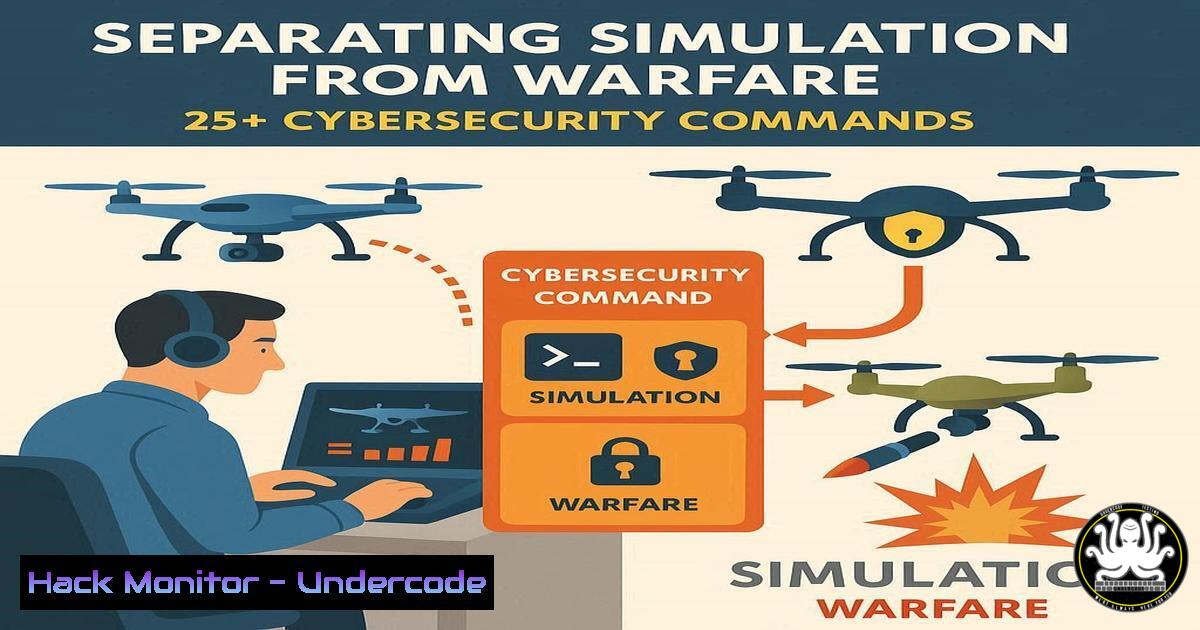
The public often conflates video game proficiency with the skills required for modern military roles like drone operation, but this is a dangerous oversimplification. While technical interfaces may share similarities, the cybersecurity protocols, operational security (OPSEC), and immense psychological burden involved in real-world remote warfare are unparalleled. This article bridges that gap by exploring the concrete technical commands and security postures that define this high-stakes digital battlefield.
Learning Objectives:
- Understand the critical cybersecurity and systems administration commands that underpin remote operations.
- Differentiate between gamified simulations and the operational rigor of military-grade IT infrastructure.
- Learn hardening techniques for systems that manage real-world, life-or-death decisions.
You Should Know:
1. Hardening the Operator’s Workstation
The foundation of any secure remote operation is a locked-down endpoint. Military systems are stripped of non-essential services to reduce the attack surface, a stark contrast to a typical gaming PC.
Verified Commands:
Windows: `Get-Service | Where-Object {$_.Status -eq ‘Running’}` (Lists all running services)
Windows: `Disable-NetAdapter -Name “Ethernet2” -Confirm:$false` (Disables a network interface)
Linux: `systemctl list-units –type=service –state=running` (Lists running services)
Linux: `ufw enable && ufw default deny incoming` (Enables Uncomplicated Firewall and sets default deny policy)
Linux: `chmod 700 /home/operator` (Restricts directory access to only the owner)
Step-by-step guide:
On a Linux-based operator station, the first step is to audit and disable unnecessary services. Start by listing all running services with systemctl. Identify non-essential services (e.g., bluetooth, cups) and disable them using sudo systemctl disable --now [service-name]. Next, enable the firewall with `ufw enable` and configure it to deny all incoming connections by default, only allowing explicitly required outbound traffic. This creates a minimalistic, secure environment resistant to remote exploitation.
2. Network Monitoring and Anomaly Detection
Drone operations rely on stable, secure data links. Constant network monitoring is essential to detect interception, jamming, or data exfiltration attempts.
Verified Commands:
Linux: `tcpdump -i eth0 -w capture.pcap` (Captures raw packets on interface eth0)
Linux: `netstat -tulpn` (Shows all listening ports and associated processes)
Linux: `ss -s` (Shows detailed socket statistics)
Linux: `iftop -i eth0` (Shows real-time bandwidth usage)
Windows: `Get-NetTCPConnection | Where-Object {$_.State -eq ‘Listen’}` (Lists listening ports)
Step-by-step guide:
To monitor the integrity of your data link, use `tcpdump` to capture a baseline of normal traffic: sudo tcpdump -i [bash] -w baseline.pcap. Analyze this with tools like Wireshark. For real-time monitoring, `iftop` provides a live view of bandwidth consumption, helping to spot unusual data flows that could indicate a compromise. Regularly check established connections with `netstat -tulpn` to ensure no unauthorized services are listening on the workstation.
3. Secure Communication and Data Link Encryption
The video and command & control (C2) feeds for drones are heavily encrypted. Understanding these principles is key to securing any sensitive data stream.
Verified Commands:
OpenSSL: `openssl enc -aes-256-cbc -salt -in telemetry.dat -out telemetry.enc -k pass:YourSecurePassword` (Encrypts a file with AES-256)
OpenSSL: `openssl genrsa -out private.key 4096` (Generates a 4096-bit RSA private key)
SSH: `ssh -i /path/to/private_key [email protected]` (SSH connection using key-based authentication)
Linux: `gpg –encrypt –recipient [email protected] command_sequence.txt` (Encrypts a file with GPG)
Step-by-step guide:
Simulating the encryption of a telemetry data file, you can use OpenSSL. First, generate a strong key: openssl rand -base64 32 > encryption.key. Then, encrypt your hypothetical telemetry file: openssl enc -aes-256-cbc -salt -in telemetry.dat -out telemetry.enc -pass file:encryption.key. This uses the robust AES-256 algorithm, similar to what would be used in military applications to protect the data-in-transit from enemy interception.
4. Log Auditing and Forensic Readiness
Every action in a sensitive environment is logged. The ability to parse and analyze these logs is crucial for accountability and post-mission analysis.
Verified Commands:
Linux: `journalctl -u drone-c2-service –since “1 hour ago”` (Shows logs for a specific service)
Linux: `grep “ERROR\|FATAL” /var/log/syslog` (Searches for error messages in system log)
Linux: `last` (Shows last logins)
Linux: `auditctl -w /etc/passwd -p wa -k user_account_change` (Monitors the passwd file for changes)
Linux: `ausearch -k user_account_change` (Searches audit logs for a specific key)
Step-by-step guide:
After a simulated session, an operator might need to review actions. Using journalctl, you can filter logs by time and service. For example, `journalctl -u networking –since “09:00” –until “10:00″` shows network service logs for that specific hour. To monitor for critical system changes, the Linux Audit Daemon (auditd) is used. A rule like `auditctl -w /opt/operations/ -p rwxa -k mission_data` would log any read, write, execute, or attribute change in the mission directory.
5. Process Isolation and Resource Management
A gaming PC prioritizes performance; an operator station prioritizes stability and security, isolating critical processes to prevent a single point of failure.
Verified Commands:
Linux: `ps aux –sort=-%cpu | head` (Shows top processes by CPU usage)
Linux: `nice -n 19 ./low-priority-script.sh` (Runs a process with lowest CPU priority)
Linux: `renice -n 10 -p 1234` (Changes the priority of an existing process with PID 1234)
Linux: `systemd-run –scope -p CPUQuota=50% ./resource-intensive-app` (Limits a process to 50% of CPU)
Linux: `isolate -i ./mission-application` (Conceptual: running a process in a sandbox)
Step-by-step guide:
To ensure the mission application has stable resources, you can manage process priority. Use `ps aux` to identify all running processes and their resource consumption. If a non-critical background task is consuming too much CPU, you can lower its priority with sudo renice -n 19 [bash], making more CPU time available for the high-priority mission software. For testing, you can also use `systemd-run` to create an artificial limit, preventing any single process from hogging the system.
6. Vulnerability Assessment and Patch Management
Operator systems are high-value targets. Regular vulnerability scanning and disciplined patching are non-negotiable, unlike in a gaming context where updates can be delayed.
Verified Commands:
Linux: `apt list –upgradable` (Debian/Ubuntu: lists available package upgrades)
Linux: `yum check-update` (RHEL/CentOS: checks for updates)
Linux: `nmap -sV -O 192.168.1.0/24` (Scans a network for hosts and services)
Linux: `lynis audit system` (Runs a system security audit)
Windows: `wmic qfe list` (Lists installed Windows updates)
Step-by-step guide:
A routine security check involves scanning the local network segment for unauthorized devices or services. Using nmap, you can perform a basic discovery scan: nmap -sn 192.168.1.0/24. To check for vulnerabilities on the host itself, a tool like Lynis can be run: sudo lynis audit system. It will provide a hardening index and a list of recommendations, such as which software packages need to be updated, which can be checked with apt update && apt list --upgradable.
7. Identity and Access Management (IAM)
Strict access control ensures only authorized personnel can operate the system. This goes far beyond a simple user login on a gaming platform.
Verified Commands:
Linux: `sudo visudo` (Safely edits the sudoers file)
Linux: `passwd -l username` (Locks a user account)
Linux: `chage -M 90 -W 7 operator` (Sets password to expire every 90 days with a 7-day warning)
Linux: `faillock –user operator –reset` (Resets failed login attempts counter)
Windows: `net user operator /active:yes` (Enables a user account)
Step-by-step guide:
Implementing a strict password policy is a first step. Use `sudo chage -l [bash]` to view current password expiration settings. To enforce a policy, edit it with sudo chage -M 60 -W 5 [bash], forcing a password change every 60 days with a 5-day warning. To control privileges, always use `sudo visudo` to grant specific commands to users instead of giving full root access. For example, a line like `operator ALL=(ALL) /bin/systemctl restart drone-c2-service` allows the operator to only restart that one critical service.
What Undercode Say:
- The technical chasm between a game and a warfare system is defined by relentless security hardening, comprehensive audit trails, and operational discipline, not just interface familiarity.
- The psychological toll of remote warfare is exacerbated by the sterile, command-line interface of cybersecurity and systems administration, which creates a cognitive dissonance between the act of war and its digital execution.
The analysis from a technical perspective reveals a profound disconnect. While a gamer optimizes for frame rates and latency, a drone operator’s workstation is locked down with military-grade security policies, constant monitoring, and forensic logging. Every command executed, from a simple `netstat` to check for backdoors to a complex `tcpdump` session analyzing the data link, is performed under the weight of potential real-world consequences. The “gamification” of war is a dangerous fallacy because it ignores this underlying architecture of accountability and security. The command line doesn’t care about your feelings; it logs your actions with cold, impartial precision, creating a permanent record of decisions that, in this context, can have lethal outcomes. This sterile digital environment, far from being a game, amplifies the mental burden by framing life-or-death choices within the same context as routine IT administration.
Prediction:
The growing use of AI in targeting and mission analysis will further abstract the human operator from the immediate context of warfare, potentially reducing perceived agency while increasing the scope of responsibility. This will create a new wave of psychological strain and ethical dilemmas, forcing the development of more advanced mental health support systems and ethical frameworks built directly into the technology stack, moving beyond human-only support networks to AI-assisted moral injury detection and mitigation.
🎯Let’s Practice For Free:
IT/Security Reporter URL:
Reported By: Msingman Former – Hackers Feeds
Extra Hub: Undercode MoN
Basic Verification: Pass ✅


