Listen to this Post
Introduction:
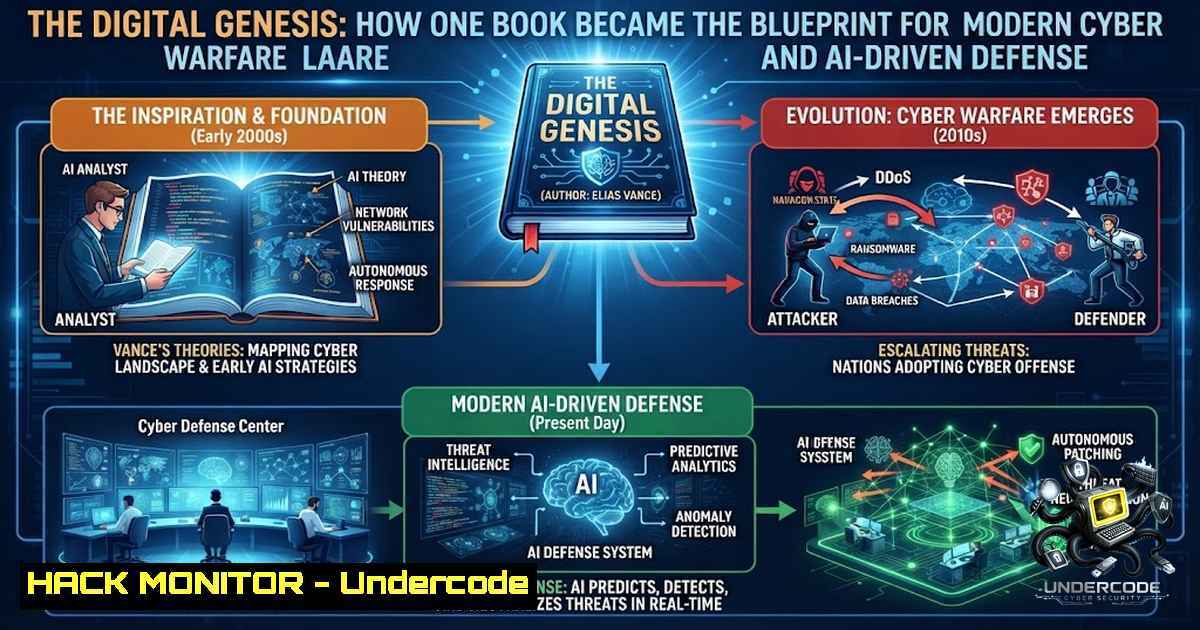
In the evolving landscape of cybersecurity, the foundational principles of digital warfare have remained startlingly consistent since the dawn of the information age. The Stuxnet worm, often described as the “first digital weapon,” transformed theoretical cyber threats into tangible, kinetic consequences, proving that code could cause physical destruction. This article explores how the foundational knowledge shared in cybersecurity literature has paved the way for AI-driven defense mechanisms, analyzing the technical intricacies of cyber-physical attacks and the modern tools used to mitigate them.
Learning Objectives:
- Understand the architectural weaknesses in industrial control systems (ICS) that made Stuxnet possible.
- Learn to identify and mitigate zero-day vulnerabilities using modern Endpoint Detection and Response (EDR) tools.
- Master command-line techniques for analyzing binary files and detecting anomalies in Windows and Linux environments.
- Explore the integration of AI and machine learning in predicting and preventing advanced persistent threats (APTs).
You Should Know:
- Unpacking the Stuxnet Attack Vector: The .LNK Vulnerability
The Stuxnet worm utilized a sophisticated zero-day vulnerability involving the processing of shortcut (.LNK) files. When a user opened a folder containing a malicious shortcut, Windows would automatically execute the malicious code without any user interaction. This was a pivotal moment in malware history, demonstrating that seemingly innocuous file system objects could be weaponized.
Step-by-Step Guide to Analyzing .LNK File Metadata (Windows & Linux):
On Windows, you can use PowerShell to inspect the metadata of a suspicious shortcut file.
Windows PowerShell Command:
$shell = New-Object -ComObject WScript.Shell
$shortcut = $shell.CreateShortcut("C:\path\to\suspicious.lnk")
$shortcut.TargetPath
$shortcut.Arguments
$shortcut.WorkingDirectory
On Linux, while analyzing malware often focuses on Windows, you can still examine the binary structure of a .LNK file using `xxd` or `hexdump` to look for anomalous strings.
Linux Command:
xxd suspicious.lnk | head -1 20
Look for excessive null bytes or embedded shellcode strings that do not match typical shortcut data (which usually contains file paths and icons). Additionally, the `exiftool` package can be invaluable for extracting metadata:
Linux Command (if exiftool is installed):
exiftool suspicious.lnk
2. Rootkit Analysis and File System Hiding Techniques
Stuxnet famously used a rootkit to hide its presence by intercepting system calls and filtering file and registry listings. Modern rootkits operate similarly by hooking into the Windows kernel. Understanding how to spot these discrepancies is crucial.
Step-by-Step Guide to Detecting Hidden Files (Windows):
In Windows, using the command line to compare expected vs. actual system states is a primary method.
Windows Command Prompt (CMD) with Administrator Privileges:
dir /a C:\Windows\System32\drivers\etc\hosts
Use `dir /a` to show all files, including hidden and system files. Furthermore, verify digital signatures of core system files:
Windows Command:
sigverif
Running `sigverif` (Signature Verification) scans critical system files. If a driver or DLL shows as unsigned and is located in System32, it is highly suspicious.
On Linux, rootkits often hide via LD_PRELOAD. To detect these, check the dynamic linker for preloaded libraries:
Linux Command:
ldd /bin/ls
Compare the output to a known good baseline. Additionally, use `rkhunter` or `chkrootkit` for automated scans.
Linux Command:
sudo rkhunter --check
3. Windows Registry Persistence Mechanisms
Stuxnet ensured it would survive reboots by installing services and modifying the Windows Registry. Understanding the Startup folders and Run keys is fundamental to cyber defense.
Step-by-Step Guide to Enumerating Persistence Locations (Windows):
Open an elevated CMD or PowerShell and inspect the following keys manually, or use a script to audit them:
Windows Command to Auto-start Registry Keys:
reg query HKLM\Software\Microsoft\Windows\CurrentVersion\Run
reg query HKCU\Software\Microsoft\Windows\CurrentVersion\Run
reg query HKLM\Software\Microsoft\Windows\CurrentVersion\RunOnce
Windows Services Check:
sc query type= service state= all
Focus on services with recently modified timestamps or unusual names (e.g., random alphanumeric strings).
Automated Extraction (PowerShell):
Get-ChildItem -Path "HKLM:\Software\Microsoft\Windows\CurrentVersion\Run" | ForEach-Object { $<em>.Value }
Get-Service | Where-Object { $</em>.StartType -eq 'Automatic' } | Format-Table Name, Status, DisplayName
- Exploiting the Siemens S7-400 PLC and Code Injection
The pinnacle of Stuxnet’s capability was its ability to inject code into Siemens PLCs. While modern attackers use automated frameworks, understanding the manual process of intercepting PLC communication is vital for industrial defense.
Step-by-Step Guide to Network Monitoring for PLC Traffic (Linux):
To understand what “normal” looks like versus “malicious” (injection), use `tcpdump` to monitor for S7comm (Profinet) traffic on port 102.
Linux Command:
sudo tcpdump -i eth0 port 102 -A -c 100
If you find packets with unusual payloads that are significantly larger than standard read/write operations, they are likely injection attempts. For deeper forensic analysis, consider using Wireshark on a remote system.
Windows Network Capture (Using netsh for packet logging):
netsh trace start capture=yes tracefile=C:\capture.etl
Stop the trace after an hour and analyze the ETL file using Microsoft Network Monitor or Wireshark to inspect S7 comms.
5. Password Bruteforcing and Authentication Bypass
While Stuxnet used stolen certificates, modern APTs often brute-force weak credentials. For defensive purposes, understanding how quickly passwords can be cracked is essential.
Linux Command (Hashcat approach for Educational/Defensive testing):
To test password strength, you might dump a hash and run it against a dictionary:
hashcat -m 0 -a 0 hash.txt rockyou.txt
Disclaimer: This is for ethical red-team exercises only.
Windows Command (Lockout Policy Check):
Ensure brute-force attempts are mitigated via Group Policy:
net accounts /domain
Look for “Lockout threshold” and “Lockout duration” to ensure they are set to values like 5 attempts and 30 minutes respectively.
6. Social Engineering and Spear-Phishing Prevention
Many believe Stuxnet was initially delivered via a spear-phishing email (or USB drop). Modern defenses require robust email filtering.
Windows/Linux Anti-Phishing Command:
While there is no single command to “prevent” phishing, you can check SPF, DKIM, and DMARC records for your domain to prevent spoofing.
Linux Command to Check DNS Records:
dig TXT _dmarc.yourdomain.com
Implementing these policies prevents attackers from impersonating your executives.
Step-by-Step Guide to Reporting Phishing (Outlook/PowerShell):
Get-Mailbox | Set-Mailbox -AntiSpamBypassEnabled $false
What Undercode Say:
- Key Takeaway 1: The Stuxnet attack highlighted a critical failure in assuming that “air-gapped” networks are secure; the adversary will always find a way in via physical media or supply chain compromises, necessitating rigorous USB access controls and endpoint hardening.
- Key Takeaway 2: Zero-day vulnerabilities are less about the software flaw and more about the ability to persist in a system. Defenders must prioritize detection of behavioral anomalies (process injection, registry manipulation) over signature-based scans, as the latter becomes obsolete the day a vulnerability is disclosed.
Analysis: The integration of AI into cybersecurity is no longer optional. The sheer volume of data generated by end-points (Event Logs, Sysmon logs, network traffic) exceeds human analytical capacity. We are moving toward a paradigm where AI models are trained to recognize “benign” behavior, flagging deviations for human review. However, the paradox remains: while AI accelerates defense, it also accelerates offense, enabling attackers to generate polymorphic malware that changes its signature in real-time to evade ML models.
Expected Output:
Introduction: The Stuxnet worm was a watershed moment in geopolitics, demonstrating that a nation-state’s critical infrastructure was vulnerable to lines of code. Understanding this attack is not merely historical; it is a blueprint for defending today’s ICS and cloud environments against state-sponsored actors.
What Undercode Say:
- Defenders must move beyond traditional perimeter security and adopt “Zero Trust,” verifying every device and user before granting access, regardless of their physical location.
- The rise of Generative AI means that phishing emails are now indistinguishable from human-written text, making employee training and advanced email security gateways with Natural Language Processing (NLP) our primary lines of defense.
Prediction:
- -1 : As adversarial AI grows more accessible, expect a surge in “Hyper-Personalized” ransomware attacks targeting individuals based on their social media activity, leading to a need for mandatory digital literacy training in educational curriculums.
- -1 : The commoditization of exploit development kits will lower the barrier to entry for cybercriminals, resulting in a “tech support” style scam evolution where fraudsters use AI to mimic company executives’ voices (Deepfake Vishing) to gain access to corporate VPNs.
- +1 : Conversely, the incorporation of AI into endpoint protection (EDR) will drastically reduce the mean time to detect (MTTD) from days to minutes, as machine learning algorithms can now correlate low-level system events (like permission changes or service installs) to known Tactics, Techniques, and Procedures (TTPs) instantly.
- +1 : Blockchain-based identity solutions and quantum-resistant algorithms are on the horizon, promising a future where “Zero Trust” architectures are mathematically enforceable rather than merely policy-driven, rendering traditional password theft obsolete.
- -1 : However, the arms race will inevitably escalate into “AI vs. AI” conflict, where autonomous defensive AI agents engage in rapid-fire reconfiguration of network firewalls against offensive AI agents that continuously probe for weaknesses, creating an automated cyber battlefield that operates faster than human response times.
▶️ Related Video (76% Match):
🎯Let’s Practice For Free:
🎓 Live Courses & Certifications:
Join Undercode Academy for Verified Certifications
🚀 Request a Custom Project:
Secure, high-velocity infrastructure and disruptive technological engineering. Contact our engineering team for high-tier development and proprietary systems:
[email protected]
💎 Smart Architecture | 🛡️ Secure by Design | ⭐ Trusted by Thousands
IT/Security Reporter URL:
Reported By: Curiouslearner This – Hackers Feeds
Extra Hub: Undercode MoN
Basic Verification: Pass ✅


