Listen to this Post
Introduction:
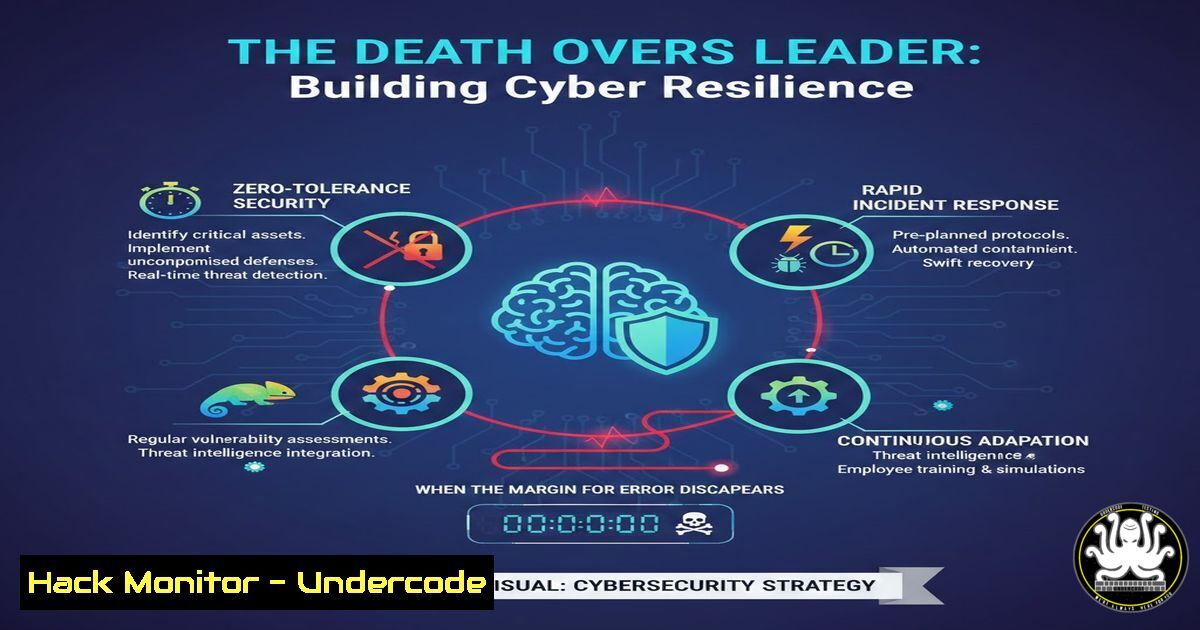
In cybersecurity, as in cricket’s final overs, the margin for error vanishes when an incident strikes. Just as Jasprit Bumrah delivers under pressure through relentless practice, effective security teams rely on “Death Overs Leaders”—professionals who execute with precision when a breach is active, systems are failing, and stakeholders are panicking. This article explores how to build technical reliability and incident response maturity so that when the 18th over arrives, your organization exhales rather than collapses.
Learning Objectives:
- Understand the psychology and technical preparation required for high-pressure incident response.
- Master critical Linux and Windows commands for rapid triage during a security crisis.
- Implement automation and hardening techniques that transform chaotic breaches into routine procedures.
You Should Know:
1. The Pre-Game Preparation: Building Your Forensic Foundation
The reason Bumrah makes pressure look routine is the ten thousand repetitions before the crowd arrived. In cybersecurity, this translates to hardened systems and practiced runbooks. Before an incident occurs, your infrastructure must be configured to support rapid investigation.
Linux Preparation Commands:
Ensure comprehensive logging is enabled and immutable:
 Configure auditd for maximum visibility
sudo auditctl -e 1 -b 8192
sudo auditctl -a always,exit -S all -F path=/etc -F perm=wa
sudo auditctl -a always,exit -F arch=b64 -S execve -k process_execution

Secure logs against tampering
sudo chattr +a /var/log/syslog
sudo chattr +a /var/log/auth.log
Windows Preparation (PowerShell):
Enable advanced audit policies and PowerShell logging:
 Enable PowerShell script block logging
reg add "HKLM\SOFTWARE\Policies\Microsoft\Windows\PowerShell\ScriptBlockLogging" /v EnableScriptBlockLogging /t REG_DWORD /d 1 /f

Configure Sysmon for deep process monitoring
 Download and install Sysmon with comprehensive config
sysmon -accepteula -i sysmon-config.xml
- The 18th Over: Triage Commands When Breach is Active
When an alert fires, you have minutes to assess scope and contain. These commands form your immediate response toolkit.
Linux Incident Triage:
 Identify suspicious processes and network connections
netstat -tunap | grep ESTABLISHED
ss -tunap | grep -v "127.0.0.1"
lsof -i -P -n | grep LISTEN

Check for persistence mechanisms
grep -R "cron" /var/log/syslog
ls -la /etc/cron /var/spool/cron/
cat ~/.bash_history | tail -50

Rapid memory analysis (capture for later)
sudo cat /proc/[bash]/maps
sudo cat /proc/[bash]/mem > /tmp/proc_[bash].mem
Windows Incident Triage (PowerShell):
 Get active network connections with process details
Get-NetTCPConnection -State Established | Select-Object LocalAddress, LocalPort, RemoteAddress, RemotePort, OwningProcess | ForEach-Object {
$_ | Add-Member -NotePropertyName ProcessName -NotePropertyValue (Get-Process -Id $_.OwningProcess).Name -PassThru
}

Check for scheduled tasks created recently
Get-ScheduledTask | Where-Object {$_.Date -gt (Get-Date).AddDays(-7)} | Select TaskName, TaskPath, State

Hunt for suspicious logons
Get-WinEvent -LogName Security | Where-Object { $<em>.Id -eq 4624 -and $</em>.Properties[bash].Value -eq "10" } | Select-Object TimeCreated, Properties
3. The Yorker: Containment and Eradication Commands
Once identified, you must stop the bleeding with surgical precision.
Linux Containment:
 Immediately block malicious IP at kernel level
sudo iptables -A INPUT -s [bash] -j DROP
sudo iptables -A OUTPUT -d [bash] -j DROP

Isolate compromised user account
sudo passwd -l [bash]
sudo pkill -u [bash]

Kill malicious processes and remove artifacts
sudo kill -9 [bash]
sudo rm -rf /tmp/.malware
sudo chkconfig [bash] off
Windows Containment (Command Prompt):
// Block IP via Windows Firewall
netsh advfirewall firewall add rule name="BLOCK_MALICIOUS" dir=in remoteip=[bash] protocol=any action=block
netsh advfirewall firewall add rule name="BLOCK_MALICIOUS_OUT" dir=out remoteip=[bash] protocol=any action=block

// Disable compromised account
net user [bash] /active:no

// Terminate malicious process
taskkill /PID [bash] /F
- API Security: The Death Over of Digital Transactions
Modern breaches often exploit APIs. Securing them requires rigorous validation and monitoring.
API Hardening with OWASP Guidelines:
 Example Nginx configuration for API rate limiting and validation
location /api/ {
 Rate limiting to prevent brute force
limit_req zone=api_limit burst=20 nodelay;

Validate input size
client_max_body_size 10k;

Strict content type checking
if ($content_type !~ "application/json") {
return 415;
}

Log all requests for forensics
access_log /var/log/nginx/api_access.log api_format;
}
API Security Testing Command:
 Use curl to test for injection points
curl -X POST https://api.example.com/v1/endpoint \
-H "Content-Type: application/json" \
-d '{"param":"value; cat /etc/passwd"}' \
-w "\nHTTP Status: %{http_code}\n"

Use nmap for service enumeration
nmap -p 443 --script http-methods,http-shellshock,http-iis-webdav-vuln api.example.com
5. Cloud Hardening: Immutable Infrastructure in Pressure Moments
Cloud environments demand that no single misconfiguration leads to a total collapse.
AWS CLI Security Commands:
 Audit S3 bucket permissions
aws s3api list-buckets --query "Buckets[].Name" | xargs -I {} aws s3api get-bucket-acl --bucket {}

Enforce encryption for all EBS volumes
aws ec2 describe-volumes --query 'Volumes[?Encrypted==<code>false</code>].[VolumeId, AvailabilityZone]' --output text | while read volume zone; do
aws ec2 create-snapshot --volume-id $volume --description "Pre-encryption backup"
aws ec2 modify-volume --volume-id $volume --encrypted
done

Review IAM policies for over-privilege
aws iam list-users | jq -r '.Users[].UserName' | while read user; do
echo "Policies for $user:"
aws iam list-attached-user-policies --user-name $user
aws iam list-user-policies --user-name $user
done
- Vulnerability Exploitation and Mitigation: Learning the Opposition’s Playbook
To stop the opposition’s best batter, you must understand their technique. Ethical exploitation reveals weaknesses.
Linux Privilege Escalation Checks:
 Check for kernel vulnerabilities
uname -a
lsb_release -a

Check for SUID binaries (classic privesc vector)
find / -perm -4000 -type f 2>/dev/null
 Mitigation: Remove SUID from unnecessary binaries
chmod u-s /usr/bin/[bash]

Test for CVE-2021-4034 (PwnKit)
 Exploitation PoC (for education only)
gcc -o pkexec-exploit pwnkit.c
./pkexec-exploit
 Mitigation: Update polkit
sudo apt update && sudo apt upgrade policykit-1
Windows Privilege Escalation Checks (PowerShell):
 Check for unquoted service paths
Get-WmiObject win32_service | Where-Object { $<em>.PathName -like ' ' -and $</em>.PathName -notlike '"' } | Select Name, PathName, StartMode
 Mitigation: Enclose paths in quotes

Check for AlwaysInstallElevated registry keys
Get-ItemProperty -Path "HKLM:\SOFTWARE\Policies\Microsoft\Windows\Installer" -Name "AlwaysInstallElevated"
Get-ItemProperty -Path "HKCU:\SOFTWARE\Policies\Microsoft\Windows\Installer" -Name "AlwaysInstallElevated"
 Mitigation: Set both to 0
7. Automation: Making Pressure Routine with Scripted Responses
The death overs leader doesn’t panic because they’ve automated the predictable parts.
Bash Automation for Incident Response:
!/bin/bash
 IR Collector Script - Run immediately upon incident declaration

LOG_DIR="/tmp/ir_collection_$(date +%Y%m%d_%H%M%S)"
mkdir -p $LOG_DIR

Collect system state
echo "=== Collecting Process List ===" >> $LOG_DIR/processes.txt
ps auxf >> $LOG_DIR/processes.txt

echo "=== Collecting Network Connections ===" >> $LOG_DIR/network.txt
netstat -tunap >> $LOG_DIR/network.txt
ss -tunap >> $LOG_DIR/network.txt

echo "=== Collecting Open Files ===" >> $LOG_DIR/lsof.txt
lsof >> $LOG_DIR/lsof.txt

Collect logs
cp /var/log/auth.log $LOG_DIR/
cp /var/log/syslog $LOG_DIR/
cp /var/log/apache2/access.log $LOG_DIR/ 2>/dev/null

Package for analysis
tar -czf /tmp/ir_package_$(hostname)<em>$(date +%Y%m%d</em>%H%M%S).tar.gz $LOG_DIR/
PowerShell Automation for Windows:
 IR Collector Script for Windows
$collectionPath = "C:\IR_Collection_$(Get-Date -Format 'yyyyMMdd_HHmmss')"
New-Item -ItemType Directory -Path $collectionPath -Force

Collect processes with network connections
Get-NetTCPConnection | Where-Object {$<em>.State -eq "Established"} |
Select @{Name="Process";Expression={(Get-Process -Id $</em>.OwningProcess).ProcessName}},
LocalAddress, LocalPort, RemoteAddress, RemotePort |
Export-Csv "$collectionPath\established_connections.csv" -NoTypeInformation

Collect scheduled tasks
Get-ScheduledTask | Export-Csv "$collectionPath\scheduled_tasks.csv" -NoTypeInformation

Collect recent Security events
Get-WinEvent -LogName Security -MaxEvents 1000 | Export-Csv "$collectionPath\security_events.csv" -NoTypeInformation

Collect Prefetch files (execution history)
Copy-Item "C:\Windows\Prefetch.pf" $collectionPath\

Compress
Compress-Archive -Path $collectionPath -DestinationPath "$collectionPath.zip"
What Undercode Say:
- Key Takeaway 1: Reliability under pressure is not a personality trait but a product of rigorous preparation. The technical commands and configurations detailed above transform crisis management from panic into protocol.
- Key Takeaway 2: Automation is the force multiplier that allows the “Death Overs Leader” to focus on strategic decisions rather than manual data gathering. Scripts that collect forensic data instantly upon incident declaration provide the situational awareness needed to contain breaches effectively.
- Analysis: The analogy of Jasprit Bumrah resonates deeply in cybersecurity because both domains share a fundamental truth: when the stakes are highest, instinct fails and training prevails. Organizations that invest in hardening their systems, documenting runbooks, and practicing incident response drills create a culture where the “18th over” is simply another routine operation. The difference between a catastrophic breach and a managed incident often comes down to whether the team has rehearsed the scenario before. In a world where breaches are inevitable, the only remaining competitive advantage is the speed and precision of your response.
Prediction:
The future of cybersecurity will move away from purely preventive controls toward “Death Overs” preparedness—systems designed to assume compromise and respond with surgical automation. As AI-powered attacks increase in speed and sophistication, the human response window will shrink to seconds. We will see the rise of autonomous incident response agents that, like Bumrah’s yorker, execute predefined containment actions the moment specific threat indicators fire. Organizations that fail to build this automated resilience will find their margin for error permanently erased, unable to recover before the next wave of attack arrives. The “Death Overs Leader” of tomorrow may be an AI orchestration engine, but the principle remains: it’s the ten thousand repetitions before the crisis that make the pressure moment routine.
▶️ Related Video (82% Match):
🎯Let’s Practice For Free:
IT/Security Reporter URL:
Reported By: Sudipta Bhattacharya – Hackers Feeds
Extra Hub: Undercode MoN
Basic Verification: Pass ✅


