
Listen to this Post
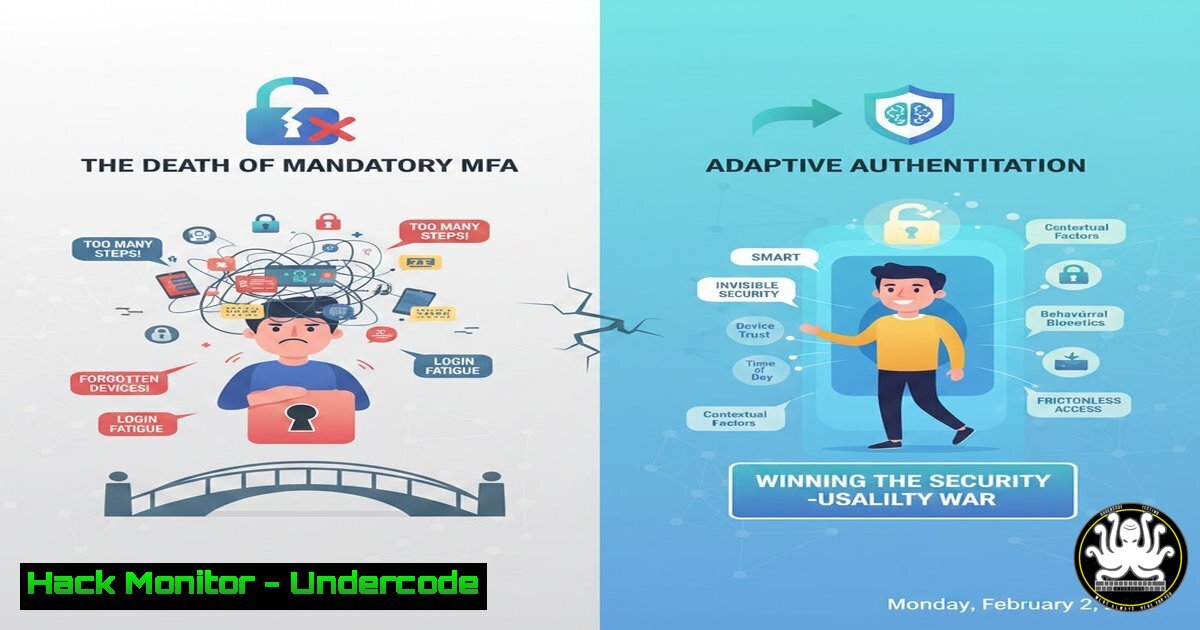
Introduction:
The perennial conflict between robust security and seamless user experience often forces a compromise, where heightened controls lead to user workarounds that ultimately undermine protection. Adaptive Authentication, also known as Risk-Based Authentication (RBA), emerges as the strategic solution, dynamically applying security friction based on real-time risk assessments of login attempts. This paradigm shift moves beyond one-size-fits-all MFA to a context-aware model that hardens defenses where needed while streamlining legitimate access.
Learning Objectives:
- Understand the core signals and risk engines that power Adaptive Authentication systems.
- Learn to implement basic risk-based access policies using open-source tools and cloud-native services.
- Balance security postures by designing workflows that apply friction intelligently, not universally.
You Should Know:
1. The Core Signals: Building Your Risk Context
Adaptive Authentication decisions are fueled by contextual signals. These signals form a digital fingerprint of each login attempt, which is scored against established user baselines.
Step‑by‑step guide explaining what this does and how to use it.
The risk engine evaluates multiple factors:
Device Fingerprint: Creates a hash from attributes like OS, browser version, screen resolution, installed fonts, and timezone. A mismatch from the baseline indicates risk.
Linux Command to Gather Basic Device Info (Server-side logging):
 Example to log client HTTP headers (often proxied through Nginx/Apache logs)
echo "User-Agent: $(curl -s ifconfig.me/ua)" >> /var/log/auth_context.log
IP Reputation & Geolocation: Checks the login IP against threat intelligence feeds and compares its geographic distance from usual locations.
Practical Check: Use the `abuseipdb` API via command line to assess an IP:
curl -G https://api.abuseipdb.com/api/v2/check \
--data-urlencode "ipAddress=192.0.2.1" \
-H "Key: YOUR_API_KEY" \
-H "Accept: application/json" | jq '.data.abuseConfidenceScore'
Behavioral Biometrics: Analyzes typing speed, mouse movements, and typical login times.
2. Policy Engine: Defining the Rules of Engagement
The risk score is fed into a policy engine where administrators define thresholds and corresponding actions.
Step‑by‑step guide explaining what this does and how to use it.
A basic policy in YAML format for an open-source tool like `ModSecurity` or a custom script might look like this:
auth_policies:
low_risk:
condition: "risk_score < 30 AND known_device == true"
action: "allow_login"
medium_risk:
condition: "risk_score >= 30 AND risk_score < 70"
action: "require_mfa"
high_risk:
condition: "risk_score >= 70 OR geo_velocity_impossible == true"
action: "block_and_alert"
Implementation involves writing a decision logic script (e.g., in Python) that ingests the context, scores it, and executes the policy action.
3. Implementing Step-Up Authentication
When a medium-risk scenario is triggered, the system must seamlessly escalate to MFA. This is often done via time-based one-time passwords (TOTP) or push notifications.
Step‑by‑step guide explaining what this does and how to use it.
Using `FreeRADIUS` with `google-authenticator` on Linux for network-level adaptive auth:
 1. Install necessary packages
sudo apt-get install freeradius freeradius-utils libpam-google-authenticator

<ol>
<li>Configure the policy in /etc/freeradius/3.0/policy.d/
Create a policy that checks a SQL database for the user's last login IP and device.
If the IP differs, reply with an `Access-Challenge` requiring the OTP.</p></li>
<li><p>The user completes the challenge via an app like Google Authenticator.
The key is integrating the MFA challenge only when the policy demands it, not by default.
4. Building a Baseline: The Learning Phase
An adaptive system must learn normal user behavior. The initial 7-14 days after enrollment is a critical monitoring period to establish a baseline without blocking.
Step‑by‑step guide explaining what this does and how to use it.
Implement a logging and analysis pipeline:
 Use Linux auditd or a custom script to log successful logins
sudo auditctl -w /usr/bin/login -p war -k user_logins

Periodically analyze logs to establish patterns (e.g., using a cron job)
 A simple script to find common login hours for a user:
cat /var/log/auth.log | grep "session opened for user $USER" | awk '{print $3}' | cut -d: -f1 | sort | uniq -c
Store this baseline securely in a database (e.g., PostgreSQL) for the policy engine to query.
5. Cloud-Native Implementation: AWS Cognito Example
Major cloud providers offer built-in adaptive authentication.
Step‑by‑step guide explaining what this does and how to use it.
In AWS Cognito, you can configure adaptive authentication with risk analysis from AWS.
1. Navigate to Amazon Cognito > User Pools > Your User Pool > Sign-in experience.
2. Under Adaptive authentication, click Edit.
3. Enable Adaptive authentication and select risk levels.
- Configure actions: For Low risk, choose “Allow.” For Medium risk, choose “Require MFA.” For High risk, choose “Block.”
- Cognito will automatically evaluate device, IP, and other signals, pushing risk assessments into your pre-auth Lambda triggers for custom logic.
6. The Mitigation: Responding to High-Risk Events
A high-risk login attempt should trigger immediate mitigation beyond just blocking.
Step‑by‑step guide explaining what this does and how to use it.
Automate the response:
Automated User Verification: Trigger an automated email or SMS asking the user to verify the activity.
Session Termination: Invalidate all existing sessions for that user account across all devices.
Linux/Web Server Command: If using database-stored sessions, immediately delete all sessions for that user ID.
DELETE FROM user_sessions WHERE user_id = 'COMPROMISED_USER_ID';
SIEM Integration: Send a high-severity alert to your Security Information and Event Management (SIEM) like Splunk or Elastic SIEM for analyst review.
What Undercode Say:
- Security is a Dynamic Conversation, Not a Static Wall. Adaptive Authentication treats each login as a negotiation with context, making defenses intelligent and responsive rather than brittle and obstructive.
- User Experience is a Security Feature. By reducing unnecessary friction for 90% of legitimate logins, you eliminate the primary incentive for users to seek dangerous workarounds, making the human element an ally instead of a vulnerability.
The analysis centers on a fundamental shift from prevention-based to resilience-based identity security. The CDAC example proves that security can be strengthened by being less uniformly intrusive. The technical implementation revolves around telemetry, scoring, and automated policy enforcement—a pattern applicable from on-prem scripts to cloud services. The ultimate goal is to make security invisible during normal operations and decisively visible only under genuine threat.
Prediction:
Adaptive Authentication will become the default standard for consumer and enterprise access within five years, driven by AI/ML models that analyze ever-more subtle behavioral patterns. We will see the rise of continuous authentication, where risk is assessed not just at login but throughout the user session, silently revoking access if behavior deviates. This will gradually render the traditional binary “logged-in/logged-out” model obsolete, moving towards a fluid trust score that dictates privileged action access. The convergence of RBA with passwordless technologies (WebAuthn) will finally deliver on the promise of strong security that is fundamentally more usable than the weak practices it replaces.
▶️ Related Video (82% Match):
🎯Let’s Practice For Free:
IT/Security Reporter URL:
Reported By: Utkarshpratap Cs – Hackers Feeds
Extra Hub: Undercode MoN
Basic Verification: Pass ✅


