
Listen to this Post
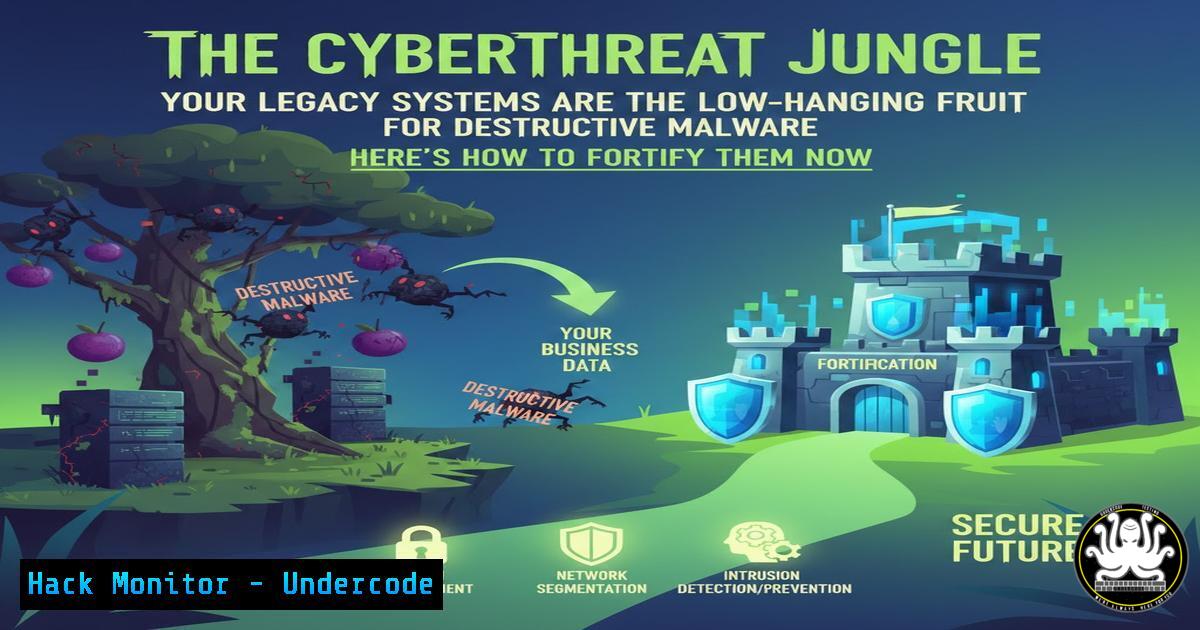
Introduction:
In today’s hyper-connected digital ecosystem, legacy systems represent the crumbling foundations of modern enterprise security, making them prime targets for destructive malware campaigns. As highlighted by experts analyzing CISA directives, these threats are not mere data breaches but orchestrated attacks designed to cripple operations and inflict lasting damage. This article deconstructs the technical controls and immediate actions required to shield vulnerable infrastructure from sophisticated adversarial playbooks.
Learning Objectives:
- Understand the specific vulnerabilities in legacy platforms (Windows Server 2008/R2, old Linux kernels, unpatched services) that destructive malware exploits.
- Implement actionable detection and hardening measures using command-line tools and configuration changes.
- Develop a containment and recovery protocol for when preventive controls are bypassed.
You Should Know:
- Inventory and Isolate: The First Commandment of Legacy Defense
You cannot protect what you do not know exists. Destructive malware often spreads laterally from a single compromised legacy server. The first step is ruthless asset discovery and network segmentation.
Step‑by‑step guide:
Discovery on Linux: Use `nmap` to scan your internal network ranges for systems with outdated banners. A command like `sudo nmap -sV -O 10.0.0.0/24 -oG legacy_scan.txt` will identify OS and service versions. Parse this output for old kernels (e.g., 2.6.x, 3.x) or services like Samba v1.
Discovery on Windows: Use PowerShell to query AD for older OSs: Get-ADComputer -Filter {OperatingSystem -like "Server 2008" -or OperatingSystem -like "Windows 7"} -Properties OperatingSystem, LastLogonDate | Export-CSV legacy_hosts.csv.
Action: Immediately place all identified legacy systems into a dedicated, highly restricted VLAN. Implement firewall rules (using `iptables` on Linux or Advanced Security Windows Firewall rules) that only allow explicitly required traffic from specific, modern jump hosts.
- Patch the Unpatchable: Compensating Controls for End-of-Life Systems
When vendor patches are no longer available, you must create your own defensive layer. This involves mitigating common exploitation vectors like SMBv1, weak RDP settings, and legacy TLS.
Step‑by‑step guide:
On Windows Server 2008/R2: Disable SMBv1 via PowerShell: Set-SmbServerConfiguration -EnableSMB1Protocol $false. Harden RDP by disabling legacy encryption: Open gpedit.msc, navigate to Computer Configuration > Administrative Templates > Windows Components > Remote Desktop Services > Remote Desktop Session Host > Security, and set “Require use of specific security layer for RDP connections” to SSL.
On Legacy Linux (e.g., CentOS 6): Disable insecure protocols. Edit `/etc/ssh/sshd_config` and set Protocol 2. Disable SSLv2/3 in your web server config (e.g., for Apache: SSLProtocol all -SSLv2 -SSLv3). Apply changes with `sudo service sshd restart` and sudo service httpd restart.
3. Deploy Canaries and Enhanced Logging
Legacy systems often lack modern EDR capabilities. Deploy deception assets and amplify logging to create early-warning tripwires.
Step‑by‑step guide:
Create a Canary File: On a legacy server, place a fake file with enticing names in sensitive directories. Monitor for access attempts.
Linux: `sudo touch /etc/.db_passwd_backup.txt; sudo chmod 644 /etc/.db_passwd_backup.txt`
Windows: `fsutil file createnew C:\Windows\System32\backup_credentials.ini 0`
Configure Audit Policies (Windows): Use `auditpol` to track process creation and sensitive file access: auditpol /set /subcategory:"Process Creation","Detailed File Share" /success:enable /failure:enable.
Centralize Syslog (Linux): Redirect all logs to a secure, modern SIEM. Edit `/etc/rsyslog.conf` and add: . @<your_siem_ip>:514.
4. Harden Service Accounts and Credential Vaults
Destructive malware like ransomware often leverages stolen service account credentials. Legacy systems frequently have poorly managed, high-privilege accounts.
Step‑by‑step guide:
Audit Local Accounts (Linux): Review `/etc/passwd` and `/etc/shadow` for service accounts with login shells. Disable them: sudo usermod -s /sbin/nologin <service_account>.
Implement Just-In-Time Access (Windows): For legacy systems integrated with a modern AD, convert static service accounts to Group Managed Service Accounts (gMSA) where possible, or use a PAM solution to vault the credentials and require checkout for temporary use.
Command to List Service Principal Names (SPNs – often targeted): On a domain controller or with appropriate tools, run: `setspn -L
5. Application Control and Executable Allow-Listing
Prevent the execution of payloads and living-off-the-land binaries (LOLBins) used in destructive attacks.
Step‑by‑step guide:
Windows via AppLocker: Create a default deny rule for `%SYSTEMDRIVE%\` and allow rules for known good paths (e.g., C:\Windows\, C:\Program Files\). Use PowerShell to generate rule templates: Get-AppLockerFileInformation -Directory "C:\Program Files" -Recurse -FileType EXE | New-AppLockerPolicy -RuleType Publisher,Hash -User Everyone -RuleNamePrefix "Legacy_App" -XML > AppLockerPolicy.xml.
Linux via File Integrity Monitoring (FIM): Use `aide` to monitor critical binaries and configs. Initialize the database: sudo aide --init, then move the new database: sudo mv /var/lib/aide/aide.db.new.gz /var/lib/aide/aide.db.gz. Schedule daily checks via cron.
6. Network Traffic Filtering and Anomaly Detection
Even segmented legacy systems need ingress/egress filtering to block command-and-control (C2) and data exfiltration.
Step‑by‑step guide:
Egress Filtering with iptables (Linux): Restrict outbound traffic to only necessary IPs/ports. Example to only allow DNS and updates to a specific server: sudo iptables -A OUTPUT -d <allowed_ip> -p udp --dport 53 -j ACCEPT; sudo iptables -A OUTPUT -j DROP.
Windows Firewall Log Analysis: Enable logging of dropped packets. In Windows Firewall with Advanced Security, modify a rule’s properties and on the “General” tab enable logging for dropped connections. Review logs in %systemroot%\system32\LogFiles\Firewall\.
7. Prepare for Containment and Irreversible Compromise
Assume breach. Have a ready-to-execute playbook for isolating and recovering a legacy system hit by destructive malware.
Step‑by‑step guide:
Pre-Configure Network Quarantine: Work with your network team to have a pre-defined “quarantine” VLAN and port-configuration template. Upon detection, the switch port for the compromised host can be immediately reconfigured (e.g., switchport access vlan 999).
Maintain Offline, Encrypted Backups: Ensure backups of legacy system configs and critical data are kept offline and immutable. Test restoration regularly in an isolated lab environment.
Containment Command (Linux): If you must act on the host, immediately block all network traffic: sudo iptables -P INPUT DROP; sudo iptables -P OUTPUT DROP; sudo iptables -P FORWARD DROP.
What Undercode Say:
Legacy Systems are Active Attack Surfaces, Not Museum Pieces. Treating them as isolated “heritage” assets is a catastrophic error. They require active, aggressive defense-in-depth strategies as they are high-value targets for disruption.
Compensating Controls Are Non-Negotiable. In the absence of vendor support, the responsibility for security shifts entirely to the operational team. The technical measures outlined here are the minimum viable product for legacy system survival in a modern threat landscape.
The analysis from CISA-aligned experts like Michael Ransier underscores a critical shift: defensive strategies must now account for destructive intent, not just data theft. This changes the calculus from monitoring for exfiltration to aggressively preventing execution and lateral movement at all costs. The technical debt of legacy infrastructure is no longer just a compliance issue; it is a clear and present danger to business continuity, demanding immediate and sustained resource investment for control implementation and vigilant monitoring.
Prediction:
The convergence of AI-powered vulnerability discovery and geopolitical tensions will lead to an increase in automated, scalable destructive malware campaigns specifically targeting legacy infrastructure within the next 18-24 months. These attacks will leverage AI to tailor exploits to specific, unpatched vulnerabilities in old industrial control systems (ICS) and enterprise software, causing widespread, coordinated operational shutdowns. Organizations that fail to enact the compensatory hardening and segmentation strategies today will face disproportionately high recovery costs and potentially irreversible brand and operational damage.
🎯Let’s Practice For Free:
IT/Security Reporter URL:
Reported By: Michaelransier This – Hackers Feeds
Extra Hub: Undercode MoN
Basic Verification: Pass ✅


