Listen to this Post
Introduction:
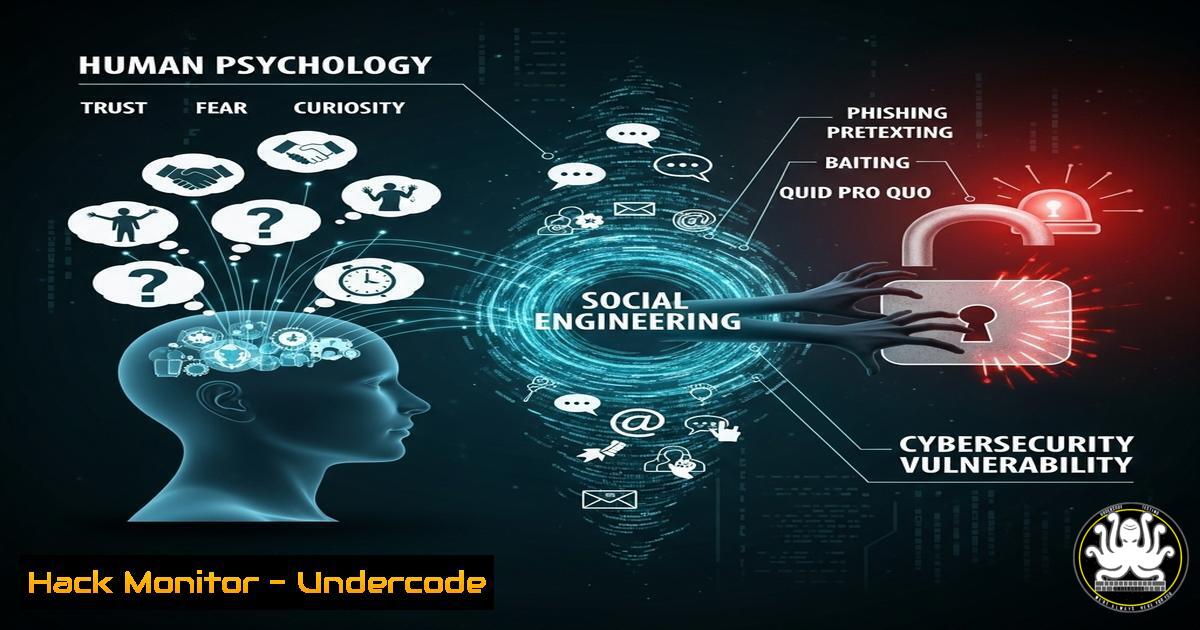
The seemingly innocuous social media post celebrating childhood wonder reveals a profound vulnerability in the human element of cybersecurity. Attackers expertly craft messages that evoke emotion—curiosity, urgency, or, as seen here, nostalgia and warmth—to bypass technical defenses and manipulate targets into compromising security. This article deconstructs the psychological principles at play and provides the technical commands to harden both systems and human awareness against such attacks.
Learning Objectives:
- Understand the psychological triggers (e.g., nostalgia, urgency, authority) commonly exploited in social engineering and phishing campaigns.
- Implement advanced technical controls within Microsoft 365 and network environments to detect and mitigate credential phishing attempts.
- Develop and deploy internal phishing simulation campaigns to measure and improve organizational resilience.
You Should Know:
1. Analyzing Phishing Email Headers with PowerShell
Verified command to inspect email metadata for signs of forgery:
Get-MessageTrace -SenderAddress "[email protected]" -StartDate (Get-Date).AddDays(-1) -EndDate (Get-Date) | Get-MessageTraceDetail | Select Received, Subject, FromIP, MessageId | Ft -AutoSize
Step-by-step guide:
This PowerShell command, executed within an Exchange Online PowerShell session, traces emails sent from a specific spoofed address within the last 24 hours. It queries Microsoft’s message trace logs and returns critical forensic data: the receive timestamp, subject line, originating IP address (FromIP), and the unique message ID. Security analysts use this to confirm a phishing attempt’s origin and scope before blocking the IP and hunting for related messages using the MessageId.
2. Detecting Anomalous Logins with Azure Sentinel KQL
Verified Kusto Query Language (KQL) snippet for hunting suspicious sign-ins:
SigninLogs
| where TimeGenerated > ago(7d)
| where ResultType == "0"
| where AppDisplayName !in ("Office 365 Exchange Online", "Microsoft Azure PowerShell")
| where LocationDetails.countryOrRegion != "US"
| project TimeGenerated, UserPrincipalName, IPAddress, AppDisplayName, LocationDetails.countryOrRegion, ResultDescription
| sort by TimeGenerated desc
Step-by-step guide:
This query, run in Azure Sentinel’s Logs interface, audits successful sign-ins (ResultType == "0") from the past week that originated outside the US and accessed applications other than common Office 365 or Azure services. It projects crucial fields for investigation. Analysts should review this daily to identify potential compromised accounts, especially for users targeted by personalized phishing lures, and immediately trigger a password reset and MFA re-registration for any confirmed anomalies.
3. Hardening Microsoft 365 with Anti-Phishing Policies
Verified command to create a stringent anti-phishing policy:
New-AntiPhishPolicy -Name "StrictExecutiveProtection" -EnableAntispoofEnforcement $true -AuthenticationFailAction Quarantine -SpoofQuarantineTag AdminOnlyAccessQuarantine -TargetedUsersToProtect "[email protected]", "[email protected]" -TargetedDomainAction Quarantine -TargetedUserAction Quarantine -AdminDisplayName "Quarantine High-Confidence Phishing"
Step-by-step guide:
This PowerShell command for Exchange Online Protection creates a new anti-phishing policy that specifically protects high-value targets (executives). It enables strict spoofing enforcement, which uses machine learning to detect impersonation attempts. Any mail that fails authentication checks from the protected users or domains is automatically quarantined with restricted access, preventing a successful Business Email Compromise (BEC) attack stemming from a psychologically manipulative email.
4. Simulating Phishing Attacks with GoPhish
Verified GoPhish API call to launch a simulated campaign:
curl -X POST -H "Content-Type: application/json" -d '{"name":"Q3-Wonder-Themed-Test", "groups":[{"id":1}], "page_id":1, "template_id":1, "url":"https://training.yourcompany.com", "launch_date":"2023-10-15T09:00:00Z"}' -H "Authorization: Bearer YOUR_API_KEY" http://localhost:3333/api/campaigns/
Step-by-step guide:
This `curl` command uses the GoPhish API to automate the launch of a phishing simulation campaign. The JSON payload defines the campaign name, target group ID, the login page ID to clone, the email template ID, and the URL where the simulated credentials will be captured. Running this allows security teams to regularly test employee susceptibility to emotionally crafted lures, measuring click-through and credential-entry rates to identify gaps in security awareness training.
- Blocking Malicious IPs at the Network Layer with Windows Firewall
Verified PowerShell command to block a malicious IP range:New-NetFirewallRule -DisplayName "Block_Phishing_Campaign_IP_Range" -Direction Inbound -RemoteAddress 192.0.2.0/24 -Action Block -Profile Any
Step-by-step guide:
Upon identifying a network of IPs used in a phishing campaign (e.g., from message trace logs), this command creates a new Windows Firewall rule on the endpoint. It blocks all inbound traffic from the specified CIDR range (192.0.2.0/24). This provides a layer of host-based defense, preventing potential follow-up exploitation or callback malware if a user interacts with the phishing email, complementing the network-level blocks at the perimeter firewall.
6. Auditing User Consent to OAuth Applications
Verified PowerShell command to audit potentially malicious third-party app access:
Get-AzureADPSPermissions | Where-Object { $<em>.ConsentType -eq "AllPrinciples" -and $</em>.ClientAppDisplayName -notlike "Microsoft" } | Ft ClientAppDisplayName, Scope, ConsentType
Step-by-step guide:
Phishers often use OAuth phishing grants to trick users into granting access to their data. This AzureAD PowerShell command lists all consented OAuth applications that are not published by Microsoft and have broad permissions (AllPrinciples). Security teams should regularly review this list and revoke any unfamiliar or suspicious applications, as they could be exfiltrating data accessed through a successful social engineering attack.
7. Configuring DMARC Rejection Policy via DNS
Verified DNS TXT record to enforce email rejection:
`_dmarc.domain.com. IN TXT “v=DMARC1; p=reject; rua=mailto:[email protected]; ruf=mailto:[email protected]; pct=100″`
Step-by-step guide:
A strong DMARC policy (p=reject) is a critical technical control to prevent domain spoofing. This DNS record instructs receiving mail servers to reject any email that fails SPF or DKIM authentication checks, claiming to be from your domain. The `rua` and `ruf` tags aggregate aggregate and forensic reports for analysis. Implementing this drastically reduces the success rate of phishing emails spoofing your executives’ email addresses.
What Undercode Say:
- The Human Firewall is the Last and Most Critical Layer: No amount of technical hardening can completely stop a well-crafted psychological attack. Continuous, realistic training that evokes emotion is essential to build resilience.
- Offense Informs Defense: Proactive threat hunting, using the KQL and PowerShell commands provided, is necessary to find what automated systems miss. Simulating attacks via tools like GoPhish provides the data needed to measure and improve the human layer.
The provided LinkedIn post is a masterclass in emotional priming, a technique phishers mirror. The message uses universal nostalgia and innocence to lower defenses and build positive association. A threat actor would replicate this exact tactic in a spear-phishing email, perhaps with a subject like “Re: Your First Day at the Company – Memories!” containing a malicious link. The technical controls listed—from DMARC to Azure Sentinel hunting—are the digital barricades. However, the ultimate mitigation is fostering a culture of verified trust, where a moment of wonder is followed by a second of critical verification before clicking.
Prediction:
The future of social engineering will be dominated by AI-generated hyper-personalization. Attackers will use AI to scrape vast social media footprints (like the reactions and comments above) to build eerily accurate psychological profiles of targets. Phishing lures will be dynamically generated to match a target’s confirmed personal interests, writing style, and social connections, making them nearly indistinguishable from legitimate communication. This will render traditional signature-based email security obsolete, forcing a shift towards AI-powered behavioral analysis that detects subtle linguistic manipulation and zero-trust architectures that assume breach and require strict verification for every action.
🎯Let’s Practice For Free:
IT/Security Reporter URL:
Reported By: Soren Muller – Hackers Feeds
Extra Hub: Undercode MoN
Basic Verification: Pass ✅


