Listen to this Post
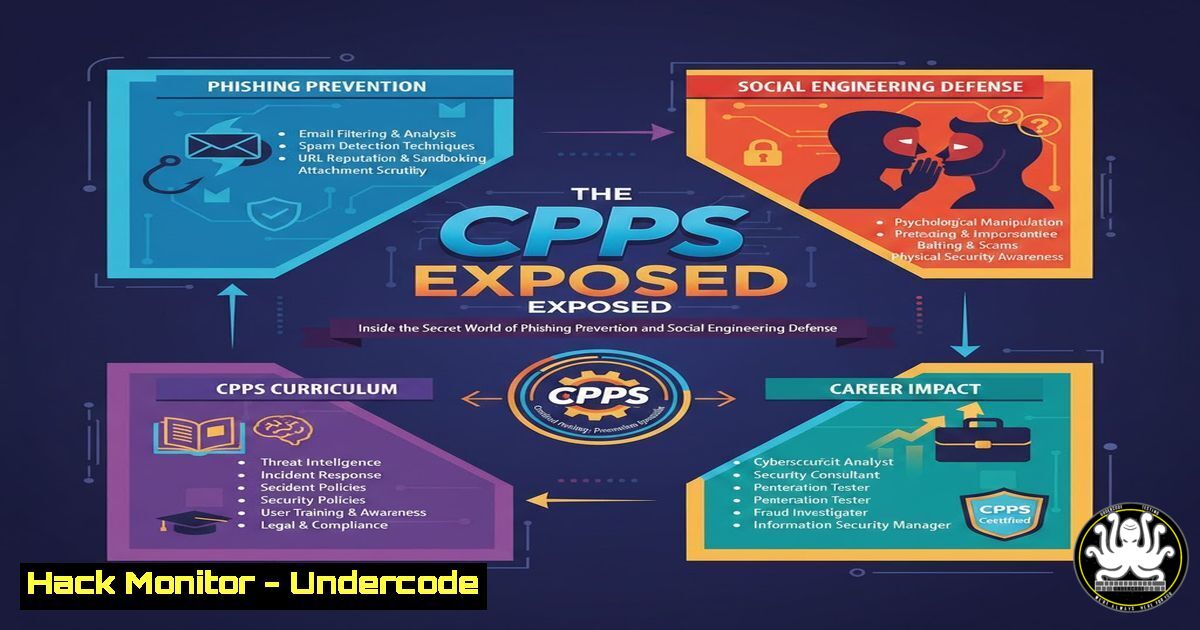
Introduction:
Phishing attacks exploit human psychology and technical vulnerabilities to steal sensitive data, making them a top cyber threat. The Certified Phishing Prevention Specialist (CPPS) certification, offered by Hack & Fix, equips professionals with hands-on skills to combat these attacks through social engineering insights and technical mitigation strategies. This article breaks down the core techniques and tools needed to build a robust phishing defense framework in modern IT environments.
Learning Objectives:
- Understand the mechanics of phishing attacks, including social engineering tactics and email spoofing techniques.
- Learn to analyze phishing attempts using command-line tools, email header forensics, and security protocols like DMARC, DKIM, and SPF.
- Implement proactive prevention measures, including simulated phishing campaigns, SIEM integrations, and incident response procedures.
You Should Know:
- Deconstructing Phishing Emails: Header Analysis and Domain Spoofing
Phishing emails often impersonate legitimate entities by forging headers and domains. To dissect a suspicious email, start by examining raw headers for inconsistencies in sender addresses, return paths, and mail server details. On Linux, save the email as a file (e.g.,phish.eml) and use `grep` to extract key fields:cat phish.eml | grep -E "(From:|Reply-To:|Return-Path:|Received:|Message-ID:)"
On Windows, use PowerShell to parse headers from Outlook or files:
Get-Content phish.eml | Select-String -Pattern "From:|Reply-To:"
Step-by-step guide: First, download the email source (in clients like Thunderbird, use “View Source”). Second, check SPF records for the sender domain using `dig` (Linux) or `nslookup` (Windows):
dig TXT example.com
nslookup -type=TXT example.com
Look for SPF failures indicating unauthorized IPs. Third, validate DKIM signatures with tools like `dkimverify` or online validators. This process helps identify spoofed domains and malicious origins.
-
Social Engineering Simulations: Building Human Firewalls with Gophish
Social engineering preys on human error, making training essential. Simulate phishing campaigns using open-source tools like Gophish to educate users. Install Gophish on a Linux server:sudo apt update sudo apt install golang -y git clone https://github.com/gophish/gophish.git cd gophish go build ./gophish
Step-by-step guide: After installation, access the web interface (default: `https://localhost:3333`). Configure email templates mimicking common phishing lures (e.g., fake login pages). Import target lists via CSV, then launch campaigns to track click-through rates. Analyze results to identify vulnerable users and tailor training. On Windows, use PowerShell to automate user alerts post-simulation:
Send-MailMessage -From "[email protected]" -To "[email protected]" -Subject "Phishing Test Results" -Body "You clicked a simulated phishing link. Review training materials."
This hands-on approach reinforces vigilance.
- Email Authentication Hardening: Implementing DMARC, DKIM, and SPF
Prevent domain spoofing by deploying email authentication protocols. SPF specifies allowed sending IPs, DKIM adds digital signatures, and DMARC defines policy enforcement. Start with SPF: Add a TXT record in your DNS zone (e.g., via AWS Route 53 or Cloudflare):v=spf1 ip4:192.0.2.1 include:_spf.google.com -all
For DKIM, generate a key pair using OpenSSL on Linux:
openssl genrsa -out dkim_private.key 2048
openssl rsa -in dkim_private.key -pubout -out dkim_public.key
Publish the public key as a DNS TXT record. For DMARC, create a policy record:
v=DMARC1; p=quarantine; pct=100; rua=mailto:[email protected]; ruf=mailto:[email protected]
Step-by-step guide: Use tools like `mxtoolbox.com` to verify records. On Windows Server, integrate with Exchange Online PowerShell to monitor compliance:
Get-DmarcReport -Domain example.com -StartDate (Get-Date).AddDays(-7)
Regularly review DMARC aggregate and forensic reports to detect phishing attempts.
4. Phishing Detection with SIEM and Log Analysis
Security Information and Event Management (SIEM) platforms like Splunk or ELK Stack correlate logs to flag phishing indicators. Ingest email gateway logs (e.g., from Cisco ESA or Microsoft Defender) and create alerts for suspicious patterns. In Splunk, use SPL queries to detect phishing:
index=email sourcetype=barracuda url="phishing" OR attachment_name=".scr" | stats count by src_ip, user
On Linux, use `journalctl` to analyze mail server logs:
journalctl -u postfix --since "today" | grep -i "failed|suspicious"
Step-by-step guide: Set up a ELK Stack on Ubuntu for real-time monitoring:
sudo apt install elasticsearch kibana logstash
sudo systemctl start elasticsearch
Configure Logstash pipelines to parse email logs, then visualize data in Kibana dashboards. Create alerts for anomalies like high volumes of external links or attachment downloads.
5. Incident Response to Phishing: Containment and Forensics
When phishing succeeds, act swiftly to limit damage. Isolate affected endpoints, reset compromised credentials, and preserve evidence. On Windows, use PowerShell to force password resets across Active Directory:
Get-ADUser -Filter -SearchBase "OU=Users,DC=domain,DC=local" | Set-ADUser -ChangePasswordAtLogon $true
On Linux, lock accounts and audit SSH sessions:
sudo passwd -l compromised_user
last | grep compromised_user
Step-by-step guide: Capture forensic artifacts from email clients (e.g., Outlook PST files or Thunderbird profiles) using tools like Autopsy. Analyze malicious attachments in sandboxes like Cuckoo Sandbox on Linux:
python cuckoo.py --submit malicious_file.exe
Document timelines and update incident response playbooks.
- Advanced Phishing Defense: API Security and Cloud Hardening
Phishing often targets cloud credentials via OAuth tokens or API keys. Secure cloud environments by enforcing multi-factor authentication (MFA) and monitoring API calls. In AWS, use IAM policies to restrict access and enable CloudTrail logging:aws iam attach-user-policy --user-name admin --policy-arn arn:aws:iam::aws:policy/IAMUserChangePassword aws cloudtrail create-trail --name PhishingAudit --s3-bucket-name my-log-bucket
For Azure, audit sign-ins with PowerShell:
Connect-AzureAD
Get-AzureADAuditSignInLogs -Filter "status/errorCode eq 50155" -Top 10
Step-by-step guide: Implement API gateways with rate limiting and token validation to prevent credential stuffing from phishing campaigns. Use Kubernetes secrets management for sensitive data:
kubectl create secret generic api-key --from-literal=key=supersecret
Regularly rotate keys and use vaults like HashiCorp Vault.
7. Continuous Skill Development: CTFs and Certification Paths
Hands-on practice is crucial for phishing prevention. Engage in capture-the-flag (CTF) challenges on platforms like Hack The Box or TryHackMe, focusing on phishing modules. Set up a lab environment using Docker on Linux:
sudo docker run -d --name phishing-lab -p 80:80 ubuntu/apache2
Step-by-step guide: Explore CPPS-aligned courses on Hack & Fix (assumed URL: hackandfix.org/cpps) for structured learning. Supplement with free resources like OWASP’s Anti-Phishing Project. Use Python to automate phishing analysis scripts:
import re
with open('email.eml', 'r') as f:
content = f.read()
urls = re.findall(r'http[bash]?://(?:[a-zA-Z]|[0-9]|[$-_@.&+]|[!\(\),]|(?:%[0-9a-fA-F][0-9a-fA-F]))+', content)
print("Suspicious URLs:", urls)
This fosters continuous learning and adaptation to new threats.
What Undercode Say:
- Phishing prevention demands a multi-layered approach: technical controls like email authentication must complement user training through simulations. Certifications like CPPS provide a foundation but require ongoing hands-on practice.
- Organizations should prioritize integrating AI-driven email filters and behavioral analytics to counter evolving phishing tactics, as human factors remain the weakest link.
Analysis: The CPPS certification underscores the critical role of specialized knowledge in mitigating social engineering threats. With phishing attacks becoming more targeted (e.g., spear phishing using AI-generated content), professionals must master both defensive protocols and offensive simulation tools. The future of phishing defense lies in automation, but human vigilance—bolstered by certifications and practical labs—will continue to be indispensable.
Prediction:
Phishing attacks will leverage AI to create hyper-personalized messages and deepfake audio/video, bypassing traditional filters. Prevention will shift towards AI-augmented email security platforms and decentralized identity solutions like blockchain-based authentication. Certifications will evolve to include modules on AI threat detection and ethical hacking, ensuring cybersecurity professionals stay ahead of adversarial machine learning techniques.
▶️ Related Video (78% Match):
🎯Let’s Practice For Free:
IT/Security Reporter URL:
Reported By: Masum Molla – Hackers Feeds
Extra Hub: Undercode MoN
Basic Verification: Pass ✅


