Listen to this Post
Introduction:
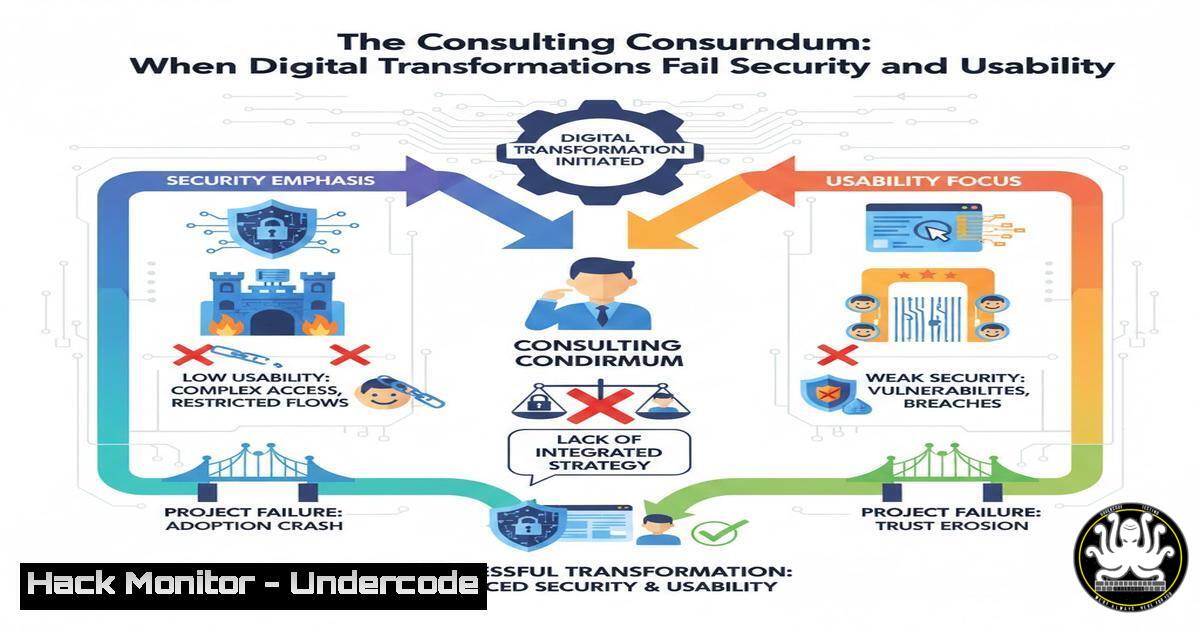
High-profile digital transformation projects led by major consultancies are increasingly facing public scrutiny over catastrophic failures in usability, accessibility, and underlying security. The recent overhaul of the Australian Bureau of Meteorology website by Accenture serves as a stark case study, highlighting systemic issues where contractual deliverables trump functional, secure, and accessible design. This failure transcends mere inconvenience, potentially introducing critical vulnerabilities into essential public infrastructure.
Learning Objectives:
- Identify common security and architectural anti-patterns in large-scale consultancy-led digital projects.
- Implement automated testing for Web Content Accessibility Guidelines (WCAG) compliance to mitigate legal and usability risks.
- Harden cloud configurations and API endpoints against the specific vulnerabilities such projects often introduce.
You Should Know:
1. The Accessibility and Security Overlap
The post’s description of a “user HOSTILE” website points to a fundamental breach of WCAG guidelines. Inaccessible websites often share a codebase with poor security hygiene—both stem from a lack of rigorous, principles-first development. Automated accessibility testing is the first line of defense, identifying issues that could also indicate larger structural problems.
Step-by-step guide:
- Integrate the `axe-core` library into your CI/CD pipeline. For a Node.js project, install it via npm: `npm install axe-core –save-dev`
2. Create a test script using a runner like Playwright or Cypress to execute automated accessibility checks on key pages.// Example using Playwright with axe-core const { test, expect } = require('@playwright/test'); const { injectAxe, checkA11y } = require('axe-playwright');</li> </ol> test('check BOM homepage accessibility', async ({ page }) => { await page.goto('https://weather.bom.gov.au'); await injectAxe(page); await checkA11y(page, null, { detailedReport: true, detailedReportOptions: { html: true } }); });3. The test will output a list of WCAG violations (e.g., color contrast, missing alt text, ARIA attributes). Fail the build on critical violations to enforce compliance.
2. API Security in Data-Heavy Applications
Weather sites rely heavily on APIs to serve radar, chart, and forecast data. A poorly designed API in a “hostile” site could expose sensitive internal systems, leak user data, or be susceptible to denial-of-service attacks.
Step-by-step guide:
- Enforce Rate Limiting: Use an API gateway to throttle requests. For an Nginx proxy, configure rate limiting in the
nginx.conf:http { limit_req_zone $binary_remote_addr zone=api:10m rate=10r/s;</li> </ol> server { location /api/ { limit_req zone=api burst=20 nodelay; proxy_pass http://backend_api; } } }2. Validate Input Rigorously: Never trust client-side input. For a Node.js/Express API, use a schema validation library like Joi:
const Joi = require('joi');
const schema = Joi.object({
location: Joi.string().alphanum().max(100).required(),
chartType: Joi.string().valid('rainRadar', 'pressureMsL').required()
});
app.post('/api/getChart', (req, res) => {
const { error, value } = schema.validate(req.body);
if (error) return res.status(400).send(error.details);
// Proceed with validated data...
});
3. Cloud Misconfiguration and “Bill Shock”
Consultancy projects often leverage cloud platforms but can leave them grossly misconfigured, leading to security holes and exorbitant, uncontrolled costs—the “wasted money” mentioned in the post.
Step-by-step guide:
- Harden S3/Cloud Storage: A common error is leaving data buckets publicly readable. Use AWS CLI to check and rectify:
Check bucket policy aws s3api get-bucket-policy --bucket my-weather-bucket Make a private bucket and enable logging aws s3api create-bucket --bucket my-audit-logs-bucket aws s3api put-bucket-acl --bucket my-weather-bucket --acl private aws s3api put-bucket-logging --bucket my-weather-bucket --bucket-logging-status '{ "LoggingEnabled": { "TargetBucket": "my-audit-logs-bucket", "TargetPrefix": "logs/" } }' - Implement Cost Guardrails: Use AWS Budgets to trigger alerts and even automated actions when spending exceeds thresholds.
aws budgets create-budget --account-id 123456789012 --budget file://budget.json
Where `budget.json` defines spending limits and alerts.
4. The “Layered Admin” Security Blind Spot
The comment about “5-6 layers of admin” describes a security nightmare. Excessive bureaucracy dilutes accountability and often leads to generic, over-privileged user accounts.
Step-by-step guide:
- Enforce the Principle of Least Privilege (PoLP) using Role-Based Access Control (RBAC). On a Linux server, this means creating specific service accounts, not using
root.Create a dedicated user for the web app sudo useradd -r -s /bin/false webapp-service Grant ownership of only the necessary web directory sudo chown -R webapp-service:webapp-service /var/www/my-app sudo chmod 755 /var/www/my-app
- In cloud environments like AWS, create finely-grained IAM policies. Do not use the `AdministratorAccess` policy. A policy for a read-only weather data service should be restrictive:
{
"Version": "2012-10-17",
"Statement": [{
"Effect": "Allow",
"Action": [
"dynamodb:GetItem",
"dynamodb:Query"
],
"Resource": "arn:aws:dynamodb:us-east-1:123456789012:table/WeatherData"
}]
}
5. Functional Requirements vs. Non-Functional Nightmares
The core failure, as one commenter noted, is delivering a “giant list of functional requirements” while ignoring non-functional requirements (NFRs) like performance, security, and usability.
Step-by-step guide:
- Define NFRs as “Quality Gates”: In your project requirements document, explicitly state NFRs with measurable metrics.
Security: “All pages shall achieve a score of >90% on OWASP ZAP automated security scans.”
Accessibility: “The application shall conform to WCAG 2.1 AA standard, verified by automated and manual testing.”
Performance: “95% of all API endpoints shall respond in under 200ms under load of 100 concurrent users.” - Automate NFR Testing: Integrate these metrics into your pipeline. Use `OWASP ZAP` for security testing:
Run a baseline scan against a development build
docker run -v $(pwd):/zap/wrk/:rw -t owasp/zap2docker-stable zap-baseline.py \
-t https://dev-weather-site.example.com -g gen.conf -r testreport.html
What Undercode Say:
- The Contract is the Product: For many large consultancies, the primary deliverable is not a secure, usable product but a checked-box list of functional requirements. Security and accessibility, being difficult to quantify in a contract, are the first casualties.
- Accountability Theater: The promise of being “held accountable” is an illusion. The complex, multi-layered structure of these projects diffuses responsibility to the point of meaninglessness, leaving the client with a broken system and no recourse.
This case is not an anomaly but a symptom of a broken procurement and delivery model. The focus on contractual compliance over tangible outcomes creates systems that are insecure, inaccessible, and ultimately unfit for purpose. The true cost is not just the initial “wasted money” but the long-term technical debt, security risk, and erosion of public trust.
Prediction:
The continued, high-profile failure of multi-million-dollar digital transformation projects will lead to a significant market correction. We will see the rise of specialized, compliance-focused auditing firms that are contracted separately to vet deliverables for security, accessibility, and performance before final payment is released. Furthermore, governments and enterprises will increasingly embed internal “red teams” and product owner advocates within consultancy-led projects to enforce quality standards in real-time, moving beyond the failed “trust but don’t verify” model.
🎯Let’s Practice For Free:
IT/Security Reporter URL:
Reported By: Gillian Dempsey – Hackers Feeds
Extra Hub: Undercode MoN
Basic Verification: Pass ✅🔐JOIN OUR CYBER WORLD [ CVE News • HackMonitor • UndercodeNews ]
📢 Follow UndercodeTesting & Stay Tuned:
- Harden S3/Cloud Storage: A common error is leaving data buckets publicly readable. Use AWS CLI to check and rectify:
- Enforce Rate Limiting: Use an API gateway to throttle requests. For an Nginx proxy, configure rate limiting in the


