Listen to this Post
Introduction:
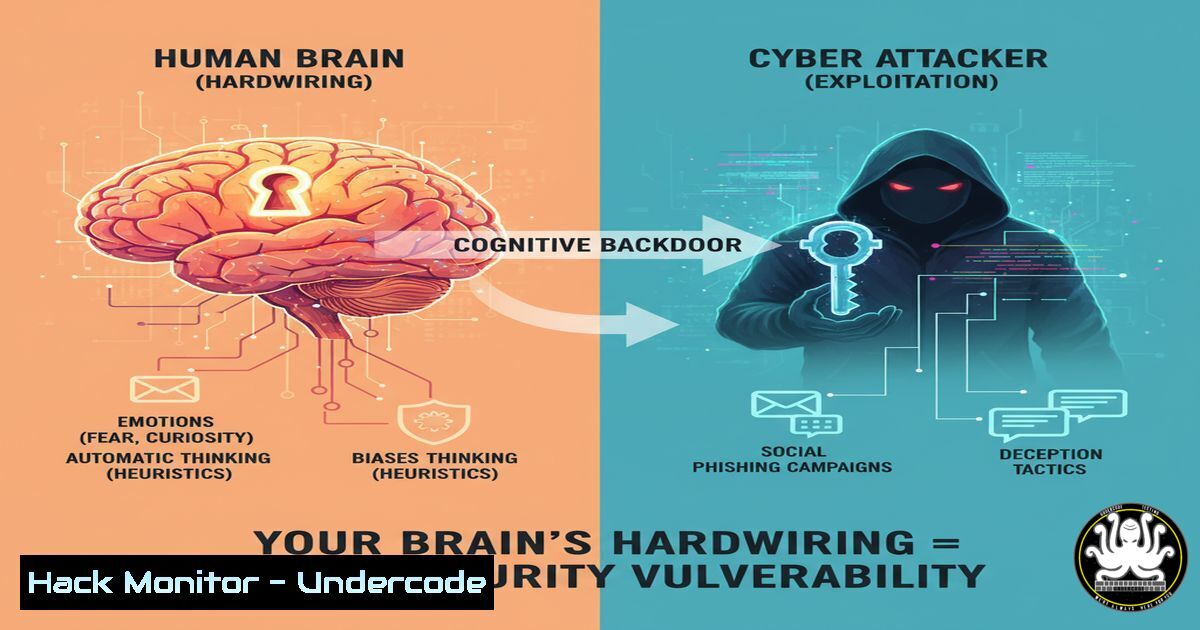
The human brain, evolutionarily primed for efficiency, often takes cognitive shortcuts that become critical liabilities in the digital realm. A recent discussion sparked by Jon Rosemberg highlights how our neural architecture commits to beliefs with the same tenacity as a stubborn algorithm, creating a pervasive attack vector. This article deconstructs these cognitive vulnerabilities and provides the technical command-line and procedural arsenal needed to build digital defenses that compensate for our biological blind spots.
Learning Objectives:
- Understand the core cognitive biases (Confirmation Bias, Anchoring, Authority Bias) that translate into exploitable security flaws.
- Implement technical controls and auditing procedures that enforce security policy independently of human judgment.
- Master deception detection techniques and hardening commands for endpoints, cloud environments, and identity management.
You Should Know:
- Auditing for Privilege Escalation and Anomalous Account Activity
Human Bias: Authority Bias – We tend to unquestioningly obey commands from perceived authority figures, a flaw exploited in phishing and social engineering.
Verified Commands & Guide:
Linux (Check for sudo privileges & history):
`sudo -l`
`cat /var/log/auth.log | grep “sudo:”`
`last`
Windows (Check local and domain group memberships):
`net localgroup administrators`
`net group “Domain Admins” /domain`
Azure AD (PowerShell – Check for highly privileged roles):
`Get-AzureADDirectoryRole | Where-Object {$_.DisplayName -eq “Global Administrator”} | Get-AzureADDirectoryRoleMember | Ft DisplayName`
AWS CLI (List IAM users and attached policies):
`aws iam list-users`
`aws iam list-attached-user-policies –user-name `
Step-by-Step Guide:
This set of commands allows you to audit for unauthorized privilege escalation. Regularly running `sudo -l` on Linux systems shows which commands users can run with elevated privileges. Cross-reference the `auth.log` for successful sudo commands to spot anomalies. On Windows, verifying memberships of the “Administrators” group is crucial. In cloud environments, the principle of least privilege is paramount; these commands help identify accounts with excessive permissions like “Global Admin” or power user policies in AWS, which are prime targets for attackers leveraging authority bias.
2. Hardening System Logging Against Tampering
Human Bias: Confirmation Bias – We seek information that confirms our existing beliefs, potentially causing us to ignore logs that contradict our assumption that a system is secure.
Verified Commands & Guide:
Linux (Configure remote syslog logging in /etc/rsyslog.conf):
`. @:514`
Linux (Make log files append-only):
`chattr +a /var/log/secure.log`
Windows (PowerShell – Forward event logs):
`wevtutil sl /ms:`
Windows (Configure Windows Event Forwarding via GPO):
Step-by-Step Guide:
To combat an attacker’s attempt to cover their tracks (and our own bias to believe the system is clean), logging must be centralized and immutable. Configuring a remote syslog server (rsyslog.conf) ensures logs survive a system compromise. On Linux, using `chattr +a` sets the append-only attribute, preventing log deletion. In Windows environments, Windows Event Forwarding (WEF) should be configured via Group Policy to collect critical security events (like Event ID 4625 for failed logons) on a dedicated, hardened server, creating an objective record that bypasses biased human interpretation.
3. Detecting Network Deception and Man-in-the-Middle (MiTM)
Human Bias: Anchoring – The first piece of information we receive (e.g., a seemingly legitimate website URL) anchors our perception, making it harder to detect subsequent inconsistencies.
Verified Commands & Guide:
Linux (Check ARP table for spoofing):
`arp -a`
Linux (Monitor for suspicious DNS servers in /etc/resolv.conf):
`cat /etc/resolv.conf`
Windows (Flush DNS to bypass cache poisoning):
`ipconfig /flushdns`
Bash (Check for SSL certificate validity of a domain):
`openssl s_client -connect example.com:443 < /dev/null 2>/dev/null | openssl x509 -noout -dates`
Step-by-Step Guide:
Anchoring bias makes us trust a network once we’ve connected. Use `arp -a` to inspect the Address Resolution Protocol table; look for duplicate MAC addresses claiming to be the gateway, indicating ARP spoofing. Always verify the DNS servers in `/etc/resolv.conf` haven’t been maliciously changed. The `openssl` command is critical for verifying the authenticity and validity period of a website’s SSL certificate, helping to detect SSL stripping attacks that rely on our tendency to trust the initial anchor of a “secure” looking padlock icon.
4. Automating Security Scans to Override Complacency
Human Bias: Status Quo Bias – We prefer the current state of affairs, leading to complacency in patching and vulnerability scanning.
Verified Commands & Guide:
Nmap (Basic network vulnerability discovery scan):
`nmap -sV –script vuln `
Nessus (Command-line interface scan initiation):
`nessuscli scan launch –policy “Basic Network Scan” –targets
Linux (Automate patch checks with cron):
`0 3 apt update && apt list –upgradable`
Windows PowerShell (Check for available updates):
`Get-WindowsUpdate`
Step-by-Step Guide:
Schedule regular, automated scans to forcibly override the “if it ain’t broke, don’t fix it” mentality. A `nmap` scan with the `vuln` script can identify known vulnerabilities. For more comprehensive assessments, tools like Nessus can be triggered via CLI. Crucially, automate the process of checking for updates using cron jobs on Linux (apt) or PowerShell scripts on Windows (Get-WindowsUpdate). This ensures proactive maintenance without relying on a potentially complacent human operator.
5. Implementing Application Allow-Listing
Human Bias: Familiarity Bias – We trust files and applications that look familiar, which is exploited by malware using familiar icons and names.
Verified Commands & Guide:
Windows (PowerShell – Create a Code Integrity policy with AppLocker):
`Get-AppLockerPolicy -Local | Test-AppLockerPolicy -UserName -Path `
Windows (Configure AppLocker via GPO):
`gpedit.msc -> Computer Config -> Windows Settings -> Security Settings -> Application Control Policies -> AppLocker`
Linux (Using fail2ban to block repeated unauthorized execution attempts):
`fail2ban-client set banip `
Step-by-Step Guide:
Allow-listing is a technical enforcement that prevents the execution of unauthorized software, directly countering familiarity bias. On Windows, AppLocker is the primary tool. Use the Group Policy Editor (gpedit.msc) to create rules that only allow executables, scripts, and installers from specified paths (e.g., C:\Program Files\). Test the policy with Test-AppLockerPolicy. On Linux, while full application control is more complex, tools like `fail2ban` can be configured to ban IPs that repeatedly attempt to execute scripts or commands in unauthorized directories, adding a layer of defense.
6. Cloud Security Posture Management (CSPM) Commands
Human Bias: Optimism Bias – “A data breach won’t happen to me,” leading to misconfigured cloud storage and open security groups.
Verified Commands & Guide:
AWS CLI (Check for publicly accessible S3 buckets):
`aws s3api get-bucket-acl –bucket `
AWS CLI (Check security group rules for 0.0.0.0/0):
`aws ec2 describe-security-groups –filters “Name=ip-permission.cidr,Values=0.0.0.0/0″`
Azure CLI (Check for storage accounts with public blob access):
`az storage account list –query “[?allowBlobPublicAccess==true].{Name:name}”`
Terraform (Ensure an S3 bucket is not public in configuration):
`resource “aws_s3_bucket_public_access_block” “example” { block_public_acls = true }`
Step-by-Step Guide:
Optimism bias is a major cause of cloud data leaks. Use these commands to aggressively audit your environment. The AWS CLI commands scan for S3 buckets with permissive ACLs and security groups that are open to the world (0.0.0.0/0), a common and critical misconfiguration. In Azure, the CLI command lists storage accounts that allow public blob access. Infrastructure-as-Code (IaC) with Terraform allows you to codify and enforce these secure settings (like block_public_acls) before deployment, preventing human error from creating vulnerabilities.
7. API Security Testing with curl and jq
Human Bias: Automation Bias – Over-relying on automated systems without understanding their failure modes, leading to insecure API endpoints.
Verified Commands & Guide:
curl (Testing for broken object level authorization – BOLA):
`curl -H “Authorization: Bearer
`curl -H “Authorization: Bearer
curl (Fuzzing for SQL injection):
`curl -X GET “https://api.example.com/data?user=1′ OR ‘1’=’1′”`
jq (Parsing and analyzing complex API JSON responses):
`curl -s
Step-by-Step Guide:
Don’t just trust that your API gateway is secure. Actively test it. The first `curl` commands simulate an attacker changing the user ID in the request path to access another user’s data (BOLA). If both requests return data, the authorization is broken. The second command tests for a basic SQL injection vulnerability. Use jq, a powerful JSON processor, to sift through large amounts of data returned by APIs during testing, for instance, to quickly find all users with admin privileges. This manual verification supplements automated API security scanners.
What Undercode Say:
- The human brain is the most consistent and exploitable vulnerability in any security system. Technical controls must be designed not for an ideal user, but for the cognitively biased human.
- True resilience is achieved by building systems that assume human error and cognitive compromise, automating enforcement, and creating immutable audit trails that provide an objective reality.
The analysis suggests that while AI and machine learning are often touted as cybersecurity solutions, they are themselves susceptible to the biases of their creators and trainers. The next frontier of security will not be a purely technological arms race, but a socio-technical one. It requires a fundamental shift in how we design systems: moving from demanding perfect human vigilance to creating architectures that are inherently resilient to predictable human failure. This means embedding zero-trust principles, mandatory automation for critical controls, and continuous compromise assessment directly into the fabric of our IT environments.
Prediction:
The convergence of advanced AI-driven social engineering and cognitive warfare will render traditional “awareness training” insufficient. Future cyber-physical attacks will not just exploit software bugs, but will be precisely engineered to trigger deep-seated cognitive biases—such as urgency and social proof—at a mass scale, leading to cascading failures in critical infrastructure and financial systems. The organizations that survive will be those that have preemptively implemented autonomously operating security controls that function independently of human decision-making loops during a crisis.
🎯Let’s Practice For Free:
IT/Security Reporter URL:
Reported By: Jonrosemberg Your – Hackers Feeds
Extra Hub: Undercode MoN
Basic Verification: Pass ✅


