Listen to this Post
Introduction:
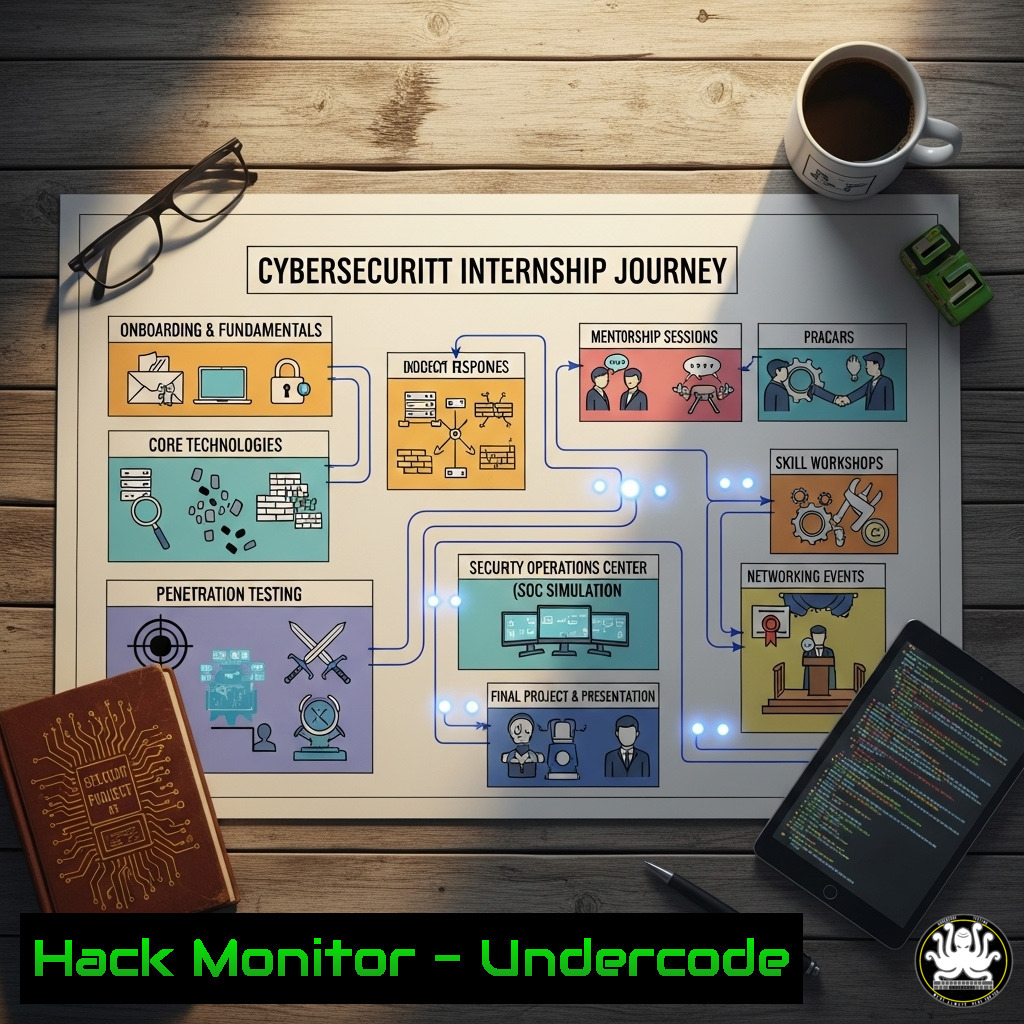
Landing a coveted cybersecurity internship, especially one focused on cloud security, requires a demonstrated mastery of specific technical skills. The journey of Great Erhuanga, who recently secured a spot in the CloudSec Network AWS Bootcamp internship, highlights the critical blend of cloud platform expertise, defensive hardening, and offensive security techniques that modern employers demand. This article deconstructs the essential technical proficiencies you need to master to follow a similar path.
Learning Objectives:
- Master core AWS security services for identity management, logging, and infrastructure hardening.
- Develop proficiency in network security diagnostics and penetration testing across Linux and Windows environments.
- Automate security assessments and vulnerability scanning using industry-standard tools and scripting.
You Should Know:
1. AWS IAM Policy Auditing and Hardening
A foundational skill in cloud security is properly configuring Identity and Access Management (IAM). Misconfigurations are a primary attack vector.
`aws iam list-users –query ‘Users[].UserName’`
`aws iam list-attached-user-policies –user-name `
`aws iam get-policy-version –policy-arn –version-id `
Step-by-step guide:
The first command lists all IAM users in the account. For each user, use the second command to list the policies attached to them. Finally, use the third command to retrieve the specific details of a policy version. This audit process helps identify over-privileged users, ensure the principle of least privilege, and uncover any policies granting unnecessary permissions like :.
2. Enforcing CloudTrail Logging Across All Regions
Continuous monitoring is non-negotiable. AWS CloudTrail records API calls, providing an audit trail for security investigations.
`aws cloudtrail describe-trails`
`aws cloudtrail create-trail –name Global-Trail –s3-bucket-name –is-multi-region-trail`
`aws cloudtrail start-logging –name Global-Trail`
Step-by-step guide:
The first command checks for existing trails. The second creates a new multi-region trail that automatically logs activity in all AWS regions and delivers logs to a specified S3 bucket (which should have strict access controls). The third command ensures the logging is activated. Always verify that log file validation is enabled to detect tampering.
3. Network Security Group (NSG) Vulnerability Assessment
Open ports are a common entry point for attackers. Regularly auditing security groups is crucial.
`aws ec2 describe-security-groups –query ‘SecurityGroups[].[GroupId,GroupName]’`
`aws ec2 describe-security-groups –group-ids –query ‘SecurityGroups[].IpPermissions[]’`
Step-by-step guide:
The first command lists all security groups and their IDs. The second command queries a specific security group to list all its inbound rules (IpPermissions). Look for rules that allow overly permissive access, such as `0.0.0.0/0` on ports 22 (SSH), 3389 (RDP), 1433 (MSSQL), or 443/80 if not required for public web traffic.
4. Linux Privilege Escalation Enumeration
During penetration testing, identifying misconfigurations on a Linux host is key to escalating privileges.
`find / -perm -4000 -type f 2>/dev/null`
`sudo -l`
`uname -a && cat /etc/release`
Step-by-step guide:
The `find` command locates all SUID binaries, which can be potential privilege escalation vectors. The `sudo -l` command lists the commands the current user is allowed to run with sudo privileges, which might be exploited. The final command checks the kernel and OS version to identify known, exploitable vulnerabilities.
5. Windows Lateral Movement with PowerShell
Understanding how attackers move through a network is vital for building defenses.
`Get-LocalUser | Where-Object {$_.Enabled -eq $True}`
`Invoke-ShareFinder -ExcludeStandard -ExcludePrint -ExcludeIPC`
`Test-NetConnection -ComputerName -Port 445`
Step-by-step guide:
The first PowerShell cmdlet lists all enabled local user accounts, useful for identifying targets. The second, from the PowerView module, finds non-standard SMB shares on the network where sensitive data might be stored. The third tests connectivity to a target machine on port 445 (SMB), a common protocol used for lateral movement.
6. Web Application Reconnaissance with Nmap and Nikto
Before attacking an application, thorough reconnaissance is performed to map the attack surface.
`nmap -sV -sC -O -oA scan_results`
`nikto -h http://
`nmap –script vuln `
Step-by-step guide:
The `nmap` command performs a version (-sV) and default script (-sC) scan, attempts OS detection (-O), and outputs results in all formats (-oA). The `nikto` command launches a dedicated web vulnerability scanner against the target. The final `nmap` command runs its built-in vulnerability scripts to identify known security issues.
7. Automating Vulnerability Scanning with Nessus
Enterprise-grade vulnerability management relies on tools like Nessus to automate and prioritize findings.
`nessuscli fetch –register `
`systemctl start nessusd`
` Access the Web UI at https://localhost:8834/`
Step-by-step guide:
After installation, use the `nessuscli` command to register and activate the scanner. Start the Nessus daemon service. The actual scanning is configured via the web interface. Here, you create a new scan policy, define the target IP range, and schedule regular scans. The key is to configure credentialed scans for deeper, more accurate assessment of systems.
What Undercode Say:
- The technical bar for cloud security roles is set at the intersection of DevOps, networking, and traditional infosec. Mastery of CLI tools is the baseline.
- Hands-on practice is irreplaceable. Theoretical knowledge of IAM means little without the muscle memory of auditing policies via the AWS CLI.
- The future of security is automated and embedded. The ability to script security checks (Bash, PowerShell) and use APIs separates junior talent from senior engineers.
The pathway outlined by the CloudSec Network Bootcamp is a microcosm of the industry’s shift-left mentality. It’s no longer enough to understand threats conceptually; you must be able to emulate them in a lab environment and then build the defenses to stop them. The commands and techniques detailed here form the core of this practical skill set. Success hinges on consistently applying these skills in home labs, capture-the-flag events, and contributing to open-source security tools.
Prediction:
The convergence of AI and cloud security will redefine the internship landscape within two years. AI-powered offensive security tools will automatically generate complex attack patterns, forcing defenders to rely on AI-augmented threat hunting and automated hardening scripts. Internships will increasingly focus on curating training data for defensive AI systems, writing code for automated remediation playbooks, and securing AI APIs themselves as a primary attack surface. The analysts who thrive will be those who can work symbiotically with AI, directing its capabilities and interpreting its findings.
🎯Let’s Practice For Free:
IT/Security Reporter URL:
Reported By: Great Erhuanga – Hackers Feeds
Extra Hub: Undercode MoN
Basic Verification: Pass ✅


