Listen to this Post
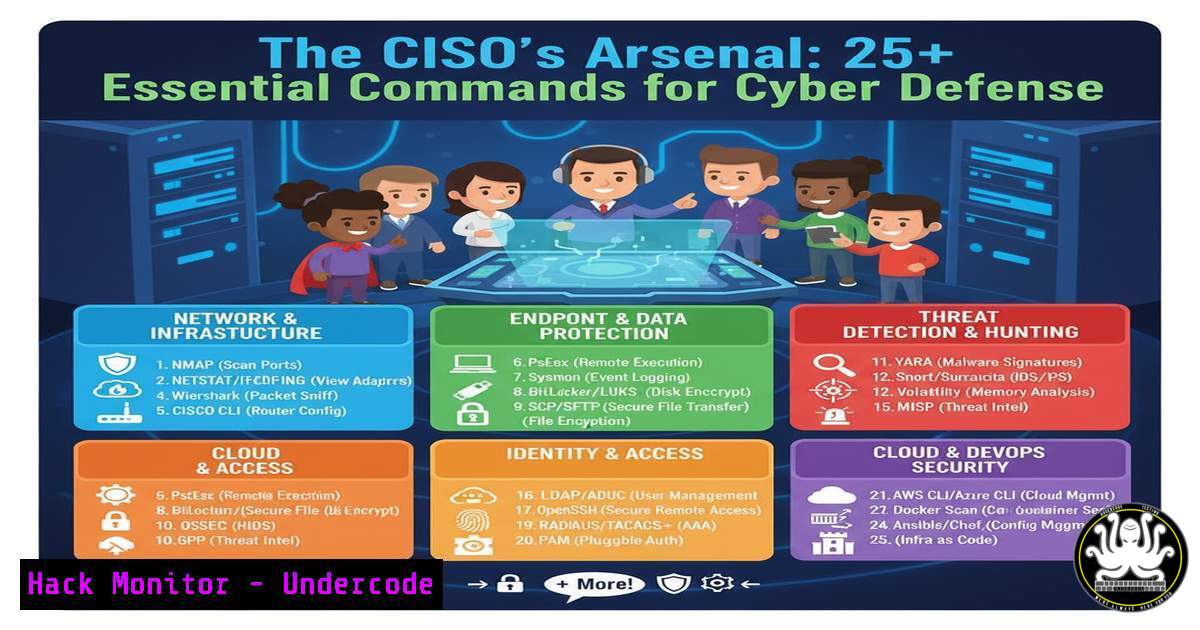
Introduction:
The role of a Chief Information Security Officer (CISO) extends far beyond policy and management; it requires a deep, technical understanding of the systems they are sworn to protect. As exemplified by industry leaders, true security is built on a foundation of knowledge and practical skill. This article provides a technical toolkit essential for any cybersecurity professional aiming to secure modern enterprise environments.
Learning Objectives:
- Master fundamental command-line tools for system reconnaissance and hardening on both Linux and Windows platforms.
- Implement critical security configurations for network monitoring, access control, and vulnerability mitigation.
- Develop a practical understanding of scripting and automation for continuous security compliance.
You Should Know:
1. Linux System Reconnaissance
A CISO must understand the state of their systems. These commands provide a foundational snapshot.
 Display currently running processes
ps aux
 Show open network sockets and the associated processes
netstat -tulnp
 List all installed packages on a Debian-based system
dpkg -l
 Display system hardware information (CPU, memory, etc.)
lshw -short
 Show the last logged-in users and their activity
last -a
Step-by-step guide: Begin any investigation or audit with `ps aux` to get a baseline of running processes. Pipe the output to `grep` to search for specific applications. Follow up with `netstat -tulnp` to identify all network services listening for connections, correlating the Process ID (PID) with the output from ps. Use `dpkg -l` (or `rpm -qa` on Red Hat-based systems) to audit installed software for unauthorized or vulnerable packages.
2. Windows Security Auditing
Windows environments require specific commands for visibility and control, crucial for adhering to security frameworks.
 Get a list of all running processes
Get-Process | Format-Table Name, Id, CPU, WorkingSet -AutoSize
 List all established network connections
Get-NetTCPConnection | Where-Object {$_.State -eq "Established"}
 Display the status of all Windows Firewall rules
Get-NetFirewallRule | Select-Object Name, Enabled, Direction, Action | Format-Table -AutoSize
 Check the status of a specific service, like the Windows Defender Antivirus Service
Get-Service -Name WinDefend
 Show recent security log entries from the Event Viewer
Get-WinEvent -LogName Security -MaxEvents 10 | Format-List
Step-by-step guide: Utilize PowerShell, the backbone of modern Windows administration. Start with `Get-Process` to mirror the Linux `ps` command. The `Get-NetTCPConnection` cmdlet is invaluable for spotting unexpected outbound or inbound connections. Regularly audit your firewall configuration with `Get-NetFirewallRule` to ensure no overly permissive rules are enabled.
3. Network Security Monitoring
Proactive network monitoring is the first line of defense against intrusion.
 Capture 100 packets on the eth0 interface and write to a file
tcpdump -i eth0 -c 100 -w packet_capture.pcap
 Monitor network traffic in a human-readable format
tcpdump -i eth0 -n
 Perform a comprehensive port scan on a target network
nmap -sS -sV -O -p- 192.168.1.0/24
 Check for open ports on the local machine
netstat -tuln
 Analyze a captured packet file for HTTP traffic
tcpdump -A -r packet_capture.pcap port 80
Step-by-step guide: `tcpdump` is a powerful packet analyzer. Use `tcpdump -i eth0 -c 100 -w capture.pcap` to capture a sample of traffic for analysis. The resulting `.pcap` file can be opened in tools like Wireshark for deeper inspection. Use `nmap` for authorized external and internal penetration testing to identify unauthorized services and map the network attack surface.
4. File Integrity and Access Control
Ensuring the integrity and confidentiality of critical files is a non-negotiable security task.
 Generate an SHA-256 checksum for a critical file (e.g., /etc/passwd)
sha256sum /etc/passwd
 Find all files with the SUID bit set, which can be a privilege escalation vector
find / -perm -4000 2>/dev/null
 Change the ownership of a file to root
chown root:root sensitive_file.txt
 Set restrictive permissions on a file (read/write for owner, read for group)
chmod 644 config_file.conf
 Recursively find all world-writable files in the /home directory
find /home -type f -perm -0002
Step-by-step guide: Regularly generate checksums (sha256sum) of critical system binaries and configuration files to detect unauthorized modifications. The `find / -perm -4000` command is a standard privilege escalation check during security assessments, identifying programs that run with elevated rights. Use `chmod` and `chown` to enforce the principle of least privilege on sensitive data.
5. Vulnerability Scanning and Mitigation
Automating vulnerability assessment is key to maintaining a strong security posture.
 Update the local vulnerability database (on a system with Lynis installed)
lynis update info
 Run a system audit with Lynis
lynis audit system
 Use Nmap's NSE scripts to scan for common vulnerabilities
nmap --script vuln 192.168.1.105
 Check a specific server for the Heartbleed vulnerability
nmap -p 443 --script ssl-heartbleed target.com
 Perform a brute-force audit of SSH passwords (for authorized testing only)
nmap -p 22 --script ssh-brute 192.168.1.10
Step-by-step guide: Tools like Lynis provide a hardened baseline. Run `lynis audit system` to receive a report with specific warnings and suggestions. Complement this with targeted `nmap` NSE scripts. For example, `nmap –script vuln` will check a host against a database of known vulnerabilities, providing direct technical data for patching priorities.
6. API Security Testing
With the rise of microservices, API security is a critical frontier for CISOs.
 Use curl to test an API endpoint for SQL injection vulnerability
curl -X GET "https://api.example.com/v1/users?id=1 OR 1=1"
 Test for insecure HTTP methods (like PUT/DELETE)
curl -X OPTIONS -I http://api.example.com/v1/data
 Fuzz an API endpoint for hidden parameters or paths using FFUF
ffuf -w /usr/share/wordlists/common.txt -u https://api.example.com/v1/FUZZ
 Send a POST request with a JSON payload to test an endpoint
curl -X POST -H "Content-Type: application/json" -d '{"user":"admin","pass":"test"}' https://api.example.com/login
 Check the security headers of a web application/API
curl -I https://api.example.com | grep -i "strict-transport-security|x-frame-options|x-content-type"
Step-by-step guide: Simple `curl` commands can be highly effective for initial API reconnaissance. Test for SQLi by injecting payloads directly into parameters. The `OPTIONS` method can reveal potentially dangerous methods allowed by the server. Use fuzzing tools like `FFUF` to discover unlinked endpoints that may be vulnerable.
7. Cloud Hardening (AWS CLI Examples)
Cloud security is a core component of modern CISO responsibilities.
 List all S3 buckets and their encryption status
aws s3api list-buckets --query 'Buckets[].Name'
aws s3api get-bucket-encryption --bucket BUCKET_NAME
 Check for publicly accessible S3 buckets
aws s3api get-bucket-acl --bucket BUCKET_NAME
 List all IAM users in the account
aws iam list-users
 Get the password policy for the AWS account
aws iam get-account-password-policy
 Check a specific security group for overly permissive rules (e.g., 0.0.0.0/0)
aws ec2 describe-security-groups --group-ids sg-xxxxxxxxx --query 'SecurityGroups[].IpPermissions'
Step-by-step guide: Automate cloud configuration checks using the AWS CLI. Regularly run scripts that list all S3 buckets and check their encryption and ACLs to prevent data leaks. Audit IAM users and security groups to ensure compliance with the principle of least privilege, looking for any rules that allow access from anywhere (0.0.0.0/0).
What Undercode Say:
- Technical Fluency is Non-Negotiable: Effective security leadership is grounded in the ability to understand and command the technical landscape, from the Linux kernel to the cloud control plane.
- Automation is a Force Multiplier: Manual checks are insufficient. The modern CISO must champion the use of scripts and automated tools for continuous compliance and threat detection, turning abstract policies into enforceable code.
The insights from industry leaders highlight that success in cybersecurity hinges on communication and a deep understanding of operational environments. This technical toolkit translates that philosophy into action. The commands and scripts provided are not just for system administrators; they are the essential vocabulary for a CISO to validate controls, interrogate incidents, and communicate risks with authority. By mastering these practical skills, security leaders can move beyond buzzwords like “Zero Trust” and ensure their implementations are robust, tested, and effective.
Prediction:
The convergence of AI-driven threat actors and an expanding cloud attack surface will render manual security processes obsolete. The CISO of the future will rely almost exclusively on automated, code-defined security postures. Professionals who fail to bridge the gap between high-level strategy and hands-on technical implementation will struggle to defend their organizations against increasingly sophisticated and automated attacks. The ability to script, command, and verify will become the defining trait of successful cybersecurity leadership.
🎯Let’s Practice For Free:
IT/Security Reporter URL:
Reported By: Yohann Bauzil – Hackers Feeds
Extra Hub: Undercode MoN
Basic Verification: Pass ✅


