Listen to this Post
Introduction:
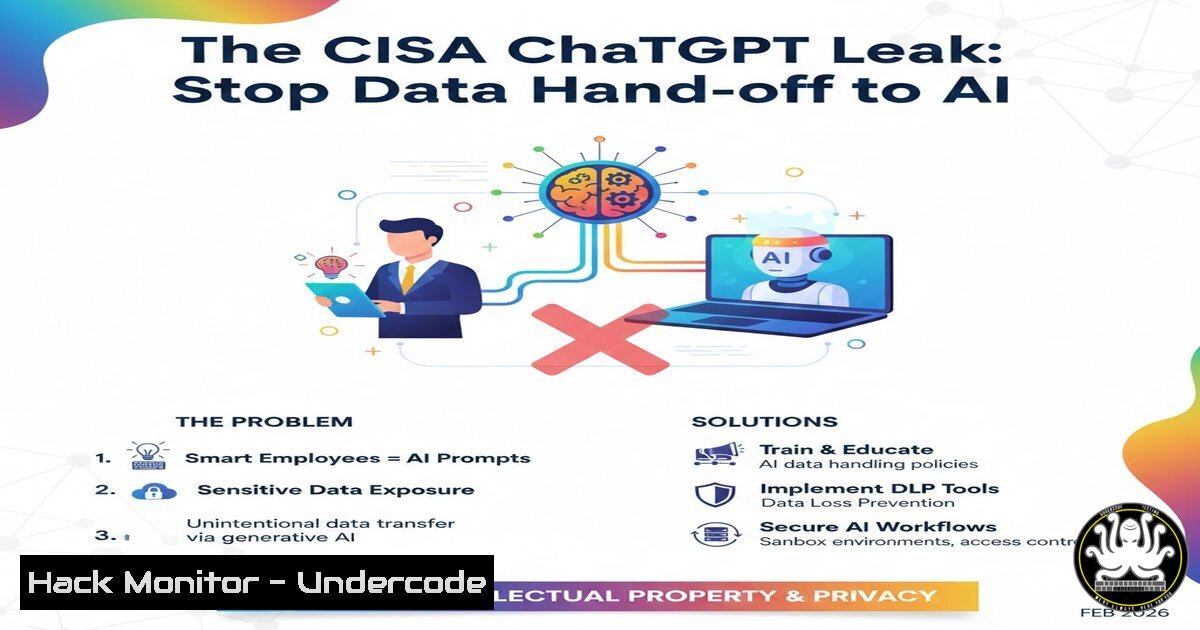
The recent incident involving a senior CISA official uploading sensitive documents to public ChatGPT wasn’t a sophisticated cyberattack; it was a catastrophic failure of procedural and technical guardrails. This event underscores a critical modern truth: the most significant data exposure threat is no longer the external hacker, but the credentialed insider prioritizing speed over security. This article deconstructs the incident and provides a technical blueprint for implementing governance-at-execution to prevent “convenience-driven” breaches.
Learning Objectives:
- Understand and implement Data Loss Prevention (DLP) tools and policies to technically enforce data handling rules.
- Configure endpoint and network-level controls to restrict access to unauthorized AI tools.
- Deploy and mandate the use of approved, secure AI tools with proper data governance.
- Establish technical guardrails that “refuse” inadmissible actions before they occur.
- Foster a security culture where training is reinforced by unbreakable technical systems.
You Should Know:
- Deploying and Configuring Enterprise Data Loss Prevention (DLP)
The core technical failure was the system’s inability to recognize and block the upload of “For Official Use Only” (FOUO) data. A robust DLP solution acts as a mandatory technical control.
Step-by-step guide:
Discovery & Classification: First, use DLP tools to scan endpoints and repositories for sensitive data. Classify files using patterns (e.g., “FOUO,” “SSN,” custom regex for project codenames).
Microsoft Purview Compliance Portal: Create a sensitive info type for “FOUO.”
New-DlpSensitiveInformationType -Name "FOUO" -Pattern @(([bash]'FOR OFFICIAL USE ONLY'))
Policy Creation & Enforcement: Create a DLP policy that triggers on this classification. The policy should block the upload of classified documents to unapproved cloud services, including public AI chatbots.
In Microsoft 365, create a policy under Data loss prevention > Policies > + Create policy. Set the condition for your “FOUO” sensitive type. For actions, choose “Block” and select the category “Apps and services,” specifically adding the domains of public AI tools (e.g., .openai.com, .anthropic.com).
Endpoint DLP: For deep enforcement, deploy Endpoint DLP. This monitors file activities directly on the machine, even when the user is offline or using a browser.
In Windows, this is part of Microsoft Defender for Endpoint. Ensure the policy is applied to the device group containing user machines.
- Implementing Technical Guardrails with Web Proxies and Firewalls
If a DLP policy misses a new file, network-level blocks are your next line of defense. This is a “refusal-centric” architecture that prevents the connection outright.
Step-by-step guide:
Identify and Categorize AI Domains: Maintain a dynamic list of AI service domains and IP ranges. This includes not just the main sites but also their API endpoints (e.g., api.openai.com, claude.ai).
Configure Proxy PAC File or Firewall Rules: Update your secure web gateway or next-gen firewall to block these categories for all users, or for groups not explicitly authorized.
Example Squid Proxy Rule:
acl ai_domains dstdomain "/etc/squid/ai-domains.list"
http_access deny ai_domains
Example Windows Command to Test Block (PowerShell): After implementation, test that the block is active.
Test-NetConnection api.openai.com -Port 443
 Should result in "TcpTestFailed: True"
Create an Explicit Allow List: For teams requiring AI, create a separate network segment or proxy policy that only allows traffic to your approved, internal AI tools, blocking all others.
- Standing Up Secure, Approved AI Tools for Analysts
You cannot ban AI; you must provide a safer, faster alternative. Deploy internal AI sandboxes or licensed, air-gapped enterprise versions.
Step-by-step guide:
Option A: Deploy a Local LLM Sandbox: Use containers to host models like Llama 2 or Mixtral internally.
Quickstart with Ollama (Linux):
 Install Ollama
curl -fsSL https://ollama.com/install.sh | sh
 Pull a model
ollama pull llama2
 Run the model server
ollama serve
 Now, analysts can use a local client pointing to http://localhost:11434
Option B: Configure Enterprise API Access: For vendors like Anthropic, use their enterprise console to provision secure API keys with strict usage policies. Direct your approved applications to use this API, never the public web interface.
Environment Variable for Secure API Call (Python):
import anthropic
client = anthropic.Anthropic(
api_key=os.environ.get("ANTHROPIC_SECURE_API_KEY")  Key stored securely, not in code
)
4. Hardening Endpoints with Application Control
Prevent the installation or execution of unauthorized applications that could circumvent browser-based controls.
Step-by-step guide:
Windows: Use AppLocker or WDAC (Windows Defender Application Control):
Create a WDAC policy that allows only signed, approved executables. Block unknown installers.
Generate a Base Policy (Admin PowerShell):
New-CIPolicy -Level SignedVersion -FilePath C:\Policy.xml -UserPEs
Linux: Implement Mandatory Access Control (MAC) with SELinux/AppArmor:
Create an AppArmor profile for the browser that denies writing to directories associated with unauthorized AI desktop clients.
Example AppArmor deny rule:
deny /opt/unauthorized-ai-client/ rwx,
5. Simulating the “Human Factor” and Validating Controls
Policy without testing is mythology. Conduct regular red-team exercises focused on this exact failure mode.
Step-by-step guide:
Create a Test Document: Generate a mock “FOUO” document with a unique tracking code (e.g., a canary token).
Task Your Red Team: Instruct an internal red teamer (or a trusted employee in a controlled exercise) to try and get this document summarized by a public AI tool, mimicking the “urgency” of real work.
Monitor and Measure: Does the DLP block it and alert? Does the proxy stop the connection? Does the endpoint control prevent a workaround? The goal is to trigger and validate your technical “refusal” mechanisms.
Analyze and Iterate: Any successful exfiltration highlights a control gap. Close it technically, not just with another memo.
What Undercode Say:
- The System Must Refuse, Not Just Advise: The ultimate takeaway is that governance must be embedded into the execution layer. Pop-up warnings are ignored; hard technical blocks that preempt inadmissible actions are the only effective control under time pressure. This is a shift from detective to preventive by default.
- Convenience Exploits Confidence, Not Ignorance: The risk is highest among competent, credentialed professionals under stress. Your security architecture must assume that any allowed action will eventually be taken, regardless of the user’s training or intent. Therefore, the focus must be on ruthlessly eliminating inadmissible action paths through technical means.
Prediction:
This high-profile incident will catalyze two major shifts. First, regulatory frameworks (like NIST AI RMF and upcoming federal mandates) will move beyond policy guidelines to require demonstrable, technical enforcement mechanisms for AI data governance. Compliance audits will include penetration testing for AI data leakage. Second, the market for “AI Security Gateways” and “Secure AI Sandboxes” will explode, becoming as standard as next-gen firewalls. These tools will act as policy enforcement points, inspecting, redacting, and logging all traffic between users and AI models, making the insecure use of public AI tools technically impossible within enterprise environments. The era of trusting user judgment with sensitive data and powerful AI is over.
▶️ Related Video (78% Match):
🎯Let’s Practice For Free:
IT/Security Reporter URL:
Reported By: Johntroxel Ai – Hackers Feeds
Extra Hub: Undercode MoN
Basic Verification: Pass ✅


