
Listen to this Post
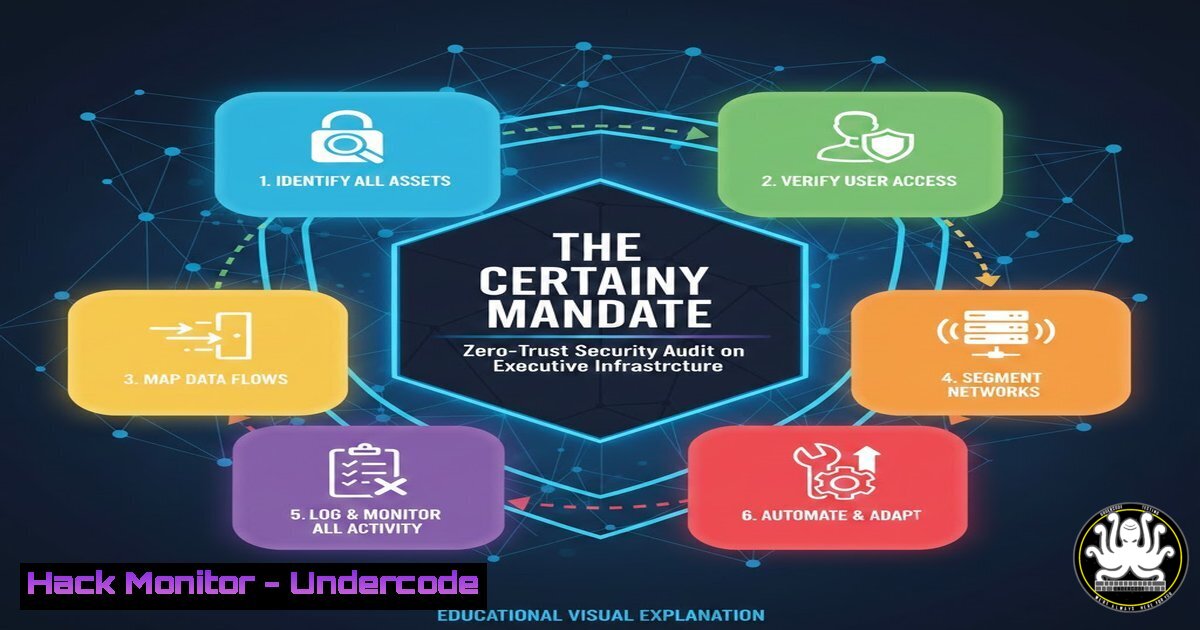
Introduction:
In the modern threat landscape, choosing a security posture is not a procurement decision but a strategic one. As highlighted in a recent industry critique, many organizations make the mistake of prioritizing brand recognition or response time over genuine risk reduction. This article moves beyond reactive optics to focus on engineering certainty through technical exposure. We will dissect how to transition from a “prevention-only” mindset to a detection-heavy, consequence-driven security architecture using practical IT and cybersecurity commands.
Learning Objectives:
- Understand the difference between security procurement and security posture engineering.
- Learn how to audit your digital exposure using open-source intelligence (OSINT) and network scanning tools.
- Implement detection speed mechanisms and decision-clarity protocols across Linux and Windows environments.
- Identify and mitigate common blind spots in executive and organizational infrastructure.
You Should Know:
- Mapping Your Digital Exposure: The “Hard Questions” Audit
A serious security advisor starts with exposure, not products. To replicate this, you must first conduct a thorough asset discovery to understand what attackers see.
Step‑by‑step guide:
- External Footprinting (Linux): Use `nmap` to scan your external perimeter for open ports that shouldn’t be exposed.
nmap -sS -sV -O yourdomain.com
What this does: A SYN scan to identify live hosts, service versions, and operating systems. If you see RDP (port 3389) or Telnet (23) exposed, you have a critical posture issue.
- Subdomain Enumeration: Attackers often find forgotten development servers.
sudo apt install amass
amass enum -d yourdomain.com
- Windows Internal Audit: From a domain controller, run a BloodHound collector to visualize attack paths.
SharpHound.exe -c All
Why: This reveals if a standard user account can reach a domain admin, exposing the “blind spots” in your internal network.
2. Detection Speed: Implementing Real-Time Alerting
The post emphasizes “detection speed” over “prevention optics.” You cannot rely on firewalls alone; you need to know the moment a breach occurs.
Step‑by‑step guide:
- Linux Host-Based Intrusion Detection (Wazuh Agent):
Install an agent to ship logs to a SIEM.curl -s https://packages.wazuh.com/key/GPG-KEY-WAZUH | apt-key add - apt-get install wazuh-agent systemctl start wazuh-agent
Function: Monitors file integrity, detects rootkits, and forwards logs for correlation.
- Windows Event Forwarding (Built-in):
Configure Windows to forward security events (e.g., 4625 for failed logins, 4688 for process creation) to a central collector.wecutil qc
Concept: This ensures that if an executive’s endpoint is compromised, the security operations center (SOC) sees it within seconds, not days.
3. Consequence-Based Hardening: Cloud Infrastructure
Advisors think in “consequences before probabilities.” In cloud environments, the consequence of a misconfigured S3 bucket or exposed database is data exfiltration.
Step‑by‑step guide (AWS CLI):
- Audit S3 Permissions:
List all buckets and check for public access.
aws s3api list-buckets --query 'Buckets[].Name' | xargs -I {} aws s3api get-bucket-acl --bucket {}
Mitigation: If `AllUsers` or `AuthenticatedUsers` have read access, immediately block public access.
aws s3api put-public-access-block --bucket your-bucket-name --public-access-block-configuration BlockPublicAcls=true,IgnorePublicAcls=true,BlockPublicPolicy=true,RestrictPublicBuckets=true
4. Decision Clarity: Simulating an Active Breach
How quickly can your team decide to isolate a machine? You cannot wait for a manual decision when ransomware is encrypting files.
Step‑by‑step guide (Incident Response Playbook):
- Automated Isolation (Windows – PowerShell):
Create a script that triggers upon a high-severity alert to disable the NIC.Disable-NetAdapter -Name "Ethernet" -Confirm:$false
- Linux Network Kill Switch:
sudo iptables -P INPUT DROP
sudo iptables -P OUTPUT DROP
sudo iptables -P FORWARD DROP
Execution: This script should be ready to deploy via your RMM tool. It buys you time to think.
5. The Advisor’s Toolkit: Vulnerability Management
To challenge blind spots, you need a constant stream of vulnerability data.
Step‑by‑step guide (OpenVAS on Linux):
- Install and Run a Vulnerability Scan:
sudo apt install openvas
sudo gvm-setup
sudo gvm-start
Purpose: This scans your internal network for missing patches and misconfigurations. If it finds a critical vulnerability in a legacy system supporting executive operations, you have found your “consequence.”
6. API Security: The Modern Perimeter
Executives often rely on third-party apps connected via APIs. A compromised API token can lead to data breaches.
Step‑by‑step guide (API Key Rotation & Audit):
- Discover Exposed Keys in Code (Linux):
grep -r "API_KEY" /path/to/your/code/
grep -r "sk_live" /path/to/your/code/  Stripe live key pattern
- Revoke and Rotate:
Use the specific vendor’s CLI (e.g., GitHub CLI, AWS CLI) to immediately revoke old keys and issue new ones, ensuring that leaked keys are useless.
7. Fortifying Executive Endpoints
Physical security and digital security merge at the endpoint. Ensure executive laptops are locked down.
Step‑by‑step guide (Windows Defender Application Guard):
- Enable Hardware Isolation:
Enable-WindowsOptionalFeature -online -FeatureName Windows-Defender-ApplicationGuard
Function: Runs untrusted files or websites in a Hyper-V isolated container, protecting the host OS from zero-day exploits.
What Undercode Say:
- Key Takeaway 1: The core of executive protection is reducing the “blast radius.” By using the commands above to map exposure and automate isolation, you move from a reactive guard to a proactive shield.
- Key Takeaway 2: Visibility increases responsibility. A posture that relies on ignorance (“we haven’t been hacked yet”) is not security. The technical steps provided here force you to see the vulnerabilities, allowing for the clarity needed to make calm, informed decisions.
Analysis:
The philosophy presented in the original post challenges the cybersecurity industry’s obsession with buying “stuff” to feel safe. In reality, safety is engineered through continuous, uncomfortable scrutiny of your own systems. The commands listed here are not just technical exercises; they are the manifestation of a mindset that values certainty over comfort. By implementing these steps, you transform your security program from a procurement-driven checklist into a consequence-driven defense. The goal is not to eliminate fear, but to replace confusion with clarity, ensuring that when a breach occurs, the response is decisive, not chaotic.
Prediction:
The future of executive protection will see a convergence of physical security and cybersecurity into a single “Digital-Physical Risk” discipline. As AI-driven social engineering becomes indistinguishable from reality, the demand for advisors who can engineer certainty—by implementing automated response playbooks and continuous exposure audits—will skyrocket. The market will pivot from selling “peace of mind” to selling “verifiable resilience,” where the quality of a security team is measured by its detection speed and decision latency, not just the brand of its firewall.
▶️ Related Video (80% Match):
🎯Let’s Practice For Free:
IT/Security Reporter URL:
Reported By: Aaronkilback Dear – Hackers Feeds
Extra Hub: Undercode MoN
Basic Verification: Pass ✅


