Listen to this Post
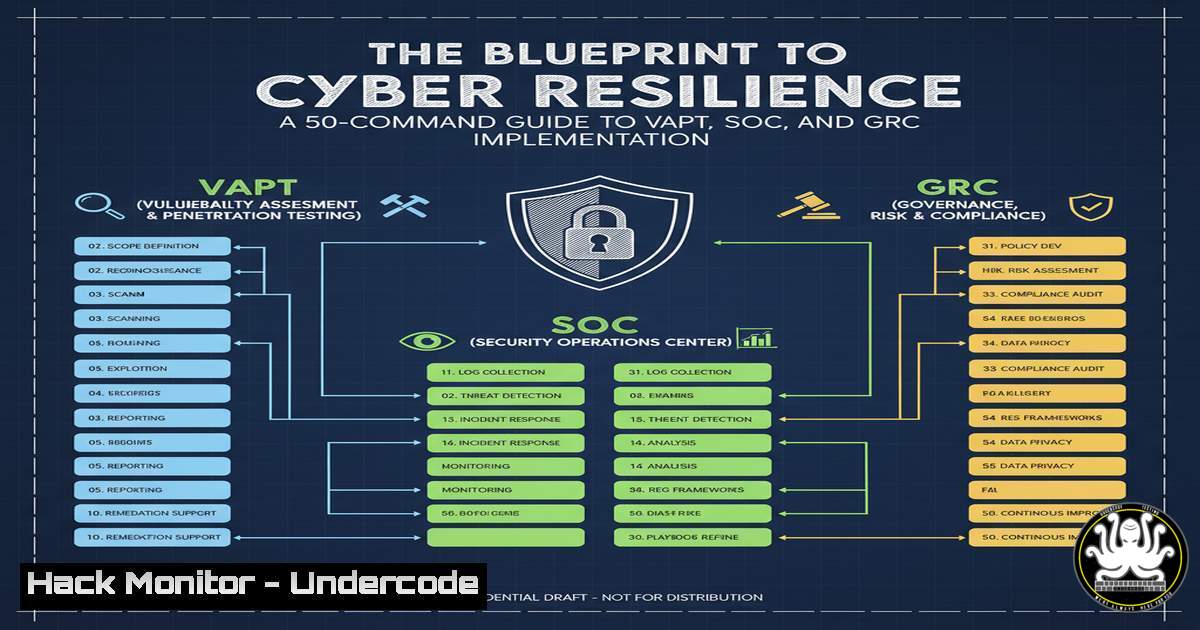
Introduction:
In an era where over 60% of cyberattacks target unprepared organizations, a proactive security posture is no longer optional but a critical business imperative. This guide translates core cybersecurity service offerings into actionable technical commands and procedures, empowering IT professionals to bridge the gap between high-level strategy and on-the-ground implementation. We will deconstruct services like Vulnerability Assessment and Penetration Testing (VAPT), Security Operations Center (SOC), and Governance, Risk, and Compliance (GRC) into verifiable commands and configurations.
Learning Objectives:
- Understand and execute fundamental commands for vulnerability scanning, network reconnaissance, and log analysis.
- Configure critical security controls on both Linux and Windows platforms to harden systems.
- Implement basic scripts and tool configurations to simulate attacker techniques and bolster defensive monitoring.
You Should Know:
1. Network Reconnaissance and Vulnerability Scanning
`nmap -sV -sC -O –script vuln
`masscan -p1-65535 –rate=1000` (Linux)
`nessuscli scan –policy=”Basic Network Scan” –targets
Step-by-step guide:
Network reconnaissance is the first step in both offensive (penetration testing) and defensive (attack surface mapping) security. The `nmap` command performs a service version scan (-sV), default scripts (-sC), OS detection (-O), and runs vulnerability scripts against the target. For extremely fast port scanning on large networks, `masscan` is unparalleled. For a more comprehensive, credentialed assessment, the Nessus CLI allows you to launch a pre-configured vulnerability scan policy directly from the command line. Always ensure you have explicit authorization before scanning any network.
2. Web Application Security Testing
`dirb https://target.com /usr/share/wordlists/common.txt` (Linux)
`sqlmap -u “https://target.com/page?id=1” –batch –level=3` (Linux)
`nikto -h https://target.com -o nikto_scan.html` (Linux)
Step-by-step guide:
Web applications are a primary attack vector. `dirb` is a classic content discovery tool that brute-forces directories and files on a web server, helping to find hidden endpoints. `sqlmap` automates the process of detecting and exploiting SQL injection flaws; the `–batch` flag runs it non-interactively, and `–level` increases the depth of tests. `nikto` is a robust web server scanner that checks for outdated software, dangerous files, and other common misconfigurations, outputting results to an HTML report for easy review.
3. Linux System Hardening and Audit
`chmod 600 /etc/shadow` (Linux)
`ufw enable && ufw default deny incoming` (Linux)
`aide –check` (Linux)
`auditctl -w /etc/passwd -p wa -k identity_access` (Linux)
`grep ‘Failed password’ /var/log/auth.log` (Linux)
Step-by-step guide:
Hardening a Linux server is fundamental. Restricting permissions on the `/etc/shadow` file (containing password hashes) to root only is crucial. Uncomplicated Firewall (ufw) provides a simple interface to `iptables` to block all incoming traffic by default. AIDE is a host-based intrusion detection system (HIDS) that creates a database of file checksums and alerts on changes. The Linux Audit daemon (auditctl) can monitor specific files, like /etc/passwd, for write or attribute changes (-p wa). Regularly checking authentication logs for failed login attempts is a basic SOC monitoring task.
4. Windows Security Configuration and Logging
`Get-Service -Name Spooler | Set-Service -StartupType Disabled -Status Stopped` (Windows PowerShell)
`auditpol /set /category:”Account Logon”,”Logon/Logoff” /success:enable /failure:enable` (Windows Command Prompt)
`Get-WinEvent -FilterHashtable @{LogName=’Security’; ID=4625,4624} | Select-Object -First 20` (Windows PowerShell)
`netsh advfirewall set allprofiles state on` (Windows Command Prompt)
Step-by-step guide:
Windows environments require specific hardening. This PowerShell command disables the Print Spooler service, which has been associated with critical vulnerabilities like PrintNightmare. The `auditpol` command configures the system to audit both successful and failed logon events, which is essential for detecting brute-force attacks. The `Get-WinEvent` cmdlet is a powerful tool for SOC analysts to query the Security log for specific event IDs, such as 4625 (failed logon) and 4624 (successful logon). Ensuring the Windows Firewall is active across all profiles is a baseline security measure.
- Security Operations Center (SOC) Log Analysis with Grep and jq
`grep -i “accepted password” /var/log/auth.log | awk ‘{print $11}’ | sort | uniq -c | sort -nr` (Linux)
`journalctl -u ssh.service –since “1 hour ago” | grep “Failed”` (Linux)
`cat network_log.json | jq ‘. | select(.dest_port == 22 and .action == “DENY”)’` (Linux – requiresjq)
Step-by-step guide:
Effective log analysis is the core of a SOC. The first `grep` and `awk` pipeline parses SSH logs to show which IP addresses have successfully authenticated and how many times, helping to identify normal vs. anomalous behavior. `journalctl` is used to query systemd journal logs for the SSH service, specifically looking for failures in the last hour. For JSON-based logs (common in cloud environments), `jq` is an indispensable tool for filtering and parsing; this command filters for denied connections on the SSH port (22).
6. Incident Handling & Digital Forensics Commands
`md5sum /suspicious/file.exe` (Linux)
`volatility -f memory.dump imageinfo` (Linux – Volatility)
`sdelete -z C:` (Windows – Sysinternals)
`tcpdump -i any -w incident_capture.pcap host
Step-by-step guide:
During an incident, preserving evidence is key. `md5sum` creates a cryptographic hash of a file, essential for integrity checking and malware analysis. Volatility is the standard for memory forensics; `imageinfo` helps identify the profile of the memory dump for further analysis. `sdelete` from Sysinternals securely wipes free space on a drive, which is part of the containment and eradication phase. `tcpdump` allows an analyst to capture all network traffic to or from a suspicious IP address for further investigation.
7. Cloud & API Security Fundamentals
`aws iam generate-credential-report` (AWS CLI)
`gcloud compute firewall-rules list –filter=”ALLOW INGRESS”` (Google Cloud SDK)
`nmap -p 443 –script http-security-headers ` (Linux)
`curl -H “Authorization: Bearer
Step-by-step guide:
Cloud and API security is critical. The AWS CLI command generates a report on all IAM users and their credentials, vital for GRC audits. The gcloud command lists all ingress firewall rules to identify overly permissive access. Using an Nmap script to check for the presence of security headers (like HSTS, CSP) on an API endpoint is a quick security assessment. The `curl` command simulates testing an API endpoint that requires Bearer token authentication, a common practice for API security testing.
What Undercode Say:
- Key Takeaway 1: Cybersecurity is an operational discipline, not just a list of services. The gap between purchasing a service like VAPT or SOC and being secure is bridged by the daily execution and understanding of these fundamental technical controls.
- Key Takeaway 2: Automation and scripting are force multipliers. The commands shown are building blocks that can be orchestrated into scripts for continuous compliance monitoring, automated threat detection, and rapid incident response.
The technical commands outlined here provide a tangible foundation for the services promised by security providers. A VAPT is not magic; it’s the systematic application of tools like Nmap, SQLMap, and Nessus. A SOC’s effectiveness hinges on the ability to efficiently query and parse logs with grep, jq, and PowerShell. GRC compliance is demonstrated through enforceable configurations like strict file permissions and detailed audit policies. True cyber resilience is achieved when strategic services are fully integrated into the technical workflow of the organization, creating a continuous cycle of assessment, hardening, and monitoring.
Prediction:
The future of cybersecurity will see a consolidation of these command-line and scripting tasks into AI-powered autonomous security platforms. However, for the next decade, the ability to understand, customize, and verify these underlying commands will be the defining skill separating proficient security teams from vulnerable ones. As attacks become more automated, defenses must too, and that automation will be built upon the foundational principles and tools demonstrated in this guide. The role of the human expert will evolve from manual executor to orchestrator and validator of these automated systems.
🎯Let’s Practice For Free:
IT/Security Reporter URL:
Reported By: Dicky Christian – Hackers Feeds
Extra Hub: Undercode MoN
Basic Verification: Pass ✅


