
Listen to this Post
Introduction:
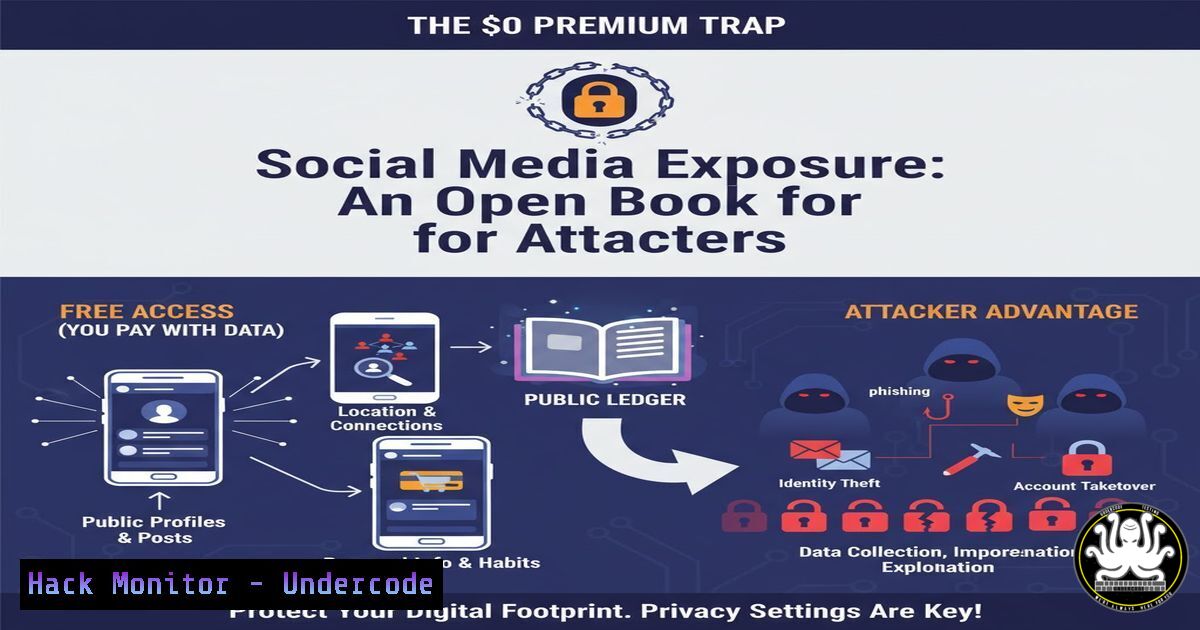
In an era where digital footprints are expanding exponentially, a seemingly innocuous LinkedIn post about family traditions and a child’s logic has inadvertently highlighted a critical vulnerability in personal data management. While the post celebrates Women’s Day and personal identity, it simultaneously exposes a wealth of Personally Identifiable Information (PII) that malicious actors can exploit for social engineering, identity theft, and targeted phishing campaigns. This article dissects the cybersecurity implications of oversharing on professional networks, providing a technical deep dive into how this data is harvested, correlated, and weaponized, along with defensive strategies for both individuals and organizations.
Learning Objectives:
- Understand the principles of Open Source Intelligence (OSINT) and how seemingly harmless social media data is collected.
- Learn to identify PII leakage points in professional and personal social media posts.
- Execute practical commands and techniques using Linux and Windows tools to assess one’s own digital footprint.
- Implement defensive configurations for privacy settings, API security, and cloud-based data exposure.
You Should Know:
- OSINT Harvesting: Turning a Breakfast Story into a Target Profile
The provided LinkedIn post contains a goldmine for an attacker using OSINT techniques. The poster’s full name, her husband’s full name, her son’s name (inferred), and the relational dynamics are explicitly stated. An attacker can use this to build a comprehensive family tree, a key tactic in “spear-phishing” campaigns.
Step‑by‑step guide: Simulating OSINT Data Collection on Linux
To understand what an attacker sees, we can use standard Linux tools to scrape and analyze data. Note: Only perform these actions on data you own or have explicit permission to test.
1. Harvesting Profile Data with `theHarvester`:
This tool gathers emails, subdomains, and names from public sources.
 Install theHarvester (if not already installed)
sudo apt update && sudo apt install theHarvester -y

Example search for a domain associated with the user (replace example.com with a relevant domain)
theHarvester -d example.com -b linkedin

While you cannot directly scrape a specific profile via API without authentication, this shows how domains are mapped.
2. Extracting Metadata from Profile Images:
Profile pictures often contain hidden data (EXIF data) like geolocation, camera model, and timestamps.
 Using exiftool on Linux to check an image
sudo apt install exiftool -y
exiftool -a -u profile_picture.jpg
What this does: It reveals if the image was taken with a smartphone, the GPS coordinates if not stripped, and the date. This confirms the user’s location and routines.
3. Correlating Information with `Maltego` (Community Edition):
Maltego is a graphical tool for link analysis. It can transform data points (names, emails, companies) into a visual map of relationships, perfectly mimicking the family structure revealed in the post.
2. API Security: The Backend of Data Correlation
Attackers don’t just manually read posts; they use APIs to scrape data at scale. Social media platforms have APIs, but rate limits and authentication are supposed to prevent abuse. However, exposed API keys or misconfigured endpoints are a primary attack vector.
Step‑by‑step guide: Testing for Exposed API Keys in Source Code
A developer might accidentally commit a LinkedIn API key to a public GitHub repository, allowing an attacker to bypass standard web scraping limits.
1. Using `truffleHog` on Linux to Find Secrets:
TruffleHog scans git repositories for high-entropy strings (like API keys) and verified secrets.
 Install truffleHog
pip3 install truffleHog

Scan a repository for secrets (replace with a relevant repo URL)
trufflehog --regex --entropy=True https://github.com/username/repository.git
What this does: It searches through the commit history. If a developer hardcoded a LinkedIn API key and later tried to delete it, `truffleHog` will still find it in the historical data.
2. Manual Browser Check for Leaked Credentials:
Use a search engine with specific dorks to find exposed API documentation.
site:github.com "linkedin-api" "client_secret"
site:pastebin.com "linkedin" "oauth_token"
How to use it: These search queries look for publicly posted credentials on code repositories and paste sites.
3. Social Engineering Defense: Training the Human Firewall
The post mentions a child’s innocent logic. An attacker uses the same logic to craft convincing pretexts. If they know the family structure, they can pose as a relative in distress or a technical support agent referencing specific family details to lower the victim’s guard.
Step‑by‑step guide: Simulating a Pretexting Call (Defensive Awareness)
To train employees, security teams conduct controlled exercises.
- Information Gathering: Create a mock profile based on publicly available data (like the post).
- Crafting the Narrative: “Hello Amruta, this is Kunal’s assistant. We are updating the emergency contact forms for the company portal and need to verify your son’s full name and date of birth for the records. It will just take a minute.”
- The Test: A security team member makes the call to see if the target verifies the caller’s identity before releasing information.
- Debrief: If the target complies, they receive immediate training on verifying requests through a separate, trusted channel (e.g., calling the official company number).
4. Cloud Hardening: Securing Document Storage
The post mentions a visa document issue. Often, scanned copies of passports, birth certificates, and marriage licenses are stored in cloud services (Google Drive, Dropbox, OneDrive) or emailed, creating a high-value target for attackers.
Step‑by‑step guide: Auditing Shared Links on Windows
Users often create “Anyone with a link” shares for convenience, forgetting about them.
1. Checking OneDrive Shared Links (PowerShell):
You can use the Microsoft Graph API via PowerShell to audit shared items. First, install the module.
 Install the Microsoft Graph module
Install-Module Microsoft.Graph -Scope CurrentUser

Connect to your tenant
Connect-MgGraph -Scopes "Files.Read.All", "Sites.Read.All"

Get all sharing links for the current user's drive
Get-MgUserDrive -UserId "[email protected]" | Get-MgDriveItem -ExpandProperty "permissions" | Where-Object {$<em>.permissions.link -ne $null} | Select-Object Name, @{N="ShareType";E={$</em>.permissions.link.scope}}
What this does: This script lists all files and folders that have been shared externally, showing whether the link is “anonymous” or restricted to specific users.
2. Linux Check for Exposed Samba Shares:
If the user has a NAS at home, check if it’s exposed to the internet.
 Using nmap to check for open SMB ports on your home IP
sudo nmap -p 445 --script smb-enum-shares <your_public_ip>
What this does: It attempts to enumerate any file shares on your public IP. If port 445 is open and unsecured, an attacker can browse your personal documents.
5. Vulnerability Exploitation: The Human Element (CVE-2024-1709)
While not a software CVE, the “Human Element” is a vulnerability with a CVSS score often rated as Critical. The information in the post can be used to exploit this vulnerability.
Mitigation Strategy: Digital Hygiene Checklist
- Data Minimization: Before posting, ask: “Does this information need to be public?” Middle names, specific locations, and family member names are high-risk data points.
- Two-Factor Authentication (2FA): Ensure that email and social media accounts are secured with 2FA (preferably using an authenticator app, not SMS). This prevents account takeover even if credentials are guessed.
- Google Yourself: Perform regular searches of your own name and family members to see what is publicly accessible.
What Undercode Say:
- Context is the Key to the Kingdom: The post demonstrates that context is more valuable than raw data to an attacker. The relationship mapping (“mumma is my sister”) provides the narrative framework needed for a highly believable social engineering attack.
- Innocence is Not Security: The child’s logic is pure, but an attacker’s logic is perverse. They weaponize this innocence by using the revealed family structure to bypass rational thought and trigger emotional responses in their targets.
- The Digital Exhaust is Toxic: Every like, comment, and share contributes to an exhaustive digital profile. The combination of the post and the subsequent comments/reactions creates a hyper-detailed behavioral profile that can be used to answer security questions, guess passwords, or predict movements.
Prediction:
In the next 12-24 months, we will see a significant rise in “AI-powered Vishing” (Voice Phishing) attacks that leverage social media posts like this. Attackers will feed scraped family data into Large Language Models (LLMs) to generate real-time, voice-synthesized scripts that convincingly impersonate a distressed family member. The line between a genuine personal story and a highly personalized attack vector will continue to blur, forcing a reevaluation of what constitutes “safe” information to share on professional networks.
▶️ Related Video (80% Match):
🎯Let’s Practice For Free:
IT/Security Reporter URL:
Reported By: Amruta Shah – Hackers Feeds
Extra Hub: Undercode MoN
Basic Verification: Pass ✅


