
Listen to this Post
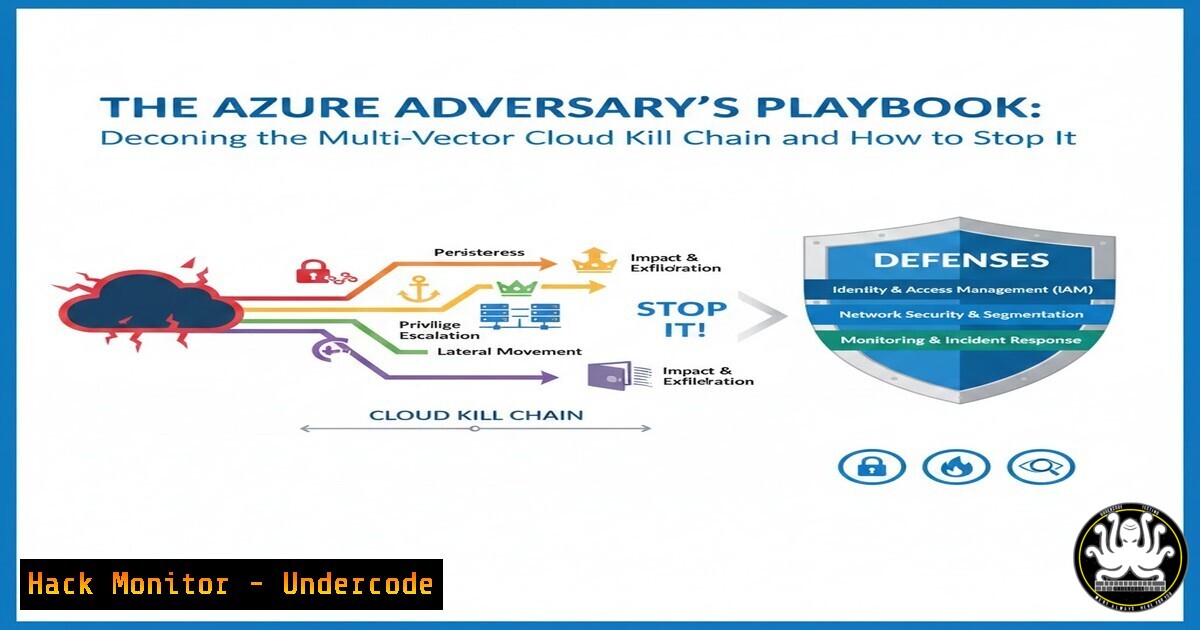
Introduction: The modern cloud environment, particularly Microsoft Azure, presents a vast and complex attack surface that often leaves even seasoned professionals asking, “Where to even begin?” This complexity is not just operational but deeply technical, intertwining identity management, API security, misconfigured services, and AI‑driven defense and offense. Understanding the adversary’s multi‑vector kill chain—from initial reconnaissance to data exfiltration—is critical for crafting an impregnable defense.
Learning Objectives:
- Decipher the common entry points and reconnaissance techniques used against Azure tenants.
- Implement hardening for critical vectors: Identity & Entra ID, Storage Accounts, and Management APIs.
- Deploy actionable monitoring and mitigation commands to detect and neutralize threats in progress.
You Should Know:
- Initial Access & Tenant Reconnaissance: The Adversary’s First Move
Before an attacker can exploit a vulnerability, they must map your digital estate. Publicly accessible resources and metadata leaks are prime targets. This phase often involves passive and active reconnaissance to identify misconfigured storage, open management endpoints, and valid user identities.
Step‑by‑step guide:
Tool: Use MicroBurst, a PowerShell reconnaissance framework for Azure.
Command (Attacker Simulated):
 Import the module
Import-Module .\MicroBurst.psm1
 Enumerate Azure resources for a given company name
Invoke-EnumerateAzureSubDomains -Base companyname
 Check for publicly readable storage blobs
Invoke-EnumerateAzureBlobs -Base companyname
Defensive Action (Admin): Use Azure Resource Graph to audit your own exposure.
// Azure Resource Graph Query in Portal
resources
| where type contains "publicIPAddresses"
| project subscriptionId, name, properties.ipAddress
// Find storage accounts with public access enabled
resources
| where type == "microsoft.storage/storageaccounts"
| extend networkRuleSet = properties.networkAcls.defaultAction
| where networkRuleSet == "Allow"
- Compromising the New Crown Jewel: Entra ID (Azure AD) Identity
With the perimeter hardened, identity is the primary attack vector. Attackers leverage password spray, credential stuffing, and token theft against Entra ID to gain a foothold. A single compromised user with excessive permissions can lead to tenant takeover.
Step‑by‑step guide:
Attack Technique: Password spray using `MSOLSpray` (simulated for testing).
 Test a password against a list of users for a given tenant
Import-Module .\MSOLSpray.ps1
Invoke-MSOLSpray -UserList .\users.txt -Password "Summer2024!" -Tenant "company.onmicrosoft.com"
Defensive Mitigation: Implement and audit Conditional Access Policies and enable risky sign-in reporting. Use `Microsoft Graph PowerShell` to list risky users.
 Connect to Graph with appropriate scopes
Connect-MgGraph -Scopes "IdentityRiskEvent.Read.All"
 Get risky sign-ins
Get-MgIdentityRiskDetection | Format-List UserDisplayName, RiskDetail, RiskLevel
3. Exploiting Misconfigured Storage & Data Exfiltration
Publicly readable Blob Storage Containers or overly permissive Shared Access Signatures (SAS) are goldmines. Attackers use automated scripts to scan and download sensitive data.
Step‑by‑step guide:
Exploit Command (Using Azure CLI from an attacker perspective):
 List containers in a storage account (if public)
az storage container list --account-name <victimaccount> --auth-mode login
 Download all blobs from a public container
az storage blob download-batch -d ./loot -s <containername> --account-name <victimaccount>
Hardening Command (Admin): Enforce network rules and private endpoints.
 Set default action to Deny on a storage account
az storage account update --name <accountname> --resource-group <RG> --default-action Deny
 Enable Azure Defender for Storage for threat detection
az security pricing create -n StorageAccounts --tier 'Standard'
- Securing the Management Plane: ARM, Key Vault, and API Security
The Azure Resource Manager (ARM) API is the backbone of control. Weak credentials or over‑provisioned service principals can lead to full resource compromise. Key Vaults, if improperly networked, can leak secrets.
Step‑by‑step guide:
Attack Simulation: Enumerate resources via ARM API with a stolen token.
curl 'https://management.azure.com/subscriptions/{subscriptionId}/resources?api-version=2020-10-01' -H "Authorization: Bearer <ACCESS_TOKEN>"
Defensive Configuration: Apply JIT (Just‑In‑Time) VM access and audit Key Vault access policies.
 Enable JIT on a VM with Azure PowerShell
Set-AzJitNetworkAccessPolicy -ResourceGroupName "<RG>" -Location "EastUS" -Name "Default" -VirtualMachine $vm
 Audit Key Vault logs for unusual access patterns (using KQL in Log Analytics)
AzureDiagnostics
| where ResourceType == "VAULTS"
| where OperationName == "VaultGet"
| summarize count() by CallerIPAddress, bin(TimeGenerated, 1h)
| where count_ > 10
- The AI Frontier: Leveraging AI for Threat Hunting & The Incoming AI‑Driven Attack
AI is a dual‑use tool. Security teams use it to analyze logs and predict attacks, while threat actors begin to weaponize AI for crafting phishing lures, automating exploit code, and evading detection.
Step‑by‑step guide:
Defensive AI Implementation: Use Azure Sentinel with ML analytics rules.
// Sample KQL query hunting for anomalous resource creation
AzureActivity
| where OperationNameValue == "MICROSOFT.RESOURCES/DEPLOYMENTS/WRITE"
| summarize count() by Caller, bin(TimeGenerated, 15m)
| where count_ > 5 // Alert on burst deployment activity
Proactive Measure: Train staff on AI‑enhanced phishing and implement AI‑powered email security solutions that analyze language patterns.
- Building an Immutable Audit Trail: Logging and Continuous Monitoring
Without comprehensive, tamper‑proof logs, detection is impossible. You must collect activity logs, resource logs, and network flow logs into a secured workspace.
Step‑by‑step guide:
Deployment Command: Enable diagnostic settings across all critical resources via policy.
 Use Azure CLI to enable logs for all Key Vaults in a subscription
az monitor diagnostic-settings create --resource <keyVaultResourceId> --name "SentinelLogs" --workspace <logAnalyticsWorkspaceId> --logs '[{"category": "AuditEvent","enabled": true}]' --metrics '[{"category": "AllMetrics","enabled": true}]'
Critical Query: Hunt for lateral movement using Azure Network Watcher flow logs combined with sign‑in logs.
- The Zero‑Trust Mandate: Implementing Conditional Access & Perimeter‑less Security
Assume breach. Every access request must be verified, regardless of origin. This moves defense from the network layer to the identity and device layer.
Step‑by‑step guide:
Implementation: Create a Conditional Access policy to require compliant devices and MFA for admin portals.
Navigate to Entra ID > Security > Conditional Access.
New Policy: Target “All cloud apps”.
Conditions: Set Client Apps to “Browser” and “Mobile apps and desktop clients”.
Access Controls: Grant access but require MFA and Device marked as compliant.
Validation: Use the “What If” tool to test the policy against a test user before enforcement.
What Undercode Say:
The Adversary is Efficient: Attackers follow the path of least resistance—misconfigured storage, weak identity policies, and exposed APIs. Your defense must systematically eliminate these low‑hanging fruits first.
Logs Are Your Evidence Locker: Comprehensive, centralized logging is non‑negotiable. An attack you cannot see is an attack you cannot stop. The kill chain becomes clear only in retrospect through robust logs.
Prediction:
The convergence of AI‑powered offensive tools and the increasing complexity of multi‑cloud and hybrid environments will accelerate the speed of attacks, compressing the kill chain from weeks to hours. The next major wave of cloud breaches will not stem from a novel zero‑day, but from the automated exploitation of known misconfigurations across identity, data, and management planes at a scale impossible for human‑only actors. Defenders must respond in kind, adopting AI‑augmented security operations to match the pace, automating not just detection but also remediation, moving towards self‑healing cloud architectures. The era of manual security configuration is ending.
▶️ Related Video (78% Match):
🎯Let’s Practice For Free:
IT/Security Reporter URL:
Reported By: Unitedstatesgovernment Microsoft – Hackers Feeds
Extra Hub: Undercode MoN
Basic Verification: Pass ✅


