
Listen to this Post
Introduction:
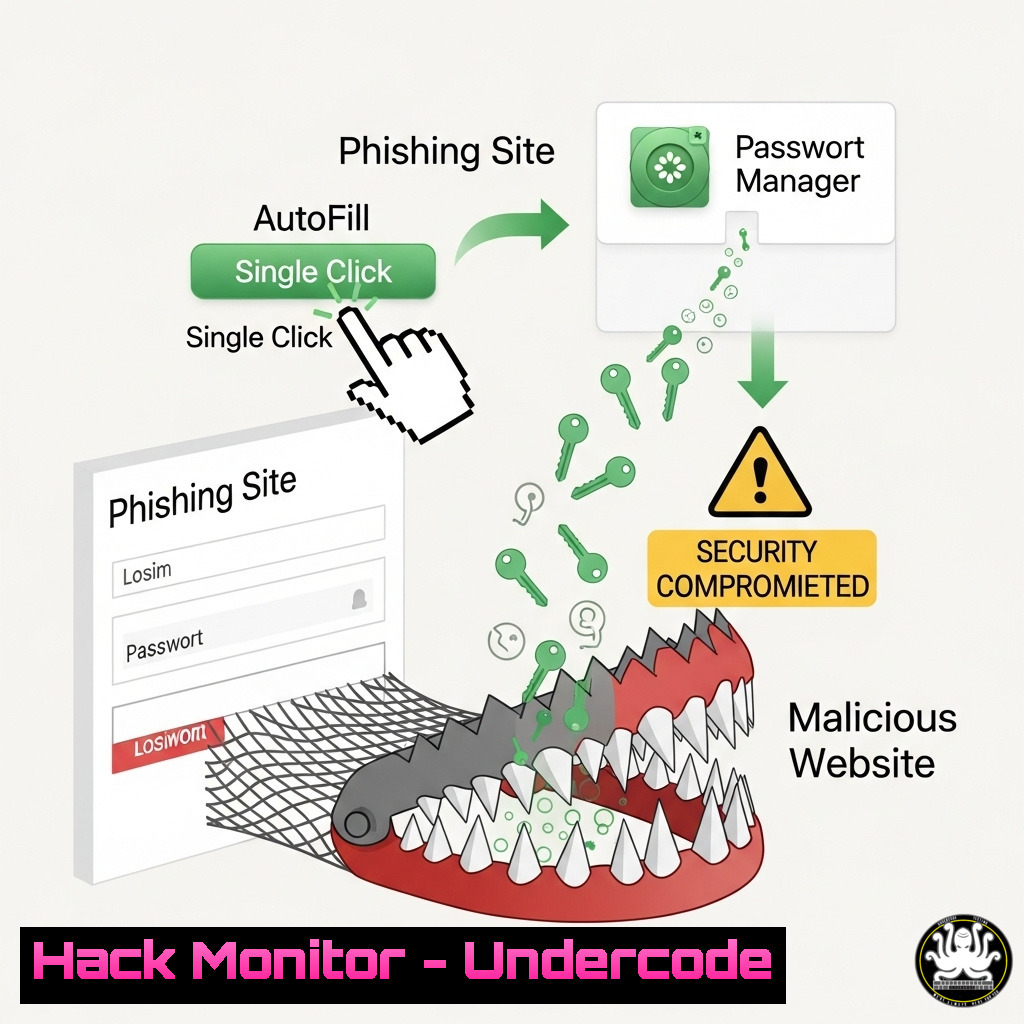
A critical security flaw has been uncovered in the autofill functionality of nearly every major password manager. This vulnerability allows threat actors to stealthily harvest user credentials and sensitive financial data from deceptive web forms without user interaction, turning a core convenience feature into a potent weapon for cybercrime.
Learning Objectives:
- Understand the mechanics of the autofill credential harvesting attack.
- Learn immediate mitigation steps to secure password manager usage.
- Identify secure coding practices to prevent exploitation of this vulnerability.
You Should Know:
1. The Deceptive Iframe Injection Attack
Attackers embed invisible or disguised iframes on a compromised webpage. These iframes are pre-configured with form fields designed to trigger a password manager’s autofill routine.
``
``
Step-by-step guide: An attacker compromises a popular website or creates a convincing phishing page. They inject a hidden iframe that points to a form built specifically to request credentials. When a user with autofill enabled visits the page, the password manager automatically populates the hidden form fields within the iframe. The malicious script then immediately exfiltrates these credentials to an attacker-controlled server, all without any user interaction.
2. Disabling Autofill in Your Password Manager
The primary mitigation is to disable the automatic autofill feature and revert to manual filling, typically via a keyboard shortcut or right-click context menu.
1Password: Browser Extension → Settings → Autofill → Toggle off “Automatically fill login fields”.
LastPass: Extension Icon → Account Options → Extension Preferences → Toggle off “Automatically Fill Login Information”.
Bitwarden: Browser Extension → Settings → Options → Toggle off “Enable Auto-fill on page load”.
Step-by-step guide: Open your password manager’s browser extension. Navigate to its settings or preferences menu. Locate the section concerning “Autofill” or “Auto-login.” Disable any options that allow for automatic filling without a user prompt. This forces the extension to only fill credentials when you manually initiate the action (e.g., by clicking the extension icon or using a defined keyboard shortcut).
3. Implementing a User Consent Dialog (Developer Mitigation)
For organizations developing web applications that handle sensitive data, a critical defense is to implement a user confirmation step before allowing autofill to complete.
`// JavaScript example to intercept and confirm autofill`
`document.addEventListener(‘focus’, (event) => {`
` if (event.target.autocomplete === ‘cc-number’ || event.target.autocomplete === ‘username’) {`
` if (confirm(‘Allow password manager to autofill this field?’)) {`
` // Proceed with autofill`
` } else {`
` event.target.blur();`
` }`
` }`
`}, true);`
Step-by-step guide: This code snippet adds an event listener for focus events on specific sensitive input fields (like credit card numbers or usernames). When the field is focused, potentially by an autofill routine, it triggers a confirmation dialog. This ensures that a user consciously approves the autofill action, preventing silent exploitation by a hidden form. This is the solution researchers from Socket recommended.
4. Hardening Forms Against malicious Autofill Triggers
Web developers can use the `autocomplete` attribute correctly to guide password managers and avoid inadvertently triggering them on sensitive, non-login forms.
``
``
``
``
``
``
``
Step-by-step guide: Use standard `autocomplete` values for known field types (e.g., `cc-name` for credit card name) to ensure proper handling by browsers. For fields that must never be automatically populated, use `autocomplete=”off”` and consider making the field `readonly` and using JavaScript to blur it on focus, making it an unattractive target for autofill scripts.
5. Monitoring for Unauthorized Data Exfiltration
System and network administrators can use command-line tools and logging to monitor for suspicious outbound connections that may indicate successful credential harvesting.
` Linux (Check for suspicious outbound connections)`
`sudo netstat -tulpna | grep ESTABLISHED`
`sudo tcpdump -i any -n port 53 or port 80 or port 443 -c 100`
` Windows (Check network activity per process)`
`Get-NetTCPConnection -State Established | Select-Object LocalAddress, LocalPort, RemoteAddress, RemotePort, OwningProcess | Format-Table`
`Get-Process | Where-Object { $_.Id -eq
Step-by-step guide: Regularly monitor active network connections on critical workstations and servers. The `netstat` (Linux) and `Get-NetTCPConnection` (PowerShell) commands show all live connections. Look for connections to unknown or suspicious external IP addresses. Correlate the OwningProcess (PID) with running processes to identify any malicious software that may be sending stolen data.
6. Leveraging Content Security Policies (CSP)
A strong Content Security Policy can help mitigate the risk of malicious iframe injection by restricting which domains are allowed to frame your content.
` Example Nginx CSP header to block all framing`
`add_header X-Frame-Options “DENY”;`
` Or a stricter CSP header (modern approach)`
`add_header Content-Security-Policy “frame-ancestors ‘self’;”;`
Step-by-step guide: Configure your web server to send HTTP security headers. The `X-Frame-Options: DENY` header prevents the page from being embedded in any frame or iframe. The more modern `Content-Security-Policy: frame-ancestors ‘self’` header allows framing only by pages from the same origin. This protects your legitimate login pages from being framed by attacker sites.
7. User Awareness and Phishing Simulation Training
The human layer is the last line of defense. Training users to identify phishing attempts reduces the chance they will land on a page hosting the malicious autofill exploit.
` Example command to launch a phishing simulation campaign (using a tool like GoPhish)`
`./gophish –config config.json`
Step-by-step guide: Utilize security awareness platforms to conduct regular, controlled phishing simulations. These campaigns send fake phishing emails to employees in a safe environment. The results help identify individuals who need additional training, thereby strengthening the organization’s overall resilience to the social engineering required to make this autofill attack successful.
What Undercode Say:
- Convenience is the Antithesis of Security. This flaw is a quintessential example of the trade-off between user experience and robust security. The feature was designed for convenience, creating a blind trust in automation that attackers have now exploited.
- The Vulnerability is Systemic, Not Isolated. The fact that every major vendor was affected points to a fundamental flaw in the shared design philosophy of autofill features, not a simple coding error in a single product. This indicates a critical need for an industry-wide revision of the autofill standard.
The industry’s response highlights a critical conflict. 1Password’s admission that they opted not to implement a universal confirmation dialog due to “user feedback” is a telling case study in product management. It demonstrates that even security-focused companies are pressured to prioritize usability, sometimes at the expense of security. This incident should serve as a catalyst for a paradigm shift, forcing vendors to re-architect this functionality with a zero-trust approach, even if it means adding one extra click for the user. The assumption that a form field is trustworthy can no longer be made.
Prediction:
This vulnerability will catalyze a fundamental shift in how password managers and browsers handle autofill. In the short term, we will see a rushed implementation of user-confirmation dialogs across all major vendors. In the long term, expect a new, more secure standard for cross-origin form filling to emerge, likely involving cryptographic challenges between the password manager and the website to verify the legitimacy of the form before any data is released. This event will be cited as the turning point that ended the era of blind autofill.
🎯Let’s Practice For Free:
IT/Security Reporter URL:
Reported By: Michael Tchuindjang – Hackers Feeds
Extra Hub: Undercode MoN
Basic Verification: Pass ✅


