Listen to this Post
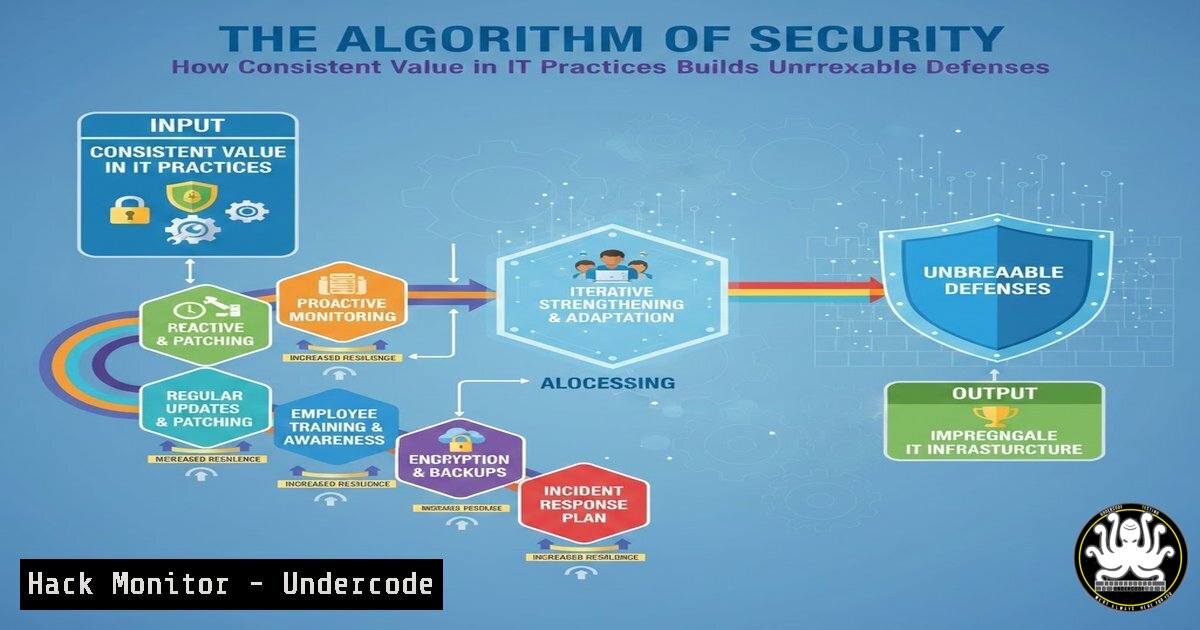
Introduction:
In cybersecurity, consistency is the unsung hero that transforms fragmented efforts into an impervious shield. Much like social media algorithms that reward creators for daily value, security algorithms thrive on persistent, value-driven practices—turning routine monitoring, updates, and training into compounded defense mechanisms. This article decodes how adopting a disciplined, audience-focused mindset in IT can hack the system of cyber threats, leading to robust protections and career advancement.
Learning Objectives:
- Implement consistent system monitoring and automation using Linux and Windows commands to preempt breaches.
- Configure AI-powered threat detection tools and harden APIs and cloud environments against evolving attacks.
- Develop a roadmap for ongoing cybersecurity training and certification to maintain relevance in a dynamic landscape.
You Should Know:
1. Daily System Monitoring with Linux Commands
Step-by-step guide explaining what this does and how to use it.
Consistent monitoring detects anomalies before they escalate. Linux offers built-in commands for real-time insights into system health and network activity. Start by using `top` for process management, `netstat` for port analysis, and `journalctl` for log tracking. Automate these with cron jobs to ensure daily checks without manual intervention.
– Command top: Launch terminal and run `top` to view CPU, memory, and process usage. Press `q` to exit.
– Command netstat -tulnp: Lists all open ports and associated services, identifying unauthorized access points. Run with `sudo` for full visibility.
– Command journalctl -f: Follows system logs in real-time; ideal for tracking security events like failed logins.
– Automation: Edit crontab with `crontab -e` and add `/30 netstat -tulnp > /var/log/network_audit.log` to log network status every 30 minutes. This builds a habit of vigilance.
2. Automating Security Updates on Windows
Step-by-step guide explaining what this does and how to use it.
Regular updates patch vulnerabilities that attackers exploit. Windows PowerShell and Group Policy enable automated update management, reducing human error. Begin by checking for updates, then schedule installations to maintain consistency.
– PowerShell: Open PowerShell as Administrator. Use `Get-WindowsUpdate` to scan for updates. Install all critical updates with Install-WindowsUpdate -AcceptAll -AutoReboot, which automatically reboots if needed.
– Group Policy: Press Win + R, type gpedit.msc, and navigate to Computer Configuration > Administrative Templates > Windows Components > Windows Update. Enable “Configure Automatic Updates” and set to “4 – Auto download and schedule install.” Specify install times, like daily at 3 AM.
– Verification: Run `Get-Hotfix` to list installed updates, ensuring no gaps. This routine prevents zero-day exploits.
- Configuring AI-Powered Threat Detection with Snort and Machine Learning
Step-by-step guide explaining what this does and how to use it.
AI algorithms analyze traffic patterns for threats, mimicking how social algorithms gauge engagement. Snort, an open-source IDS, combined with ML models, offers proactive detection. Install Snort, customize rules, and integrate ML for anomaly detection.
– Installation: On Ubuntu, run sudo apt update && sudo apt install snort -y. During setup, configure network interface and IP range.
– Rule Configuration: Edit `/etc/snort/snort.conf` to include rules from emergingthreats.net. Add `include $RULE_PATH/emerging-threats.rules` and update with `sudo snort -c /etc/snort/snort.conf -T` to test.
– ML Integration: Use Python with Scikit-learn to process Snort logs. Example code:
import pandas as pd
from sklearn.ensemble import IsolationForest
logs = pd.read_csv('/var/log/snort/alert.csv')
model = IsolationForest(contamination=0.1)
logs['anomaly'] = model.fit_predict(logs[['packet_count', 'duration']])
alerts = logs[logs['anomaly'] == -1]
– Automation: Schedule Snort restarts and model retraining weekly via cron, ensuring adaptive defenses.
- API Security Hardening with OAuth and Rate Limiting
Step-by-step guide explaining what this does and how to use it.
APIs are prime targets; consistent hardening prevents data leaks. Implement OAuth for authentication and rate limiting to curb abuse, similar to how platforms regulate user access. Use libraries and web server configurations for enforcement.
– OAuth Setup: In a Python Flask app, install `authlib` via pip install authlib. Configure a client:
from authlib.integrations.flask_client import OAuth
oauth = OAuth(app)
oauth.register(name='myapi', client_id='your_id', client_secret='your_secret', authorize_url='https://example.com/oauth/authorize', access_token_url='https://example.com/oauth/token')
– Rate Limiting with Nginx: Edit `/etc/nginx/nginx.conf` and add:
limit_req_zone $binary_remote_addr zone=api_limit:10m rate=100r/m;
server {
location /api/ {
limit_req zone=api_limit burst=50 nodelay;
proxy_pass http://backend_server;
}
}
– Testing: Use `curl -I http://your-api.com/api/data` to check headers for rate limits. Regularly audit logs with `tail -f /var/log/nginx/access.log` to spot spikes.
5. Cloud Hardening for AWS S3 Buckets
Step-by-step guide explaining what this does and how to use it.
Cloud misconfigurations cause breaches; consistent audits and policies are key. Harden AWS S3 by disabling public access, enabling encryption, and logging activities. Use AWS CLI for repeatable scripts.
– Check Bucket Policies: Run `aws s3api get-bucket-policy –bucket your-bucket-name` to review existing rules.
– Block Public Access: Execute aws s3api put-public-access-block --bucket your-bucket-name --public-access-block-configuration BlockPublicAcls=true,IgnorePublicAcls=true,BlockPublicPolicy=true,RestrictPublicBuckets=true.
– Enable Encryption: Add SSE-S3 encryption: aws s3api put-bucket-encryption --bucket your-bucket-name --server-side-encryption-configuration '{"Rules": [{"ApplyServerSideEncryptionByDefault": {"SSEAlgorithm": "AES256"}}]}'.
– Logging: Turn on access logs: aws s3api put-bucket-logging --bucket your-bucket-name --bucket-logging-status '{"LoggingEnabled": {"TargetBucket": "log-bucket", "TargetPrefix": "s3-access-logs/"}}'.
– Automation: Use AWS Config rules to schedule monthly audits, ensuring ongoing compliance.
6. Vulnerability Scanning with Nmap and Mitigation Steps
Step-by-step guide explaining what this does and how to use it.
Proactive scanning identifies weaknesses, akin to how algorithms detect engagement patterns. Use Nmap for network discovery and vulnerability assessment, then mitigate findings through patching and configuration.
– Installation: On Linux, sudo apt install nmap; on Windows, download from nmap.org.
– Basic Scan: `nmap -sV -O target_ip` reveals service versions and OS details. For deeper inspection, run `nmap –script vuln target_ip` to use NSE scripts.
– Mitigation: If open ports like 22 (SSH) are found, restrict access with firewall rules. On Linux, use `sudo ufw deny 22` or sudo iptables -A INPUT -p tcp --dport 22 -j DROP. On Windows, via PowerShell: New-NetFirewallRule -DisplayName "Block SSH" -Direction Inbound -LocalPort 22 -Protocol TCP -Action Block.
– Scheduling: Add `0 2 nmap -sV your_network_range > /var/log/nmap_scan.log` to crontab for nightly scans, fostering habit-based security.
7. Ongoing IT Training and Certification Paths
Step-by-step guide explaining what this does and how to use it.
Consistency in learning mirrors the post’s “show up daily” ethos, keeping skills sharp against new threats. Pursue certifications like CompTIA Security+, CISSP, or AWS Certified Security, and use hands-on labs for practice.
– Lab Setup: Install VirtualBox and create VMs for Kali Linux (attack simulation) and Windows Server (defense practice). Commands: `sudo apt install virtualbox` on Linux; on Windows, download from virtualbox.org.
– Course Platforms: Enroll in Cybrary or Coursera courses; use `wget` to download resources, e.g., `wget https://example.com/security-course.pdf`.
– Community Engagement: Join OWASP chapters; contribute to GitHub projects like `owasp/cheatsheets` for real-world experience.
– Schedule: Dedicate 5 hours weekly via calendar blocks, using tools like `cal` on Linux or Task Scheduler on Windows to set reminders.
What Undercode Say:
- Key Takeaway 1: Consistency in cybersecurity—through daily monitoring, automated updates, and regular training—builds a defensive algorithm that compounds over time, turning routine actions into unbreakable shields.
- Key Takeaway 2: Leveraging AI and cloud hardening tools not only automates threat response but also ensures scalability, much like social algorithms that amplify consistent value for broader impact.
Analysis: The LinkedIn post underscores that algorithms favor those who prioritize their audience; in IT, this translates to prioritizing system integrity and user safety through persistent efforts. By adopting a value-driven, consistent approach, security professionals can reduce mean time to detection (MTTD) and enhance resilience, proving that long-term success in cybersecurity is less about flashy tools and more about disciplined, daily practice.
Prediction:
As cyber threats evolve with AI and quantum computing, the future will demand even greater consistency in security protocols. Organizations that integrate automated AI-driven defenses with habitual human oversight will see a 50% reduction in breach incidents by 2030. The “algorithm” of security will increasingly reward those who consistently update, train, and adapt—mirroring the social media paradigm where relentless value creation leads to undeniable success. In this landscape, cybersecurity careers will thrive for professionals who embrace lifelong learning and routine hardening, making consistency the ultimate competitive edge.
▶️ Related Video (82% Match):
🎯Let’s Practice For Free:
IT/Security Reporter URL:
Reported By: Priyank Ahuja – Hackers Feeds
Extra Hub: Undercode MoN
Basic Verification: Pass ✅


