Listen to this Post
Introduction:
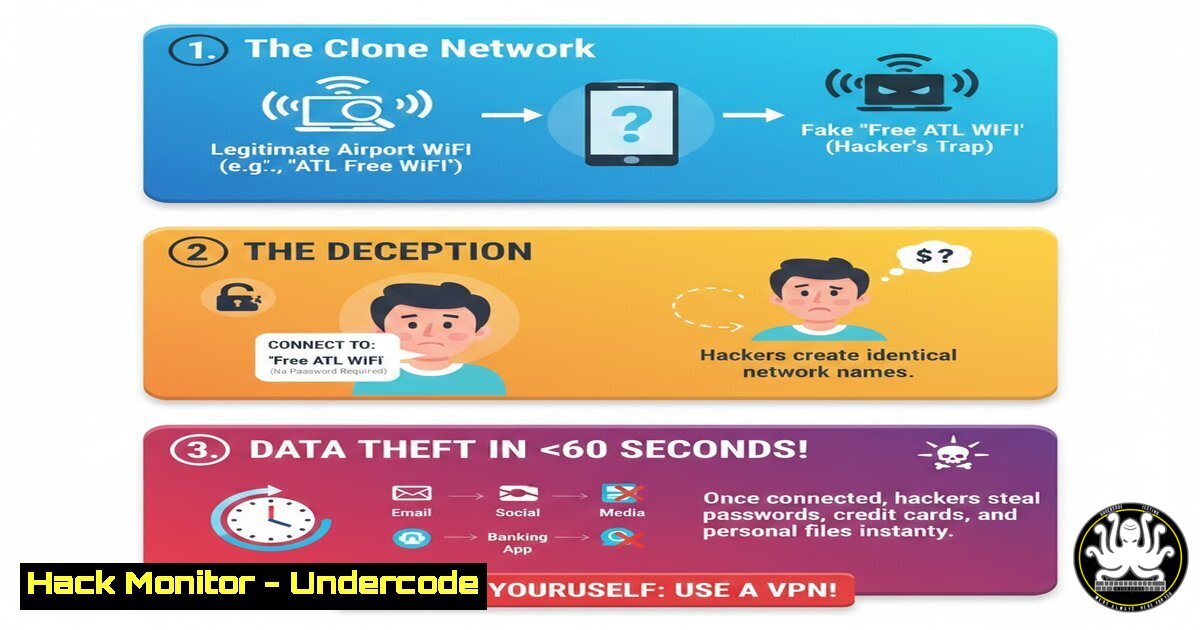
The convenience of free airport WiFi masks a severe and prevalent threat: Evil Twin attacks. Cybercriminals deploy rogue access points with convincing names like “Airport_Free_WiFi” or “Boingo Hotspot” to harvest credentials, financial data, and corporate secrets from unsuspecting travelers. This article deconstructs the attack methodology and provides a technical survival guide for secure connectivity on the move.
Learning Objectives:
- Understand the mechanics of Evil Twin and SSL stripping attacks on public networks.
- Implement pre-connection verification techniques using command-line tools.
- Configure and enforce secure tunneling (VPN), DNS, and browser settings to mitigate risk.
You Should Know:
1. Pre-Flight Recon: Verifying Legitimate Access Points
The first line of defense is positive identification of the legitimate network. Airports often list official SSIDs on their website or signage. Technically, you can investigate nearby networks more deeply.
Step‑by‑step guide:
- On Windows: Use `netsh` to list all visible WiFi profiles and details. Open Command Prompt as Administrator.
netsh wlan show networks mode=bssid
This command shows all networks with their BSSID (the AP’s MAC address), channel, and signal strength. Look for multiple APs with the same SSID but different BSSIDs—this is normal for a legitimate network. A single strong signal with a generic name is suspect.
- On Linux: Use `nmcli` or
iwlist.nmcli device wifi list
or
sudo iwlist [bash] scanning
- The Imperative of a Trusted VPN: Tunnel All Traffic
A Virtual Private Network (VPN) creates an encrypted tunnel from your device to a trusted server, rendering the untrusted WiFi link irrelevant. Do not use “free” VPNs; they can be malicious. Configure your trusted VPN client to activate on untrusted networks automatically.
Step‑by‑step guide:
- Configuration Checklist:
- Enable the “Kill Switch” or “Lockdown” feature. This blocks all traffic if the VPN tunnel drops.
- Use protocols like OpenVPN (UDP) or WireGuard for robust encryption and performance.
- Set the VPN to auto-connect for networks marked as “Public” or untrusted.
– Verification: After connecting, visit `ipleak.net` or `dnsleaktest.com` to confirm your real IP address is hidden and DNS queries are routed through the VPN.
3. Enforcing HTTPS: Defeating SSL Stripping
Evil Twin attacks often use SSL stripping to downgrade connections from HTTPS to HTTP, making traffic readable. Enforce HTTPS in your browser.
Step‑by‑step guide:
- Install the browser extension “HTTPS Everywhere” (by EFF) to force HTTPS connections.
- Advanced: Use HSTS Preloading. For critical domains (e.g., your company portal), you can preload HSTS (HTTP Strict Transport Security) via your browser’s security settings or by visiting
hstspreload.org. This tells the browser to only connect via HTTPS to that domain.
4. Securing DNS: Preventing Phishing & Snooping
On a rogue AP, the attacker controls the DNS server, redirecting `youbank.com` to a phishing site. Use encrypted DNS (DNS-over-HTTPS or DNS-over-TLS).
Step‑by‑step guide:
- On Windows 11/10:
Go to Settings > Network & Internet > Ethernet/WiFi > [Your Network] > DNS settings. Set “DNS over HTTPS” to On and use a provider likehttps://cloudflare-dns.com/dns-query` orhttps://dns.google/dns-query`. - On Linux (using systemd-resolved):
Edit `/etc/systemd/resolved.conf`:
[bash]
DNS=1.1.1.1 8.8.8.8
DNSOverTLS=yes
Then run `sudo systemctl restart systemd-resolved`.
5. Post-Connection Audit: Checking for Arp Poisoning
If you must connect without a VPN, check for signs of a Man-in-the-Middle (MitM) attack like ARP poisoning.
Step‑by‑step guide:
- On Linux: Use `arp-scan` or check the ARP table.
sudo arp-scan -l
Look for duplicate MAC addresses claiming to be the gateway—a clear sign of ARP spoofing.
- On Windows: Use `arp -a` in Command Prompt to list the ARP table and similarly check for duplicate gateway MAC addresses.
- WiFi Profile Hygiene: Forget Networks & Disable Auto-Connect
Your device’s tendency to auto-connect to “known” networks is a liability. Attackers can set up an AP with a common SSID you’ve used before.
Step‑by‑step guide:
- On Windows: Run
netsh wlan show profiles. Delete any public network profiles you don’t permanently need:netsh wlan delete profile name="Airport_Free_WiFi"
- On iOS/Android: In WiFi settings, select any public network and disable “Auto-Join” or “Auto-Reconnect.”
- The Zero-Trust Posture: Assume the Network is Hostile
Beyond technical steps, adopt a zero-trust mindset for public WiFi. Use this period for non-sensitive browsing only.
Step‑by‑step guide:
- Enable Multi-Factor Authentication (MFA) on all accounts. Even if credentials are captured, MFA provides a critical second barrier.
- Use a Corporate Firewall or Personal Firewall to block unnecessary outbound/inbound ports. On Windows, ensure the Windows Defender Firewall is set to “Public” profile for strict rules.
- Avoid accessing email, banking, or corporate VPNs without your own VPN tunnel. If urgent, use your smartphone’s cellular data as a hotspot—a far more secure alternative.
What Undercode Say:
- The Threat is Operational, Not Theoretical: Evil Twin attacks are trivial to deploy with tools like `aircrack-ng` suite (
airbase-ng) and `ettercap` for MitM, making them a high-likelihood, high-impact risk. - Layered Defense is Non-Negotiable: No single tool provides absolute safety. Security derives from the combination of VPNs, encrypted DNS, HTTPS enforcement, and user awareness.
The analysis underscores that public WiFi security is less about advanced hacking and more about exploiting fundamental trust in network names and the human desire for convenience. The technical countermeasures are readily available but underutilized. For the professional traveler, these configurations must become as routine as packing a passport.
Prediction:
The evolution of this threat will parallel defender adaptations. We will see a rise in AI-powered Evil Twins that dynamically clone SSIDs based on nearby client probe requests, making pre-flight verification harder. Conversely, integration of WPA3-Enterprise and wider adoption of encrypted client hello (ECH) in TLS 1.3 will help blunt these attacks. The immediate future, however, will see an increase in automated, large-scale credential harvesting at major transit hubs, targeting not just individuals but especially corporate employees to gain initial access into fortified networks.
🎯Let’s Practice For Free:
IT/Security Reporter URL:
Reported By: Inga Stirbytecybersecurityleader – Hackers Feeds
Extra Hub: Undercode MoN
Basic Verification: Pass ✅


